Organize digital purchase accounts, receipts, and recovery access
Create a purchase record that links the store account, order identifier, receipt location, and recovery arrangements.
Published · Updated · FaultNote editorial policy
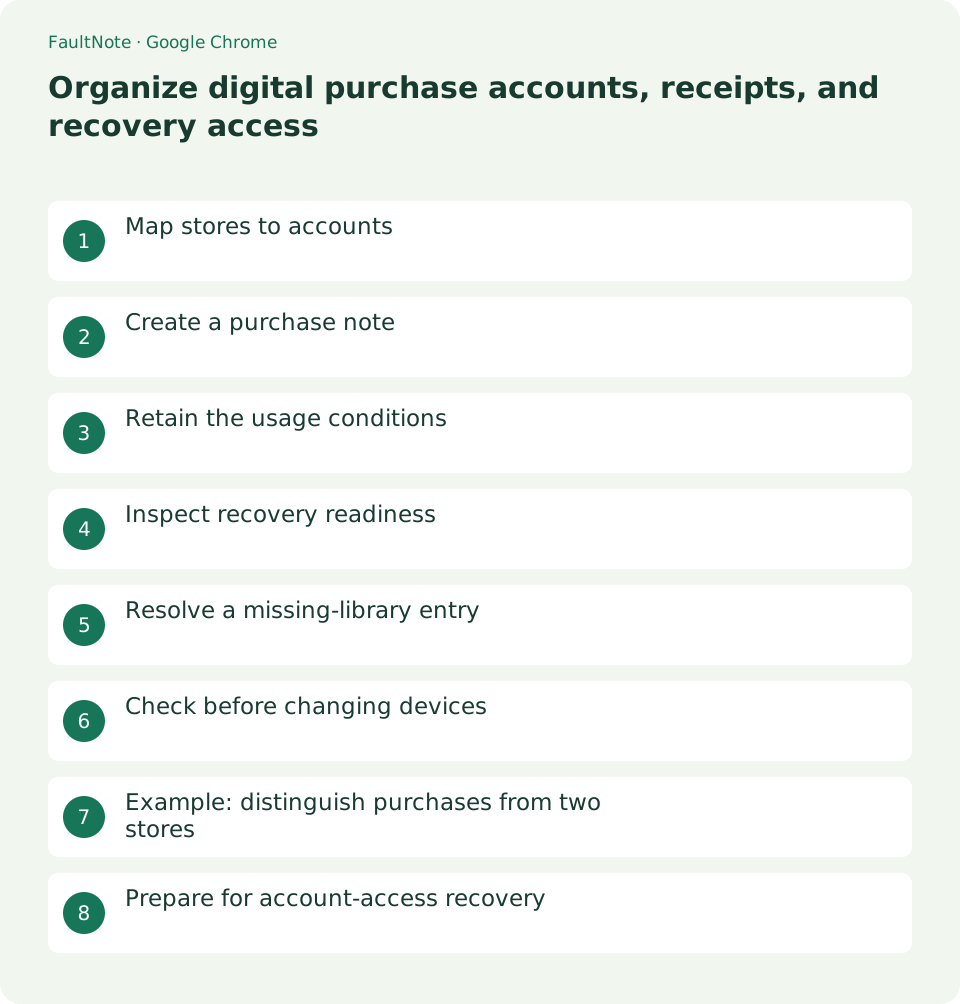
Who this guide is for and what to prepare
- People organizing software and game purchases across several stores
What you need
- Prepare official order history and confirmation email, and choose private record storage.
Map stores to accounts
Before buying software, games, or audio assets, check the email shown in the store account screen. A browser profile name is not proof of the store identity. Record the account that will provide future access to the purchase library.
A store may accept an external sign-in provider, but its identity need not match the browser account. Record the identity displayed before checkout. For work purchases, also check the organization rules and required billing name.
Scroll horizontally to see the full table →
| Situation | Action | Check |
|---|---|---|
| Locate purchase proof | Order ID and receipt | Do not include passwords |
| Locate downloads | Official URL and identity | Inspect current access terms |
| Replace a device | Files and recovery access | Migrate app data separately |
Create a purchase note
Create one record per order with the product, order identifier, date, official store URL, and receipt location. Keep passwords and full card details out of this note. A useful record helps locate proof without exposing authentication secrets.
Date and product labels make receipt filenames searchable without exposing names or emails in a shared listing. For an order containing several items, link the product list to its single order identifier instead of inventing separate order numbers.
- Open the official store order history.
- Compare account identity with the receipt recipient.
- Record product, order ID, date, and official URL.
- Add receipt and retained-file locations.
- Retain official compatibility and license references.
- Inspect recovery options and keep secrets separately.
Retain the usage conditions
For products with commercial-use, device-count, or redistribution conditions, record the official terms location and intended use. Access to a download does not automatically settle licensing questions. Keep any purchase-specific permission with the receipt.
Retain the official terms URL and review date. General terms can change and individual products may have additional conditions. If the intended use remains unclear, ask the official provider before purchasing rather than assuming permission.
Inspect recovery readiness
Review each retailer authentication and recovery options. For a Google Account, follow its official two-step verification instructions. Other stores may provide different mechanisms, so check their own help rather than assuming identical support.
Check that you can receive account email and use the registered authentication method. Keep recovery secrets outside the purchase note in appropriate secure storage. Verify a replacement method before retiring an existing one.
Resolve a missing-library entry
If a payment notice exists but the library lacks the item, compare the order state and account identity. A different account, pending processing, or failed payment requires different handling. Provide the order identifier and time to official support when the status is unclear.
Provide order details according to official support instructions and use its legitimate contact channel. Avoid posting identifiers or personal details publicly. Retain the reply with the order record so future questions need not restart the investigation.
Check before changing devices
Before replacing a computer, verify access to the official account from another device and retain receipts and needed files. Do not assume downloads will remain available indefinitely. Read the provider's access conditions and keep permitted backups independently.
Before erasing an old PC, inspect application settings and game saves separately from purchase packages. This record helps establish access and acquisition; it does not verify that application-specific data migration is complete.
Example: distinguish purchases from two stores
For software bought from store A and assets from store B, record each official URL, account email, order ID, date, and retained package separately. Similar names are easier to distinguish by store and identity. For reinstalling, open the documented library and inspect current compatibility. Treat any old price note as a past transaction record.
The record should let you return directly to the legitimate purchase source. Use the documented URL and identity instead of searching for a similarly named package. For expense reporting, share only the required proof, not your whole purchase library or authentication information.
Prepare for account-access recovery
Use official recovery guidance and identify the registered email from receipts or confirmation messages. Creating a new account does not necessarily transfer old purchases. Prepare the order ID, date, and product for official support, while keeping passwords and verification codes out of correspondence.
Add support reference and reply dates during a longer recovery. Read previous instructions before opening duplicate requests. Record purchase status, download access, and refund requests separately, marking unresolved points as unresolved rather than assuming completion.
Record order details when a new store sends its confirmation, rather than waiting until device replacement. Retain only useful acquisition information. If the account email changes, document the new identity and its relationship to the old record.
Limitations and requirements
- Verify transaction records or migration outcomes before repeating an order or retiring an old environment.
Frequently asked questions
Is a purchase note enough to download again?
The note helps locate the purchase. Actual access still depends on the retailer account and its conditions.
Does every store support two-step verification?
Methods differ. Do not apply Google instructions to every retailer; inspect each official help resource.
Is a confirmation email enough?
Compare it with account identity and purchase history, and retain the receipt location to make future access easier.
Are downloads available forever?
Not universally. Read product and store access terms and retain permitted backups where necessary.
Sources and verification date
Sources checked: . These sources support the specifications, procedures or prices discussed here. Check each source for applicable conditions and current information.
Related practical guides
- Organize Chrome download folders, history, and actual files
- Stop unwanted Chrome website notifications by origin
- Manage Chrome camera, microphone, and location permissions per site
- Clear one Chrome website storage before retrying sign-in
- Incognito shopping: retained records and checks before closing
- Review Chrome address and payment autofill on a shared PC