Back up a VS Code profile: local export and a separately named import drill
Export a VS Code profile locally and import it under a separate name to check settings, shortcuts and extensions. Inventory project files, workspace settings and machine-specific paths separately.
Published · Updated · FaultNote editorial policy
Who this guide is for and what to prepare
- People preparing a recoverable backup
- People checking what an application backup contains
What you need
- Record the current profile and VS Code version
- Prepare a separate test profile and copied test file
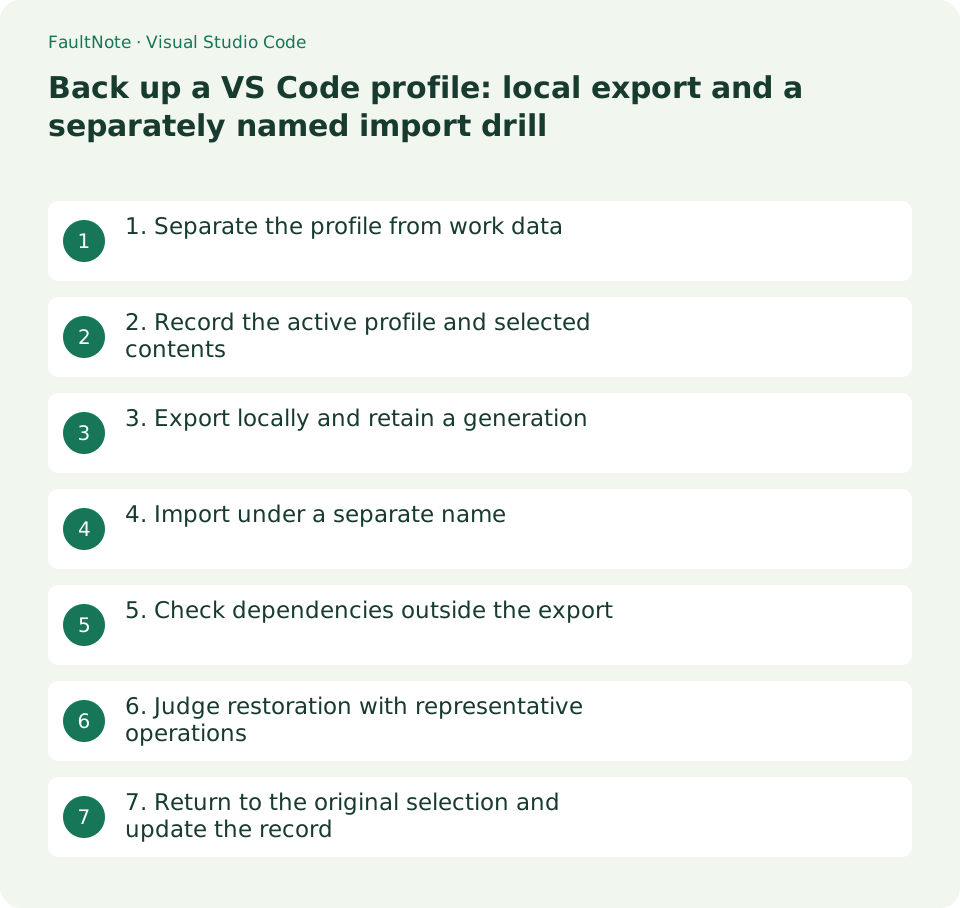
1. Separate the profile from work data
A profile is an editor configuration, not a container for your source, pictures or documents. Two projects using one Python profile still need their own backups. Record the editor environment and project folders as separate items.
Define separate outcomes: familiar font and shortcuts, required extensions, and opening the project. Restoring source comes from the project backup; this drill checks whether you can reproduce the editing environment.
2. Record the active profile and selected contents
Open Profiles from File > Preferences > Profiles or the Manage gear. Record the active profile, editor version, purpose and essential extension names in the relevant project window. Folder associations can make another window use a different profile.
Review the selectable settings, shortcuts, snippets, tasks and extensions. Keep the archive private if configuration contains hostnames, personal paths or connection information. Confirm both the selected scope and the confidentiality of its contents.
3. Export locally and retain a generation
Choose Export for the intended profile, review the selected contents and save a local file. A GitHub gist is unnecessary for this backup. Use a dated name such as EditorProfile-20261013.code-profile and retain the previous generation off the source PC.
Check that the file exists and is nonempty, then record the original profile name, selected items and export date. Presence alone does not establish restoration. An extension list is also different from an offline archive of extension packages.
- Record the current window profile and selected contents
- Export a dated local archive without overwriting the previous one
- Import under a test name and check a copied file
- Return to the original profile and document remaining dependencies
4. Import under a separate name
Use Import Profile from the New Profile menu, select the local file and create a test name such as RestoreCheck-20261013. Keep the existing profile. A window without a live project reduces accidental changes to folder associations.
Do not immediately run builds or tasks in a live project. Tasks and extensions can execute code; inspect their origin and configuration first. Even your own old archive may refer to removed tools. Do not weaken workspace protection to force a test.
5. Check dependencies outside the export
The profile-sharing documentation excludes machine-specific settings. A restored configuration cannot provide a missing Python interpreter, SDK or compiler. Preserve workspace .vscode files and .code-workspace files with the project and check which scope controls an observed value.
Handle remote extensions, runtime environments, sign-ins and credentials separately. A profile archive does not guarantee restored SSH access. Check extension availability for the destination OS and record unavailable dependencies instead of calling the environment complete.
6. Judge restoration with representative operations
Check font display, a familiar shortcut, a small snippet and required extension state. If wrapping returns but formatting does not, distinguish imported settings from a missing extension. Use a copied test file instead of formatting an entire live project.
A missing local path may be outside the export scope rather than corruption. Record installed dependency versions and adjusted values. Success means required elements return and remaining dependencies are understood, not merely that import finishes. These are example checks, not measured results.
7. Return to the original selection and update the record
Switch back with Profiles: Switch Profile. Reopen any folder associated during the trial and confirm its original profile. Clearly label a retained test profile so routine work does not silently use it.
Record the test date, editor version, restored items and paths requiring manual setup. Create a new generation after substantial changes and verify it before deciding on older retention. Preserve the result as well as the archive location.
Scroll horizontally to see the full table →
| Check | Decision |
|---|---|
| Settings return but formatting fails | Check the extension and runtime |
| Project files are absent | Use the project backup |
| Machine-specific paths are absent | Configure installed destination tools |
| Another window uses a different name | Check folder associations |
Limitations and requirements
- Do not publish private hosts or secrets in configuration
- Do not run imported tasks against original project data during the drill
Frequently asked questions
Does a profile save the project?
No. Preserve source, documents and workspace settings with the project.
Does sync replace an export?
A synchronized state and a dated independent archive serve different purposes. Export and test a specific recoverable state.
Can extensions be restored offline?
Importing a list does not guarantee offline package availability. Check supported distribution separately.
Sources and verification date
Sources checked: . These sources support the specifications, procedures or prices discussed here. Check each source for applicable conditions and current information.
Related practical guides
- Configure VS Code for the first time
- Back up PowerToys settings and verify restoration while preserving the current state
- Back up a closed Thunderbird profile and check local-mail restoration
- Syncthing: Sync a Folder Directly Between Two Devices
- FreeFileSync: Compare Folders and Create a Mirror Backup
- External SSD vs HDD for backups: capacity, speed and portability