DMM Books first-purchase coupon: checks before claiming and buying
Choose the books and check the conditions before claiming the coupon. Verify first-purchase eligibility, the expiry date and the actual applied discount before confirming the order.
Published · Updated · FaultNote editorial policy
Who this guide is for and what to prepare
- First-time paying DMM Books customers
- Readers comparing an advertised discount with their actual payment
What you need
- Choose the titles, volumes and editions
- Check your paid purchase history
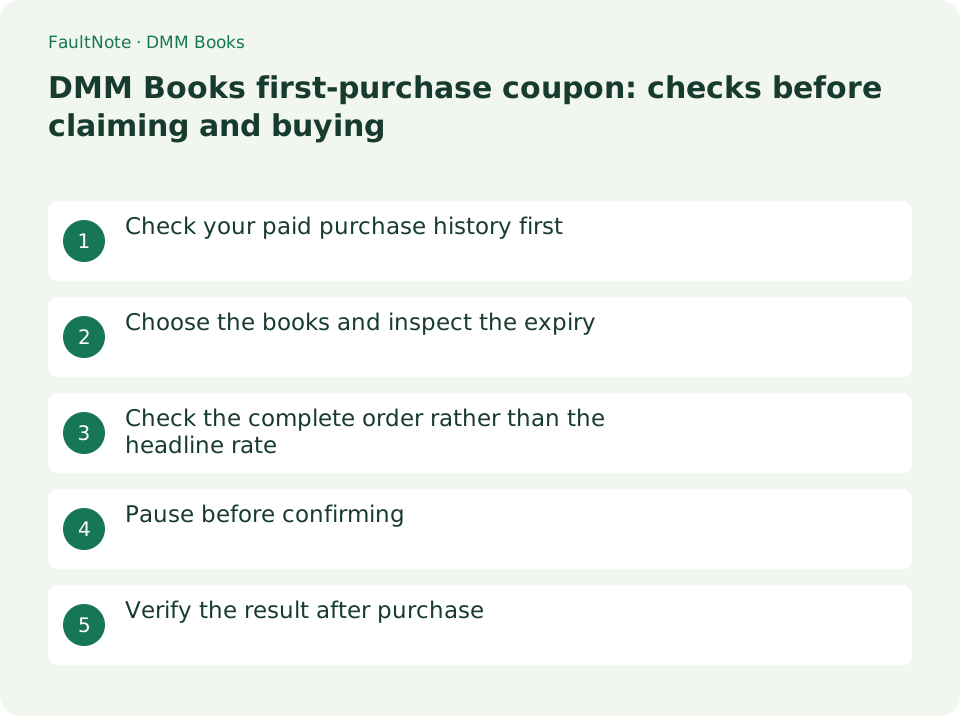
Check your paid purchase history first
The official help limits the offer to customers who have never bought a paid DMM Books title. Accessing the store from a new device does not make you a first-time buyer. Review the purchase history of your usual account.
If you are ineligible, compare the prices and offers actually available to you. Check the volumes you already own so that the prospect of a coupon does not lead to duplicate purchases.
Choose the books and inspect the expiry
The help page says the coupon expires and cannot be obtained again if no paid purchase is made within its validity period. Read the claim screen before obtaining it while you are still undecided about what to buy.
For a multi-volume order, distinguish individual volumes, split editions and collected editions. Choosing the books first reduces the temptation to add unwanted volumes just before expiry.
Check the complete order rather than the headline rate
Official help notes a discount cap and excluded items. Do not calculate your budget by applying a headline percentage to every item. Inspect eligible items and the final payment on the purchase screen.
If points are advertised, separate the amount paid now from points that may be used later. Check that the payment fits your budget before assigning value to future points.
- Match each volume and quantity to your intended order
- Confirm that the coupon is applied
- Check the cap, exclusions and final payment
Pause before confirming
The help states that coupon use is one-time and that reissue, order changes and cancellation are not accepted after confirmation. Do not confirm an undiscounted order expecting the coupon to be applied afterwards.
If the display differs from your expectation, consult the coupon help before retrying payment. If purchase status is uncertain, check order history instead of trying to resolve it by buying the same book again.
Verify the result after purchase
Check the completion screen and your purchased library. If the book is missing, first compare the signed-in account and order history. This guide explains coupon checks; it does not establish the status of a particular order.
If you plan to use a different device, consult the browser and app information in DMM Books help. Follow the service’s supported reading methods rather than assuming the purchase behaves like a freely transferable ebook file.
Limitations and requirements
- Check current claim and purchase screens for the percentage and cap.
- Do not pay on the assumption that the order can be changed afterwards.
Frequently asked questions
Can I claim it again after expiry?
Official help says it cannot be claimed again if you do not purchase within the validity period. Plan before claiming.
Does the same percentage apply to every book?
There is a discount cap and there are excluded items. Check the order before confirmation.
Sources and verification date
Sources checked: . These sources support the specifications, procedures or prices discussed here. Check each source for applicable conditions and current information.
Related practical guides
- DMM Premium pricing and trial: web versus app registration
- Track purchase source and edition with calibre custom columns
- Set EPUB text size and reading layout in calibre
- Use calibre bookmarks and Reference mode for reading notes
- Check voice and reading order for calibre read-aloud
- Check Purchased ZIP and 7z Downloads Before Extraction