Add an email account to Thunderbird
These are the steps to add sending and receiving settings while maintaining email on the server using IMAP. We will explain in detail the starting position, setting values, completion confirmation, and how to review in case of problems.
Published · Updated · FaultNote editorial policy
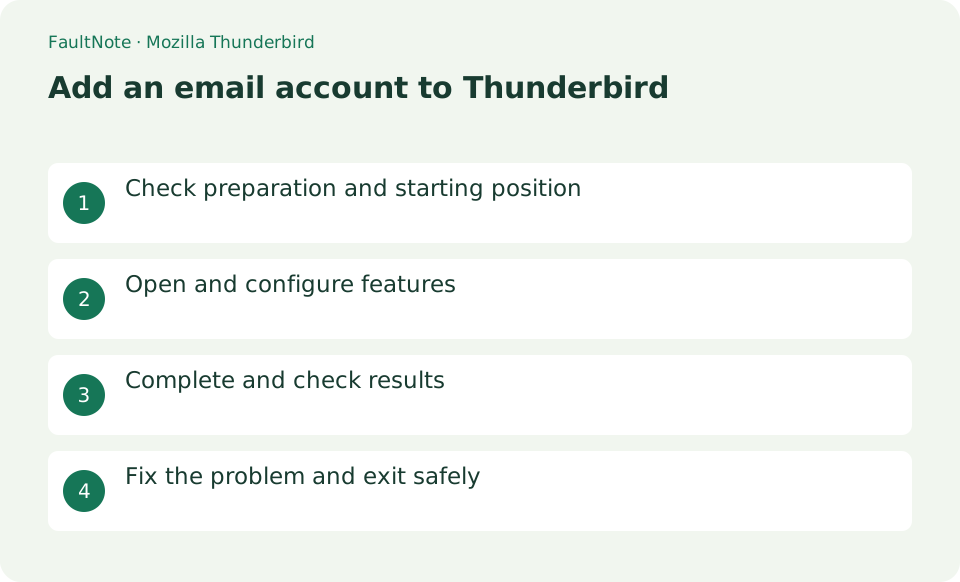
Who this guide is for and what to prepare
- First-time users of Mozilla Thunderbird
- People who want to safely confirm the operation of adding an email account to Thunderbird
What you need
- Prepare your email address, password, source IMAP/SMTP server name, port, and encryption method.
Prepare provider connection details
Prepare your email address, password, source IMAP/SMTP server name, port, and encryption method.
Configure the account and authentication
Open ≡ > [New Account] > [Existing Email Account], enter your display name, email address, and password, and press [Continue].
Check the automatically detected incoming IMAP, outgoing SMTP, host name, port, SSL, and authentication method against the provider's documentation. If there is a discrepancy, correct it using [Manual Settings] and [Retest].
- Enter the address and start automatic configuration
- Check protocol and authentication against provider requirements
Verify receiving and sending
Press [Finish] after the test is successful. Send a message to yourself with the subject line "Thunderbird confirmation" and check that you can open it in both Sent and Inbox.
- Exchange test messages with another address
Separate authentication and outgoing-server issues
If you can receive but only send fails, check the SMTP port, encryption, and user name. Also follows OAuth2 and application password specification.
Don't save passwords on shared PCs. Since POP can be configured to delete emails on the server, IMAP is generally the preferred option when using multiple devices.
- Compare SMTP values if sending fails
Choose IMAP or POP for the actual workflow
Consider IMAP first if you also use webmail or a phone. It keeps server folders and read status coordinated, while deletions may affect other devices. If you choose POP, inspect whether messages remain on the server and for how long before retrieving mail. When changing how older mail is stored, prepare a backup of the current mail and profile before adjusting the configuration.
For a work mailbox, verify webmail sign-in and obtain the administrator connection details first. Configure the account and exchange a test message with another address. If older mail is still synchronizing, wait for completion and inspect folder subscription or sync state rather than repeatedly recreating the account.
Test receiving and sending independently
Send a test message from another address you control and check its subject and arrival time. Reply from Thunderbird and confirm arrival at the other address, not just its presence in Sent. Successful reception does not validate outgoing SMTP settings. If sending fails, compare the outgoing server hostname, port, connection security, authentication method, and username with the provider documentation.
Keep authentication troubleshooting controlled
If authentication fails, first check whether you can sign into the provider webmail. Providers using multifactor authentication may require OAuth or an app password instead of the ordinary password. Follow the provider authentication method rather than disabling encryption. After each correction, send one test message and inspect the outbox to avoid repeatedly resending the same mail.
Scroll horizontally to see the full table →
| Observed result | Next action | Success condition |
|---|---|---|
| Receiving works but sending fails | Compare SMTP settings with provider information | A reply arrives at the other address |
| Webmail sign-in also fails | Check the provider account first | The account is accessible with correct authentication |
| Mail disappears on another device | Review IMAP deletion behavior and POP retention | Deletion and retention behavior is understood |
Limitations and requirements
- Don't save passwords on shared PCs. Since POP can be configured to delete emails on the server, IMAP is generally the preferred option when using multiple devices.
Frequently asked questions
What if you can't find the item you want in Mozilla Thunderbird?
If you can receive but only send fails, check the SMTP port, encryption, and user name. Also follows OAuth2 and application password specification.
What should I be especially careful about when adding an email account to Thunderbird?
Don't save passwords on shared PCs. Since POP can be configured to delete emails on the server, IMAP is generally the preferred option when using multiple devices.
Where should server names and ports come from?
Use official provider documentation or your administrator. Do not guess solely from the email domain, and distinguish incoming from outgoing settings. Even with automatic configuration, inspect encryption and authentication against provider requirements before finishing.
Does removing an account remove its messages?
The relationship between server and local data depends on the protocol and operation. Read whether removal affects settings only or local data as well, and preserve required mail first. Record the error and configuration before removing an account as a troubleshooting attempt.
Sources and verification date
Sources checked: . These sources support the specifications, procedures or prices discussed here. Check each source for applicable conditions and current information.
Related practical guides
- Thunderbird: Manage Multiple Email Accounts in One App
- Firefox: Use Containers and Reader View
- IMAP vs POP3: Multiple Devices, Server Storage, and Backup
- Sync bookmarks between devices with Firefox Sync
- PowerToys for Windows: Essential Productivity Tools
- Rufus: Create a Bootable USB from an Official ISO