Recover a missing or inaccessible Thunderbird profile
What to do first
Compare the profile data with Thunderbird's reference and preserve mail and contacts before registration. Distinguish an empty new profile from lost data, inspect offline, then reconnect accounts individually.
This is a general troubleshooting guide, not an announcement of a current outage.
Affected products and symptoms
- Product
- Mozilla Thunderbird
- Versions and conditions
- Thunderbird Desktop on Windows, macOS, and Linux
- Error codes and identifiers
- thunderbird -P
Symptoms
- Thunderbird says the profile is missing or inaccessible
- Accounts and mail appear gone after an update or move
Causes and conditions
A moved or renamed profile, mismatched profiles.ini entry, permissions, or selection of a different profile are typical causes.
Before you start
- Fully close Thunderbird and copy the profile folder to another drive
- Record folder names, dates, and sizes under %APPDATA%\Thunderbird and Profiles
Precautions
- Profile Manager’s Delete Files action cannot be undone
- Do not use one profile concurrently from multiple computers
Tools and official pages used in this guide
Official Thunderbird download; check the current build and install location first.
Check the official page for exact setting names, limitations, and updated decision paths.
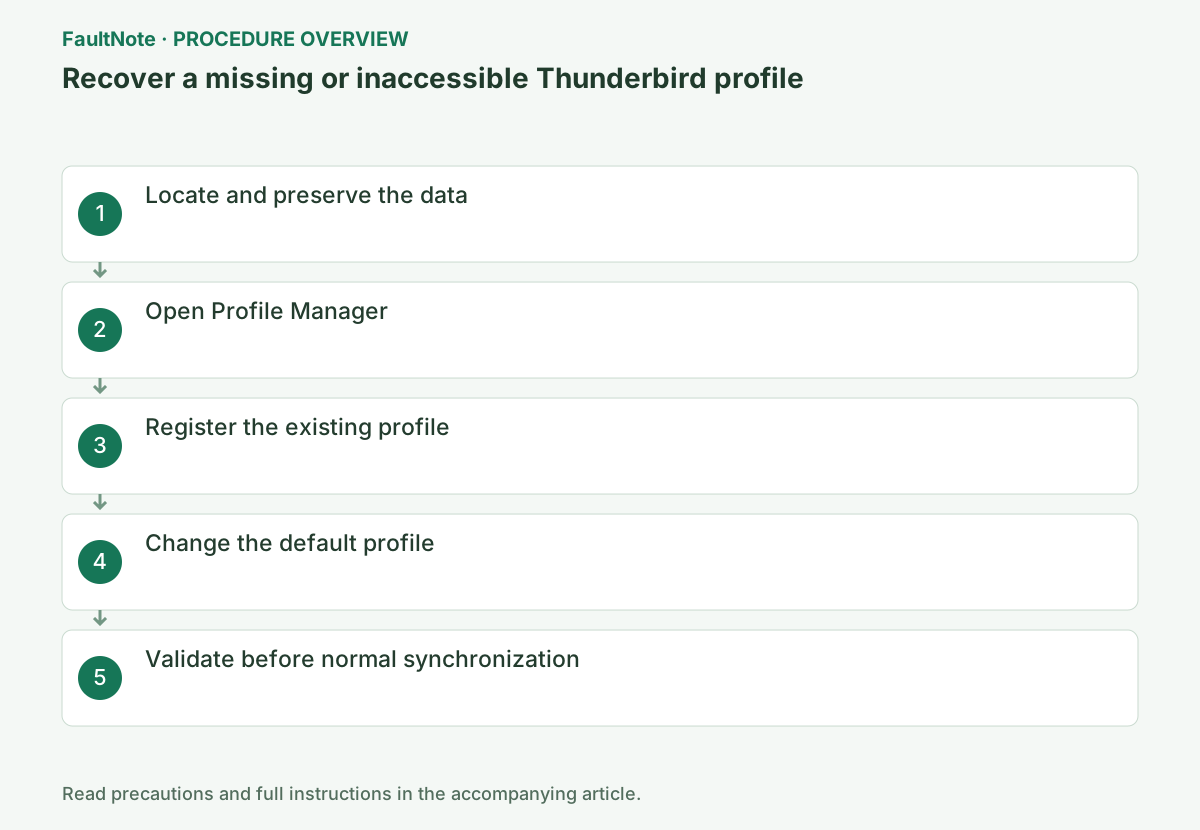
Step-by-step instructions
On Windows, enter %APPDATA%\Thunderbird\Profiles in File Explorer. Check ~/Library/Thunderbird/Profiles on macOS or ~/.thunderbird on Linux.
With Thunderbird closed, copy the likely profile containing Mail, ImapMail, prefs.js, and substantial data to a separate local location. Cloud sync alone is not a backup.
After recording the error, do not relaunch Thunderbird; enter %APPDATA%\Thunderbird\Profiles in File Explorer and record candidate sizes and dates.
If absent, inspect prior locations, removable drives, and backups. Preserve profile data separately from Thunderbird management files such as profiles.ini. Creating repeated empty accounts adds confusing candidates.
Close Thunderbird and run thunderbird -P from Windows Run. If it does not open, end remaining Thunderbird processes in Task Manager and retry.
When Thunderbird opens, Menu > Help > Troubleshooting Information > about:profiles also manages profiles. Specify the full executable path if several installations exist.
If Profile Manager does not open, check remaining processes. With multiple installations, record which executable received -P. Do not confuse results from different versions or substitute downgrading for recovery.
Official links for this step
- Official Mozilla Thunderbird download
Official Thunderbird download; check the current build and install location first.
- Official Mozilla Thunderbird download
Choose Create a New Profile > Next, give it a clear name, then use Choose Folder to select the preserved existing profile folder.
Select only the profile folder. Choosing an unrelated non-empty folder risks losing its contents if Delete Files is used later.
Select the actual profile containing prefs.js and mail, not the parent Profiles directory. Retain originals when testing a copy. Registering a directory and physically moving its data are separate actions.
Select the recovered entry and Set as default profile, or enable startup prompting. Open offline first and inspect accounts and local mail.
There is no need to remove the empty profile. If you remove an entry, choose Don’t Delete Files first so its data remains.
Confirm the folder tree, Local Folders, and address book, then go online and receive one account at a time.
Mozilla does not support simultaneous access to one profile over a share or cloud storage; it risks corruption and permanent data loss.
Official links for this step
- Official Mozilla Thunderbird troubleshooting
Check the official page for exact setting names, limitations, and updated decision paths.
- Official Mozilla Thunderbird troubleshooting
An account-setup screen can mean an empty profile was selected. Close it and inspect the recovery profile name and path before assuming the original mail was deleted.
Inspect local folders, older POP mail, and contacts offline. Restored IMAP listings do not prove local-only archives returned. Open representative old messages and compare folder structure.
Reconnect one account, test receipt and attachments, then close and restart normally. If old content is absent, stop overlapping sync or deletion and recheck the profile path. Retain backups until data is accounted for.
Check the result
- Previous accounts, folders, and address book appear
- The recovered profile remains the default after restart
If the problem continues
- Create a clean profile and migrate only required data in stages
- Restore a missing folder from backup or the synchronized mail server
Scope of this guide
Troubleshooting guide — Preserve the profile data, then select or register it in Profile Manager and correct an accidental switch to an empty profile.
Frequently asked questions
Will reinstalling Thunderbird restore it?
The profile is stored separately from the program. A broken reference often survives reinstallation.
How do I identify the old profile?
Do not rely only on dates. Check size and the presence of Mail, ImapMail, and prefs.js, then copy it before changes.
The account-setup screen appeared. Is my mail lost?
An empty profile may be selected. Close Thunderbird and compare the original data and selected path. Preserve the old folder and verify registration and default selection without deleting it.
Can I discard backups once IMAP returns?
Check local folders, POP mail, and contacts not on the server. Server sync and complete recovery differ; retain backups until representative content and default startup are verified.
Official sources and dates
- Profile Manager - Create and remove Thunderbird profiles | Thunderbird Help ↗
- Profiles - Where Thunderbird stores your messages and other user data ↗
Source publication or resolution date: Not specified. Sources checked: 2026-10-13. The check date is not the date the problem first occurred. Interface labels can vary between versions and display languages.