Game cannot save: match protection history with a controlled-folder block
A failed save alone does not establish a security block. Match its time and game executable with a relevant blocked event. Consider an allowance only for a verified trusted app; do not disable protection or add broad exclusions.
Published · Updated · FaultNote editorial policy
Who this guide is for and what to prepare
- People whose game runs but cannot save
- People seeing a protection notification during a save
What you need
- Verify the legitimate source and executable location
- Copy needed saves to another folder after closing the game
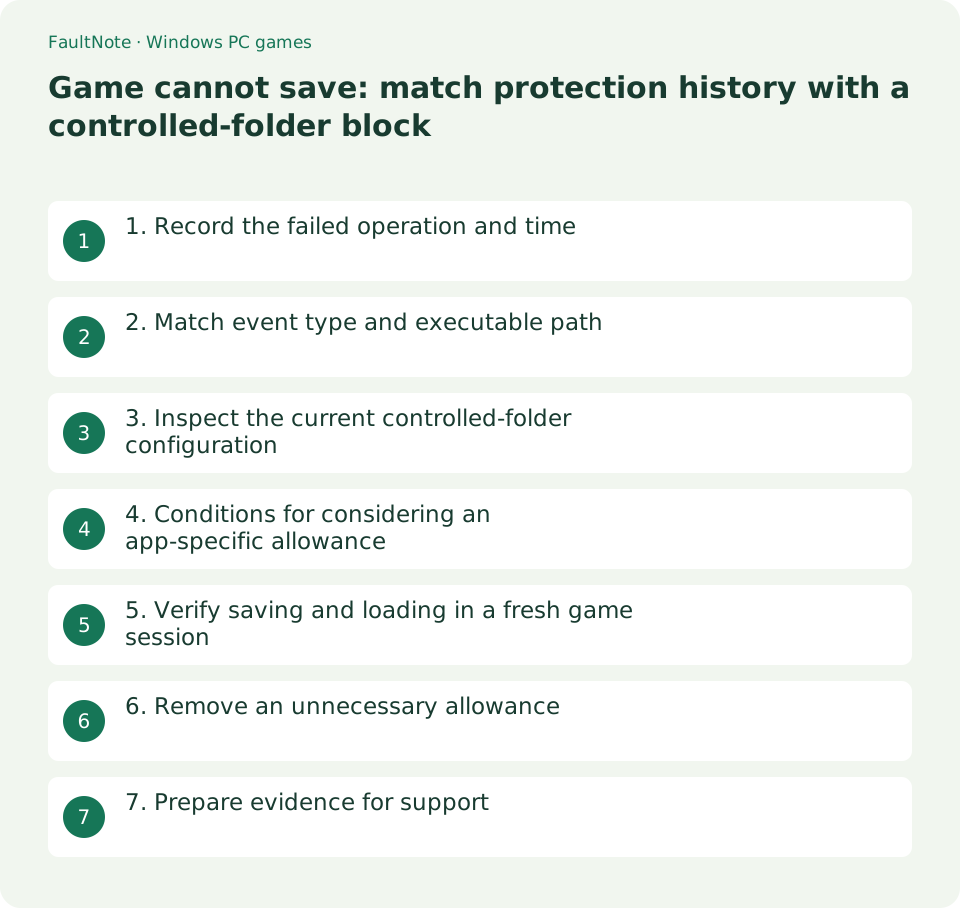
1. Record the failed operation and time
Distinguish the slot, whether completion appears, and what happens when reloading after exit. Missing progress can also reflect another profile, trial limitations or a changed location. Check the developer's save requirements first.
Use an expendable test slot, not the only existing progress. Record the save time and full error so unrelated blocked events are not mistaken for this failure.
2. Match event type and executable path
Open Windows Security and inspect Protection history near the failed save time. Distinguish a controlled-folder block from malware detection or quarantine. A similar application name or days-old event is insufficient evidence.
Compare the full executable path and target location with the running game. A launcher and game may differ. A malware detection or quarantine event is not something this folder-access workflow restores.
3. Inspect the current controlled-folder configuration
Under Virus & threat protection, open Manage ransomware protection and inspect Controlled folder access and protected folders. Common locations such as Documents may be protected, but location alone does not prove a block; correlate the event.
For managed PCs, provide the administrator with time and path instead of bypassing settings. If another security product manages protection, consult its records. Missing settings are not a reason to stop Windows services or protection.
- Close the game, copy existing saves and record an expendable-save failure time.
- Match event type, time, executable and target rather than relying on unrelated history.
- Only consider an exact-executable allowance for a verified trusted app and matched folder block.
- Relaunch, verify saving and reloading, and remove an unneeded trial allowance.
4. Conditions for considering an app-specific allowance
Consider an allowance only after verifying the legitimate source, current version, developer guidance and exact path, and matching a controlled-folder block. Use Allow an app through Controlled folder access for that executable only. Do not proceed with detected malware.
The allowance lets that application modify protected folders; it is not permission limited to one save folder. Understand that scope. Do not expand it into a game-folder antivirus exclusion or an allowance for a general script engine.
Select the actual executable path from the matched history, not a shortcut or ZIP. Another Game.exe may belong to a different title or release. If identity is unclear, recheck the running version rather than adding more allowances. Record the rationale and removable entry.
5. Verify saving and loading in a fresh game session
After a change, close and reopen the game normally, save once to an expendable slot, exit and relaunch to verify its content loads. Check for a new block involving the same path.
Assess necessity from matched before-and-after evidence. Simultaneous folder moves or game updates obscure which change mattered. Record original settings, target path, time, saving and reloading results.
6. Remove an unnecessary allowance
If the trial fails, the path was wrong or the allowance is no longer needed, remove only the entry you added. Leave preexisting apps alone. After an update changes the path, reverify source and history rather than blindly allowing the new executable.
If saving still fails, investigate capacity, path existence, another user's location and game requirements. ACCESS DENIED alone does not identify controlled-folder access. Do not use ownership changes or Everyone permissions as a universal fix.
7. Prepare evidence for support
A failed save at 22:10 and a matching block for the legitimate Game.exe and target path is relevant evidence. A block for another application is not. This illustrates reasoning rather than a tested title.
Provide version, Windows version, save conditions, event type and time, any allowance trial, and post-exit reload result. Redact private identifiers. When evidence is incomplete, ask about supported storage or updates instead of broadening security changes.
Scroll horizontally to see the full table →
| Observation | Next action |
|---|---|
| Matching time and path for a folder block | Verify trust and allowance scope |
| Quarantine or threat detection | Do not restore through this allowance |
| No matching event | Investigate save conditions, capacity and path |
| Allowance does not help | Remove the trial entry and investigate elsewhere |
Limitations and requirements
- Do not disable protection, exclude entire game folders, allow generic engines or grant broad permissions.
- A controlled-folder app allowance is not restricted to one save path; verify trust and scope.
Frequently asked questions
Does empty history rule out a block?
Not conclusively, but do not add allowances or exclusions without evidence. Check the active protection product and save conditions.
Should I run the game as administrator?
This guide does not use permanent administrator execution as the fix. Match evidence and consult supported save behavior.
Should I allow a detected threat too?
No. Distinguish folder blocks from threat detections and contact the legitimate provider with detection details.
Sources and verification date
Sources checked: . These sources support the specifications, procedures or prices discussed here. Check each source for applicable conditions and current information.
Related practical guides
- Find a game save location with Process Monitor: observe a short write and confirm candidates
- Preserve non-cloud game saves: copy after exit and verify restoration
- Game opens on another monitor or off-screen: recover the window and verify its destination
- Garbled text in an older Japanese game: inspect legacy system locale and UTF-8 settings
- Movement with the stick untouched: compare gamepad input and dead zones
- First launch of a ZIP-distributed indie game