Find a game save location with Process Monitor: observe a short write and confirm candidates
Process Monitor can observe accesses around a save operation, but a written file is not automatically a save. Preserve important progress, capture a short interval, and compare timestamps and in-game content before accepting a candidate.
Published · Updated · FaultNote editorial policy
Who this guide is for and what to prepare
- People unable to find an officially documented save path
- People identifying files to preserve
What you need
- Check the Readme and developer support, and copy known originals first
- If the only important progress cannot be preserved, ask the developer before a save-writing experiment
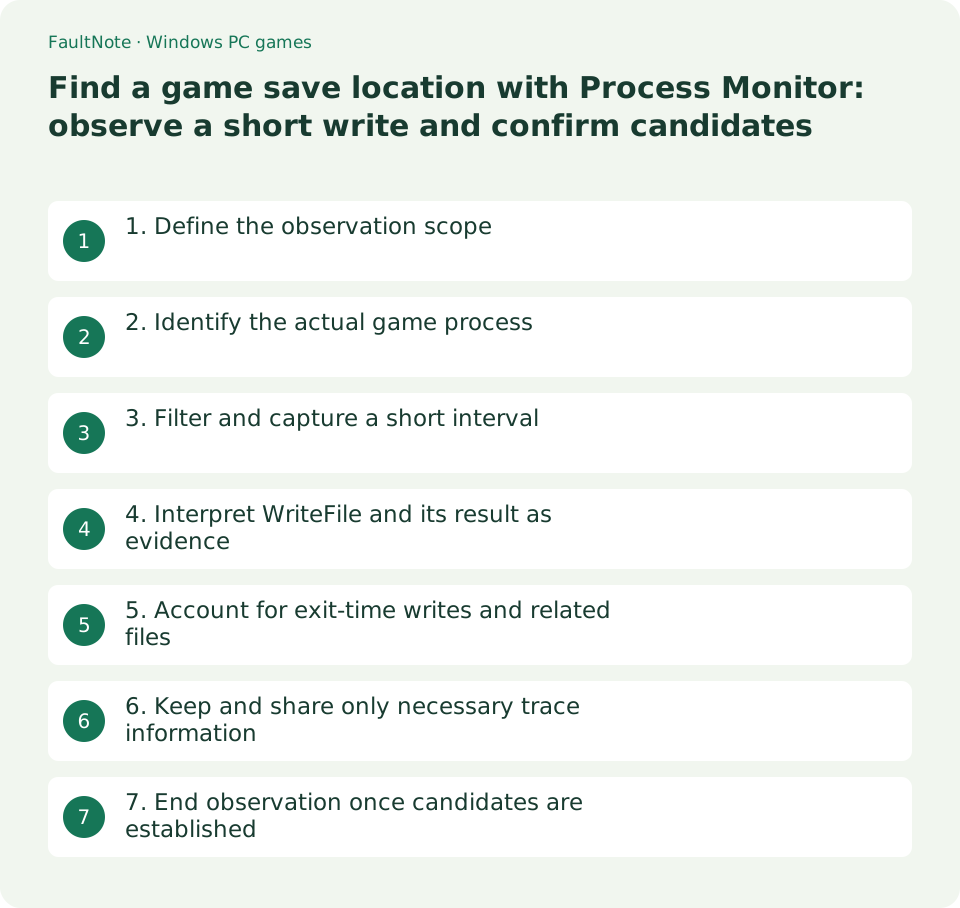
1. Define the observation scope
Check the developer's Readme, FAQ and game menus first. Procmon supplements official guidance; it does not decode save formats. Some games use the registry or online storage, so finding no local file does not prove a save failed.
Preserve known save locations and the game folder when important progress exists. If the only progress cannot be located or preserved, ask the developer rather than overwriting its slot for an experiment. Use an expendable test slot where supported.
2. Identify the actual game process
Download Process Monitor from Microsoft. Any permission request for this observer is not an instruction to run the game permanently as administrator. Identify the actual executable and path using Task Manager details or Procmon's process tree.
A launcher may start another executable that performs saves. Filtering only the launcher can miss them. With generic names, also compare PID and image path and record which instance is being observed.
Check the official tool's supported OS too: the current page lists Windows 11 and later for clients. Do not assume the same package supports older Windows; asking the game developer for the path remains an alternative.
3. Filter and capture a short interval
Stop Capture Events, clear irrelevant prior events and set an include filter such as Process Name is Game.exe, replacing the example with the actual name. Avoid initially restricting Path to a guessed location that could hide candidates.
Show File System Activity, start capture, perform one expendable save, wait for completion and stop capture. Record the save time and a short surrounding interval rather than collecting every background process for minutes.
- Stop capture, identify actual process and image path, then add the filter.
- Preserve progress before one expendable save and record its time.
- Stop after completion, inspect Path and Result, and separately observe exit if needed.
- Confirm the copy scope with developer guidance and share only reviewed trace details.
4. Interpret WriteFile and its result as evidence
Inspect WriteFile, CreateFile and rename activity near the save time. CreateFile can open an existing file; its name alone does not establish a newly created save. Check SUCCESS versus errors such as ACCESS DENIED and retain relevant details.
Logs, settings and caches also receive writes, and a sav extension is not proof. Compare repeated authorized save timing and developer guidance. Do not edit, delete or change permissions on candidates as an identification experiment.
5. Account for exit-time writes and related files
Some games write management files during normal exit after a save confirmation. If needed, observe a separate short exit interval and check whether slot data has related indexes or settings. A timestamp alone does not prove a consistent snapshot.
When several candidates appear, determine the supported copy unit instead of preserving only one file. Finding a location and obtaining a restorable snapshot are separate results. Do not guess broad registry export or import procedures.
6. Keep and share only necessary trace information
Native traces support later filtering, but saving a broad range can retain private events outside the visible list. Read the selected save scope and share only the process and interval needed. Paths and command lines may contain private details.
Review usernames, purchase locations, unrelated application paths and command lines before sharing. Prefer requested rows or sanitized views over posting a complete PML publicly. Keep the original trace separate from an edited sharing copy.
7. End observation once candidates are established
If a save writes slot01 and index and exit updates index again, reconsider copying only slot01 while the game runs. This illustrates trace interpretation, not a particular game's save specification. Confirm actual scope with the developer and a loading check.
If no candidate appears, review process selection, changed PID and visible activity types. Do not simultaneously change the game or protection settings. Stop capture and close Procmon instead of leaving long-running observation during normal play.
Scroll horizontally to see the full table →
| Observation | Next action |
|---|---|
| Successful writes at save time | Confirm candidates and companion files |
| ACCESS DENIED matches save time | Compare failure with protection history |
| Only launcher events | Reidentify the actual process |
| Only logs or caches | Ask the developer about storage format |
Limitations and requirements
- Use Procmon for observation; do not mix in process termination, save editing, permission changes or protection removal.
- Do not overwrite the only important unidentified save to generate a trace; ask the developer first.
Frequently asked questions
Does a successful WriteFile prove a completed save?
It proves that write succeeded, not that the whole save is complete or loadable. Check related files and the game.
Should I edit a discovered file?
No editing is needed for this workflow. Preserve originals and confirm the supported format and restoration procedure.
Can I publish the raw trace?
Review private paths and identifiers first. Even when a developer requests raw data, inspect it and choose an appropriate sharing scope.
Sources and verification date
Sources checked: . These sources support the specifications, procedures or prices discussed here. Check each source for applicable conditions and current information.
Related practical guides
- Game cannot save: match protection history with a controlled-folder block
- Preserve non-cloud game saves: copy after exit and verify restoration
- Game opens on another monitor or off-screen: recover the window and verify its destination
- Garbled text in an older Japanese game: inspect legacy system locale and UTF-8 settings
- Movement with the stick untouched: compare gamepad input and dead zones
- First launch of a ZIP-distributed indie game