Plan Purchased-Library Names Without Breaking Internal Paths
Rename the outer management folder rather than the delivered files inside it. A before-and-after mapping gives you a way to inspect collisions and reverse mistakes before scaling up.
Published · Updated · FaultNote editorial policy
Who this guide is for and what to prepare
- People struggling with long or ambiguous product-folder names
What you need
- Make a rename map limited to management folders
- Check original locations, shortcuts, and applications using the folders
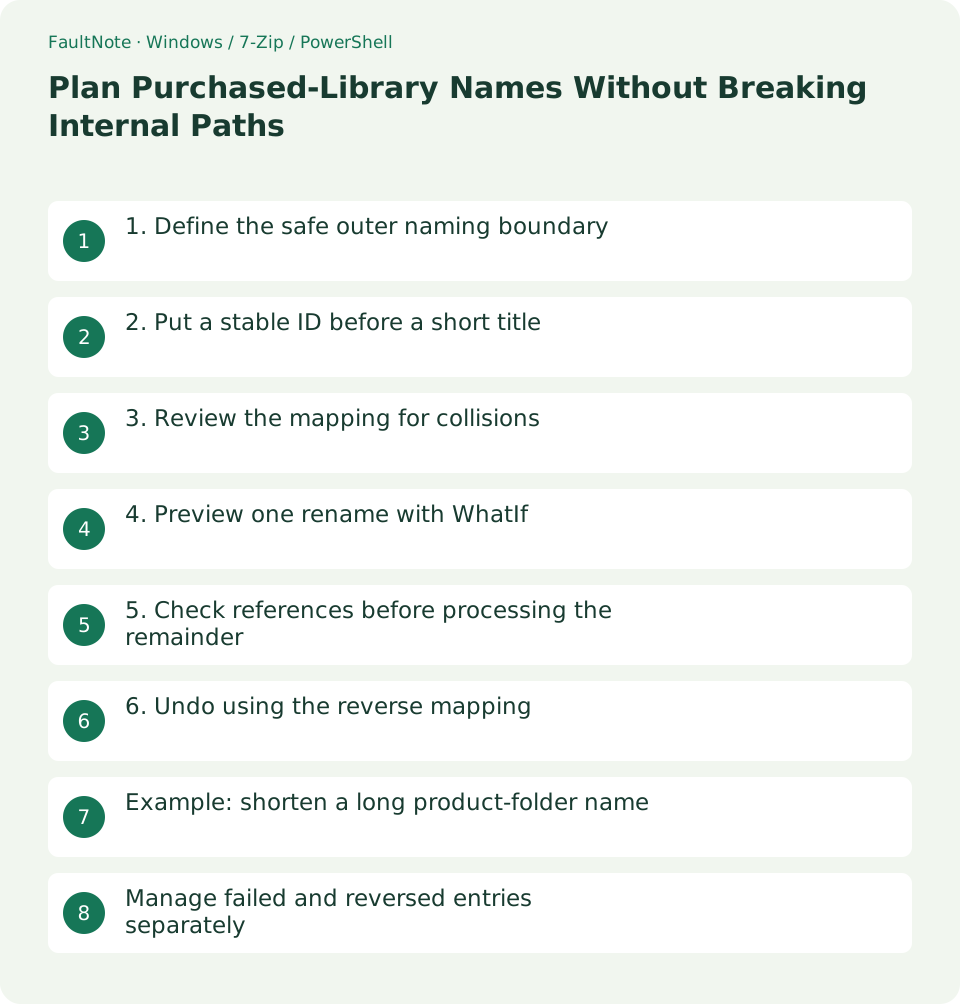
1. Define the safe outer naming boundary
Images, data, audio, and executables inside a delivered product may reference one another by name. Limit readability changes to the outer management folder and index display name.
An installed application can remember its location, so even an outer rename can matter. This plan covers folders holding purchased delivery files; exclude installed application locations and launcher-managed libraries from the batch.
2. Put a stable ID before a short title
For example, use ITEM-123_ShortTitle_v1.2. The ID distinguishes identical titles. Add a release only when supplied by the publisher; use an explicit unknown state rather than inventing a version from the download date.
Avoid unsupported Windows filename characters and trailing dots or spaces. Keep long subtitles and promotional text in the record. Do not rely on case alone to distinguish two product folders, and consider the length of paths inside them.
3. Review the mapping for collisions
Create columns for OldPath, NewName, ProductID, and Reason. Check for duplicate proposed names and existing destination folders. Resolve abbreviation collisions using the correct product ID rather than an unexplained sequence number.
Prepare the full plan before changing a small pilot batch. Retain old paths for undo and shortcut repairs. Keep the mapping outside the folders it describes so a naming mistake cannot hide the recovery record.
4. Preview one rename with WhatIf
The example displays the planned change. Replace the existing folder and proposed name, then verify that the target is the management folder. NewName is a new name rather than a destination path.
A preview does not establish application compatibility or resolve every batch collision. After review, remove WhatIf for one item only and inspect that the internal file names and counts remain unchanged.
Rename-Item -LiteralPath 'D:\Library\OldTitle' -NewName 'ITEM-123_ShortTitle_v1.2' -WhatIf5. Check references before processing the remainder
Update paths in the index, backup configuration, and your shortcuts, and verify that a required original opens. If many references would need changes, changing only the display name in the index may be easier to maintain.
Proceed in small groups after the pilot. Process only mapped folders rather than adding a recursive rename. Mark failed and completed entries so retries do not rename already changed folders again.
6. Undo using the reverse mapping
For undo, review each new-to-old name pair and check whether another folder now occupies the original name. Resolve the conflict explicitly rather than overwriting it.
Restoring a folder name does not reverse data generated afterward. Distinguish a naming change from edits to product settings or outputs, and use the prior backup if internal files were altered.
Example: shorten a long product-folder name
For a long outer folder, use a short name such as ITEM-123_Title and retain the full official title in the register. Both the ID and official title should still lead to the product after abbreviation.
Exclude internal Data, Manual.pdf, and Game.exe names from the map. If you want friendlier track names, first distinguish standalone user-managed audio from files referenced by a product. Do not expand this outer-folder plan into internal batch editing.
A second title can use ITEM-987_Title without collision. If two products have the same ID, investigate a register error or duplicate storage before hiding the conflict with an unexplained (2) suffix.
After the pilot, inspect the outer name, internal names, register path, and shortcut target. If an original hash was recorded, reading the same content at its new path provides an additional check.
Manage failed and reversed entries separately
Add Status and ActualPath fields with Planned, Completed, Failed, and Reversed states. Keeping intended and actual locations distinct prevents repeated renaming in later passes. Store the error separately from the original reason for change.
For a name conflict, inspect the other folder and ID before retrying. Visually different names can still conflict in Windows. Resolve the proposed name or duplicate record rather than treating Force as a solution.
For files in use, identify the game, viewer, or sync activity and retry that one entry after the relevant application closes safely. If synchronization is still catching up, inspect its state before creating another folder with the old name.
Use a reverse mapping for undo. If another folder now has the old name, preserve and identify it before resolving the collision. Update ActualPath and Status after reversal so the register does not retain a location that no longer exists.
Scroll horizontally to see the full table →
| Situation | Next check |
|---|---|
| Outer management folder | Rename with mapping and reference checks |
| Internal product data | Exclude from the batch |
| Original split volumes | Keep delivered names |
Limitations and requirements
- Exclude split-archive volume names from this rename plan
- WhatIf is not a substitute for compatibility or collision checks
Frequently asked questions
Can I use only the title?
Titles can collide or change. A stable product ID helps with searching and reversing assignments.
Does this command relocate a folder to another drive?
This Rename-Item example changes the name under the same parent. Relocation needs a separate plan and checks.
How should I name a product with no identified ID?
Use a clearly temporary local identifier and mark the store ID unresolved. Choose a prefix that cannot be mistaken for an official ID.
Can I rely only on Undo?
Undo availability can change with later actions. Retain a mapping and independent originals backup rather than relying solely on the application undo state.
Sources and verification date
Sources checked: . These sources support the specifications, procedures or prices discussed here. Check each source for applicable conditions and current information.
Related practical guides
- Organize Purchased Downloads: Originals, Working Copies, and Update Records
- Create a Searchable CSV Inventory of Purchased Files
- Manage Purchased Game Updates in Separate Release Folders
- Check Purchased ZIP and 7z Downloads Before Extraction
- Extract Split Downloads: Recognize Volumes and Keep the Complete Set
- Review Duplicate Purchased Files with SHA-256