Organize Purchased Downloads: Originals, Working Copies, and Update Records
Give each product one stable folder and keep the delivered files as originals. A working folder alone can lose the information needed to extract again or identify a release, so retain a small purchase record alongside it.
Published · Updated · FaultNote editorial policy
Who this guide is for and what to prepare
- People with purchases from several stores mixed together in Downloads
What you need
- Have the purchase history, delivered files, and an empty destination ready
- Close any running game and record its current location
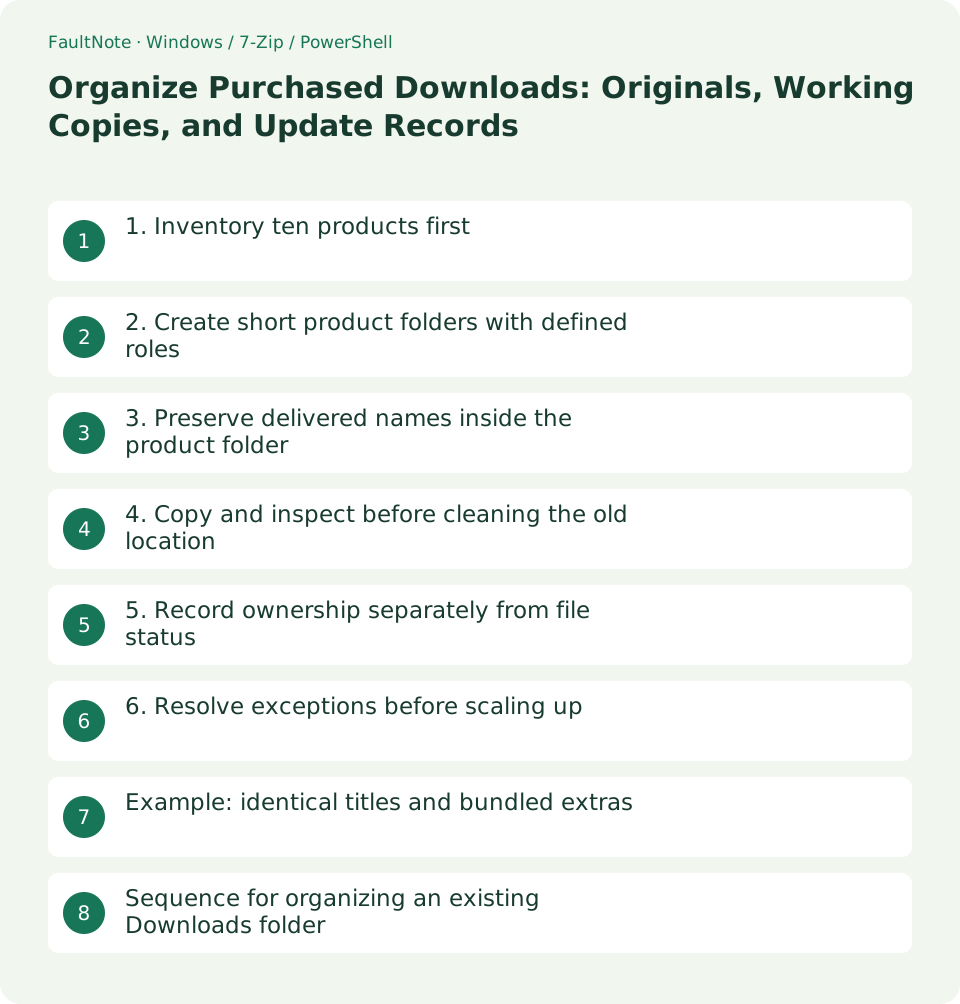
1. Inventory ten products first
Sort Downloads by name and match each item against the product ID in purchase history. Use the receipt or included instructions to distinguish a demo, full release, and extras; do not infer ownership from a title alone. A new download date is not the purchase date.
Pilot the rules on ten products across games, audio, and assets. Leave uncertain files in an Unsorted folder until you can identify their product rather than forcing them into a guessed category.
2. Create short product folders with defined roles
For example, use Library/StoreA/ITEM-123_Title with Originals for delivered archives, Working for extracted content, and Records for purchase and release notes. Keep long subtitles in the record instead of making every path longer.
Separate products with the same title when their IDs differ. If you prefer creator categories, retain the ID and record the creator in your index. Choose a stable structure that does not require relocating executables whenever a category changes.
3. Preserve delivered names inside the product folder
Keeping the delivered archive name makes later downloads easier to compare. Do not rename only one member of a split archive or a related file set. Apply your descriptive name to the containing folder instead.
Keep edited settings and processed assets out of Originals. Put generated files in Working or a separate Exports folder so purchased inputs remain identifiable after months of use.
4. Copy and inspect before cleaning the old location
Copy one product at a time into an empty destination and compare names, counts, and sizes. Cancel an overwrite prompt until you know whether the incoming file is another version or a duplicate.
If a shortcut fails afterward, inspect its target. Installed applications may need their supported relocation or reinstall procedure; organizing delivered files does not establish that an installed program can be moved by dragging its folder.
5. Record ownership separately from file status
Record the store, product ID, full title, purchase date, download date, release, and original filenames. Note where the included license or instructions live. Keep passwords and payment details out of the index.
Use states such as Unchecked, Archive tested, Extracted, and Backed up. A backup state should include its destination and verification date. Do not label a product as tested merely because two copies exist.
6. Resolve exceptions before scaling up
Check how the pilot handles identical titles, updates, split releases, and bundled audio before processing the rest. Decide whether a bonus is a separate index entry or a child of the main product.
Pick a purchase from the store history and verify that its ID leads to the original files and instructions. If it does not, repair the ID-to-path record before adding more categories. Keep the old-location notes until you can undo a mistaken assignment.
Example: identical titles and bundled extras
If StoreA ITEM-123 and StoreB ITEM-987 share a title, do not merge them into one Title folder. Use separate store-and-ID folders, then compare creator and release information in the register to determine whether they are editions of one product or unrelated purchases.
For a main ZIP, PDF manual, and bonus audio ZIP, retain all three delivered names in Originals. Extract into distinct working locations unless the instructions explicitly integrate the bonus into the main product. Link an ID-less bonus to its parent through the register.
Put an unidentified ZIP into a dated Unsorted area and note its name, previous location, and any known download date. Do not fill in a purchase date or release from memory alone. Include unresolved items in your search so uncertainty does not cause repeated downloads.
The case is complete when each delivered item opens and the register ID leads to its product folder. Mark the bonus as unextracted if it has not been processed. Keep library organization and game runtime checks as separate recorded states.
Sequence for organizing an existing Downloads folder
Start in Details view and select candidate product archives. Leave invoices, coursework, and unrelated installers outside this product workflow. Filtering by file type narrows candidates; it does not establish that every ZIP is a purchase.
After copying, map each old filename to its new location. Treat five volumes as one complete set. If the destination contains extras, identify their release before deleting them.
Keep resolved and unresolved items separate and record the unresolved count. A partial but accurate register already improves retrieval. Do not make speculative assignments merely to reduce the unresolved number to zero.
Move only reviewed redundant Downloads copies into a hold area, then clear them according to your retention policy after backup. If a product goes missing, use the mapping to inspect both its old location and the hold area.
Scroll horizontally to see the full table →
| Situation | Next check |
|---|---|
| Same title, different IDs | Keep separate and identify |
| Main archive plus independent bonus ZIP | Keep under one product; extract as instructed |
| Ownership record unresolved | Leave unresolved and gather evidence |
Limitations and requirements
- Product IDs help identify purchases; this workflow does not remove copy protection
- Decide whether to clear Downloads only after inspecting the library and backup
Frequently asked questions
Can I store bonus files separately?
Yes, if the index links them back to the main product ID. Keep all volumes of one split archive together.
Should reclassification move my working game folder?
You can change a category in the index. Prefer a stable working path when reclassification does not require moving files.
Should creator categories retain product IDs?
Yes. A stable ID remains useful when categories change and helps distinguish titles and releases.
Can the library be inside a synced folder?
Yes, with checks for completed uploads and propagated deletion. Decide how working settings and saves are handled and retain an independent backup.
Sources and verification date
Sources checked: . These sources support the specifications, procedures or prices discussed here. Check each source for applicable conditions and current information.
Related practical guides
- Create a Searchable CSV Inventory of Purchased Files
- Plan Purchased-Library Names Without Breaking Internal Paths
- Back Up Purchased Originals and Verify a Restore
- Manage Purchased Game Updates in Separate Release Folders
- Extract Split Downloads: Recognize Volumes and Keep the Complete Set
- Review Duplicate Purchased Files with SHA-256