Review Duplicate Purchased Files with SHA-256
Narrow duplicate candidates by size, then compare their hashes. Matching files can still serve as backups or attachments for different purchases, so review their role before removing anything.
Published · Updated · FaultNote editorial policy
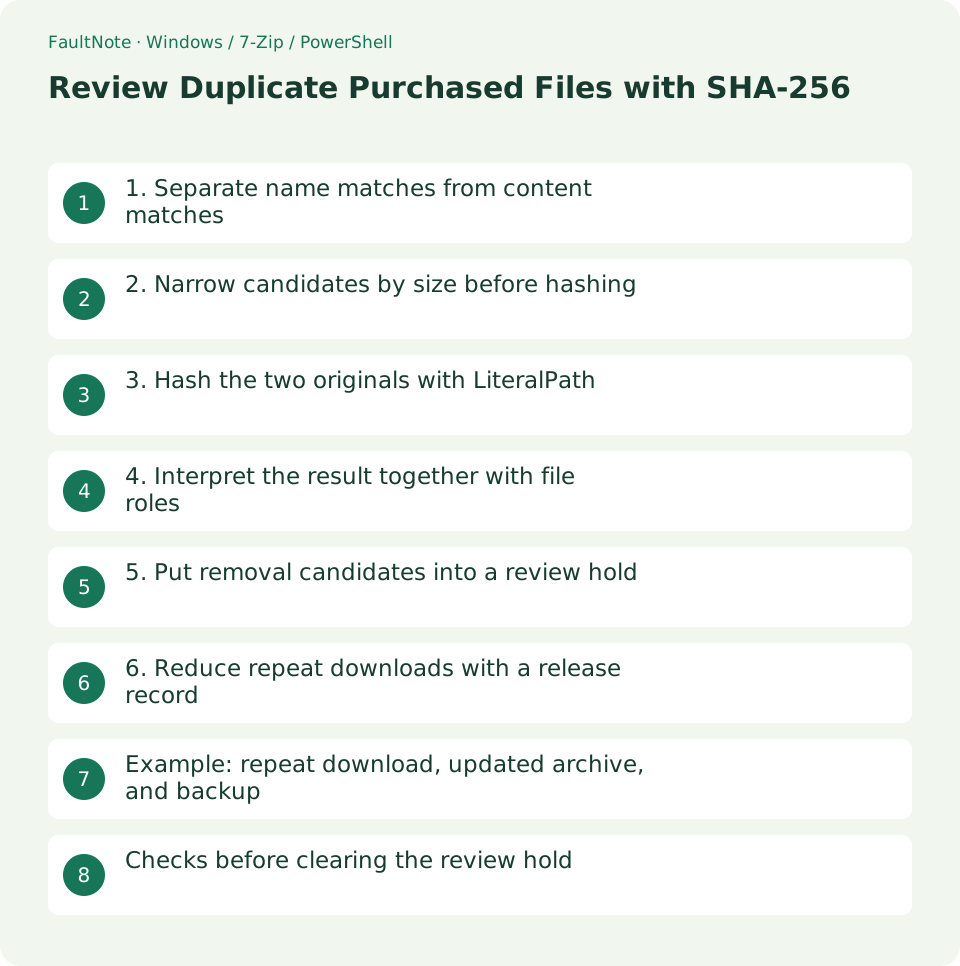
Who this guide is for and what to prepare
- People deciding which repeated downloads to retain
What you need
- Collect candidates for one product in a review folder
- Identify the backup location and release records
1. Separate name matches from content matches
Game.zip and Game(1).zip may be identical downloads or separate releases. Different names can also contain identical bytes. Names identify candidates, not a conclusion.
Archive duplicates and extracted-folder duplicates are different questions. Repacking or metadata changes can alter an archive hash even when its payload is similar, so a mismatch does not by itself prove a different product.
2. Narrow candidates by size before hashing
Compare exact byte lengths where possible. Different lengths cannot represent identical whole files. For equal lengths, use product IDs and release notes to choose the comparison pair.
Begin with one product rather than reading every file in a large library. Hashing large files requires reading them, so schedule it when other large copies or updates are not competing for the same storage.
3. Hash the two originals with LiteralPath
Replace both example paths and compare Path as well as Hash. LiteralPath handles names containing brackets as literal names rather than wildcard patterns.
This command reads the files without changing them. A read error leaves the comparison unresolved; check the path and access. Do not suppress the error and treat two missing hash values as a match.
Get-FileHash -LiteralPath 'D:\Downloads\Game.zip','D:\Downloads\Game (1).zip' -Algorithm SHA256 | Select-Object Path, Hash4. Interpret the result together with file roles
Matching SHA-256 and length are practical evidence of identical bytes. Choose the retained library copy by its product folder and release record, while accounting for intentional backups. Renaming an old release does not update it.
A mismatch needs further inspection for releases, extras, repacking, or damage. Compare an official checksum if one is supplied; agreement between two local copies is not independent publisher verification.
5. Put removal candidates into a review hold
Move only the redundant Downloads copy to a dated review-hold folder. Do not remove the library original and backup as part of the same operation. Record the old path, retained path, and hash.
Test the retained archive and extract a needed file while the held copy remains available. Restore a mistaken candidate using the location record. Choose a hold period suitable for your workflow rather than clearing unreviewed files under space pressure.
6. Reduce repeat downloads with a release record
Record the original path and checked hash in the purchase index. Put new releases into separate release folders and same-release redownloads into a comparison area.
A stored hash cannot restore lost bytes. Keep the actual original and backup alongside the record; a checksum is a reference for comparison, not a substitute for the file.
Example: repeat download, updated archive, and backup
If A and B match in size and SHA-256 and both are the same release, retain the library original and hold the redundant Downloads copy for review. An identical file at the backup destination has a recovery role and should not be removed by the same decision.
A same-named archive with a different hash and documented update is another release. Retaining only the larger one can remove a needed old release. Decide using release information and retention purpose, not size or naming preference alone.
When hashes differ but the published release label is the same, inspect both archive tests, listings, and instructions. Repacking, changed documentation, or damage are possible. There is no need to rename the files to the same name before comparison.
Record roles such as retained original, separate release, review hold, and backup. This identifies redundant downloads more usefully than simply counting all occurrences of a matching hash.
Checks before clearing the review hold
Before holding a candidate, record its original and retained locations together. Matching files under different product IDs may be shared instructions or assets. Check both registers; consolidating dependencies across products is a separate decision.
Check the retained archive, its purchase association, and backup. For non-archives, perform the needed viewing or playback checks and record their scope. Testing the first file does not establish that every item works.
Plan retrieval if a later problem appears. A hold folder on the same drive is not a failure-independent backup. Do not assume every deletion will be recoverable from the Recycle Bin; that depends on location and method.
Keep a disposition date and retained location rather than erasing the candidate record. Future redownloads can then be compared with the prior decision. Review multiple exceptions before turning a manual rule into automatic deletion.
Scroll horizontally to see the full table →
| Situation | Next check |
|---|---|
| Same name, hash, and release | Review whether the copy is redundant |
| Same name, different hash | Inspect release, repacking, or damage |
| Same hash at backup destination | Retain the recovery copy |
Limitations and requirements
- Keep intentional backups even when hashes match
- An archive hash mismatch can result from repacking as well as a changed release
Frequently asked questions
Does equal size prove duplication?
Different bytes can have the same length. Use size to narrow candidates, then compare hashes.
Can I hash a folder the same way?
Get-FileHash operates on files. Compare folders using relative paths and per-file hashes.
Does a hash establish file safety?
It supports identity comparison. Identical malicious files also match; safety and ownership require separate evidence.
Should I retain whichever timestamp is newer?
Download and copy operations can change timestamps. Use release records and retain old versions when their role requires it.
Sources and verification date
Sources checked: . These sources support the specifications, procedures or prices discussed here. Check each source for applicable conditions and current information.
Related practical guides
- Check Purchased ZIP and 7z Downloads Before Extraction
- Create a Searchable CSV Inventory of Purchased Files
- Back Up Purchased Originals and Verify a Restore
- Organize Purchased Downloads: Originals, Working Copies, and Update Records
- Extract Split Downloads: Recognize Volumes and Keep the Complete Set
- Plan Purchased-Library Names Without Breaking Internal Paths