Buying a second-hand graphics card: the warranty, what to check, and what cannot be checked
The saving on a second-hand graphics card is real, and so is the part buyers discover afterwards: the warranty does not travel with the card the way the box does. NVIDIA states that GeForce cards bought through its partners "are warranted by the partner (Add-In Board partner such as ASUS, MSI, Gigabyte, EVGA, or others)" while Founders Edition cards are covered directly by NVIDIA - so the first question is which company you would actually be contacting. GIGABYTE, whose consumer terms are unusually detailed, publishes the rest: coverage runs from the date of purchase, a valid proof of purchase is required, receipts from online auction sites are explicitly listed as not valid, and "if the consumer cannot provide valid proof of purchase, the warranty date will be calculated from the date of manufacture according to the serial number on the product". It also states that its warranty applies to brand new products and may not apply to items purchased used. This guide works through what those terms mean in practice, where the serial number is, which published exclusions double as an inspection list, what genuinely cannot be verified - including mining history - and the power and clearance figures to check against your own PC before any money moves.
Published · Updated · FaultNote editorial policy
Who this guide is for and what to prepare
- People considering a used graphics card from an individual seller, an auction site or a used-goods shop
- People who want to know whether any warranty remains on a used card and who would honour it
- People who have agreed a purchase and want a concrete list of things to check at handover and on first boot
What you need
- The exact model and the board maker (not just "RTX 5070" but whose card it is), and photographs of the serial-number sticker
- Your power supply's wattage and which supplementary connectors it actually has (PCIe 8-pin, or a native PCIe Gen 5 cable)
- Your case's internal clearance in millimetres and how many expansion slots are free below the top slot
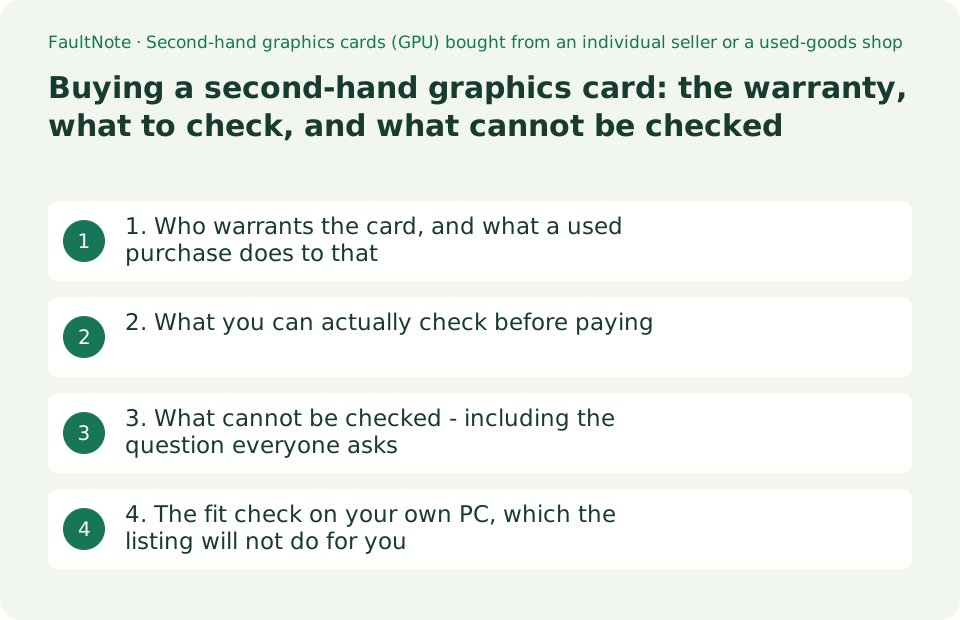
1. Who warrants the card, and what a used purchase does to that
Start with the company you would be contacting. NVIDIA publishes it plainly: "GeForce graphics cards purchased through NVIDIA partners are warranted by the partner (Add-In Board partner such as ASUS, MSI, Gigabyte, EVGA, or others). Contact the partner directly for warranty service. NVIDIA Founders Edition cards are covered directly by NVIDIA." It adds that "an NVIDIA product's warranty period varies by product line and region", and that for older products "warranty coverage for legacy products is determined by the original warranty period and purchase date". So the terms that matter are the board maker's, in your region, for that model.
Take GIGABYTE's consumer warranty terms as a worked example, because they are published in unusual detail. The warranty runs "from the date of purchase", and "for any warranty claim, a valid Proof of Purchase is required". A valid proof is "a dated sales receipt from an authorized GIGABYTE Dealer or Reseller" showing the product description and price, or an order number from its own store. The examples it gives of documents that are not valid proof read like a description of a typical second-hand transaction: "the UPC bar code from the box", "a picture of the actual Product", "receipts from non-authorized GIGABYTE Dealers" and "receipts from any online auction sites, liquidators or clearance houses".
The sentence that decides most used purchases comes next: "If the consumer cannot provide valid proof of purchase, the warranty date will be calculated from the date of manufacture according to the serial number on the product." That is the realistic case when you buy privately and receive no receipt. It is not nothing - there may still be time left - but the clock started when the card was built, not when the first owner bought it, and the remaining period is shorter than the nominal one by however long the card sat in a warehouse and on a shelf.
Two more clauses belong in the same calculation. GIGABYTE states that its warranty "applies to brand new Products sold by GIGABYTE through its authorized resellers, retailers, and distributors" and "may not apply to items purchased 'Used', 'Open-Box' or 'Refurbished' unless expressly stated by GIGABYTE". And registering the product does not create coverage that the receipt does not support: "the warranty is the same whether or not registered", and GIGABYTE "may request that the customer to submit the original sales receipt of the product to verify eligibility for warranty service, even if the customer has already registered the product" (its wording). None of the pages quoted here describes transferring a warranty to a second owner, so treat a seller's "warranty still has a year on it" as a claim to verify, not a fact.
Scroll horizontally to see the full table →
| Situation | What the published terms say | What it means for a used buyer |
|---|---|---|
| A partner card (ASUS, MSI, GIGABYTE and others) | NVIDIA: warranted by the add-in-board partner; contact the partner directly | Read that maker's terms for your region, not NVIDIA's |
| A Founders Edition card | NVIDIA: covered directly by NVIDIA | The contact point differs from a partner card |
| You receive the original dated receipt | GIGABYTE: a dated receipt from an authorized dealer showing description and price is valid proof | The best case; coverage counts from the original date of purchase |
| You receive no receipt | GIGABYTE: the warranty date is calculated from the date of manufacture on the serial number | Coverage may remain, but the clock started at manufacture |
| The receipt is from an auction site or an unauthorized dealer | GIGABYTE lists both as examples of non-valid proof of purchase | Having a piece of paper is not the same as having valid proof |
| The item is sold as used, open-box or refurbished | GIGABYTE: the warranty applies to brand new products and may not apply to these unless expressly stated | Price the card as if support may not be available |
2. What you can actually check before paying
The serial number is the one piece of information that turns a listing into a checkable fact, and makers publish where it is. ASUS's article on finding a serial number (page shows "Last Update : 2026/08/14") lists four places: the label on the packaging, the label in the warranty card, the serial in the system or BIOS, and the label on the product itself - and for a graphics card it says specifically "check the sticker label on the back side of the Graphic Card". Ask the seller for a photograph of that sticker before you commit, and check it again against the physical card at handover.
With the serial in hand, use the maker's own lookup. GIGABYTE advertises an Online Warranty Check with "no registration or account login required. Simply use your product serial number to instantly access your product's warranty period." Other makers offer equivalent pages under their support sections. This is the only way to get a warranty answer that does not depend on what the seller remembers, and it is worth doing before the money moves rather than after.
Next, read the exclusions as an inspection list, because that is what they are. GIGABYTE excludes failures "caused by improper installation, modification, operation, cleaning or maintenance, accidental and physical damage, misuse or abuse", states that coverage ends where "the product Serial Number has been damaged, altered, defaced, or removed and the product/warranty status cannot be identified", and adds that "if any obvious user damage on the exterior, it will no longer be covered by the warranty". So look at the sticker's condition, the bracket and screws, the PCB edges, the fan blades and the connector housing - not because a scratch means the card is broken, but because visible damage is exactly what removes your fallback.
Finally, settle what is in the box. NVIDIA's specification table for the RTX 5070 family gives the supplementary power connectors as "2x PCIe 8-pin cables (adapter in box) OR 300 W or greater PCIe Gen 5 cable", and its preparation checklist for the RTX 5090 Founders Edition describes "3x PCIe 8-pin cables from power supply to included RTX 5090 Power Connector Adapter". A used card frequently arrives without that adapter. If your power supply has no native PCIe Gen 5 cable, a missing adapter is not a cosmetic omission - it is the difference between installing the card that evening and not installing it at all.
Scroll horizontally to see the full table →
| What to check | Where or how | Why it matters |
|---|---|---|
| Serial number sticker | ASUS: on the back side of the graphics card; also the package label and the warranty card | Without a readable serial there is no warranty lookup and no claim |
| Remaining warranty period | The maker's online warranty check (GIGABYTE's needs no registration, only the serial) | Replaces the seller's recollection with the maker's record |
| The original receipt and where it came from | GIGABYTE's definition of valid and non-valid proof of purchase | Decides whether coverage counts from purchase or from manufacture |
| Condition of the sticker itself | Damaged, altered, defaced or removed serial is an exclusion (GIGABYTE) | A peeled or overwritten sticker can end coverage on its own |
| Exterior condition, bracket, PCB, fans, connector | Physical damage, modification and obvious user damage are exclusions | Visible damage removes the fallback you are paying extra for |
| Accessories, especially the power adapter | NVIDIA lists an in-box adapter for cards that need 8-pin cables | Without it, an older power supply may not be able to drive the card at all |
3. What cannot be checked - including the question everyone asks
"Was it used for mining?" is the question every used-GPU buyer asks, and none of the manufacturer documents quoted here publishes anything that would answer it. Warranty coverage in these terms is defined by dates - purchase or manufacture - and by exclusions such as physical damage and modification. There is no published hour counter, no odometer and no field in a maker's lookup tool that reports how the card was worked. A seller's statement about mining, hours or temperature history is therefore an unverifiable claim, and the honest way to price it is to assume you cannot confirm it.
Nor is a short test at handover proof of health. GIGABYTE's own RMA conditions are candid about this from the other direction: "intermittent faults that happen sporadically must be replicated to confirm that the fault is related to the Product and warranted by the Program", and repair depends on the service centre's "ability to replicate the fault". A card that passes ten minutes of use may still fail under a long load, and a fault that only appears occasionally is the hardest kind to get serviced even when coverage exists. That argues for testing hard and early rather than casually and later.
This site has not bought, inspected or tested any second-hand card, and nothing here is a measurement. What the published terms support is narrow and useful: who to contact, how the dates are counted, what documents count, and which physical conditions void coverage. Everything beyond that - how many hours the fans have turned, whether the thermal pads have dried out, whether the card was repasted - is outside what any of these documents state, and no amount of confident writing changes that.
There is one more thing worth deciding in advance: what you will do if the card fails. If the warranty answer from the serial lookup is "expired", the realistic position is that you are buying a part with no support, and the price should reflect that rather than the retail price of a new card minus a token discount. If the answer is "in period", you still need the paperwork the terms describe, so ask for the receipt while the seller is still motivated to find it.
Scroll horizontally to see the full table →
| What buyers want to know | Can it be verified from published sources? | Basis |
|---|---|---|
| Was the card used for mining? | No | No maker document quoted here publishes usage hours or a load history |
| How many hours has it run? | No | Same - coverage is defined by dates and exclusions, not by usage |
| Is any warranty left? | Often yes | The maker's serial-number warranty check (GIGABYTE's requires no account) |
| Will an occasional glitch be repaired? | Not guaranteed | GIGABYTE: intermittent faults must be replicated to be confirmed and covered |
| Has it been opened or modified? | Only partly | Modification and obvious exterior damage are exclusions, but an internal repaste leaves no published trace |
| Is the seller's history accurate? | Not verifiable | Treat it as a claim; base the price on what the serial lookup and your own eyes confirm |
4. The fit check on your own PC, which the listing will not do for you
A used card is still a card, and the same compatibility questions apply. NVIDIA's RTX 5070 family specification table gives a total graphics power of 300 W for the RTX 5070 Ti and 250 W for the RTX 5070, with a required system power of 750 W and 650 W respectively. The footnote on those figures matters as much as the numbers: "minimum is based on a PC configured with a Ryzen 9 9950X processor. Recommend PCIe CEM 5.1 compliant PSU. Power requirements can be different depending on system configuration." They are a starting point for your own arithmetic, not a guarantee for your build.
The connector question is separate from the wattage. The same table lists "2x PCIe 8-pin cables (adapter in box) OR 300 W or greater PCIe Gen 5 cable" for both models, and NVIDIA's RTX 5090 Founders Edition preparation checklist gives two equivalent options at the higher tier: "3x PCIe 8-pin cables from power supply to included RTX 5090 Power Connector Adapter" with the card supporting three or four 8-pin cables, or "1x 450W or greater PCIe Gen 5 power cable from power supply", against an 850 W minimum with the note that a higher rating may be required and to check with your PSU vendor. Count the cables your power supply actually has before agreeing a price.
Then the case. NVIDIA's checklist for that card asks for "three unused expansion slots" and states the clearance as space for a 304 mm x 137 mm x 3-slot (61 mm) card, plus 36 mm of additional space for power cables (NVIDIA prints both inches and millimetres). It also suggests reserving clearance equivalent to an unused expansion slot around the card to improve airflow. Those millimetres are the ones that decide whether the side panel closes, and a used listing will rarely mention them.
One caution about which specification you are reading. NVIDIA's own table lists the card length, width and slot count for the Founders Edition - 242 mm, 112 mm and 2-slot on the RTX 5070 - while the partner column simply says "varies by manufacturer", and the page carries the note that specifications "may vary by add-in-card manufacturer. Please refer to the add-in-card manufacturers' website for actual shipping specifications." So measure against the actual board maker's page for the exact model you are being offered. For sizing the power supply itself, our separate guide on power supply capacity and connectors covers the whole-system calculation rather than the card alone.
Scroll horizontally to see the full table →
| Item | NVIDIA's published figure | What to check on your PC |
|---|---|---|
| Total graphics power | RTX 5070 Ti: 300 W / RTX 5070: 250 W | The card's own draw, before the rest of the system |
| Required system power | 750 W / 650 W, based on a Ryzen 9 9950X configuration | A minimum tied to a stated configuration, not to yours |
| Supplementary power connectors | 2x PCIe 8-pin (adapter in box) or a 300 W or greater PCIe Gen 5 cable | Whether your PSU has the native cable, and whether the adapter is included with the used card |
| A higher tier, for comparison | RTX 5090 Founders Edition: 850 W minimum; 3x 8-pin to the included adapter, or one 450 W or greater Gen 5 cable | NVIDIA also says to check with your PSU vendor |
| Case clearance | 304 mm x 137 mm x 3-slot (61 mm), plus 36 mm for power cables; three unused expansion slots | Measure to the drive cage and the side panel, not just the slot |
| Which dimensions apply | Founders Edition RTX 5070: 242 mm, 112 mm, 2-slot; partner cards "varies by manufacturer" | Use the board maker's page for the exact model offered |
Limitations and requirements
- The warranty terms, serial-number locations and specifications quoted here are as published on the NVIDIA, GIGABYTE and ASUS pages captured on 2026-09-19. Warranty terms differ by manufacturer, by region and by product line, and NVIDIA states so directly. Read the terms of the company that actually made the card you are being offered, for your own country, before relying on any of this.
- GIGABYTE's consumer terms are used here as a detailed published example because they state the proof-of-purchase rules and the date-of-manufacture fallback explicitly. That does not make them the terms that apply to another brand's card. The reason to quote them is to show which clauses to look for in whichever terms do apply.
- This site did not buy, receive, inspect or test any second-hand graphics card. Nothing here reports a measurement, a failure rate or a hands-on assessment, and no price or stock figure is given. Mining history in particular cannot be verified from any source quoted here.
Frequently asked questions
Does the warranty transfer to me as the second owner?
None of the pages quoted here describes transferring a warranty to a new owner, so do not assume it. What they do describe is how coverage is calculated. NVIDIA states that partner cards are warranted by the add-in-board partner and Founders Edition cards by NVIDIA, so the terms that apply are that company's. GIGABYTE, as a detailed example, runs coverage from the date of purchase, requires a valid proof of purchase, lists receipts from online auction sites and from non-authorized dealers as not valid, and states that without valid proof "the warranty date will be calculated from the date of manufacture according to the serial number on the product". It also states that its warranty applies to brand new products and may not apply to items purchased used, open-box or refurbished unless expressly stated. The practical step is to get the serial number, run the maker's warranty check, and ask for the original receipt.
How can I tell whether a used card was used for mining?
You cannot, from anything the manufacturers publish. Warranty documents define coverage by dates and by exclusions such as physical damage, modification and a damaged or removed serial number; none of them exposes a usage counter, an hours figure or a load history, and no lookup tool quoted here reports one. Treat a seller's account as an unverifiable claim. What you can do instead is concrete: photograph and read the serial sticker (ASUS states it is on the back of the card), run the maker's online warranty check, inspect the physical conditions that are listed as exclusions, confirm the power adapter is included, and test the card hard as soon as you get it - because GIGABYTE's own RMA terms note that an intermittent fault has to be replicated before it can be confirmed and covered.
The seller has no box and no power adapter. Does that matter?
It can matter twice. First for installation: NVIDIA lists the supplementary power connectors for the RTX 5070 family as "2x PCIe 8-pin cables (adapter in box) OR 300 W or greater PCIe Gen 5 cable", and for the RTX 5090 Founders Edition as three 8-pin cables into the included adapter or a single 450 W or greater PCIe Gen 5 cable. If your power supply has no native PCIe Gen 5 cable and the adapter is missing, you cannot connect the card safely until you obtain the correct part from the maker. Second for the paperwork: the box label is one of the places ASUS lists for the serial number, and a warranty claim under GIGABYTE's terms needs a dated receipt - the UPC bar code from the box is explicitly named as not valid proof, but a missing box often means a missing receipt too. Neither is fatal, but both should be in the price.
Sources and verification date
Sources checked: . These sources support the specifications, procedures or prices discussed here. Check each source for applicable conditions and current information.
Related practical guides
- 1080p, 1440p or 4K: Plan a Gaming Monitor and GPU Budget Together
- Your DDR5-8000 kit boots at the default speed: XMP, EXPO, CPU rated memory speed and warranty wording
- GPU value ranking, September 2026: ten models at Japanese retail prices
- BTO vs. Self-Built PCs: Compare Total Cost, Warranty and Your Work
- B650 vs. B850 vs. X870: Check USB4, M.2 Sharing and CPU Support
- Integrated vs. Discrete Graphics: Check Workloads, CPU Models and Outputs