BTO vs. Self-Built PCs: Compare Total Cost, Warranty and Your Work
The better route depends on the parts, purchase date, support and components you already own. Compare matched payable totals alongside assembly and troubleshooting responsibilities.
Published · Updated · FaultNote editorial policy
Who this guide is for and what to prepare
- People choosing between a BTO and a self-built PC
- People comparing quotes with the same CPU and GPU
What you need
- A note of workloads, budget, deadline, capacity and port requirements
- A final BTO configuration and exact DIY part models
- Delivery costs, warranty terms and quote dates for each seller
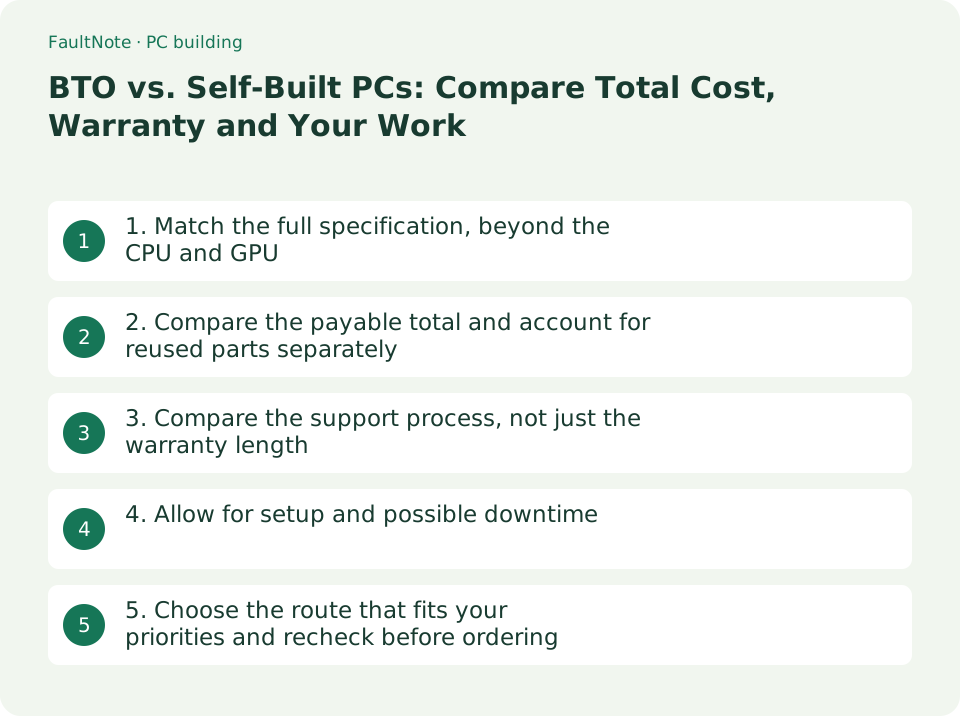
1. Match the full specification, beyond the CPU and GPU
Matching the CPU and GPU alone does not make two quotes equivalent. Memory configuration, storage, power supply, operating system, connectivity and support also matter. Use the final BTO configuration and exact retail part models; ask the seller about unspecified components.
Scroll horizontally to see the full table →
| Item | What to match |
|---|---|
| CPU and GPU | Exact CPU, GPU and VRAM capacity; check the card model when cooling or dimensions matter. |
| Memory | Capacity, module count and DDR generation; verify conditions for advertised speed. |
| SSD | Capacity, drive count and interface; exact model if required. |
| PSU and case | Wattage, connectors, dimensions, cooling and expansion constraints. |
| OS and connectivity | OS edition and license, plus Wi-Fi and Bluetooth availability. |
| Warranty and delivery | Coverage, term, shipping costs, contact point and estimated dispatch. |
- Write down the workload, budget, required ports, storage and deadline, then apply them to both quotes.
- Copy the items below into a comparison sheet. Do not assume an unnamed component is equivalent to the retail model you wanted.
2. Compare the payable total and account for reused parts separately
Include the OS, extra fans, cables and delivery where needed, rather than adding only the main DIY parts. For BTO, use the final configured price including applicable taxes and delivery. This article does not contain matched live quotes and therefore does not rank either route as cheaper.
Scroll horizontally to see the full table →
| Total | Include |
|---|---|
| All-new DIY build | All parts, required OS, missing materials and delivery, using consistent tax treatment. |
| Final BTO configuration | Configured price, delivery and selected warranty or setup services. |
| Additional spending with reuse | New purchases only, with the age, condition and compatibility of reused parts recorded separately. |
| Your time | Compare research, assembly, setup and troubleshooting effort separately from the cash total. |
- Record tax-inclusive prices, delivery, required additions and quote expiry for both routes on the same date.
- Show points or later cashback separately from the amount payable. Keep a reuse or used-parts scenario separate from an all-new comparison.
3. Compare the support process, not just the warranty length
A DIY owner may need to isolate the faulty component and contact its retailer or manufacturer. A BTO supplier may handle the complete system, but return, collection and on-site arrangements depend on the plan. Mouse Computer's Japanese service page checked on September 12, 2026 describes a standard three-year send-back service with some product exceptions; this is not a universal BTO condition.
- Check the order page and terms for initial-fault reporting deadlines, return destination, shipping costs, data handling and conditions when adding components.
- Confirm whether a repair requires returning the whole PC or only a component, and retain purchase records, the configuration and serial numbers.
- Outside Japan, compare the actual regional terms instead of applying the Japanese retailer examples to your purchase.
4. Allow for setup and possible downtime
DIY work includes part selection, assembly, cabling, BIOS checks, OS and driver installation, and verification. A BTO system still needs personal apps, data migration and backup setup. Experience and unexpected faults vary, so a fixed completion-time promise would be misleading.
- For DIY, allow for manuals, workspace, tools, an OS installation method and another device for looking up problems.
- For a work or study deadline, compare BTO dispatch with the slowest DIY component delivery and leave time for setup and verification.
- Decide whether you enjoy building and want to own troubleshooting, then consider that preference separately from the price gap.
5. Choose the route that fits your priorities and recheck before ordering
Use your priorities: exact component choice, a consolidated support contact and readiness by your deadline can matter alongside price. A component-selection and assembly service may also fit, but its scope and extra charges must be checked with the seller.
Scroll horizontally to see the full table →
| Priority | Route to consider | Check |
|---|---|---|
| One contact for the complete PC | BTO | Whole-system coverage, return process and support availability. |
| Exact component control | DIY | Compatibility of every model and a troubleshooting plan. |
| Choose parts, outsource assembly | Assembly service | Accepted parts, labor charges and system-versus-component coverage. |
| Reuse existing components | DIY with reused parts | Condition, standards, cable compatibility and OS license terms. |
- Choose your main priority from the table and check it against the final configuration.
- Immediately before ordering, recheck stock, price, substitution terms, support options and delivery charges; save the order and quote date.
Limitations and requirements
- Neither BTO being cheaper nor DIY being faster is universal. Check actual matched quotes from the same date.
- Warranty terms vary by region, product, seller and selected plan. Check the specific terms before adding components.
- Do not infer an unnamed component's performance or quality from a retail product with the same capacity.
Frequently asked questions
Is the cheaper option enough if the CPU and GPU match?
Also check memory configuration, SSD, PSU, cooling, OS, ports and warranty. Compare prices after confirming that both meet your needs and understanding what differs.
Can I count an existing OS or power supply as free?
Reuse can reduce new spending, but verify OS transfer conditions and the PSU's condition, capacity, connectors and cables. Keep all-new costs separate from the additional spending needed for a reuse plan.
Sources and verification date
Sources checked: . These sources support the specifications, procedures or prices discussed here. Check each source for applicable conditions and current information.
Related practical guides
- DDR4 vs. DDR5: Choose for a New Build, Reused RAM and Upgrade Cost
- Air cooler or AIO? Choose by case clearance, noise and maintenance
- PCIe 4.0 or 5.0 SSD for gaming? Check load times, capacity and slot sharing
- Integrated vs. Discrete Graphics: Check Workloads, CPU Models and Outputs
- ATX vs microATX vs Mini-ITX: choose a PC case and motherboard
- Intel B860 vs. Z890 vs. H810: Choose an LGA1851 Motherboard by CPU Support, M.2, USB and Overclocking