Your DDR5-8000 kit boots at the default speed: XMP, EXPO, CPU rated memory speed and warranty wording
Memory kits are sold as DDR5-6000 or DDR5-8000. Open Task Manager on a freshly built PC and the figure shown is often lower. That is not a fault. Intel's own XMP page states that XMP memory modules boot first with the default JEDEC settings; the profile is applied only after you select it in BIOS. And applying that profile is treated as overclocking in both vendors' own documents. This guide reads Intel's XMP page and an ARK specification page, AMD's EXPO page and a CPU product page, and one real motherboard specification page, all on 2026-09-20, and separates three questions: where the CPU's published memory speed is written, what XMP and EXPO actually differ on, and what each vendor writes about the warranty. This site has not measured memory speed or stability and quotes no performance comparison.
Published · Updated · FaultNote editorial policy
Who this guide is for and what to prepare
- Anyone wondering what the number in a DDR5 kit's name (6000, 8000) refers to
- Anyone whose installed memory appears to run slower than the kit is rated for and wants to narrow it down
- Anyone who wants the vendors' own warranty wording before enabling XMP or EXPO
What you need
- Note the exact memory kit model number and the speed, timings and voltage printed on the box or the maker's page
- Note the CPU model (Task Manager > Performance, or `wmic cpu get name`)
- Note the exact motherboard model (`wmic baseboard get product,manufacturer`)
- Check the current operating speed (Task Manager > Performance > Memory, the Speed field)
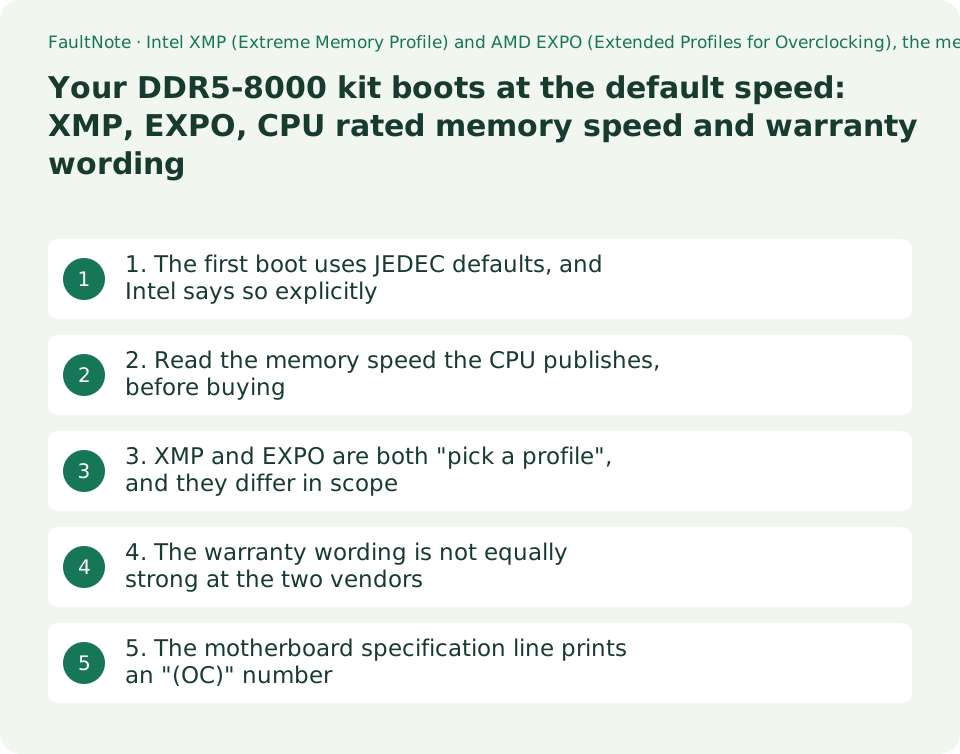
1. The first boot uses JEDEC defaults, and Intel says so explicitly
A DDR5 module carries both the standard default settings (JEDEC settings) and the faster profiles the kit maker prepared. Which one is used at first boot is defined behaviour. Intel's XMP page states: "Intel XMP memory modules will first boot with the default JEDEC settings. This ensures the first boot is successful even if the system does not support overclocking. After the first fail-safe boot, Intel XMP profiles can be selected in BIOS and applied to all subsequent boots." Boot safely first, then choose a profile — that sequence is by design.
So "I installed a DDR5-6000 kit and it reports 5600" or "this DDR5-8000 kit runs at 4800" is usually the designed behaviour rather than a defect. The number in the product name describes the operating point a profile targets.
Checking takes seconds. In Task Manager, Performance, Memory, the Speed field shows the conditions the modules are actually running under. This site has not measured how that figure relates to perceived performance, and makes no claim about what changes when the figure rises.
2. Read the memory speed the CPU publishes, before buying
The ceiling on memory speed comes from the CPU, and both vendors print the figure on the product specification page. Two real products were read on 2026-09-20.
On the Intel Core Ultra 9 processor 285K specification page (ARK), Memory Types reads "Up to DDR5 6400 MT/s", Max # of Memory Channels is 2, and Max Memory Size (dependent on memory type) is 256 GB. Note that Memory Types is a single line: this field carries no breakdown by number of modules.
On the AMD Ryzen 9 9950X product page, System Memory Type is DDR5, System Memory Subtype is UDIMM, Max. Memory is 256 GB and Memory Channels is 2. Its Max Memory Speed field is split by configuration: 2x1R is DDR5-5600, 2x2R is DDR5-5600, 4x1R is DDR5-3600 and 4x2R is DDR5-3600. The difference between two modules and four is published right there.
So a kit sold as DDR5-8000 can sit well above the figure the CPU page prints. That is not a contradiction: the specification figure describes the default, non-overclocked condition. What to read before buying is this field and the motherboard side covered below, not the number on the kit.
Scroll horizontally to see the full table →
| Field to read | Intel Core Ultra 9 285K (as shown on ARK, 2026-09-20) | AMD Ryzen 9 9950X (as shown on the product page, 2026-09-20) |
|---|---|---|
| Memory type | Memory Types: Up to DDR5 6400 MT/s | System Memory Type: DDR5 / System Memory Subtype: UDIMM |
| Speed by module count and rank | No breakdown in this field (single line) | Max Memory Speed: 2x1R and 2x2R DDR5-5600, 4x1R and 4x2R DDR5-3600 |
| Channels | Max # of Memory Channels: 2 | Memory Channels: 2 |
| Maximum capacity | Max Memory Size: 256 GB | Max. Memory: 256 GB |
| ECC | ECC Memory Supported: Yes | ECC Support: Yes (Requires mobo support) |
3. XMP and EXPO are both "pick a profile", and they differ in scope
XMP is Intel's name, EXPO is AMD's. Both expose a stored set of settings — speed, timings, voltage — that BIOS can apply in one step instead of tuning individual parameters.
Intel's page describes XMP as follows: "Intel XMP profiles contain preset combinations of speed, timing, and voltage, tested by the manufacturer for stability." It also states the version split: "XMP2.0 is for DDR4. It supports 2 profiles." and "Intel XMP 3.0 is designed specifically for DDR5. It supports up to 5 profiles (3-vendor and 2-rewirteable)." (the last word is spelled as it appears on the page). The DDR5-era version therefore adds two rewriteable profiles on top of the three the vendor supplies.
AMD's page describes EXPO as: "The AMD Extended Profiles for Overclocking (AMD EXPO™ Technology) was developed to allow for user-friendly memory overclocking support of all types of memory, giving users an easy path to accelerated power to achieve accelerated memory in their system." The page's own heading is "AMD EXPO™ Technology for AMD Ryzen™ Processors on Socket AM5", so the socket scope is in the title.
Both vendors publish a way to look up kits. AMD states that "The AMD Ryzen™ processor memory compatibility list identifies memory kits tested across systems to run at rated speed and latency, and shows whether each kit supports the AMD EXPO™ Technology overclocking memory standard for DDR5". Motherboard makers publish their own memory support lists (QVL), covered in the last section.
Scroll horizontally to see the full table →
| Item | Intel XMP | AMD EXPO |
|---|---|---|
| Published scope | DDR5 and DDR4; XMP 2.0 stated as DDR4, XMP 3.0 as DDR5 | Page title states AMD Ryzen processors on Socket AM5 (DDR5) |
| Number of profiles | XMP 2.0: 2. XMP 3.0: up to 5 (3 vendor, 2 rewriteable) | No profile count stated on this page |
| How the vendor frames it | Intel calls enabling XMP "a type of memory overclocking" | The page text calls it "memory overclocking support" |
| Where to check a kit | The memory maker's list and the motherboard maker's memory support list | AMD's memory compatibility list, which shows EXPO support per kit |
4. The warranty wording is not equally strong at the two vendors
Rather than summarise, here are the sentences each vendor prints.
Intel, in the notes on the XMP page: "Altering the frequency and/or voltage outside of Intel specifications may void the processor warranty. Examples: Overclocking and enabling Intel® XMP, which is a type of memory overclocking, and using it beyond the given specifications may void the processor warranty." The modal verb is may, and enabling XMP is named as an example of memory overclocking.
AMD, in the notes on the EXPO page: "Overclocking and/or undervolting AMD processors and memory, including without limitation, altering clock frequencies / multipliers or memory timing / voltage, to operate outside of AMD's published specifications will void any applicable AMD product warranty." The modal verb is will. The Ryzen 9 9950X product page additionally explains its Unlocked for Overclocking entry with: "AMD`s product warranty does not cover damages caused by overclocking, even when overclocking is enabled via AMD hardware and/or software" (the apostrophe is as printed).
How much weight that difference carries is a judgement call, but two things follow from the text alone. Operating above published specifications is placed outside the warranty by both vendors, and neither page says that a feature provided in BIOS is therefore covered. How repairs are handled in practice is a separate matter on which this site has no information and makes no claim.
Scroll horizontally to see the full table →
| Source | Condition described | Modal verb used |
|---|---|---|
| Notes on Intel's XMP page | Altering frequency or voltage outside Intel specifications; enabling XMP and using it beyond the given specifications | may void the processor warranty |
| Notes on AMD's EXPO page | Altering clock frequencies, multipliers, memory timing or voltage to operate outside AMD's published specifications | will void any applicable AMD product warranty |
| AMD Ryzen 9 9950X product page, Unlocked for Overclocking | Damage caused by overclocking, including where it was enabled through AMD hardware or software | does not cover damages caused by overclocking |
5. The motherboard specification line prints an "(OC)" number
CPU pages and motherboard pages print different numbers. As a worked example, the ASUS PRIME Z890-P WIFI specification page was read on 2026-09-20. Its Memory section reads "4 x DIMM slots, max. 256GB, DDR5" followed by "Support up to 8666+MT/s (OC),Non-ECC, Un-buffered ,Clocked Unbuffered DIMM (CUDIMM)*".
That 8666+MT/s carries an (OC) label: it is an overclocked figure, a different kind of number from the 6400 MT/s on the CPU page for the Core Ultra 9 285K. The asterisk on the same line leads to: "Supported memory types, data rate (speed), and number of DRAM modules vary depending on the CPU and memory configuration, for more information please refer to CPU/Memory Support list under the Support tab of product information site".
The buying check therefore has an order. Read the CPU page for the default supported speed. Read the motherboard specification line for slot count and the (OC) figure. Then open the motherboard maker's memory support list and look for your kit's model number at your module count. Only that last list describes combinations that were actually validated.
Scroll horizontally to see the full table →
| Where to look | What it tells you | What it does not tell you |
|---|---|---|
| CPU specification page (ARK / AMD product page) | Supported memory type and speed at default conditions, channels, maximum capacity | Whether a specific kit works |
| Motherboard specification line | Slot count, supported module types, the (OC) ceiling | Whether that figure applies to your CPU and module count — the footnote redirects to the support list |
| Motherboard memory support list (QVL) | Validated kit model numbers and module counts | It does not mean a kit absent from the list fails; it is simply not listed |
| Memory maker's or AMD's kit list | Whether the kit carries an XMP or EXPO profile | Whether that profile can be applied on your CPU |
Limitations and requirements
- This site has not measured memory speed, stability or perceived performance. No performance comparison appears here, and nothing is claimed about what improves when a profile is enabled.
- The specification values quoted are those of the named products as displayed on 2026-09-20. Other models carry different values; open the page for your own model number.
- A system may fail to boot or become unstable with a profile enabled. The sources read here say nothing about the range of that behaviour.
- The warranty statements here are the vendors' own published sentences. How repair intake is handled in practice, and what the motherboard and memory makers' own warranties say, are separate matters this site has not checked.
- XMP and EXPO profiles are validated by the kit maker, but Intel's page says only "tested by the manufacturer for stability" and states no guarantee of operation in every system.
Frequently asked questions
I bought a DDR5-6000 kit and Task Manager shows 4800. Is it faulty?
That display alone does not establish a fault. Intel's XMP page states that XMP modules boot first with the default JEDEC settings and that profiles can then be selected in BIOS. The number in the product name is the operating point a profile targets. Check the CPU's published memory speed first, then your kit and module count against the motherboard maker's memory support list.
If a kit supports both XMP and EXPO, can I use either?
Within the sources read here, XMP is Intel's mechanism and EXPO is AMD's, and AMD's EXPO page states Socket AM5 in its own title. That some kits carry both is visible from AMD's compatibility list showing EXPO support per kit, but whether a particular kit runs at the stated conditions on your CPU is decided by the motherboard maker's memory support list, not by the label on the box.
Does enabling XMP void the warranty?
The two vendors word this differently, so here are both. Intel writes that altering frequency or voltage outside Intel specifications, and enabling XMP and using it beyond the given specifications, "may void the processor warranty". AMD writes that changes made to operate outside AMD's published specifications "will void any applicable AMD product warranty". This site has no information about how repairs are handled in practice.
Does using four modules instead of two lower the speed?
AMD publishes that split on the CPU page. The Ryzen 9 9950X Max Memory Speed field shows DDR5-5600 for 2x1R and 2x2R and DDR5-3600 for 4x1R and 4x2R. That is this CPU's published figure, not a rule for all CPUs: the Intel Core Ultra 9 285K ARK page carries Memory Types as a single line with no breakdown by module count.
The motherboard page says 8666MT/s, so will I get that?
That figure is labelled (OC). The footnote on the ASUS PRIME Z890-P WIFI page states that supported memory types, data rate and number of modules vary depending on the CPU and memory configuration, and directs the reader to the CPU/Memory Support list under the Support tab. Read the specification ceiling as a conditional maximum.
Sources and verification date
Sources checked: . These sources support the specifications, procedures or prices discussed here. Check each source for applicable conditions and current information.
- Intel: Intel® Extreme Memory Profile (Intel® XMP) overview page. First boot with default JEDEC settings, the content of an XMP profile (speed, timing, voltage), the XMP 2.0 (DDR4, 2 profiles) and XMP 3.0 (DDR5, up to 5 profiles) split, and the warranty note. Read 2026-09-20 ↗
- Intel ARK: Intel® Core™ Ultra 9 processor 285K specifications. Memory Types "Up to DDR5 6400 MT/s", Max # of Memory Channels "2", Max Memory Size "256 GB", ECC Memory Supported "Yes". Read 2026-09-20 ↗
- AMD: AMD EXPO™ Technology page. Definition of EXPO, the Socket AM5 scope in the page title, the description of the memory compatibility list, and the warranty note. Read 2026-09-20 ↗
- AMD: AMD Ryzen™ 9 9950X product page. System Memory Type "DDR5", System Memory Subtype "UDIMM", Memory Channels "2", Max. Memory "256 GB", Max Memory Speed (2x1R and 2x2R DDR5-5600, 4x1R and 4x2R DDR5-3600), ECC Support "Yes (Requires mobo support)", and the warranty wording under Unlocked for Overclocking. Read 2026-09-20 ↗
- AMD: AMD Ryzen™ processor memory compatibility list page. The list of validated kits and the statement that it shows EXPO support per kit. Read 2026-09-20 ↗
- ASUS: PRIME Z890-P WIFI Tech Spec. Memory line "4 x DIMM slots, max. 256GB, DDR5" and "Support up to 8666+MT/s (OC),Non-ECC, Un-buffered ,Clocked Unbuffered DIMM (CUDIMM)*", with the footnote that supported types, data rate and module count vary by CPU and memory configuration. Read 2026-09-20 ↗
Related practical guides
- Check PC-Part Compatibility Before Buying: CPU, BIOS, RAM, Case and Power
- DDR5 with Two or Four DIMMs: Compare Upgrade Speed Limits and Kits
- DDR5 CUDIMM explained: what the on-module clock driver changes, and how to check board support
- CAMM2 and LPCAMM2: the third kind of laptop memory, and what it does and does not tell you about upgrades
- Buying a second-hand graphics card: the warranty, what to check, and what cannot be checked
- DDR4 vs. DDR5: Choose for a New Build, Reused RAM and Upgrade Cost