USB mic or XLR mic plus an audio interface: gain, phantom power and monitoring decide it
USB and XLR microphones do not differ in quality so much as in who owns the preamp, the converter and the DSP. A USB mic puts all three in its own body; an XLR mic leaves them to an audio interface or a USB adapter. The difference shows up as numbers on the spec sheet. Shure's MV7+ is an unusual product with both a USB-C and an XLR output, and its user guide lists sensitivity separately for each: -55dBV/Pa over XLR and -33dBV/Pa over USB-C, and it states plainly that "XLR audio is not affected by software settings". The same microphone therefore has a different output level and a different feature set depending on the path. What decides compatibility is gain and phantom power. Shure's SM7B user guide states that the mic "has a sensitivity rating at -59 dB and requires more gain than what most entry-level or mid-tier preamplifiers can deliver" and tells you to "use an inline boost amplifier or stronger preamp if your preamp does not have more than 60 dB of gain". This guide turns those numbers into a check you can run before buying.
Published · Updated · FaultNote editorial policy
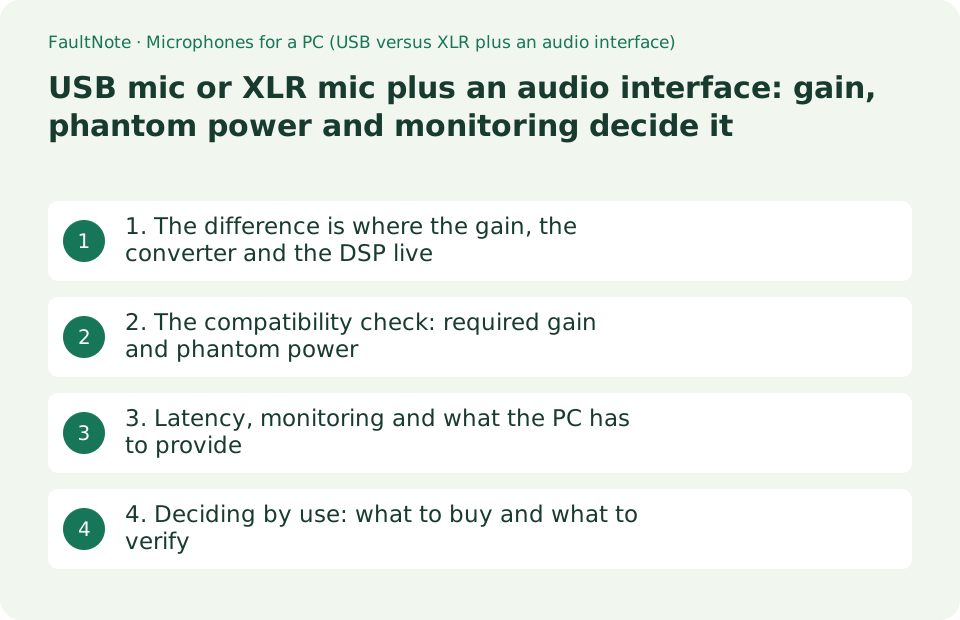
Who this guide is for and what to prepare
- People buying a mic for streaming, recording or meetings who cannot decide between a USB mic and an XLR mic with an interface
- People whose new mic sounds too quiet or noisy and want to know whether the cause is insufficient preamp gain
- People who want to know what phantom power and direct monitoring mean and whether their setup needs them
What you need
- The user guide or spec sheet for each candidate mic (one that lists sensitivity, polar pattern and power requirements)
- The gain range of each candidate interface (what maximum in dB), whether it supplies phantom power, and whether it has a headphone jack
- What you will record (one voice, or instruments and several mics) plus your PC's USB ports and Windows version
1. The difference is where the gain, the converter and the DSP live
An XLR microphone outputs a weak analogue signal as it is. Amplifying it (the preamp), converting it to digital and sending it to the PC is the job of an audio interface or a USB adapter. A USB microphone puts that whole chain inside the microphone body. The choice is therefore about where the functions sit and whether you can swap parts later, not about which sounds better in the abstract.
Shure's MV7+ shows the difference inside one product. Its user guide lists both USB-C and XLR outputs, an A/D converter of 16 (iOS only) or 24-bit at 48 kHz, an adjustable gain range of 0 to +36 dB, and on-board DSP consisting of Auto-Level Mode, Digital Popper Stopper, Real-time Denoiser, Tone Slider, Reverb, Compressor, Limiter and High-Pass Filter. The outputs section then says: "Passive XLR output: Connect to XLR mixers and interfaces. Note: XLR audio is not affected by software settings." The DSP belongs to the USB path; over XLR the interface's preamp receives the raw signal.
Sensitivity is listed per path as well. At 1 kHz open circuit voltage the MV7+ is -55dBV/Pa (1.78 mV) over XLR and -33dBV/Pa over USB-C. The more negative the figure, the smaller the output and the more preamp gain it needs; the USB figure is naturally the level after the built-in preamp has already amplified it.
Power differs too. The MV7+ is a USB Audio Class 2 (UAC2) device powered from USB-C bus power (USB 2.0 or higher). Used over XLR it needs no power because the capsule is dynamic, but a condenser mic makes phantom power on the interface mandatory. That is the compatibility check in the next section.
Scroll horizontally to see the full table →
| Role | USB mic (self-contained) | XLR mic plus an interface |
|---|---|---|
| Preamp (gain) | Inside the mic. MV7+ adjusts over 0 to +36 dB | In the interface. MVX2U covers 0 to 60 dB in 0.5 dB steps |
| A/D conversion | Inside the mic. MV7+ is 24-bit at 48 kHz | In the interface. MVX2U is 24-bit at 48 kHz |
| DSP (noise reduction, compression) | Available on the USB path. MV7+ has Auto-Level, Denoiser, Popper Stopper, a high-pass filter and more | The mic signal stays raw; processing happens in the recording software or in an interface that offers it |
| Power | USB bus power (MV7+ requires USB 2.0 or higher) | None for a dynamic mic; phantom power for a condenser |
| Replacing parts later | Replace the whole microphone | Replace the mic and the interface independently |
| A dual-output model such as the MV7+ | Sensitivity over USB is -33dBV/Pa | Sensitivity over XLR is -55dBV/Pa and software settings are not applied |
2. The compatibility check: required gain and phantom power
Most cases of "I bought the mic and it is too quiet" are a mismatch between the microphone's sensitivity and the preamp's maximum gain. Shure's SM7B user guide states it directly: "The SM7B has a sensitivity rating at -59 dB and requires more gain than what most entry-level or mid-tier preamplifiers can deliver. Use an inline boost amplifier or stronger preamp if your preamp does not have more than 60 dB of gain." The specification table lists -59 dBV/Pa (1.12 mV) at 1 kHz open circuit voltage, an output impedance of 150 Ω and a cardioid pattern.
For comparison, take a condenser. RØDE's product page for the NT1 5th Generation lists sensitivity as -32 dB re 1 Volt/Pascal (25 mV at 94 dB SPL), maximum SPL of 142 dB SPL, equivalent noise of 4 dBA, and analogue power requirements of "Via XLR: P48". That is 27 dB away from the SM7B, which puts the gain knob in a completely different place on the same interface. Dynamic mics generally put out less and demand more headroom from the preamp.
For phantom power itself, Shure's explainer (dated 28 February 2014) gives the definition: it is "a term given to the process of delivering DC (Direct Current) to microphones requiring electric power to drive active circuitry", "the worldwide standard for phantom power is 11 to 52 volts of DC (typical studio mics run on 48v)", and a preamp normally has a button labelled 48v. The same article says a dynamic microphone such as the SM58 does not require phantom power because it has no active electronics inside, that applying it "will not damage other microphones in the vast majority of cases" because modern dynamic mics are designed to accept it, that you should check the manual or ask the manufacturer first — particularly for a ribbon microphone — and that it is a good idea to turn phantom power off while plugging and unplugging microphones.
The interface side is equally concrete. The user guide for Shure's MVX2U, a single-input XLR-to-USB adapter, publishes an adjustable gain range of 0 to 60 dB in 0.5 dB steps, a phantom power supply of 48V at 7 mA, an input impedance of 5.8 kΩ at 1 kHz, a maximum input level of 7 dBV, a digital noise floor of -105 dBFS (20 Hz to 20 kHz, A-weighted) and a maximum current draw through USB of 160 mA. Holding that 60 dB ceiling against the SM7B's "more than 60 dB" requirement is exactly the comparison worth making before you buy.
Scroll horizontally to see the full table →
| Model (manufacturer figures) | Type and sensitivity | Power and gain requirement |
|---|---|---|
| Shure SM7B | Dynamic, cardioid, -59 dBV/Pa (1.12 mV), 150 Ω | No phantom power. Shure: use a booster or stronger preamp unless the preamp has more than 60 dB of gain |
| Shure MV7+ (over XLR) | Dynamic, cardioid, -55 dBV/Pa (1.78 mV), 350 Ω | No phantom power needed (Phantom Power Protection: Yes). Software settings are not applied |
| Shure MV7+ (over USB-C) | Same microphone, -33 dBV/Pa, maximum SPL 128 dB | USB bus power (USB 2.0 or higher). On-board DSP and Auto-Level are available |
| RØDE NT1 5th Generation | Condenser, cardioid, -32 dB re 1V/Pa, maximum SPL 142 dB, equivalent noise 4 dBA | Analogue power requirements: Via XLR: P48 (48V phantom power required) |
| Shure MVX2U (the interface side) | Single-input XLR to USB adapter | Gain 0 to 60 dB in 0.5 dB steps, 48V at 7 mA, input impedance 5.8 kΩ, 160 mA from USB |
| Order of checking | The microphone's sensitivity (dBV/Pa) | Against the interface's maximum gain and whether it has 48V |
3. Latency, monitoring and what the PC has to provide
If you listen to yourself on headphones while speaking, audio that travels through the PC always comes back late. Direct monitoring avoids this by routing the input to the headphone jack ahead of the digital path. Shure describes the MVX2U's 3.5 mm output as "Connect to headphones or earphones for zero-latency direct monitoring", and the MV7+ guide calls its 3.5 mm output "latency-free monitoring". Whichever path you choose, whether the device itself has a headphone jack is a practical dividing line.
Software conditions are set by the product too. RØDE's page for the NT1 5th Generation states that a dedicated ASIO driver is available for Windows and that it enables 32-bit float recording, input gain adjustment, buffer size changes and recording up to eight NT1 5th Generation microphones individually over USB at the same time. Read the other way: the default driver does not give you those. If you plan to record several mics on separate tracks, this is a pre-purchase check.
Sample-rate mismatch is a documented symptom. The MV7+ user guide's troubleshooting section lists "Audio sounds higher or lower pitch than normal. Your microphone and computer have a sample rate mismatch", points to Shure's FAQ for correcting it, and notes that "Windows update 10 v2004 (April 2020) solves this problem". On an older Windows build this is the first thing to check after unboxing.
Verifying the connection is a Windows task. Microsoft's support article says to open Start > Settings > System > Sound, look under Input for connected microphones, select the microphone and choose the arrow to its right to open Properties, then under Input settings select Start test, speak normally, select Stop test and choose Play to hear the sample, adjusting the Input volume slider if needed. Running that once when the mic is new makes later troubleshooting much easier.
Scroll horizontally to see the full table →
| Check | What to look for | Published example |
|---|---|---|
| Direct monitoring | A headphone jack on the device that returns the input directly | MVX2U: 3.5 mm zero-latency direct monitoring. MV7+: 3.5 mm latency-free monitoring |
| Drivers | Whether the in-box driver is enough or a dedicated one is needed | RØDE supplies a Windows ASIO driver for the NT1 5th Generation (32-bit float, input gain, buffer size) |
| Recording several mics | How many can be captured on separate tracks | RØDE's ASIO driver: up to eight NT1 5th Generation mics individually over USB |
| Sample rate | Whether the mic and the PC agree | MV7+ is 24-bit at 48 kHz (16-bit at 44.1 kHz on iOS only); the guide documents the pitch symptom on a mismatch |
| Power | USB requirement and bus-power headroom | MV7+: USB 2.0 or higher bus power, UAC2. MVX2U: maximum 160 mA drawn through USB |
| After connecting | That the OS sees it as an input and the level is usable | Windows Settings > System > Sound > Input, Start test and Play (Microsoft's steps) |
4. Deciding by use: what to buy and what to verify
If you are recording one voice with one microphone and have no plans to add more, a USB mic leaves fewer things to check. The preamp and converter are built in, and the DSP can handle the first round of adjustment. On a product such as the MV7+, Auto-Level Mode is described in Shure's guide as adjusting mic gain automatically "to take the guesswork out of gain and compression settings", which suits anyone who does not want to spend time on setup.
If instead you expect to change the mic or the interface separately, record instruments, or capture two or more sources on separate tracks, the XLR side has the advantage. Here you are checking the interface's maximum gain, phantom power, the number of inputs and the headphone jack. If you already own an XLR mic, a single-input USB adapter such as the MVX2U is also an option.
The order for checking whether an existing mic will work is fixed: type (dynamic or condenser), then whether it needs phantom power, then sensitivity (dBV/Pa or dB re 1V/Pa), then the interface's maximum gain. Two mics for the same job can be 27 dB apart, as the SM7B's -59 dBV/Pa and the NT1 5th Generation's -32 dB re 1V/Pa are. If the interface cannot reach far enough, Shure's own advice is an inline booster or a stronger preamp.
If your real goal is calls and meetings rather than a standalone microphone, this site's guide to PC headset connections is the companion piece; it covers why Bluetooth audio quality drops the moment the microphone opens, as a matter of specification rather than fault. There is also a separate walkthrough for recording mic and PC audio on separate tracks in OBS.
Scroll horizontally to see the full table →
| Use | Configuration that fits | What to verify before buying |
|---|---|---|
| One voice: streaming, meetings, narration | A single USB mic | Headphone jack, what the DSP does, USB power requirement, sample rate |
| Expect to change mics, or record instruments | XLR mic plus an interface | Maximum gain in dB, 48V phantom power, number of inputs, headphone jack |
| Already own an XLR mic | A single-input USB adapter such as the MVX2U | The gap between your mic's sensitivity and the adapter's maximum gain; whether phantom power is needed |
| Using a low-output dynamic mic | A preamp with gain to spare | SM7B example: -59 dBV/Pa, with Shure asking for more than 60 dB of gain |
| Using a condenser mic | An interface that supplies 48V | NT1 5th Generation example: Via XLR: P48. Shure advises switching 48V off while connecting |
| Recording several mics on separate tracks | A configuration with a driver that supports it | RØDE states its ASIO driver records up to eight NT1 5th Generation mics individually |
Limitations and requirements
- Every sensitivity, gain range and power requirement here is a manufacturer figure, read from the user guides and product pages on 19 September 2026. This site did not record or compare any microphone. The same numbers do not carry over to other models.
- The phantom power guidance follows Shure's explainer, which states that modern dynamic microphones are in the vast majority of cases not damaged by phantom power while still advising that you check the manual or ask the manufacturer — particularly for ribbon microphones — and switch 48V off while plugging or unplugging. Follow the manual for your own equipment first.
- This article does not cover prices, stock or rankings. The models named are examples that make the specification readable; they are not a ranking.
Frequently asked questions
Will phantom power damage a dynamic microphone?
Shure's explainer states that a dynamic microphone such as the SM58 does not require phantom power because it has no active electronics inside, that applying phantom power "will not damage other microphones in the vast majority of cases" because modern dynamic mics are designed to accept it, and that you should check the manual or consult the manufacturer first, particularly with a ribbon microphone. It also recommends turning phantom power off while plugging and unplugging microphones to avoid power surges and loud pops. If your equipment's manual says something different, follow the manual.
My new microphone is too quiet — is that a gain problem?
Compare sensitivity against maximum gain and you can tell. Shure's SM7B user guide states that its -59 dB sensitivity "requires more gain than what most entry-level or mid-tier preamplifiers can deliver" and that you should use an inline boost amplifier or a stronger preamp if the preamp does not have more than 60 dB of gain. A condenser such as the RØDE NT1 5th Generation sits at -32 dB re 1V/Pa and needs far less. Put your interface's maximum gain (Shure's MVX2U, for example, covers 0 to 60 dB) next to the microphone's sensitivity figure.
Does the same microphone sound different over USB and over XLR?
The available features and the output level change. Shure's MV7+ user guide lists sensitivity separately as -55dBV/Pa over XLR and -33dBV/Pa over USB-C, and its outputs section says "Passive XLR output ... Note: XLR audio is not affected by software settings". So Auto-Level, the Denoiser, the Popper Stopper and the high-pass filter are USB-path features; over XLR the processing has to come from the interface's preamp and your recording software. It is not a question of which is better, but of whether the processing happens inside the mic or outside it.
Sources and verification date
Sources checked: . These sources support the specifications, procedures or prices discussed here. Check each source for applicable conditions and current information.
- Shure: MV7+ user guide (USB-C and XLR, sensitivity, on-board DSP) ↗
- Shure: MVX2U user guide (0 to 60 dB gain, 48V at 7 mA, direct monitoring) ↗
- Shure: SM7B user guide (-59 dBV/Pa, the more-than-60 dB gain requirement) ↗
- Shure: What is Phantom Power & Why Do I Need It? (dated 28 February 2014) ↗
- RØDE: NT1 5th Generation product page (sensitivity, P48, 32-bit float, ASIO driver) ↗
- Microsoft Support: How to set up and test microphones in Windows ↗
Related practical guides
- PC Headset Connections: USB, 3.5 mm, 2.4 GHz Dongle or Bluetooth, and What Happens to the Microphone
- Onboard audio or a USB DAC/headphone amp: work out the voltage your headphones actually need
- USB receiver or Bluetooth for a wireless mouse and keyboard: what each one actually requires
- Windows 11: Enter Text and Punctuation with Voice Typing
- Record microphone and PC audio on separate tracks with OBS
- Manage Chrome camera, microphone, and location permissions per site