Onboard audio or a USB DAC/headphone amp: work out the voltage your headphones actually need
Whether a pair of headphones plays loudly enough is not decided by the impedance figure alone. What matters is the voltage the output can deliver, and that can be calculated from the impedance and the sensitivity the manufacturer publishes. The awkward part is that sensitivity comes in two conventions: Sennheiser lists the HD 660S2 as 104 dB (1 kHz, 1 Vrms), while Shure lists the SRH840A as 97 dB/mW (1 kHz). One is the level at one volt, the other the level at one milliwatt, so the two cannot be compared as printed. This guide puts both on the "level at 1 Vrms" scale and then calculates the voltage needed for, say, 100 dB: about 0.63 V for the 300 ohm HD 660S2 and about 0.28 V for the 40 ohm SRH840A. The impedances differ by more than seven times, yet the voltage requirement differs by roughly two. The same arithmetic is then applied to the output side, using Creative's published "High Gain: 150-600 ohm (2.3 V RMS at 150 ohm, 2.9 V RMS at 600 ohm)" and FiiO's "60 mW + 60 mW at 300 ohm". Finally it confirms an uncomfortable fact - motherboard specification sheets publish neither output voltage nor output power, as a comparison of the ASUS ROG Strix B850-E and PRIME B850M-A entries shows - and separates the problems an external device fixes from the ones it does not.
Published · Updated · FaultNote editorial policy
Who this guide is for and what to prepare
- People whose headphones sound quiet straight from the PC, deciding whether to buy a USB DAC or headphone amplifier
- People who want to check, before buying high-impedance headphones, whether their current PC can drive them
- People who want to know what manufacturers actually publish for onboard audio versus external USB devices
What you need
- The impedance and sound pressure level (sensitivity) rows on the specification page of the headphones you own or plan to buy, and whether the sensitivity is referenced to 1 Vrms or to 1 mW
- What the audio section of your motherboard (or laptop) specification page actually says: codec name, supported bit depth, whether an amplifier is listed
- For any DAC or amplifier you are considering: output power per load, output voltage, output impedance and how it is powered (bus power or an external adapter)
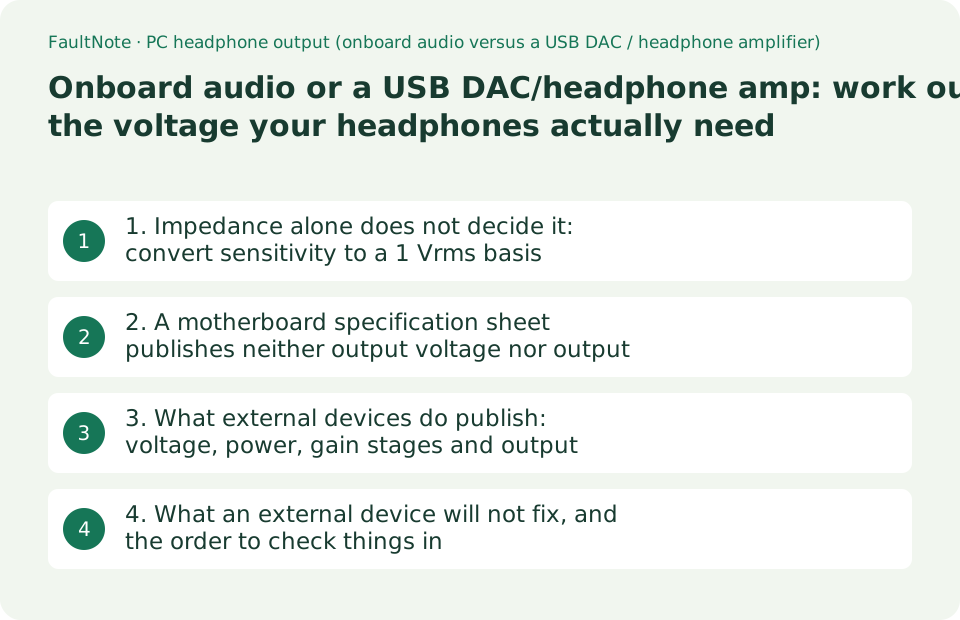
1. Impedance alone does not decide it: convert sensitivity to a 1 Vrms basis
Start with three sets of published figures. Sennheiser lists the HD 660S2 at 300 ohm impedance with a sound pressure level (SPL) of 104 dB (1 kHz, 1 Vrms). The same maker lists the HD 620S at 150 Ohm with an SPL of 110 dB / 1 V RMS. Shure lists the SRH840A at 40 ohm (at 1 kHz), sensitivity 97 dB/mW (at 1 kHz) and maximum input power 500 mW. Note the two conventions: the Sennheiser pair state the level produced by 1 Vrms, Shure states the level produced by 1 mW. As printed, they are not comparable.
Converting the milliwatt basis to the volt basis needs only W = V squared / R. One milliwatt into 40 ohm corresponds to the square root of 0.001 x 40, which is 0.2 V, so applying 1 V is five times the voltage and raises the level by 20 x log10(5), about 14 dB. On a 1 Vrms basis the SRH840A is therefore about 111 dB. With all three on the same scale, the voltage needed for a listening peak of, say, 100 dB follows from V = 10^((target - level at 1 V)/20): about 0.63 V for the HD 660S2, about 0.32 V for the HD 620S and about 0.28 V for the SRH840A. The impedances span 40 to 300 ohm, a factor of 7.5, yet the voltage requirement differs by about a factor of two.
The power requirement, on the other hand, changes a lot. Using P = V squared / R, 100 dB needs about 1.3 mW from the HD 660S2 (0.63 V into 300 ohm), about 0.67 mW from the HD 620S and about 2.0 mW from the SRH840A - which also matches reading the Shure figure directly, since 100 dB is 3 dB above 97 dB/mW, and 3 dB is twice the power. This is where "high impedance means you need an amp" goes wrong: what high impedance models demand is voltage, not power. Low-impedance, low-sensitivity headphones need the opposite, current rather than volts.
The voltage and power columns in the table below are calculated by this site from the manufacturers' published impedance and sensitivity using the two formulas above, rounded to two decimals. They are not measurements. They also answer only the question "is it loud enough", not any question about sound quality.
Scroll horizontally to see the full table →
| Model (manufacturer figures) | Impedance | Published sensitivity | Converted to a 1 Vrms basis | Voltage / power for 100 dB (calculated here) |
|---|---|---|---|---|
| Sennheiser HD 660S2 | 300 ohm | 104 dB (1 kHz, 1 Vrms) | 104 dB | about 0.63 V / about 1.3 mW |
| Sennheiser HD 620S | 150 Ohm | 110 dB / 1 V RMS | 110 dB | about 0.32 V / about 0.67 mW |
| Shure SRH840A | 40 ohm (at 1 kHz) | 97 dB/mW (at 1 kHz) | about 111 dB | about 0.28 V / about 2.0 mW |
| The conversion | - | Voltage at 1 mW = square root of (0.001 x R) | 1 V basis = dB/mW + 20log10(1 / square root of (0.001 x R)) | V = 10^((target dB - 1 V basis dB)/20), P = V squared / R |
| What it shows | A 7.5x spread | Two different conventions | Within 7 dB of each other | About 2x in voltage, about 3x in power |
2. A motherboard specification sheet publishes neither output voltage nor output power
So can your current PC supply those volts? Here you hit a wall, because motherboard specifications normally list no voltage, no power and no output impedance for the headphone jack. What the ASUS ROG Strix B850-E Gaming WiFi specification page says (read on 2026-09-19) is: "ROG SupremeFX 7.1 Surround Sound High Definition Audio CODEC ALC4080", "Impedance sense for front and rear headphone outputs", "High quality 120 dB SNR stereo playback output and 110 dB SNR recording input", "Supports up to 32-Bit/384 kHz playback on front panel", and under audio features "Savitech SV3H712 AMP", SupremeFX shielding, gold-plated jacks and an optical S/PDIF output. You learn that an amplifier part is fitted and that impedance sensing exists - but not how many volts it delivers.
On a lower-tier board of the same generation even that is absent. The ASUS PRIME B850M-A WIFI page lists only "Realtek 7.1 Surround Sound High Definition Audio CODEC", "Supports up to 24-Bit/192 kHz playback", audio shielding, premium audio capacitors and dedicated audio PCB layers. No amplifier part number, no impedance sensing. The only conclusion available is that the higher-tier board names a headphone amplification stage and the cheaper one does not. Neither page claims anything about driving 300 ohm loads.
One practical note on the ASUS page matters for a buyer. The audio section states that the rear-panel LINE OUT port does not support spatial audio, and that if you want spatial audio you should connect to the audio jack on the front panel of the chassis or use a USB interface audio device. The 32-bit/384 kHz front-panel figure likewise assumes the chassis has an HD audio module in the front panel. Where you plug in changes the specification, which is worth checking before spending money on an external device.
It follows that you cannot decide the onboard question by calculation. The practical test is to connect the headphones you have and see where the Windows volume slider sits for your normal listening level. Only when you have a concrete complaint - usable volume only near the top of the slider, or audible hiss in silence - does the external purchase become a considered one. Starting from the symptom beats starting from "it is 300 ohm, so I need an amp".
Scroll horizontally to see the full table →
| Specification row | ASUS ROG Strix B850-E Gaming WiFi | ASUS PRIME B850M-A WIFI |
|---|---|---|
| Codec | ROG SupremeFX ALC4080 | Realtek 7.1 HD Audio CODEC (no part number given) |
| Impedance sense | Front and rear headphone outputs | Not listed |
| Amplifier | Savitech SV3H712 AMP | Not listed |
| Bit depth / sample rate | Up to 32-Bit/384 kHz on the front panel | Up to 24-Bit/192 kHz |
| SNR | 120 dB playback / 110 dB recording | Not listed |
| Output voltage, output power, output impedance | Not listed | Not listed |
| Footnotes | Rear LINE OUT does not support spatial audio; use the front jack or a USB audio device | 7.1 output requires an HD audio module in the chassis front panel |
3. What external devices do publish: voltage, power, gain stages and output impedance
Unlike onboard audio, USB DACs and amplifiers publish drive-related numbers. Creative lists the Sound Blaster X4 as "Supported Headphone Impedance: 32-600 ohm, High Gain: 150-600 ohm (2.3 V RMS at 150 ohm, 2.9 V RMS at 600 ohm), Output Impedance: 10 ohm, Low Gain: 32-149 ohm (1.2 V RMS at 32 ohm)", with "114 dB, 24-bit / 192 kHz" audio and USB-C bus power. FiiO lists the K11 as "SE power output: 520 mW + 520 mW at 32 ohm and 60 mW + 60 mW at 300 ohm (THD+N below 1%, high gain)", "BAL power output: 1400 mW + 1400 mW at 32 ohm and 250 mW + 250 mW at 300 ohm", "Output impedance: PO below 1.2 ohm (32 ohm load), BAL below 2.4 ohm", "SNR at least 123 dB (A-weighted)", "Noise floor: PO below 2.8 uV (A-weighted)", DAC CS43198, 384 kHz/32-bit PCM and DSD256, powered by a DC12V 2A external adapter.
Feeding those into the formulas from section 1 shows how much headroom they represent. The K11's 60 mW into 300 ohm corresponds to the square root of 0.06 x 300, about 4.24 V. Into the HD 660S2 (104 dB on a 1 V basis) that is 104 + 20log10(4.24), about 116 dB. The Sound Blaster X4's high gain delivers 2.3 Vrms at 150 ohm, so with the HD 620S (110 dB at 1 V, 150 ohm) that is 110 + 20log10(2.3), about 117 dB. Both are more than ten times the voltage that section 1 showed is needed for 100 dB. These are the makers' own published figures under their own conditions (the K11 numbers assume THD+N below 1% at high gain), not measurements taken here.
Output impedance is the row people skip. The source impedance Ro and the headphone impedance Rl form a divider, so the voltage across the headphones is Rl/(Rl+Ro) of the open-circuit value. With the Sound Blaster X4's 10 ohm and the 40 ohm SRH840A that is 40/50 = 0.8, about -1.9 dB. With a 300 ohm model it is 300/310, about -0.3 dB. The K11's figure of below 1.2 ohm gives about -0.3 dB even at 40 ohm. Headphone impedance does vary with frequency, and manufacturers do not publish those curves, so the level loss at the published nominal impedance can be calculated while the change in frequency response cannot. Leaving that undecided is the honest treatment.
How the device is powered is also published. The Sound Blaster X4 is USB-C bus-powered; the K11 ships with a DC12V 2A external adapter. For bus-powered sticks the supply is the ceiling, and FiiO states the condition explicitly for the KA17: with sufficient USB power supply input and desktop mode enabled, its four THX headphone amps work in parallel for up to 270 mW + 270 mW single-ended and up to 650 mW + 650 mW balanced. In other words, the same product delivers different output depending on how it is connected.
Scroll horizontally to see the full table →
| Row | Creative Sound Blaster X4 | FiiO K11 | FiiO KA17 (stick) |
|---|---|---|---|
| Supported impedance | 32-600 ohm (high gain 150-600, low gain 32-149) | Three gain levels (no ohm range published) | Not published |
| Published drive figures | 2.3 Vrms at 150 ohm, 2.9 Vrms at 600 ohm, 1.2 Vrms at 32 ohm | SE: 520 mW + 520 mW at 32 ohm, 60 mW + 60 mW at 300 ohm; BAL: 1400 mW + 1400 mW at 32 ohm, 250 mW + 250 mW at 300 ohm | Desktop mode: SE 270 mW + 270 mW, BAL 650 mW + 650 mW |
| Output impedance | 10 ohm | PO below 1.2 ohm (32 ohm load), BAL below 2.4 ohm | Not published |
| Divider loss into 40 ohm (calculated here) | 40/50 = about -1.9 dB | 40/41.2 = about -0.3 dB | - |
| Power | USB-C bus power | DC12V 2A external adapter | USB power; desktop mode requires sufficient supply |
| Formats | 24-bit/192 kHz, 114 dB | 384 kHz/32-bit PCM, DSD256, SNR at least 123 dB | Only the output conditions above are used here |
4. What an external device will not fix, and the order to check things in
Adding a USB DAC or amplifier changes the analog drive capability, the noise floor and the formats the output accepts. Several things it does not change. First, the quality drop on a Bluetooth headset when you start talking: that switch from stereo playback (A2DP) to the call profile (HFP) is specified behaviour and no USB DAC affects it (our guide to headset connection types covers it against Microsoft's documentation). Second, application and OS features: spatial audio is processed upstream, and as the ASUS note shows it can depend on which jack you use. Third, if hiss comes from the power or cable path, swapping the DAC does not isolate it.
A workable order before buying: (1) read the impedance and sensitivity from the specification page of the headphones, and note which reference the sensitivity uses; (2) use the formulas in section 1 to get the voltage and power for your target level; (3) check whether the candidate device publishes an output voltage or output power at that load - devices that publish nothing cannot be compared this way; (4) if an output impedance is published, apply Rl/(Rl+Ro) for the level loss; (5) check how it is powered, including any conditional mode.
Do not forget the physical side. The HD 660S2 ships with a 6.3 mm cable (1.8 m), a 4.4 mm cable (1.8 m) and a 6.3 mm to 3.5 mm adapter, so plugging it into a 3.5 mm front-panel jack needs the adapter. If you are counting on balanced output power, you need a device and cable with that connector: the K11's 1400 mW + 1400 mW figure is a balanced-output condition.
Finally, on measurement: every number here is either a published manufacturer specification or a value calculated from one using a stated formula. No headphones or DACs were measured for this article. Actual loudness also depends on the source level, the OS volume, the application settings and the way headphone impedance varies with frequency. Use the arithmetic to rule out the clearly insufficient; the last step is still your own ears.
Scroll horizontally to see the full table →
| Symptom or goal | Does a USB DAC/amp change it? | Basis, or what to check first |
|---|---|---|
| Only loud enough near maximum volume | Likely yes | Calculate the voltage needed and compare with the candidate's published output |
| Audible hiss during silence | Sometimes | Compare devices that publish a noise floor (the K11 states PO below 2.8 uV) or SNR |
| Bluetooth quality drops when the mic is used | No | That is the A2DP to HFP switch; a wired, USB or 2.4 GHz dongle connection is the fix |
| You want spatial audio | Depends on the jack | ASUS states the rear LINE OUT does not support it and points to the front jack or a USB device |
| You want a different treble character | Not decidable from published data | Impedance curves are not published, so it cannot be calculated |
| Driving low-impedance, low-sensitivity models | Look at the power side | Use P = V squared / R and check the published output power at that load |
Limitations and requirements
- The impedance, sensitivity, output power and output impedance figures are as published by Sennheiser, Shure, Creative, FiiO and ASUS and read on 2026-09-19. No headphones, DACs or amplifiers were measured for this article.
- The voltage, power and divider values are calculated here by applying three formulas to those published figures: V = 10^((target dB - 1 V basis dB)/20), P = V squared / R and Rl/(Rl+Ro). The formulas and inputs are shown so the arithmetic can be repeated, but headphone impedance varies with frequency and those curves are not published, so no frequency-response effect is calculated.
- Each maker's output figures carry their own test conditions (FiiO's K11 numbers assume THD+N below 1% at high gain). Prices, stock, rankings and judgements about sound quality are out of scope here.
Frequently asked questions
Do 300 ohm headphones always need an amplifier?
Not necessarily. What decides it is the voltage implied by impedance together with sensitivity, not impedance alone. Sennheiser publishes 104 dB (1 kHz, 1 Vrms) for the 300 ohm HD 660S2, so reaching 100 dB works out at about 0.63 V. The problem is that motherboard specifications do not publish the headphone output voltage - neither the ASUS ROG Strix B850-E nor the PRIME B850M-A page gives one - so the calculation cannot settle the question on its own. Connect the headphones and see whether usable volume only arrives near the top of the slider. If it does, apply the formulas in section 1 to the output voltage or power that the candidate device publishes.
One spec says dB/mW and another says dB per 1 Vrms. How do I compare them?
Use W = V squared / R to move one onto the other. The voltage corresponding to 1 mW into R ohm is the square root of 0.001 x R, so converting a dB/mW figure to a 1 V basis means adding 20 x log10(1 / square root of (0.001 x R)). Shure's SRH840A is 97 dB/mW at 40 ohm, where 1 mW is 0.2 V, so on a 1 V basis it is 97 + 20log10(5), about 111 dB. That puts it on the same axis as Sennheiser's HD 660S2 (104 dB / 1 Vrms) and HD 620S (110 dB / 1 V RMS), and it shows that the voltage requirement of a 40 ohm model and a 300 ohm model differ by only about a factor of two.
Is a lower output impedance always better?
What the published data supports is the level loss. Source impedance Ro and headphone impedance Rl form a divider, so the headphones see Rl/(Rl+Ro) of the voltage. Creative publishes 10 ohm for the Sound Blaster X4, which gives 40/50, about -1.9 dB, with the 40 ohm SRH840A and about -0.3 dB with a 300 ohm model. FiiO publishes below 1.2 ohm (32 ohm load) for the K11, about -0.3 dB even at 40 ohm. The frequently repeated claim about frequency response comes from impedance varying with frequency, but manufacturers do not publish those curves, so it can be neither calculated nor asserted from published data. This guide stays inside what can be calculated.
Sources and verification date
Sources checked: . These sources support the specifications, procedures or prices discussed here. Check each source for applicable conditions and current information.
Related practical guides
- PC Headset Connections: USB, 3.5 mm, 2.4 GHz Dongle or Bluetooth, and What Happens to the Microphone
- Your case says 20Gbps on the front Type-C. Your motherboard may not agree
- Can you add Thunderbolt to a desktop? Onboard and add-in card need different things
- Intel B860 vs. Z890 vs. H810: Choose an LGA1851 Motherboard by CPU Support, M.2, USB and Overclocking
- DDR4 vs. DDR5: Choose for a New Build, Reused RAM and Upgrade Cost
- Integrated vs. Discrete Graphics: Check Workloads, CPU Models and Outputs