SD and microSD Card Ratings: Choosing V30, U3, A2, UHS-II and SD Express by Use Case
The symbols printed on an SD or microSD card belong to three separate standards: capacity (SD, SDHC, SDXC, SDUC), bus interface (High Speed, UHS-I/II/III, SD Express) and speed class (C2-C10, U1/U3, V6-V90, E150-E600), plus the A1 and A2 application performance classes. In the SD Association's tables a speed class states a minimum sequential write speed: 30 MB/s for V30, 60 MB/s for V60 and 90 MB/s for V90. Because UHS-I tops out at 104 MB/s, V60 and V90 cards need a UHS-II or faster interface to deliver their rating. Device requirements come from the maker: GoPro specifies V30 and Class A2 for its current cameras, and Nintendo states that Nintendo Switch 2 is only compatible with microSD Express cards. Before buying, match three things: the class the device demands, the bus interface both the device and your card reader support, and the capacity standard the device accepts.
Published · Updated · FaultNote editorial policy
Who this guide is for and what to prepare
- Anyone buying an SD or microSD card for a camera, action camera, drone or handheld console and unsure what V30 or A2 means
- People trying to avoid dropped recordings at 4K or 8K, or a buffer that cannot keep up during burst shooting
- Anyone checking whether an existing card can be reused in a newer device
What you need
- The model number of the device and its manual or manufacturer support page stating the required card
- The capture settings you will use (resolution, frame rate, bit rate), or the storage capacity you need for a console
- For transfers to a PC, the bus interface your card reader or built-in slot supports (UHS-I, UHS-II or SD Express)
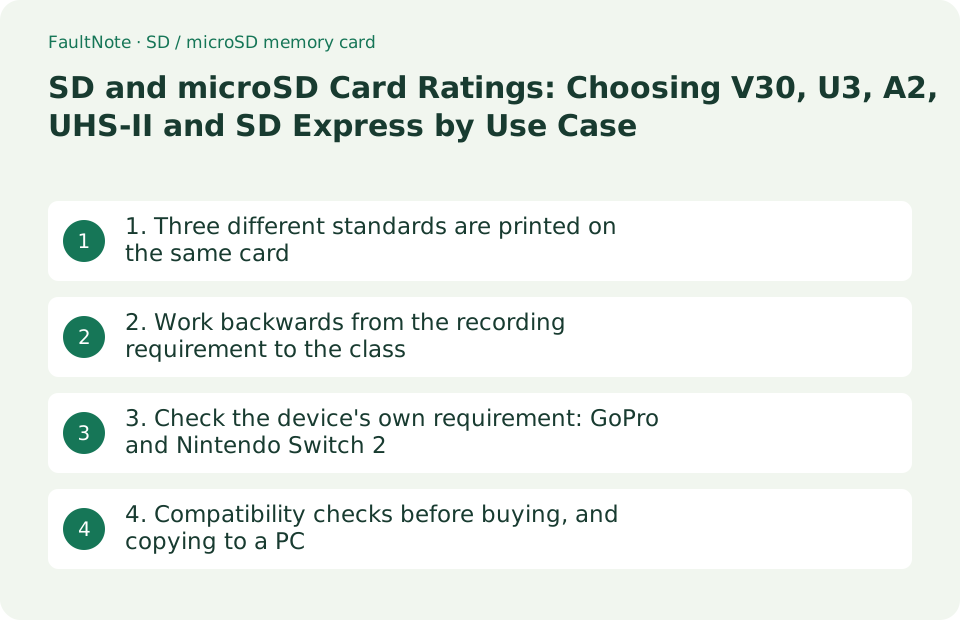
1. Three different standards are printed on the same card
An SD or microSD card carries markings from several standards at once. In the SD Association's classification the first is capacity: SD (up to 2GB, FAT12/16), SDHC (over 2GB up to 32GB, FAT32), SDXC (over 32GB up to 2TB, exFAT) and SDUC (over 2TB up to 128TB, exFAT). The second is the bus interface, which caps transfer speed: High Speed at 25 MB/s, UHS-I at 104 MB/s, UHS-II at 312 MB/s, UHS-III at 624 MB/s, and SD Express using PCIe and NVMe from 985 MB/s (PCIe Gen3 x1) up to 3940 MB/s (PCIe Gen4 x2).
The third is the speed class, a separate guarantee of minimum sequential write speed. The SD Association explains that actual transfer speed varies as a characteristic of flash memory, and that variable speed makes it difficult to reliably record streaming content such as video, which needs a constant writing speed. Separately, the A1 and A2 application performance classes cover running apps from the card and specify random access (IOPS) rather than sequential writes. In other words, no single number describes a "fast" card; you have to read each standard separately.
Scroll horizontally to see the full table →
| Standard | Example markings | What it determines | Values defined by the SD Association |
|---|---|---|---|
| Capacity | SDHC, SDXC, SDUC | Usable capacity and file system | SD up to 2GB (FAT12/16), SDHC over 2GB to 32GB (FAT32), SDXC over 32GB to 2TB (exFAT), SDUC over 2TB to 128TB (exFAT) |
| Bus interface | Roman numerals I, II, III; SD Express (EX) | Upper limit on transfer speed between card and device | High Speed 25 MB/s, UHS-I 104 MB/s, UHS-II 312 MB/s, UHS-III 624 MB/s, SD Express 985-3940 MB/s |
| Speed class | C10, U3, V30, E300 and similar | Guaranteed minimum sequential write speed | C2/C4/C6/C10 = 2/4/6/10 MB/s, U1 = 10 MB/s, U3 = 30 MB/s, V6-V90 = 6-90 MB/s, E150-E600 = 150-600 MB/s |
| Application performance class | A1, A2 | Random read and write performance when running apps | A1: 1500 IOPS random read, 500 IOPS random write; A2: 4000 and 2000 IOPS; both require at least 10 MB/s sustained sequential write |
2. Work backwards from the recording requirement to the class
Because a speed class is a minimum sequential write speed, you can work backwards from what you record. The SD Association's table defines steps from C2 at 2 MB/s up to V90 at 90 MB/s and places corresponding video formats beside them: standard video (640 x 480), HD and Full HD (1920 x 1080), 4K (3840 x 2160) and 8K (7680 x 4320). What is easy to misread is that the mapping is drawn as overlapping bands, not one class per resolution. In that table the 8K band (7680 x 4320) spans the V30 row up to the V90 row, the 4K band (3840 x 2160) spans the V10 row up to the V30 row, the HD / Full HD band covers the V10 and V6 rows, and the standard video band covers the C6 down to the C2 rows. The SD Express classes E150 to E600 are shown separately, on rows for 4K and 8K multi-stream and intra video. The same table also carries the note that speeds vary by recording and playback device requirements, so resolution alone does not fix the class. The table below writes out that mapping row by row; decide the class you actually need from the device maker's stated requirement, as in the next section.
The easy thing to miss is that the bus interface sets a ceiling. UHS-I stops at 104 MB/s, so a card that sustains V60 (60 MB/s) or V90 (90 MB/s) needs UHS-II or faster pins. If the device itself only supports UHS-I, a UHS-II card will run at UHS-I speed. The SD Association makes the same point from the other direction: UHS-II host devices perform best with cards that support at least UHS-II, and SD Express hosts perform best with SD Express cards.
Scroll horizontally to see the full table →
| Speed class | Minimum sequential write speed | Video format shown beside it in the table | Bus interface required |
|---|---|---|---|
| C2 / C4 / C6, V6 | 2 / 4 / 6 MB/s | Standard video band (640 x 480); the 6 MB/s row also falls inside the HD / Full HD band | High Speed or better |
| C10, U1, V10 | 10 MB/s | HD / Full HD band (1920 x 1080); also the bottom of the 4K band | High Speed or UHS-I |
| U3, V30 | 30 MB/s | Top of the 4K band (3840 x 2160); also the bottom of the 8K band | UHS-I (104 MB/s) is sufficient |
| V60 | 60 MB/s | 8K band (7680 x 4320) | UHS-II or faster (close to the 104 MB/s UHS-I ceiling) |
| V90 | 90 MB/s | 8K band (7680 x 4320) | UHS-II or faster |
| E150 / E300 / E450 / E600 | 150 / 300 / 450 / 600 MB/s | 4K and 8K multi-stream and intra video bands | SD Express (PCIe / NVMe) |
3. Check the device's own requirement: GoPro and Nintendo Switch 2
Once the standards are clear, the device decides. GoPro's support article dated June 3, 2026 states the minimum requirement for MAX2, LIT HERO, HERO (2024) and HERO13/12/11/10 Black as "microSD cards with a V30 and Class A2 rating", then lists recommended families by capacity, including SanDisk Extreme, Lexar Professional, Samsung EVO Plus / EVO Select / PRO Plus and Kingston Canvas Go! Plus. For HERO9/8/7/6/5 Black, MAX and Fusion the stated requirement is lower: at least Class 10 or UHS-I. Requirements differ by generation even within one brand.
Consoles can be stricter. Nintendo's support page states that Nintendo Switch 2 is only compatible with microSD Express cards, and that inserting a microSD card previously used on a Nintendo Switch will not allow saving or loading digital games or save data, although Nintendo Switch screenshots and videos can still be loaded. It adds that a system update over the internet is required the first time a microSD Express card is used, that capacities up to 2TB are supported, and that on the original Nintendo Switch a microSD Express card reads and writes at microSD card speed.
Scroll horizontally to see the full table →
| Device | Stated requirement | What the maker says happens otherwise | Page to check |
|---|---|---|---|
| GoPro MAX2 / LIT HERO / HERO (2024) / HERO13-10 Black | microSD cards with a V30 and Class A2 rating | For the MISSION 1 family GoPro warns that an unlisted or heavily used card can cause freezing, an unresponsive camera or card thermal issues | GoPro Support: SD Cards That Work With GoPro Cameras |
| GoPro HERO9/8/7/6/5 Black, MAX, Fusion | At least Class 10 or UHS-I | Maximum card capacity is referred to the model's user manual | Same article |
| Nintendo Switch 2 | microSD Express cards only, up to 2TB | A previously used microSD card cannot save or load digital games or save data | Nintendo Support: microSD Card and microSD Express Card Compatibility |
| Nintendo Switch (original) | Both microSD and microSD Express cards work | A microSD Express card reads and writes at microSD card speed | Same article |
4. Compatibility checks before buying, and copying to a PC
Capacity compatibility runs in one direction. The SD Association states that SDUC cards must only be used with SDUC host devices, SDXC cards work in SDXC and SDUC devices, SDHC cards work in SDHC, SDXC and SDUC devices, and SD cards work in all of them. Read the other way, an SDXC host can use SD, SDHC and SDXC cards but not an SDUC card. So before buying a very large card, confirm which capacity standard the device accepts. The association also advises confirming compatibility by looking for the SD logo and symbols on the device, or in its manual, before inserting a card.
When you copy to a PC, the reading side matters as much as the card. A UHS-II card in a UHS-I reader runs at UHS-I speed, and an SD Express card only delivers its rating in an SD Express host. For formatting, the SD Association strongly recommends its SD Memory Card Formatter, built specifically for the SD, SDHC and SDXC standards, and warns that generic operating-system formatting utilities may result in less than optimal performance. On buying, GoPro recommends purchasing name-brand cards only from official photo, video or consumer electronics resellers, noting that counterfeit cards are increasingly common at current memory prices.
Scroll horizontally to see the full table →
| What to check | What the official documentation says | Where to look |
|---|---|---|
| Capacity compatibility | An SDXC host can use SD, SDHC and SDXC cards; SDUC cards require an SDUC host | The device specification's supported card types and maximum capacity |
| Bus interface ceiling | UHS-II hosts perform best with cards that support at least UHS-II | The camera, console and card reader each separately (UHS-I, UHS-II or SD Express) |
| Required speed class | The device maker states a minimum, for example GoPro's V30 plus A2 | The support page for your exact model; it differs by generation |
| Formatting | The SD Association strongly recommends the SD Memory Card Formatter over generic OS utilities | Format in the device itself, or with the SD Memory Card Formatter |
| Where to buy | GoPro recommends name-brand cards from official resellers and warns about counterfeits | The seller, the warranty and the packaging markings |
Limitations and requirements
- The specification values here were read on September 19, 2026 from the SD Association's consumer pages (sdcard.org) and the specification tables published on them. We have not measured any card ourselves.
- A speed class is a minimum sequential write speed under conditions defined by the standard. It is not the same figure as the "up to X MB/s" read speed printed on packaging, so do not compare the two as if they were one number.
- Device requirements change by generation, model and firmware. The GoPro and Nintendo statements here are examples; check the support page for your own model before buying.
Frequently asked questions
V30 and U3 are both 30 MB/s, so which should I buy?
In the SD Association's table, U3 (UHS Speed Class 3) and V30 (Video Speed Class 30) both sit on the 30 MB/s minimum sequential write row, and most products print both marks. If your device's support page specifies V30, choose a card that carries the V30 mark: follow the wording the maker used, even where the numbers match.
Is an A2 card better than A1 for video?
The application performance classes cover random access. A1 requires 1500 IOPS random read and 500 IOPS random write, A2 requires 4000 and 2000 IOPS, and both require only 10 MB/s of sustained sequential write. Continuous video writing is therefore governed by the speed class, such as V30. That said, some devices require both, as GoPro does with "V30 and Class A2".
Can I reuse my old microSD card in Nintendo Switch 2?
Nintendo's support page states that Nintendo Switch 2 is only compatible with microSD Express cards. A microSD card previously used on a Nintendo Switch will not save or load digital games or save data; only Nintendo Switch screenshots and videos can be loaded from it. A system update over the internet is required the first time you use a microSD Express card.
Sources and verification date
Sources checked: . These sources support the specifications, procedures or prices discussed here. Check each source for applicable conditions and current information.
- SD Association: Speed Class Standards for Video Recording (speed class, minimum write speed and corresponding video format table) ↗
- SD Association: Bus Interface Speed Standards for Large Size Data Transfer (High Speed, UHS-I/II/III and SD Express speeds) ↗
- SD Association: Application Performance Class for Running Smartphone Apps (A1 and A2 IOPS requirements) ↗
- SD Association: SD, SDHC, SDXC and SDUC Card Capacity Choices (capacity standards, compatibility rules, SD Memory Card Formatter) ↗
- SD Association: Capacity (SD/SDHC/SDXC/SDUC) (per-tier capacity limits and file systems) ↗
- GoPro Support: SD Cards That Work With GoPro Cameras (dated June 3, 2026; per-model minimum requirements) ↗
- Nintendo Support: microSD Card and microSD Express Card Compatibility with Nintendo Switch 2 and Nintendo Switch ↗
Related practical guides
- Choosing a capture card: recording and passthrough resolutions differ, and the port sets the ceiling
- DDR5 with Two or Four DIMMs: Compare Upgrade Speed Limits and Kits
- External SSD vs HDD for backups: capacity, speed and portability
- How to Choose a USB-C Cable: 60W vs 240W Power Marks, 10Gbps to 80Gbps Data Rates and Video Output by Use
- USB vs PCIe Wi-Fi Adapter: Check Installation Requirements, Bluetooth and Speed Labels Before Buying
- Your DDR5-8000 kit boots at the default speed: XMP, EXPO, CPU rated memory speed and warranty wording