DDR5 with Two or Four DIMMs: Compare Upgrade Speed Limits and Kits
Adding DDR5 to free slots does not guarantee retention of the current speed or settings. Compare replacement and four-module configurations using CPU population limits, kit-mixing guidance and the QVL.
Published · Updated · FaultNote editorial policy
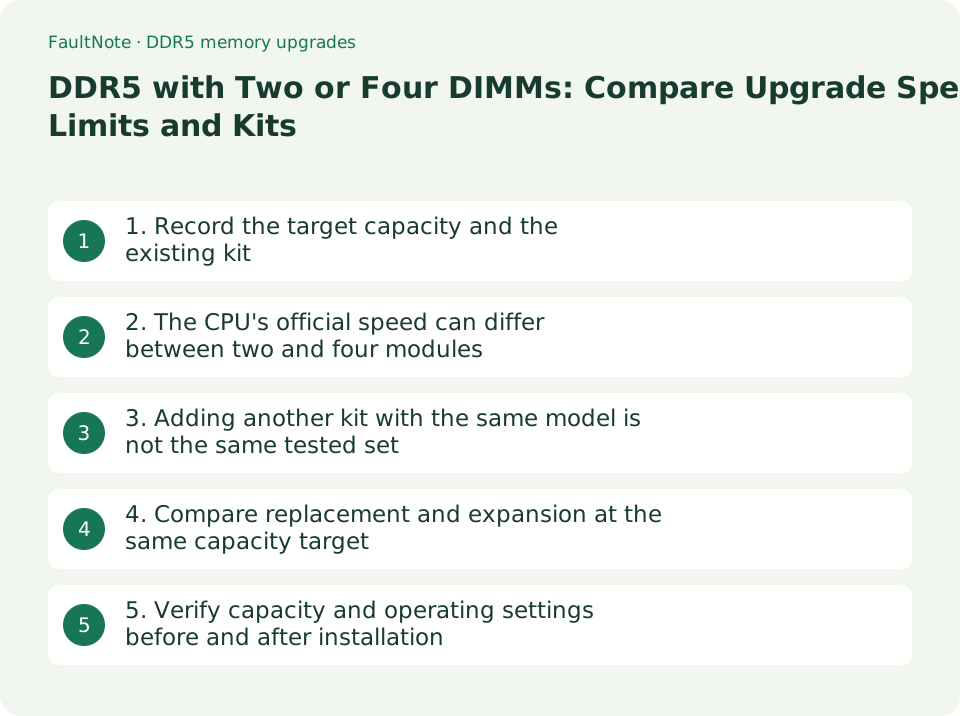
Who this guide is for and what to prepare
- People expanding a system that currently uses two DDR5 modules
- People comparing a two-module replacement with four DIMMs
What you need
- CPU, board, BIOS and existing kit details and settings
- The required total capacity after the upgrade
- CPU memory specifications, board QVL and installation manual
1. Record the target capacity and the existing kit
A DDR5 upgrade needs a module-population decision as well as a capacity target. Moving from 2 x 16GB to 64GB could mean replacing them with 2 x 32GB or using 4 x 16GB; these are different validation conditions. Free slots do not establish that the current speed will be retained.
- Record the CPU, board, BIOS version, current kit and module count, and operating settings.
- Set the target capacity and separate candidates into a two-module replacement and a four-module configuration.
- Check total and per-module capacity support in the manufacturer's documentation, including BIOS conditions for high-capacity modules.
2. The CPU's official speed can differ between two and four modules
AMD's Ryzen 7 9800X3D table checked on September 12, 2026 lists DDR5-5600 for two modules and DDR5-3600 for four. This is a specification example for that CPU, not a universal DDR5 limit. Read it separately from XMP/EXPO overclocked operation.
The same CPU has two memory channels. Installing four DIMMs does not make this platform quad-channel. The table's 1R/2R labels refer to module ranks; check the module specification rather than inferring rank from capacity or appearance.
On 2026-09-21 the same split was confirmed on other products. The Ryzen 5 9600X and Ryzen 9 9950X product specification pages both divide Max Memory Speed into 2x1R, 2x2R, 4x1R and 4x2R, listing DDR5-5600 for two modules and DDR5-3600 for four. It is not a quirk of one product. This site does not claim every AMD CPU carries the same values, though — read the page for your own CPU.
On an Intel build you cannot make this check at all. The memory block on the product specification pages read on 2026-09-21 is built from rows such as Max Memory Size (dependent on memory type), Memory Types and Max # of Memory Channels, with no per-population speed row. The Core Ultra 7 265K lists a single value, Up to DDR5 6400 MT/s, and the Core i5 14400F lists Up to DDR5 4800 MT/s alongside Up to DDR4 3200 MT/s — a difference between memory types, not between two modules and four. This does not mean nothing drops on Intel; it means the page cannot decide it. On an Intel build, check the population in the motherboard’s memory support list instead.
Scroll horizontally to see the full table →
| 9800X3D official condition | Listed maximum speed |
|---|---|
| 2 x 1R | DDR5-5600 |
| 2 x 2R | DDR5-5600 |
| 4 x 1R | DDR5-3600 |
| 4 x 2R | DDR5-3600 |
- Open the CPU's official population/rank speed table and find the planned configuration.
- Record CPU specifications alongside the QVL population and settings instead of using the board's highest OC figure alone.
3. Adding another kit with the same model is not the same tested set
Kingston does not recommend combining two FURY two-module kits. Matching part numbers or specifications can still contain different component builds, with possible reduced performance, instability or incompatibility. This is the FURY guidance; it does not mean every mixture of standard memory is impossible.
A kit appearing on the QVL still requires checking the tested module count. A two-module listing does not guarantee the same overclocked configuration with four modules.
- Identify whether the purchase is one matched kit or a combination of separate kits.
- Match CPU conditions, the complete part number and population in Memory Support; verify four-module support for a four-module plan.
- For a mixed-kit plan, check manufacturer support and retailer assistance, and do not treat it as a guarantee of the current speed.
4. Compare replacement and expansion at the same capacity target
A two-module replacement is a candidate that avoids mixing with the existing kit. A supported four-module configuration may be appropriate when two modules cannot provide the required capacity. Choose using validated configurations and actual costs; neither route is universally cheaper or faster.
Scroll horizontally to see the full table →
| Candidate | Potential benefit to assess | Required verification |
|---|---|---|
| Replace with a larger two-module kit | Select a configuration without mixing the old kit. | Per-module capacity, CPU, BIOS and QVL. |
| Use a supported four-module set | May meet the required total capacity. | Four-module speed conditions, kit and slot layout. |
| Add another kit to the existing pair | Evaluate the additional purchase cost. | Manufacturer support for mixing; matching models do not guarantee the same speed. |
- Record total capacity, kit, supported settings and tax-inclusive additional cost for each candidate below.
- If retaining a speed is essential, keep candidates supported at that population and setting. If capacity comes first, decide which settings are acceptable.
5. Verify capacity and operating settings before and after installation
Follow the board manual's slot arrangement and installation procedure for the selected population. Record existing settings and use the manufacturer's initial checks for the new configuration instead of assuming the old overclock applies. This guide does not instruct you to raise voltages to force operation.
- Save work, shut down, switch off and unplug the PC. Follow the manual's static precautions and installation procedure.
- Allow for the manufacturer's documented memory-initialization behavior on first boot, then check total capacity and detected modules in UEFI.
- In Windows, check installed RAM under Settings > System > About, then restart and try normal workloads. A brief check does not establish stability under every condition.
- If capacity is wrong, boot fails or errors occur, stop and contact support with the recorded models, population, BIOS and settings.
Limitations and requirements
- Four-module speed depends on the CPU, rank, BIOS, board and kit. Do not generalize the 9800X3D example to every processor.
- Adding another two-module kit with the same model is not equivalent to one validated four-module set.
- Recognized capacity and a brief successful check do not guarantee stability under every workload.
Frequently asked questions
Do four DIMMs make a system quad-channel?
Module count and CPU channel count are different. The example Ryzen 7 9800X3D has two channels; four DIMMs do not make it quad-channel. Check the CPU specification.
Is adding another kit safe if it has the same part number?
Matching part numbers can still use different component builds, and the manufacturer may not support mixing. Kingston does not recommend combining two FURY two-module kits.
Sources and verification date
Sources checked: . These sources support the specifications, procedures or prices discussed here. Check each source for applicable conditions and current information.
- AMD Ryzen 7 9800X3D memory specifications ↗
- Kingston gaming-memory compatibility FAQ ↗
- ASUS CPU and memory support-list lookup ↗
- ASUS TUF GAMING B850-PLUS WIFI memory specifications ↗
- Kingston memory terminology ↗
- HP: checking installed RAM in Windows settings ↗
- AMD: Ryzen 5 9600X and Ryzen 9 9950X product specifications. Max Memory Speed split into 2x1R, 2x2R, 4x1R and 4x2R, with DDR5-5600 at two modules and DDR5-3600 at four (read 2026-09-21) ↗
- Intel: Core Ultra 7 Processor 265K and Core i5 processor 14400F product specifications. No per-population speed row in the memory block; Memory Types reads Up to DDR5 6400 MT/s and Up to DDR5 4800 MT/s with Up to DDR4 3200 MT/s respectively (read 2026-09-21) ↗
Related practical guides
- CAMM2 and LPCAMM2: the third kind of laptop memory, and what it does and does not tell you about upgrades
- Your DDR5-8000 kit boots at the default speed: XMP, EXPO, CPU rated memory speed and warranty wording
- Check PC-Part Compatibility Before Buying: CPU, BIOS, RAM, Case and Power
- Check a laptop's upgradeability before you buy: soldered memory, M.2 slot count and battery capacity
- DDR5 CUDIMM explained: what the on-module clock driver changes, and how to check board support
- Three ceilings to check before adding memory: your Windows edition, the board, and what is actually usable