Check a laptop's upgradeability before you buy: soldered memory, M.2 slot count and battery capacity
Whether a laptop's memory and storage can be increased later is not something you discover after buying; the manufacturer publishes it. Lenovo's PSREF (Product Specifications Reference) states for the ThinkPad X1 Carbon Gen 12: "16GB soldered memory, not upgradable", "Memory soldered to systemboard, no slots, 8-channel" and "One M.2 2280 PCIe 4.0 x4 slot". Within the same ThinkPad family, the T14 Gen 5 (Intel) reads "Two DDR5 SODIMM slots, dual-channel capable", and the E14 Gen 6 (Intel) additionally has "Two M.2 slots", with the footnote that the system supports dual SSDs via two M.2 slots but Lenovo offers only one SSD configuration, the second slot being for user self-expansion. Dell's own knowledge base states that the system memory cannot be upgraded on certain Dell laptops because it is integrated into the system board, and warns that fitting an unsupported type can physically damage the module or the slot. This guide compares the three rows to read before buying - Memory Slots, Storage Slot and Battery - across four real specification sheets.
Published · Updated · FaultNote editorial policy
Who this guide is for and what to prepare
- People deciding on a laptop who want to know whether memory or storage can be added later
- People considering a memory upgrade on a laptop they already own, who need to know whether it is even socketed
- People who want to see, in real specification sheets, how thin-and-light models differ from standard ones in expandability
What you need
- The exact model name including generation ("ThinkPad X1 Carbon Gen 12", not just "X1 Carbon")
- The URL of the manufacturer's specification database or product sheet (PSREF per model for Lenovo, the model's documentation for Dell)
- Your priority for later expansion (memory, storage capacity or both) and the price difference of a higher configuration at purchase time
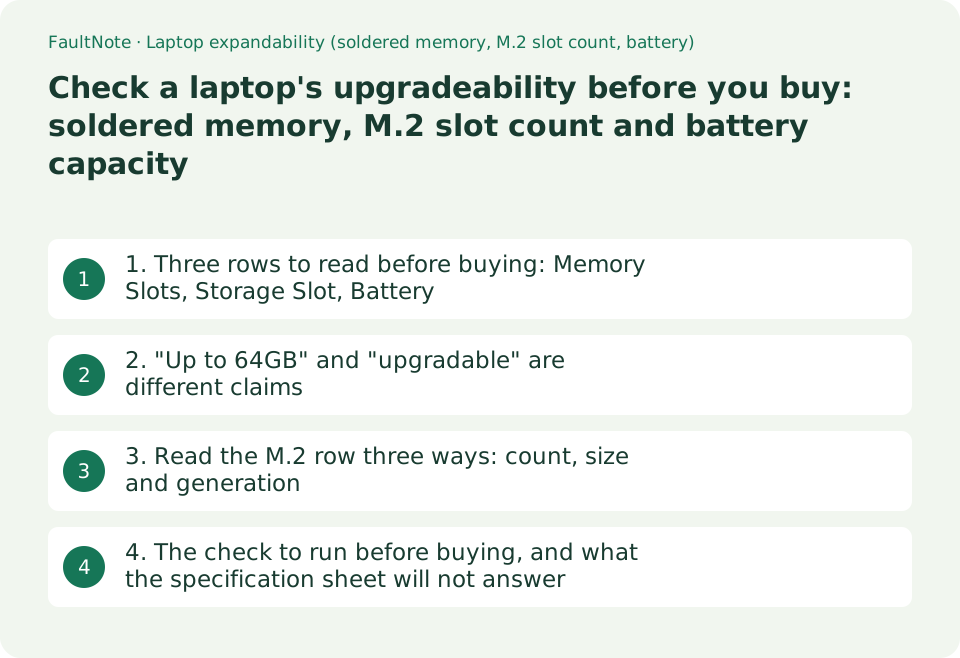
1. Three rows to read before buying: Memory Slots, Storage Slot, Battery
Lenovo's PSREF publishes one PDF specification sheet per model, and the memory and storage sections state expandability directly. The ThinkPad X1 Carbon Gen 12 sheet (the document is marked May 06 2026; retrieved 2026-09-19) lists under Max Memory three lines - "16GB soldered memory, not upgradable", "32GB soldered memory, not upgradable", "64GB soldered memory, not upgradable" - and under Memory Slots "Memory soldered to systemboard, no slots, 8-channel". With that stated, there is nothing left to investigate after purchase.
Other models in the same family read differently. The T14 Gen 5 (Intel) sheet (marked May 06 2026) lists Max Memory "Up to 64GB DDR5-5600" and Memory Slots "Two DDR5 SODIMM slots, dual-channel capable", so memory can be replaced or added later. The E14 Gen 6 (Intel) sheet (February 04 2026) also lists two DDR5 SODIMM slots, and the P16v Gen 2 (Intel) sheet (June 30 2026) publishes a higher ceiling still: "Up to 96GB (2x 48GB DDR5 SODIMM)".
The storage rows read the same way. The X1 Carbon Gen 12 lists "Max Storage Support: One drive, up to 2TB M.2 2280 SSD" and "Storage Slot: One M.2 2280 PCIe 4.0 x4 slot" - a single slot, so a capacity increase is a replacement, with the contents of the original drive to migrate. The E14 Gen 6 lists "Up to two drives, 2x M.2 SSD" and "Two M.2 slots", with the footnote that the system supports dual SSDs via the two slots but Lenovo offers only one SSD configuration, the second slot being for user self-expansion.
The third row is the battery. PSREF publishes capacity in watt-hours: the X1 Carbon Gen 12 has a "57Wh Rechargeable Li-ion Battery, supports Rapid Charge (charge up to 80% in 1hr) with 65W AC adapter", the P16v Gen 2 a "90Wh Rechargeable Li-ion Battery, supports Rapid Charge (charge up to 80% in 1hr)". The X1 Carbon sheet also notes in its battery-life footnotes that the maximum capacity of the battery will decrease with time, ambient temperature and use. The capacity figure is the starting point for thinking about replacement years later (our guide to reading the Windows battery report covers the wear side). Note too that a single model may offer several capacities: the T14 Gen 5 (Intel) sheet lists 39.3Wh and 52.5Wh options, with 39.3Wh marked as special bid only, and the E14 Gen 6 (Intel) lists 47Wh and 57Wh. Same model name, different capacity by configuration - which matters when comparing runtime.
Scroll horizontally to see the full table →
| Model (as published in Lenovo PSREF) | Memory Slots | Max Memory | Storage Slot | Battery |
|---|---|---|---|---|
| ThinkPad X1 Carbon Gen 12 | Memory soldered to systemboard, no slots, 8-channel | 16GB / 32GB / 64GB soldered memory, not upgradable | One M.2 2280 PCIe 4.0 x4 slot | 57Wh |
| ThinkPad T14 Gen 5 (Intel) | Two DDR5 SODIMM slots, dual-channel capable | Up to 64GB DDR5-5600 | One M.2 2280 PCIe 4.0 x4 slot | 39.3Wh / 52.5Wh (39.3Wh noted as special bid only) |
| ThinkPad E14 Gen 6 (Intel) | Two DDR5 SODIMM slots, dual-channel capable | Up to 64GB DDR5-5600 | Two M.2 slots (second noted as for user self-expansion) | 47Wh / 57Wh |
| ThinkPad P16v Gen 2 (Intel) | Two DDR5 SODIMM slots, dual-channel capable | Up to 96GB (2x 48GB DDR5 SODIMM) | Up to two drives, 2x M.2 SSD | 90Wh |
| How to read it | "soldered" or "no slots" means no upgrade | "not upgradable" means the purchased capacity is final | One slot = replace; two = add | Wh is the starting point for wear over time |
2. "Up to 64GB" and "upgradable" are different claims
"Up to 64GB" in a listing means only that such a configuration exists. On the X1 Carbon Gen 12 you can buy the 64GB build, but because Memory Slots reads "no slots", someone who bought the 16GB build cannot move up later. Whatever capacity you choose at the checkout is the capacity for the life of the machine. That is the distinction the word "maximum" hides.
Why the memory is soldered can also be inferred from neighbouring rows. The X1 Carbon Gen 12 uses LPDDR5X-6400, the Memory Slots row says "8-channel", and a footnote states that the installed memory is actually LPDDR5X-7500 but runs as LPDDR5X-6400 due to platform limitation. The socketed T14 Gen 5 and E14 Gen 6, by contrast, use DDR5-5600 in dual channel. The design trade is visible: a low-power part in a many-channel arrangement soldered down, or replaceable sockets.
The practical conclusion is simple. If you buy a soldered machine, the only lever is buying more memory at purchase time. The price gap to the higher configuration should not be weighed against a later upgrade, because there is no later upgrade. If your workload might change within a few years - virtual machines, video editing, running models locally - that gap is effectively insurance. Our 16GB versus 32GB comparison covers how much different work actually needs.
Dell publishes the same point. Its knowledge base note reads: "The system memory (RAM) cannot be upgraded on certain Dell laptops because the system memory (RAM) is integrated into the system board." The same article states that laptops use SODIMM modules, that system boards are designed to support only one generation of memory, and that every computer has a minimum and maximum capacity - repeatedly directing readers to the documentation for their specific model. It also warns that installing an incorrect or unsupported type of memory may cause physical damage to either the module or the slot.
Scroll horizontally to see the full table →
| What the listing says | What it actually means | Row to check |
|---|---|---|
| Supports up to 64GB | A 64GB build exists; upgrading is a separate question | Memory Slots (slots, or soldered) |
| LPDDR5X memory | Generally soldered; PSREF says so alongside | Memory Type and Memory Slots together |
| DDR5-5600 SODIMM | Replaceable modules; expandable up to the slot count | Memory Slots (for example Two DDR5 SODIMM slots) |
| Dual-channel capable | Two-module operation; soldered designs can be multi-channel too | X1 Carbon Gen 12 reads "no slots, 8-channel" |
| M.2 SSD fitted | One slot means replacement, two means addition | Storage Slot and Max Storage Support |
| Memory generation | A board supports one generation only; the wrong type can damage hardware | Memory Type, plus Dell's warning |
3. Read the M.2 row three ways: count, size and generation
On the storage side the published information goes beyond the slot count. The X1 Carbon Gen 12 Storage Slot row reads "One M.2 2280 PCIe 4.0 x4 slot". The 2280 form factor (22 mm wide, 80 mm long) is stated, so you know which drives fit - important because some machines accept only shorter modules such as 2242. Whether a candidate SSD matches on size and generation can be settled from this one row.
PSREF also explains what the PCIe generation means. Its footnote states that the actual data transfer rate of the PCIe interface also depends on the capabilities of the connected device and that the listed values are theoretical maximums, then lists PCIe 3.0 (x2 / x4) as 2 GB/s (16 Gbps) / 4 GB/s (32 Gbps), PCIe 4.0 as 4 GB/s / 8 GB/s and PCIe 5.0 as 8 GB/s / 16 GB/s. That an x2 slot is half of x4 is worth checking specifically on machines whose second slot is meant for expansion.
With a single slot, increasing capacity changes the nature of the job. It is a replacement, so you either migrate the contents of the original drive or reinstall Windows and rebuild the environment. On a machine like the E14 Gen 6 with a free second slot you simply add a data drive. The difference shows up as effort and risk rather than cost. Our comparison of M.2 NVMe and SATA drives covers the interface question itself.
One caveat: a PSREF sheet describes what the model supports, not what arrives in the box. As the E14 Gen 6 footnote makes explicit, Lenovo ships a single-SSD configuration even though two slots exist. Before buying, check the presence and number of slots; after buying, check what is actually fitted in them.
Scroll horizontally to see the full table →
| What to check | Example wording in PSREF | Effect on the decision |
|---|---|---|
| Slot count | One M.2 2280 slot / Two M.2 slots | One means replacing (and migrating data); two means adding |
| Module size | M.2 2280 | Buy a drive in the supported size; some machines take only shorter ones |
| Interface generation | PCIe 4.0 x4 | Theoretical 8 GB/s at PCIe 4.0 x4; an x2 slot is half |
| Shipped configuration | "Lenovo offers only one SSD configuration" | A slot existing does not mean it is free - or occupied |
| Maximum capacity | One drive, up to 2TB M.2 2280 SSD | PSREF notes this is based on tested Lenovo offerings |
| Card reader | No card reader / SD Express 7.0 card reader | Changes how you handle external storage day to day |
4. The check to run before buying, and what the specification sheet will not answer
Four steps. (1) Pin down the model including generation ("ThinkPad T14 Gen 5 (Intel)", not "ThinkPad T14"); for Lenovo the PSREF PDF carries the model name in the file name. (2) Read the Memory Slots row - any of "soldered", "no slots" or "not upgradable" removes later memory upgrades from the table. (3) Read the Storage Slot row for count, size and generation. (4) Note the battery capacity in Wh. All four can be checked from the manufacturer's sheet, whether you are in a shop or on a retail page.
For Dell machines the equivalent information lives in each model's documentation. Dell's knowledge base repeatedly says to see the documentation of your Dell computer for model-specific information about supported memory type, maximum capacity and slot count, which before purchase means the model's manual or setup and specifications sheet. Whatever the brand, the question is answered by the per-model document, not by the summary on a sales page.
Some things the specification sheet does not answer: how hard the machine is to open (screw count, clips), how the warranty treats owner service, and whether the battery is treated as a customer-replaceable part. Those belong to hardware maintenance manuals and support channels. This guide goes as far as "is the design expandable as specified"; the feasibility of the work and the warranty conditions need separate checking.
Finally, nothing here was taken apart or measured. Every quoted phrase comes from four Lenovo PSREF specification sheets and one Dell knowledge base article, retrieved on 2026-09-19. Specification sheets are revised, so open the same URL at the time you buy and read what it says that day.
Scroll horizontally to see the full table →
| Question | Where the answer is | Covered here? |
|---|---|---|
| Can memory be added? | Memory Slots / Max Memory in the specification sheet | Yes, with real wording |
| Can an SSD be added? | Storage Slot / Max Storage Support | Yes, with real wording |
| Battery capacity | Battery row (Wh) | Yes (57Wh and 90Wh examples) |
| How to open the bottom cover | Hardware maintenance manual and similar | No |
| Warranty after self-service | The maker's warranty terms and support | No |
| What is fitted in the unit you buy | Your order details and the machine itself | No (separate from whether a slot exists) |
Limitations and requirements
- The quoted wording comes from four Lenovo PSREF specification sheets (dated in the documents as May 06 2026 for the X1 Carbon Gen 12 and T14 Gen 5, February 04 2026 for the E14 Gen 6 and June 30 2026 for the P16v Gen 2) and one Dell knowledge base article, all retrieved on 2026-09-19. Nothing was disassembled or measured for this article.
- Specification sheets differ by configuration and generation even under one model name, and they are revised. Always open the current sheet for the exact model and generation you are buying. The four models here illustrate how to read Lenovo's wording; they are not recommendations.
- Whether disassembly is permitted, what the warranty covers and who bears the risk of damage are out of scope. Dell warns that installing an incorrect or unsupported type of memory may physically damage the module or the slot. Prices, stock and rankings are also out of scope.
Frequently asked questions
The listing says "up to 64GB". Can I get to 64GB later?
Not necessarily, because "up to" only means such a configuration exists. Lenovo's PSREF sheet for the ThinkPad X1 Carbon Gen 12 lists under Max Memory "16GB soldered memory, not upgradable", "32GB soldered memory, not upgradable" and "64GB soldered memory, not upgradable", and under Memory Slots "Memory soldered to systemboard, no slots, 8-channel". You can buy the 64GB build, but if you bought 16GB you cannot move up. What decides upgradability is the Memory Slots row, not the maximum figure: wording such as "Two DDR5 SODIMM slots" means modules can be changed or added.
Why is memory soldered in thin laptops?
The reason cannot be asserted, but the trade-off is visible in the sheet. The ThinkPad X1 Carbon Gen 12 uses LPDDR5X-6400, its Memory Slots row says "no slots, 8-channel", and a footnote adds that the installed memory is actually LPDDR5X-7500 but runs as LPDDR5X-6400 due to platform limitation. The socketed ThinkPad T14 Gen 5 and E14 Gen 6 use DDR5-5600 in dual channel instead. A low-power part in a many-channel arrangement soldered down, or replaceable sockets - that is the choice on display. For a buyer the conclusion is simple: on a soldered machine, the capacity you buy is the capacity you keep.
With only one M.2 slot, can I still increase storage?
You can move to a larger drive, but you cannot add one. The ThinkPad X1 Carbon Gen 12 lists "One M.2 2280 PCIe 4.0 x4 slot" and "One drive, up to 2TB M.2 2280 SSD", so a capacity increase means migrating the original drive's contents or reinstalling Windows and rebuilding the setup. The ThinkPad E14 Gen 6 (Intel), by contrast, lists "Two M.2 slots" with the footnote that the system supports dual SSDs but Lenovo offers only one SSD configuration, the second slot being for user self-expansion - there you simply add a data drive. Reading the Storage Slot row before buying tells you which of those two jobs you are signing up for.
Sources and verification date
Sources checked: . These sources support the specifications, procedures or prices discussed here. Check each source for applicable conditions and current information.
- Lenovo PSREF: ThinkPad X1 Carbon Gen 12 specifications (PDF) ↗
- Lenovo PSREF: ThinkPad T14 Gen 5 (Intel) specifications (PDF) ↗
- Lenovo PSREF: ThinkPad E14 Gen 6 (Intel) specifications (PDF) ↗
- Lenovo PSREF: ThinkPad P16v Gen 2 (Intel) specifications (PDF) ↗
- Dell Support: How to Install or Upgrade RAM or System Memory in a Dell Computer ↗
Related practical guides
- CAMM2 and LPCAMM2: the third kind of laptop memory, and what it does and does not tell you about upgrades
- Before you buy a second SSD: the M.2 slots on your board are not interchangeable
- DDR5 with Two or Four DIMMs: Compare Upgrade Speed Limits and Kits
- How many external displays can you actually connect? GPU limits and the two kinds of dock
- DDR5 CUDIMM explained: what the on-module clock driver changes, and how to check board support
- Three ceilings to check before adding memory: your Windows edition, the board, and what is actually usable