Choosing Case Fans: 120 mm vs. 140 mm and PWM (4-pin) vs. DC (3-pin) Compared from Official Specifications
Do not assume that bigger is always quieter or that any 4-pin header controls any fan. Choose case fans from three things: the case's mounting frames, the control mode of the motherboard headers, and where the fan sits (intake, exhaust or radiator). This guide lines up the manufacturers' published figures for 120 mm and 140 mm fans in the same series, confirms the PWM versus DC difference from motherboard and fan makers, and lists what to check before buying.
Published · Updated · FaultNote editorial policy
Who this guide is for and what to prepare
- People adding or replacing case fans in a self-built or store-bought PC who cannot decide between 120 mm and 140 mm or how many to buy
- People with connection questions, such as a 3-pin fan that will not slow down or whether a 3-pin fan can go on a 4-pin header
What you need
- The case model and its specification page (supported fan sizes and counts for front, top, rear and side, plus radiator support)
- The number of fan headers on the motherboard and whether the BIOS can switch each header between PWM and DC (the Q-Fan or equivalent section of the manual)
- The size, connector pin count and position of the fans already installed
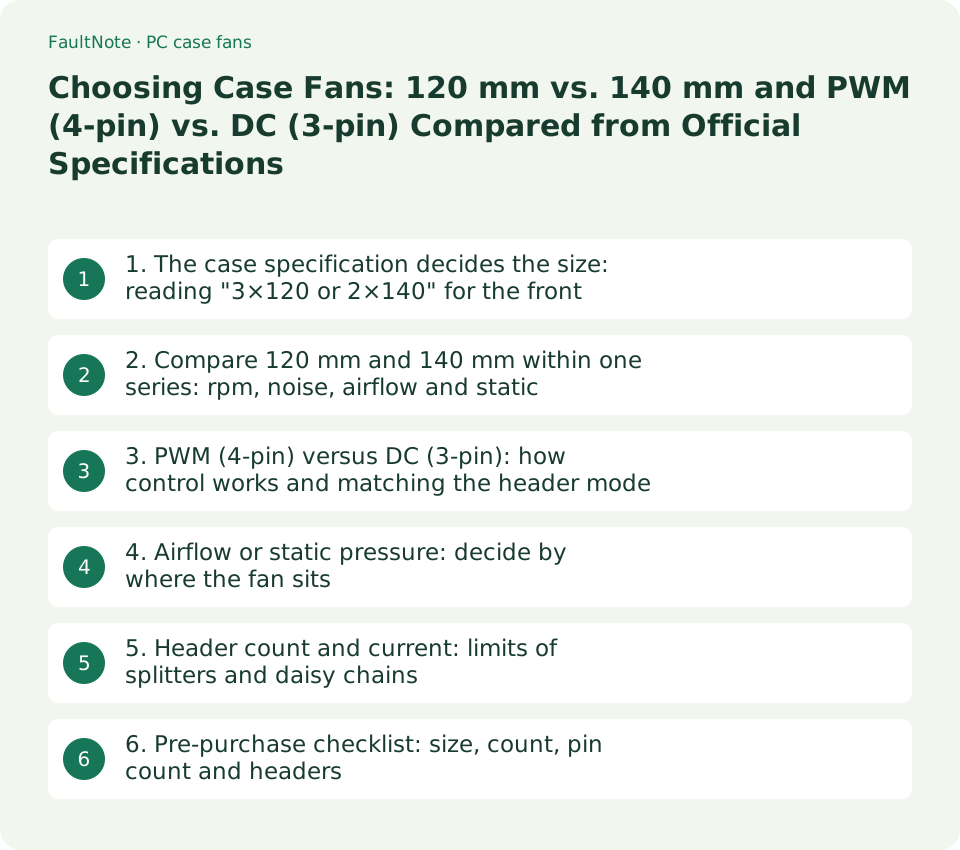
1. The case specification decides the size: reading "3×120 or 2×140" for the front
Fan size is decided first by the case. Take Fractal Design's North: the front takes "3x 120 or 2x 140 mm", the top and side take "2x 120/140 mm", the rear takes "1x 120 mm", and two 140 mm Aspect 14 PWM fans ship installed in the front. The same front position holds either three 120 mm fans or two 140 mm fans, and positions such as the rear accept only 120 mm. Radiator support is likewise per position: top 120/240, front 120/140/240/280/360, rear 120, where a 240 mm radiator pairs with two 120 mm fans and a 280 mm radiator with two 140 mm fans.
Check thickness too. 120×25 mm and 140×25 mm are typical, but ARCTIC's P14 PWM PST measures 140×140×27 mm, and a few millimetres matter where clearance to a radiator or side panel is tight. A position with no listed size in the case specification cannot take a fan without an adapter bracket.
Scroll horizontally to see the full table →
| Position (Fractal Design North example) | Supported size and count | Supported radiators |
|---|---|---|
| Front | 3×120 mm or 2×140 mm (two 140 mm fans included) | 120 / 140 / 240 / 280 / 360 |
| Top | 2×120/140 mm | 120 / 240 |
| Side | 2×120/140 mm | 2×120/140 mm |
| Rear | 1×120 mm | 120 |
- On the case's product page, note the supported size and maximum count for the front, top, rear and side (or bottom).
- For a position that will hold a radiator, confirm the radiator size (240 / 280 / 360) plus fan thickness will not interfere.
- If fans are included, note their size and count and keep one size per position.
2. Compare 120 mm and 140 mm within one series: rpm, noise, airflow and static pressure
Within one series, the specifications show 140 mm fans moving more air at lower rpm than 120 mm fans. In be quiet!'s Pure Wings 3, the 120mm PWM tops out at 1,600 rpm with 49.9 CFM, 1.45 mm H2O and 25.5 dB(A), while the 140mm PWM tops out at 1,200 rpm with 57.4 CFM, 0.96 mm H2O and 21.9 dB(A). In the high-speed versions, the 120mm PWM high-speed reaches 2,100 rpm with 59.6 CFM, 2.41 mm H2O and 30.9 dB(A), and the 140mm PWM high-speed reaches 1,800 rpm with 72.2 CFM, 2.44 mm H2O and 30.5 dB(A). ARCTIC's P12 PWM PST runs 200 to 1,800 rpm with 56.30 CFM and 2.20 mm H2O; the P14 PWM PST runs 200 to 1,700 rpm with 72.80 CFM and 2.40 mm H2O (both list noise as 0.3 sone).
These are maximum-speed figures measured by each manufacturer under its own conditions, so noise and airflow cannot be compared directly across brands (be quiet! uses dB(A), ARCTIC uses sone). Use them to compare sizes within one brand and series. Real-world quietness is set by how far the fan can slow down, so also note the minimum speed (ARCTIC: 200 rpm, stopping below 5% PWM).
Scroll horizontally to see the full table →
| Product (manufacturer figures) | Size | Maximum speed | Airflow | Static pressure | Noise |
|---|---|---|---|---|---|
| be quiet! Pure Wings 3 120mm PWM | 120×25 mm | 1,600 rpm | 49.9 CFM (84.8 m³/h) | 1.45 mm H2O | 25.5 dB(A) |
| be quiet! Pure Wings 3 140mm PWM | 140×25 mm | 1,200 rpm | 57.4 CFM (97.5 m³/h) | 0.96 mm H2O | 21.9 dB(A) |
| be quiet! Pure Wings 3 120mm PWM high-speed | 120×25 mm | 2,100 rpm | 59.6 CFM (101.2 m³/h) | 2.41 mm H2O | 30.9 dB(A) |
| be quiet! Pure Wings 3 140mm PWM high-speed | 140×25 mm | 1,800 rpm | 72.2 CFM (122.6 m³/h) | 2.44 mm H2O | 30.5 dB(A) |
| ARCTIC P12 PWM PST | 120×25 mm | 200 to 1,800 rpm (stops below 5% PWM) | 56.30 CFM (95.70 m³/h) | 2.20 mm H2O | 0.3 sone |
| ARCTIC P14 PWM PST | 140×27 mm | 200 to 1,700 rpm (stops below 5% PWM) | 72.80 CFM (123.76 m³/h) | 2.40 mm H2O | 0.3 sone |
- Line up the 120 mm and 140 mm models from the same brand and series and note maximum rpm, airflow, static pressure, noise and minimum rpm.
- If the case position accepts 140 mm, prefer 140 mm for the same airflow at lower rpm. Positions that only take 120 mm get 120 mm.
- Keep noise comparisons within one brand; across brands, look separately for third-party reviews measured under identical conditions.
3. PWM (4-pin) versus DC (3-pin): how control works and matching the header mode
ARCTIC's explanation assigns pin 1 of the 4-pin connector to ground, pin 2 to power, pin 3 to the rpm signal and pin 4 to the PWM signal. PWM (pulse width modulation) is a standardised pulse signal that sets the speed without lowering the voltage, so it gives finer control and reaches lower speeds. A 3-pin fan has no wire for the PWM signal; ARCTIC describes 3-pin fans as usually fixed-speed, and says that compatible motherboards can vary their speed by voltage (DC mode) at the cost of lower efficiency and a higher minimum speed.
ASUS's BIOS guide (updated December 5, 2024) says Q-Fan Control lets you choose PWM or DC per header and states "PWM: 4PIN fan use" and "DC: 3PIN fan use". ARCTIC describes 3-pin and 4-pin as cross-compatible with limitations; when a 3-pin fan goes on a 4-pin header, switch that header to DC mode so its speed can be controlled. Conversely, a 4-pin fan on a DC-mode header is controlled by voltage rather than the PWM signal. be quiet! publishes an operating voltage of 5 to 13.2 V for the Pure Wings 3, so the range in which voltage control keeps the fan turning is in the specification.
Scroll horizontally to see the full table →
| Item | PWM (4-pin) | DC (3-pin) |
|---|---|---|
| How speed is controlled | PWM signal on pin 4 (voltage stays constant) | Supply voltage is lowered to slow the fan |
| Low-speed floor | Reaches low speeds easily. ARCTIC P12 / P14 stop below 5% PWM | Higher minimum speed (per ARCTIC). Will not spin below the starting voltage |
| Header setting | PWM mode (ASUS: for 4-pin fans) | DC mode (ASUS: for 3-pin fans) |
| Mismatch caveat | On a DC-mode header it becomes voltage control | May not be controllable in PWM mode; switch the header to DC |
- Count the connector pins on the fans you have and the fans you plan to buy: 4-pin is PWM, 3-pin is DC.
- In the motherboard BIOS (Q-Fan Control on ASUS), set each header's control mode to match the pin count of the fan attached.
- If a 3-pin fan runs at full speed constantly, check whether its header is in PWM mode and change it to DC mode.
4. Airflow or static pressure: decide by where the fan sits
Static pressure (mm H2O) indicates how well a fan pushes air through resistance such as dust filters, radiators and dense mesh. ARCTIC says the P12 and P14 were designed with an emphasis on static pressure and are particularly suited to heatsinks and radiators, and be quiet! says the Pure Wings 3 frame was designed for radiator performance. Airflow (CFM, m³/h) indicates how much air moves through an unobstructed opening, which is the figure to read for rear or top exhaust positions with little in the way.
In a real case, the front draws air through a filter and a radiator pushes air through fins, so read static pressure there, and read airflow and noise for rear exhaust. This article did not test fans, so it cannot say which product lowers temperatures by how much in which position.
Scroll horizontally to see the full table →
| Position | Figure to prioritise | Reason |
|---|---|---|
| Front or bottom intake (with filter) | Static pressure and minimum rpm | Must push through the filter's resistance |
| Radiator (AIO / water cooling) | Static pressure | ARCTIC and be quiet! both describe radiator suitability in terms of pressure |
| Rear or top exhaust (wide opening) | Airflow and noise | Little resistance, so the volume of air moved decides |
- For each position, check whether a filter, radiator or dense mesh sits in front of it (whether static pressure is needed).
- Where pressure is needed, choose the higher-pressure model in the series (such as a high-speed version) or a pressure-oriented series; elsewhere choose by airflow and noise.
- For a radiator, buy the same fan in the number the radiator needs (two 120 mm for 240 mm, two 140 mm for 280 mm).
5. Header count and current: limits of splitters and daisy chains
When you have more fans than headers, use splitter cables or a daisy chain such as ARCTIC's PST (PWM Sharing Technology). ARCTIC explains that PST passes the PWM signal on to the next fan so several fans follow one fan curve from a single header. The limit is the header's current rating: ARCTIC cites typical headers at 1 to 2 A, gives the example that a 1 A header with 0.13 A fans theoretically allows up to seven, and warns that exceeding it risks voltage drops and motherboard damage.
Rated current is in the fan specification (ARCTIC P12 PWM PST 0.1 A, P14 PWM PST 0.12 A, be quiet! Pure Wings 3 120mm PWM 0.10 A). The header limit is in the motherboard manual, so add up the fans and check the total stays under it. ASUS's guide says Q-Fan Control sets mode and profile (Standard / Silent / Turbo / Full Speed, or a manual curve) individually for the CPU FAN, CHA1 FAN, CHA2 FAN, M.2 FAN, W_PUMP+ and AIO PUMP headers, and that "Optimize All" takes two to five minutes.
Scroll horizontally to see the full table →
| Connection method | Suited to | What to confirm |
|---|---|---|
| One fan per header | Enough headers available | PWM / DC setting of each header |
| Splitter cable or PST daisy chain | Fans in the same position on the same curve | Total rated current within the header limit |
| SATA-powered fan hub | Many fans, header current insufficient | Whether the hub passes the PWM signal to every port |
- Check the motherboard manual for the number of fan headers and the current limit (A) per header.
- Add up the rated current of the fans on each header and distribute them so no header exceeds its limit; if it would, use a SATA-powered fan hub.
- After connecting, confirm in the BIOS fan screen that each header reports a speed and that the speed follows the curve.
6. Pre-purchase checklist: size, count, pin count and headers
Before buying, put size and count per position, pin count and header mode, header current, and radiator pairing into one table. This article did not survey street prices, so check single-fan and multi-pack prices at a retailer on the same day. Warranty differs by maker: ARCTIC gives the P12 and P14 six years, and be quiet! publishes an 80,000-hour lifespan (at 25 °C) for the Pure Wings 3.
Scroll horizontally to see the full table →
| Item | Where to check | Easy to miss |
|---|---|---|
| Supported size and count | Case specification | Differs by position, such as rear 120 mm only. Some fans are 27 mm thick |
| Pin count and header mode | Fan specification, motherboard BIOS | Set the header to DC mode to control a 3-pin fan |
| Header current limit | Motherboard manual | Splitter totals must stay under the limit |
| Noise and airflow comparison | Same-brand specification tables | No cross-brand comparison (different conditions and units) |
- List each position on one line: size, count, pressure- or airflow-oriented, pin count and the header it will use.
- Use the same model within a position, confirm the header count and current limits are met, then fix the purchase quantity.
- On delivery, check connector pin count and thickness before mounting, and after mounting confirm rpm readout and control in the BIOS.
Limitations and requirements
- Specification figures are the maximum-speed values published on each manufacturer's product page, confirmed on September 13, 2026. Measurement conditions and units differ by manufacturer, so they cannot be used for cross-brand noise or airflow comparisons.
- This article did not test fans and does not show temperature drops or actual noise.
- Header current limits and BIOS item names differ by motherboard. Always check the manual before using splitters or daisy chains.
Frequently asked questions
Can I plug a 3-pin fan into a 4-pin header?
It connects physically and spins. ASUS's guide, however, assigns PWM mode to 4-pin fans and DC mode to 3-pin fans, so set that header to DC mode to control the speed. ARCTIC notes that voltage control is less efficient than PWM and has a higher minimum speed.
Which is quieter, 120 mm or 140 mm?
Within a series, 140 mm fans tend to move more air at lower rpm. In be quiet!'s Pure Wings 3, the 140mm PWM (1,200 rpm, 57.4 CFM, 21.9 dB(A)) is specified with more airflow and lower noise than the 120mm PWM (1,600 rpm, 49.9 CFM, 25.5 dB(A)). The size you can fit is still decided per position by the case.
How many fans can share one header?
ARCTIC explains that it depends on the header's current rating (typically 1 to 2 A) and the fans' rated current. Check the limit in the motherboard manual and split the fans so their total rated current stays below it.
Sources and verification date
Sources checked: . These sources support the specifications, procedures or prices discussed here. Check each source for applicable conditions and current information.
- be quiet! Pure Wings 3 120mm PWM technical data ↗
- be quiet! Pure Wings 3 140mm PWM technical data ↗
- be quiet! Pure Wings 3 120mm PWM high-speed technical data ↗
- be quiet! Pure Wings 3 140mm PWM high-speed technical data ↗
- ARCTIC P12 PWM PST product page and specifications ↗
- ARCTIC P14 PWM PST product page and specifications ↗
- ARCTIC blog: What exactly is PWM PST ↗
- ARCTIC support: Fan settings in UEFI ↗
- ASUS FAQ 1044236: UEFI BIOS EZ Mode GUI introduction (Q-Fan Control, updated December 5, 2024) ↗
- Fractal Design North (Charcoal Black) specifications ↗
Related practical guides
- Can you add Thunderbolt to a desktop? Onboard and add-in card need different things
- Before you buy a second SSD: the M.2 slots on your board are not interchangeable
- Three ceilings to check before adding memory: your Windows edition, the board, and what is actually usable
- B650 vs. B850 vs. X870: Check USB4, M.2 Sharing and CPU Support
- Air cooler or AIO? Choose by case clearance, noise and maintenance
- DDR4 vs. DDR5: Choose for a New Build, Reused RAM and Upgrade Cost