DDR4 vs. DDR5: Choose for a New Build, Reused RAM and Upgrade Cost
A move from DDR4 to DDR5 can involve the motherboard and CPU too. Separate a capacity expansion, a DDR4 reuse upgrade and a new DDR5 platform, then compare compatibility and additional spending.
Published · Updated · FaultNote editorial policy
Who this guide is for and what to prepare
- People rebuilding a PC while reusing DDR4
- People comparing DDR4 and DDR5 platforms for a new PC
What you need
- Exact CPU, board and memory models plus current module count
- A list of parts to keep and replace
- Candidate specifications, support lists and same-day quotes
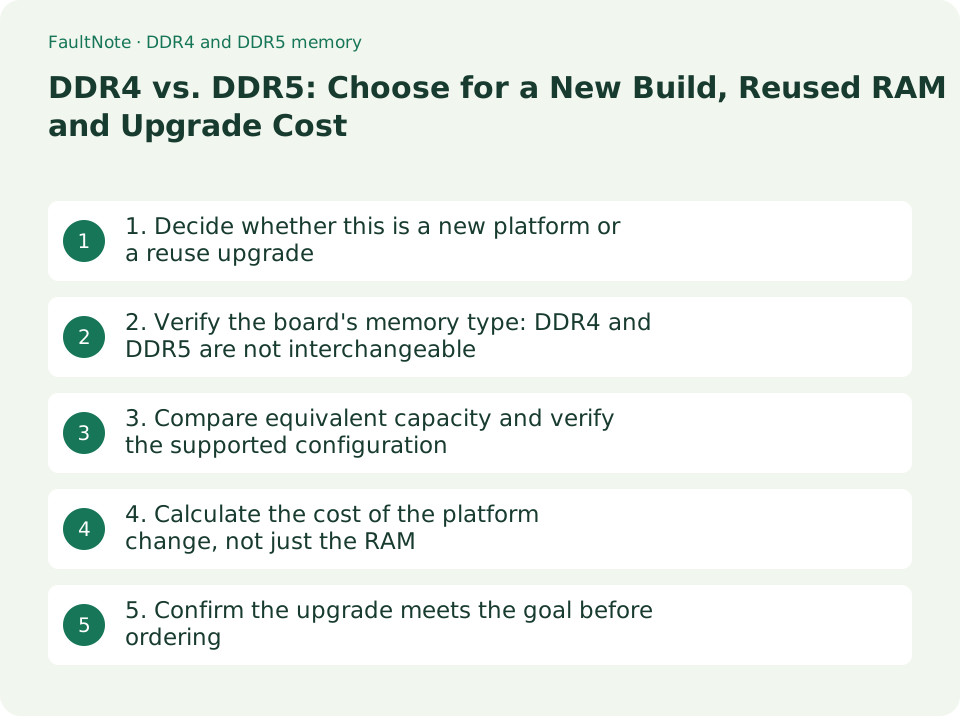
1. Decide whether this is a new platform or a reuse upgrade
Choosing DDR4 or DDR5 is usually a platform decision involving the CPU and motherboard. Expanding an existing DDR4 system is a different cost comparison from replacing the CPU and board. Start by deciding which parts you intend to keep.
- Find the current CPU, motherboard and memory-kit models, total capacity and module count in purchase records or product labels.
- Identify whether the goal is more memory capacity, a CPU upgrade or a completely new PC.
- Separate parts to reuse from parts you can replace before comparing memory prices.
2. Verify the board's memory type: DDR4 and DDR5 are not interchangeable
DDR4 and DDR5 differ electrically and in physical keying, so they cannot be swapped into the same slot. Even when a processor generation supports both types, the motherboard determines which memory it accepts. A BIOS update cannot turn a DDR4 board into a DDR5 board.
The ASUS examples checked on September 12, 2026 use similar model names but differ by the D4 suffix. This is a model-specific example, not a universal naming rule for all manufacturers.
Scroll horizontally to see the full table →
| Example | Memory type | Before buying |
|---|---|---|
| TUF GAMING B760-PLUS WIFI D4 | DDR4 | Check CPU support and the reused kit and module count. |
| TUF GAMING B760-PLUS WIFI | DDR5 | Distinguish it from the D4 model; DDR4 cannot be reused. |
| AMD Socket AM5 platform | DDR5 | Check the CPU, board, supported BIOS and DDR5 kit together. |
- Open the specification for the exact board model and read the DDR and DIMM type under Memory.
- If reused memory is the wrong type, recalculate that candidate as a build requiring new RAM too.
3. Compare equivalent capacity and verify the supported configuration
The DDR generation alone does not determine application speed or frame rate. First meet your capacity needs, then check the kit, module count and speed conditions supported by the CPU and board. A prominently advertised overclocked rate is not guaranteed for every processor or population.
- Record the total capacity and module count for both options.
- Select the correct CPU generation in CPU/Memory Support and match the full kit model and tested module count.
- Before comparing speed figures, identify whether they describe standard operation or an XMP/EXPO overclocking profile.
4. Calculate the cost of the platform change, not just the RAM
For DDR4 reuse, price the items you actually need to add. For a DDR5 move, include the new board and any required CPU and RAM. Add mounting parts or a BIOS update service if necessary. No matched live quotes were obtained for this article, so it does not claim a specific price advantage.
Scroll horizontally to see the full table →
| Route | Main additional spending | Remaining checks |
|---|---|---|
| Expand the current DDR4 system | Compatible memory and any service cost. | Free slots, supported capacity and the existing-kit combination. |
| Reuse DDR4 with a CPU/board upgrade | CPU, DDR4-compatible board and required materials. | Available CPU choices, BIOS support and memory configuration. |
| Move to a DDR5 platform | DDR5 board and kit, plus CPU or mounting parts if needed. | Whole-build compatibility and whether it adds features you need. |
- List the purchases required by each route below and record same-day tax-inclusive prices and delivery.
- Compare reused-part condition, compatibility checks, rebuilding and setup effort separately from cash spending.
5. Confirm the upgrade meets the goal before ordering
For a new PC, choose a platform that meets the CPU and feature requirements, then select matching memory. For an existing PC, check whether the plan addresses capacity or CPU limits rather than treating the DDR5 label as the goal. A performance decision requires comparable evidence for the applications you actually use.
- Save the exact CPU, board and memory models, required BIOS and module count in the final build sheet.
- For a board replacement, plan backups, cabling, drivers and OS reactivation requirements, and allow time for the work.
- Decide what to do with the old kit only after the new platform and memory type are settled.
Limitations and requirements
- Do not force DDR4 or DDR5 into an incompatible slot. Appearance or pin count alone does not establish compatibility.
- Overclocked rates and QVL conditions depend on CPU, BIOS and module count. Do not transfer them to a different configuration.
- This article does not provide a live price ranking or measured gaming-performance comparison based only on DDR generation.
Frequently asked questions
Can a BIOS update make a DDR4 motherboard accept DDR5?
No. DDR4 and DDR5 differ physically and electrically, so you need a compatible board. Even if the CPU supports both, verify the memory type accepted by the actual motherboard.
Is reusing DDR4 always better value if I already own it?
It may reduce new spending, but the answer depends on the CPU, board features and capacity you need. Quote the reuse and DDR5 routes against the same requirements.
Sources and verification date
Sources checked: . These sources support the specifications, procedures or prices discussed here. Check each source for applicable conditions and current information.
- Kingston: DDR4 and DDR5 platform compatibility ↗
- ASUS TUF GAMING B760-PLUS WIFI D4 specifications ↗
- ASUS TUF GAMING B760-PLUS WIFI specifications ↗
- AMD Socket AM5 platform specifications ↗
- ASUS CPU and memory support-list lookup ↗
- Intel: planning a PC build ↗
- Microsoft: reactivation after a hardware change ↗
Related practical guides
- DDR5 on-die ECC is not ECC memory: how to check whether your CPU and motherboard actually accept ECC modules
- Check PC-Part Compatibility Before Buying: CPU, BIOS, RAM, Case and Power
- Integrated vs. Discrete Graphics: Check Workloads, CPU Models and Outputs
- DDR5 CUDIMM explained: what the on-module clock driver changes, and how to check board support
- CAMM2 and LPCAMM2: the third kind of laptop memory, and what it does and does not tell you about upgrades
- BTO vs. Self-Built PCs: Compare Total Cost, Warranty and Your Work