Fix Firefox “already running” or profile-in-use errors
What to do first
Diagnose Firefox already-running errors through remaining processes, profile locks, storage, and permissions. Preserve the original profile, compare a new one, and verify another startup.
This is a general troubleshooting guide, not an announcement of a current outage.
Affected products and symptoms
- Product
- Mozilla Firefox
- Versions and conditions
- Firefox Desktop
- Error codes and identifiers
- Firefox is already running but is not respondingparent.lock
Symptoms
- Firefox says it is already running after exit
- A profile-in-use error blocks startup
Causes and conditions
Check remaining Firefox processes, stale lock files, and shared-folder permission.
Before you start
- Before changes, record and preserve the entire Firefox profile and whether open tabs can be restored.
- Change one item at a time and record the original symptom after each stage.
- Record the failing launch route, remaining processes after exit, and profile-storage availability. Back up after closing Firefox, note the destination and time, and separately record the next launch after a temporary reboot recovery.
Precautions
- Do not bulk-delete unrelated settings or data.
- Exclude personal data and credentials; share only the necessary parts of the entire Firefox profile and whether open tabs can be restored.
Tools and official pages used in this guide
Check the official page for exact setting names, limitations, and updated decision paths.
Official Mozilla Firefox download, only if program reinstallation is required.
Step-by-step instructions
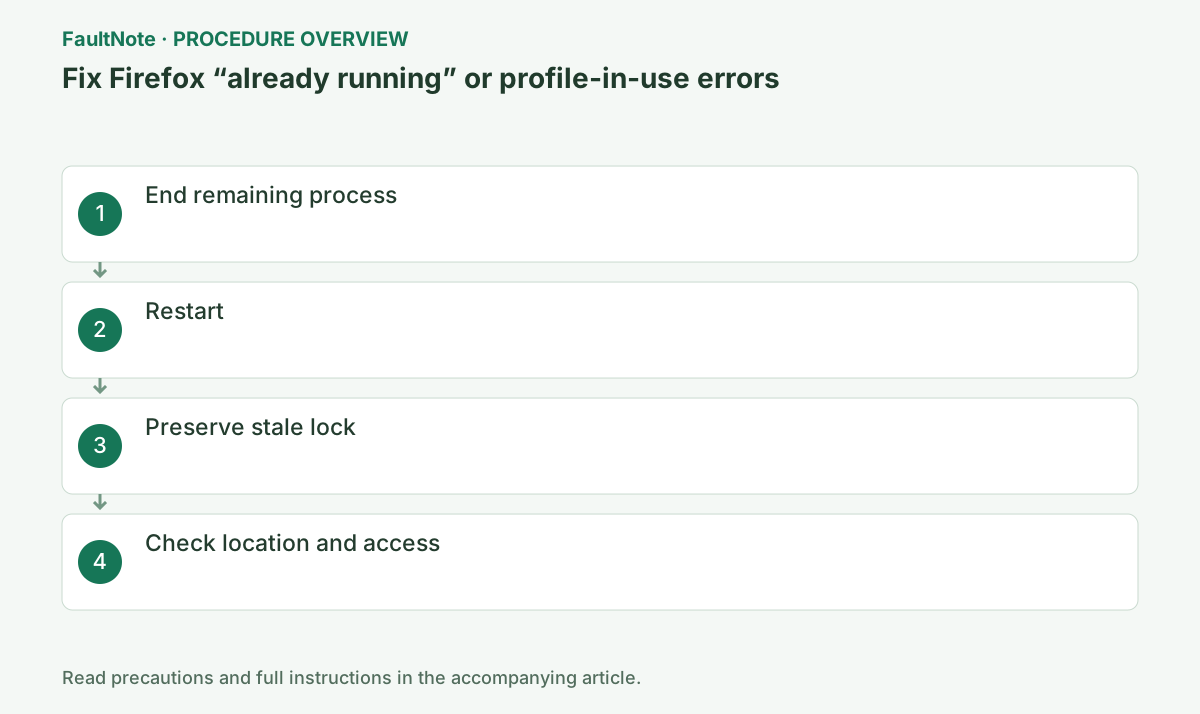
Open Task Manager with Ctrl+Shift+Esc and End task on Firefox.
Unsaved form content can be lost.
End task interrupts Firefox writes. Wait briefly and confirm the process disappears before touching the profile.
If the dialog offers Close Firefox, select it once and wait 30 seconds. Inspect Task Manager and parent.lock only if the message returns.
End Firefox in Task Manager and test a complete close-and-launch cycle after recovery. If processes remain every time it exits, lock removal leaves recurrence unresolved; investigate shutdown hangs and profile storage.
Restart Windows and launch Firefox once.
If recurring, inspect the profile location.
If the location is unknown, open %APPDATA%\Mozilla\Firefox\Profiles and compare candidates with profiles.ini.
Match the shortcut profile argument to the actual directory. Identify the active profile among similarly named folders, retain a complete backup, and do not erase settings, history, or passwords to address only a lock.
With Firefox fully closed, move parent.lock out of the profile.
Never remove it while Firefox is actually running.
parent.lock prevents concurrent profile use. Move it aside only after Firefox is truly stopped, preserving rollback.
New-profile success narrows investigation toward the old profile. Failure in both calls for broader startup and access-control checks. Migrate needed data gradually rather than replacing the entire new folder with the old one.
Connect a file share first and confirm read/write permission.
If still locked, create a new profile and migrate old data.
On NAS or synchronized storage, disconnects and read-only access can recur. Compare with a local profile.
Official links for this step
- Official Mozilla Firefox troubleshooting
Check the official page for exact setting names, limitations, and updated decision paths.
- Official Mozilla Firefox download
Official Mozilla Firefox download, only if program reinstallation is required.
- Official Mozilla Firefox troubleshooting
After closing Firefox windows, check whether Firefox remains in Task Manager. Multiple Firefox processes can be normal while the browser is open. Save tab work before ending them; process count alone is not evidence of a fault.
Check whether a normal shortcut, a portable copy, or another Firefox channel points at the same profile directory. Preserve shortcuts containing -no-remote or a profile argument, and document how that launch differs from a normal start.
For a profile on a file share, access the share in Explorer before starting Firefox. An unavailable share, read-only access, or use by another computer can leave the underlying problem unresolved even after a lock file is removed.
Only handle the lock file after confirming that Firefox has fully stopped. Copy the complete profile elsewhere first, and do not delete bookmark or password files as part of removing a lock.
If a new profile starts successfully, migrate needed data gradually. Replacing its entire directory with the old one can carry the problem across. Keep the original profile until startup and persistence of migrated data are verified.
Check the result
- start and exit Firefox normally, then relaunch the same profile without another lock
- Check adjacent basic functions for side effects from the change.
If the problem continues
- start a new profile and migrate bookmarks and other data using Mozilla guidance
- When continuing with a workaround, preserve original files or account data separately.
Scope of this guide
Troubleshooting guide — Diagnose Firefox already-running errors through remaining processes, profile locks, storage, and permissions. Preserve the original profile, compare a new one, and verify another startup.
Frequently asked questions
Will bookmarks be deleted?
Moving the lock does not delete them, but back up the profile.
Why every time?
Investigate shutdown hangs, shared storage, and permissions.
A reboot helps, but the error returns every time.
A reboot can remove remaining processes temporarily. Check whether Firefox remains after the next exit and investigate shutdown hangs. Repeatedly deleting the profile risks data loss without resolving abnormal shutdown.
Can I delete the old profile once a new one works?
Retain it until bookmarks, passwords, and other needed data are accounted for. Startup success and completed migration are separate. Restore data gradually and check another close-and-launch cycle.
Official sources and dates
Source publication or resolution date: Not specified. Sources checked: 2026-10-13. The check date is not the date the problem first occurred. Interface labels can vary between versions and display languages.