Try a Short Destination When Game Extraction Hits a Path Limit
The final path combines the destination root with the archive hierarchy. Retry the same original in a short working folder such as D:/G/ITEM123 to separate path length from space, access, and data failures.
Published · Updated · FaultNote editorial policy
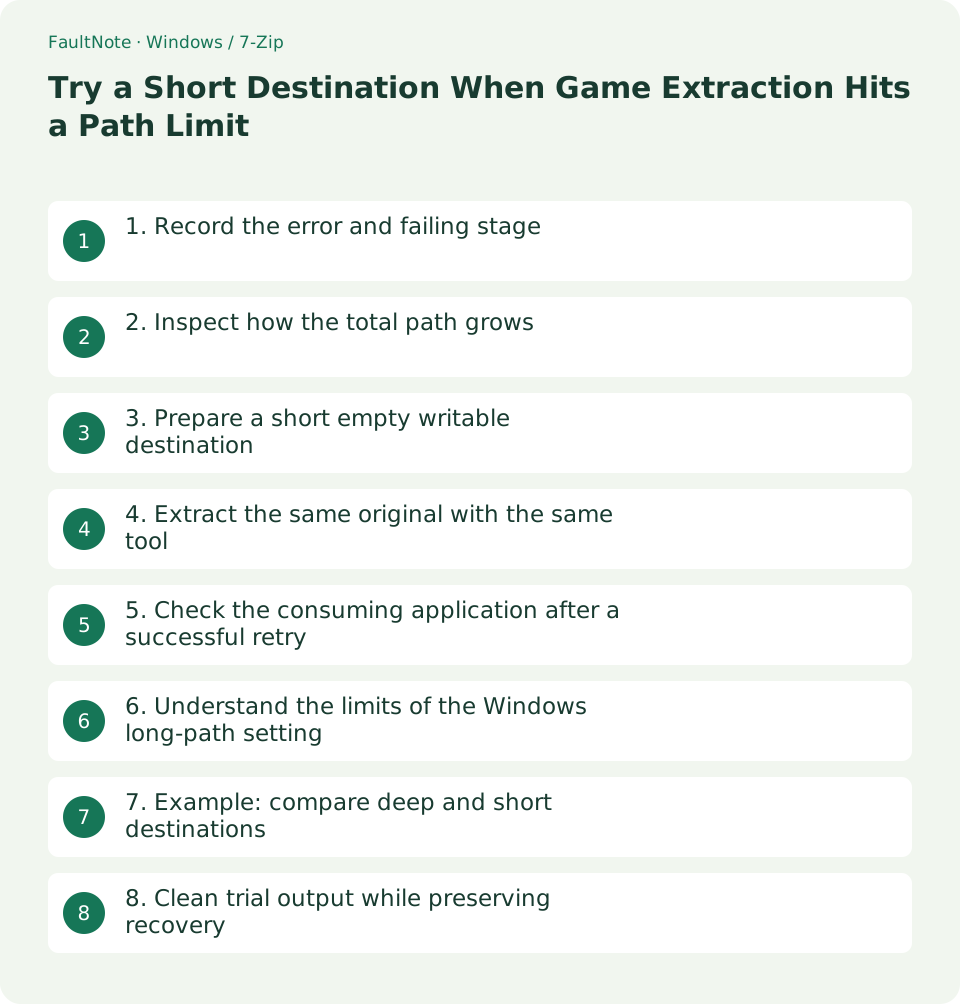
Who this guide is for and what to prepare
- People diagnosing purchased-file extraction problems while preserving originals
What you need
- Retain the original, full extraction error, and failed member name
- Prepare a short empty user-writable destination and keep originals elsewhere
1. Record the error and failing stage
Record the exact error and member named by the extractor. Do not group archive-open failure, insufficient space, access denied, and CRC errors under one cause. Separate archive testing from destination writing.
If the failure happens during a later copy or game launch, record that stage instead. A tool that creates a long path does not establish that Explorer or the game can handle it.
Keep the source location, destination, and long internal member name. Preserve full selectable text or logs because screenshots can truncate paths. Redact unnecessary personal path components before external sharing.
2. Inspect how the total path grows
A deeply categorized destination adds its own length before the archive hierarchy starts. Check whether the destination can be shallower before shortening internal member names.
Traditional Win32 APIs have MAX_PATH limitations, while extended paths and opted-in applications differ. Do not assume all Windows operations fail at one universal 260-character boundary. Total path and component-length limits are separate.
Sync services can impose additional rules. Successful local extraction does not establish successful synchronization. Use service-specific guidance for those failures rather than conflating them with the local test.
3. Prepare a short empty writable destination
Create a short destination such as D:/G/ITEM123 on an actual user-writable drive. Keep an identifying name. If the drive root is restricted, use a short writable parent rather than assuming elevated privileges are the solution.
Keep originals separately and reserve the short location for output. Use another empty name if a failed attempt already exists. Preserve the internal hierarchy instead of overlaying an old release.
Check that you can write a small personal text file there and inspect available space. If writing fails, solve access or connection first. Remove the test file before extraction so the comparison starts empty.
4. Extract the same original with the same tool
Select the same original in 7-Zip and use Extract with the short destination. Hold the original, release, and tool constant while changing destination length so the comparison remains interpretable.
Do not flatten the stored hierarchy. That may avoid the long path while breaking product references. Check final errors and whether the previously failed member is present.
If the same error persists, inspect component length, invalid names, access, or corruption. A short destination is a diagnostic comparison, not a guaranteed fix. Keep any redownload separate and distinguish source changes from destination changes.
5. Check the consuming application after a successful retry
Inspect instructions and needed files after extraction. Record extraction completion separately from supported runtime checks. One successful launch does not establish that every file works.
If the product works at the short path, register it as a stable working location. Categories can live in the index rather than a deep physical hierarchy. Point your shortcuts at the actual working path.
If relocation to a longer library is required, check both copy handling and the game itself. Original storage and working locations can remain separate; the extractor and consuming application may have different path support.
6. Understand the limits of the Windows long-path setting
Microsoft describes an opt-in mechanism involving both the Windows setting and application longPathAware support. Enabling a setting does not change every application or API, including legacy games.
Use a short-path comparison first rather than making registry or policy changes mandatory. Managed computers also have administrator policy. Confirm application support and applicability before considering a system setting.
An extended-path prefix is not supported in every Explorer or game input field. Keep normal management records tied to the actual successful path rather than assuming a special prefix fixes every consumer.
7. Example: compare deep and short destinations
If one image fails under a deep categorized destination but is created from the same ZIP under a short path, destination conditions are relevant evidence. Review whether access conditions also differed before attributing the result only to length.
Inspect the failed member, instructions, and main folders at the short location. Record old destination, new working path, original name, failing member, and retry result to avoid recreating the same layout later.
If an individual member name is itself too long, shortening parents may not solve it. Check the expected tool or corrected delivery with the publisher before manually shortening referenced internal names.
8. Clean trial output while preserving recovery
Before clearing failed output, verify that the original is separate and the target contains only this attempt. Cleanup can also encounter tool path limitations; do not widen a recursive-delete target to work around it.
Repair stale shortcuts and index paths. Back up originals rather than replacing them with trial output as the only retained copy. Preserve any user-generated content or saves created at the new location separately.
For support, provide the exact error, tool version, both destination results, and the relative failed path. Label unperformed comparisons as untested rather than inventing success rates. Retain the original and usable working location.
Scroll horizontally to see the full table →
| Situation | Next check |
|---|---|
| Short destination succeeds | Record the path and consuming-app checks |
| Same failure at a short path | Inspect component names, access, or damage |
| Another app fails after extraction | Check that application path support |
Limitations and requirements
- Do not shorten referenced internal names or flatten the hierarchy
- A long-path setting does not guarantee compatibility for every application
Frequently asked questions
Must I replace non-English names with ASCII?
First shorten the destination parents. Character type alone is not established as the cause; preserve referenced names.
Why can copying fail after extraction succeeded?
Tools and APIs can have different path handling. Record the copy-stage error and check a short destination or supported tool.
Does enabling long paths always fix it?
No. Application opt-in matters. Compare a short destination and verify consuming-application support first.
Can I rename an overly long internal member?
References can break. Consult the publisher and prefer supported extraction or a corrected release while retaining the original.
Sources and verification date
Sources checked: . These sources support the specifications, procedures or prices discussed here. Check each source for applicable conditions and current information.
Related practical guides
- Check Purchased ZIP and 7z Downloads Before Extraction
- Plan Purchased-Library Names Without Breaking Internal Paths
- Organize Purchased Downloads: Originals, Working Copies, and Update Records
- Diagnose Garbled ZIP Filenames Without Changing the Original
- Windows 11: Create and Safely Extract ZIP Files with Built-in Tools
- How much SSD does a gaming PC need? Windows requirements, published game sizes, library placement