Diagnose Garbled ZIP Filenames Without Changing the Original
Filename decoding can be wrong even when archive data passes CRC checks. Compare name interpretation without changing the original ZIP, then extract into a separate empty folder. Japanese text alone does not prove code page 932 is appropriate.
Published · Updated · FaultNote editorial policy
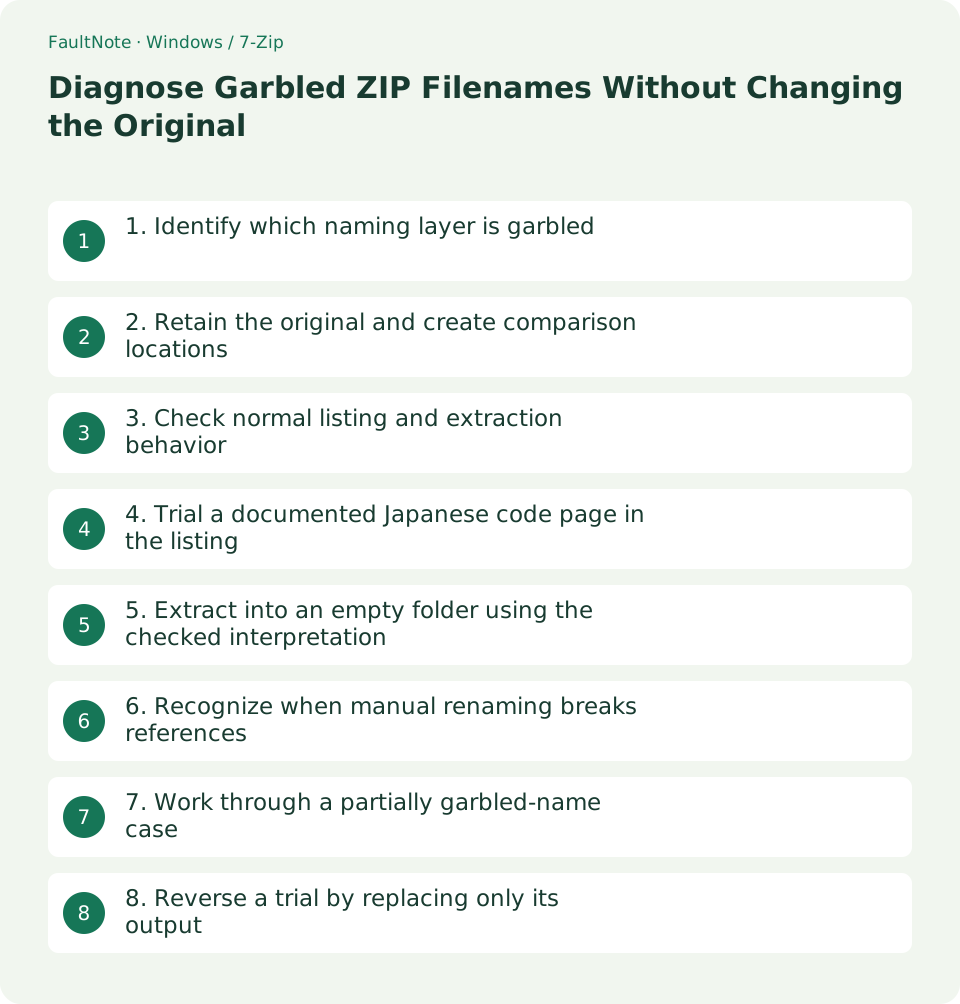
Who this guide is for and what to prepare
- People diagnosing purchased-file extraction problems while preserving originals
What you need
- Have the original ZIP and publisher instructions or an expected filename example
- Use official 7-Zip and separate empty normal and trial destinations
1. Identify which naming layer is garbled
Inspect the outer ZIP name in Explorer, member names in 7-Zip, and resulting names after extraction. An unreadable outer name differs from unreadable internal image names. Renaming the ZIP alone does not change its member names.
If filenames are correct but manual text is unreadable, investigate the document encoding. Game-screen text and audio tags are also separate layers. Record the affected layer before changing archive handling.
CRC or Data Error adds a data-reading problem, so check volumes, the legitimate password, and a new download first. Record data testing and filename readability separately.
2. Retain the original and create comparison locations
Retain Originals/Game.zip unchanged. Use empty destinations such as D:/ZipCheck/Default and D:/ZipCheck/CP932. Avoid overlaying an existing game, which can mix files created under different name interpretations.
Use expected names or the required tool in publisher instructions as reference. Sample several file types and note which names are affected. Do not reconstruct internal names from remembered titles alone.
Keep existing garbled output separate as a comparison sample. Verify the original before clearing trial output, and ensure any cleanup target excludes the parent containing originals or purchase records.
3. Check normal listing and extraction behavior
Open the ZIP in 7-Zip File Manager and inspect its listing. If names are readable, use Extract with the empty Default destination rather than dragging files through another application.
If the 7-Zip listing is correct but extracted Explorer names differ, identify the extraction tool and any intermediate rename process. Reextracting the same original with the same tool into a clean location separates decoding from mixed old output.
If normal listing is also garbled, the creator encoding or missing metadata may be involved. Record the tool, original name, and concrete wrong display. Compare archive-specific decoding before assuming a system-wide language change will fix it.
4. Trial a documented Japanese code page in the listing
When the publisher indicates a legacy Japanese or Shift-JIS naming environment, compare an explicit code page. The l command lists without changing the original. Compare default and -mcp=932 results against expected names for the same ZIP.
932 identifies the Windows Japanese code page; it is not a universal Japanese ZIP encoding. Do not apply it indiscriminately to properly stored Unicode names. Inspect multiple member names before extracting.
Replace the executable path if 7-Zip is installed elsewhere, and replace the ZIP path. The archive code-page trial concerns stored names rather than simply changing terminal output encoding.
& 'C:\Program Files\7-Zip\7z.exe' l 'D:\Originals\Game.zip'
& 'C:\Program Files\7-Zip\7z.exe' l 'D:\Originals\Game.zip' -mcp=932
5. Extract into an empty folder using the checked interpretation
Only after the 932 listing is correct, use x with the same code-page option and an empty CP932 destination. x preserves stored paths. Flattening the structure changes references within the product.
Point -o to a new trial destination. Cancel an overwrite prompt and check whether it is empty. Review completion, errors, and the resulting names and hierarchy against the checked listing.
Readable names do not prove usable content. Review instructions and needed references, and record filename verification separately from runtime actions that have not been tested.
& 'C:\Program Files\7-Zip\7z.exe' x 'D:\Originals\Game.zip' -mcp=932 '-oD:\ZipCheck\CP932'6. Recognize when manual renaming breaks references
Renaming a referenced image inside game data can make the program fail to find it. Prefer a correctly decoded fresh extraction over manually repairing existing output when possible. Playlists and CUE sheets can also reference exact names.
For user-managed copies of standalone documents or audio, retain an old-to-new mapping. Keep the original ZIP and exclude referenced game data from the batch. Replacement characters that collapsed distinct names do not support reliable reconstruction by guessing.
If replacement characters are already stored and every tool shows them alike, information may have been lost before delivery. Ask for a corrected release with the tool and display examples; decoding changes cannot guarantee recovery of missing names.
7. Work through a partially garbled-name case
If Game.exe and Data are readable but several image names are not, readable ASCII names do not validate the encoding. Record default listing, 932 listing, and expected names together, then check several non-ASCII members.
If 932 fixes only some names and breaks others, mixed metadata or another original encoding may be involved. Ask the publisher for the format and expected names rather than extracting repeatedly under random numbers. Unchanged originals permit a later supported retry.
Inspect the corrected instructions and referenced files, record the specific use checks performed, and keep old garbled output separate. Record the code page and destination to make a later restore reproducible.
8. Reverse a trial by replacing only its output
If the trial is wrong, hold its output and extract the unchanged original with defaults into another empty folder. A per-command code-page trial does not require undoing a system-wide Windows language setting.
For support, provide product ID, original name, tool version, data-test result, and whether the listing or output is affected. Share only necessary personal location or purchase details, not an entire private archive.
Completion means that multiple names match a reliable reference and the required structure is preserved. Record any runtime check separately. Keep the original and successful procedure for later extraction from backup.
Scroll horizontally to see the full table →
| Situation | Next check |
|---|---|
| Only outer ZIP name is wrong | Identify the original separately from members |
| Normal listing is garbled | Trial a code page supported by publisher evidence |
| CRC check also fails | Investigate data-read failures first |
Limitations and requirements
- Do not force code page 932 on every Japanese ZIP
- Do not batch-rename referenced internal files
Frequently asked questions
Can names be garbled after a successful CRC test?
Content checks and name decoding are separate. Verify the listing and resulting names.
Will renaming the ZIP fix its internal names?
The outer name and stored member names are separate. Check decoding and fresh extraction.
Must I change the system locale?
First compare archive-specific tools or code-page handling. Legacy non-Unicode game text is a separate issue.
Can I manually fix unreadable names?
Prefer fresh extraction for referenced content. Retain originals and a mapping when renaming independent user-managed copies.
Sources and verification date
Sources checked: . These sources support the specifications, procedures or prices discussed here. Check each source for applicable conditions and current information.
Related practical guides
- Check Purchased ZIP and 7z Downloads Before Extraction
- Plan Purchased-Library Names Without Breaking Internal Paths
- Extract Split Downloads: Recognize Volumes and Keep the Complete Set
- Try a Short Destination When Game Extraction Hits a Path Limit
- 7-Zip: Create an Encrypted 7z Archive
- ZIP vs 7z: Compatibility, Compression, and Encryption