Diagnose image sequence problems in a CBZ comic
Record the actual single-page sequence before inspecting image names. Establish narrative order instead of guessing from numbers and organize only a copy while preserving the source.
Published · Updated · FaultNote editorial policy
Who this guide is for and what to prepare
- Readers managing books on computers and reading devices
- People who want to distinguish originals from working results
What you need
- Keep an entitled original and a backup before changing settings
- Identify the application build, destination and one trial book
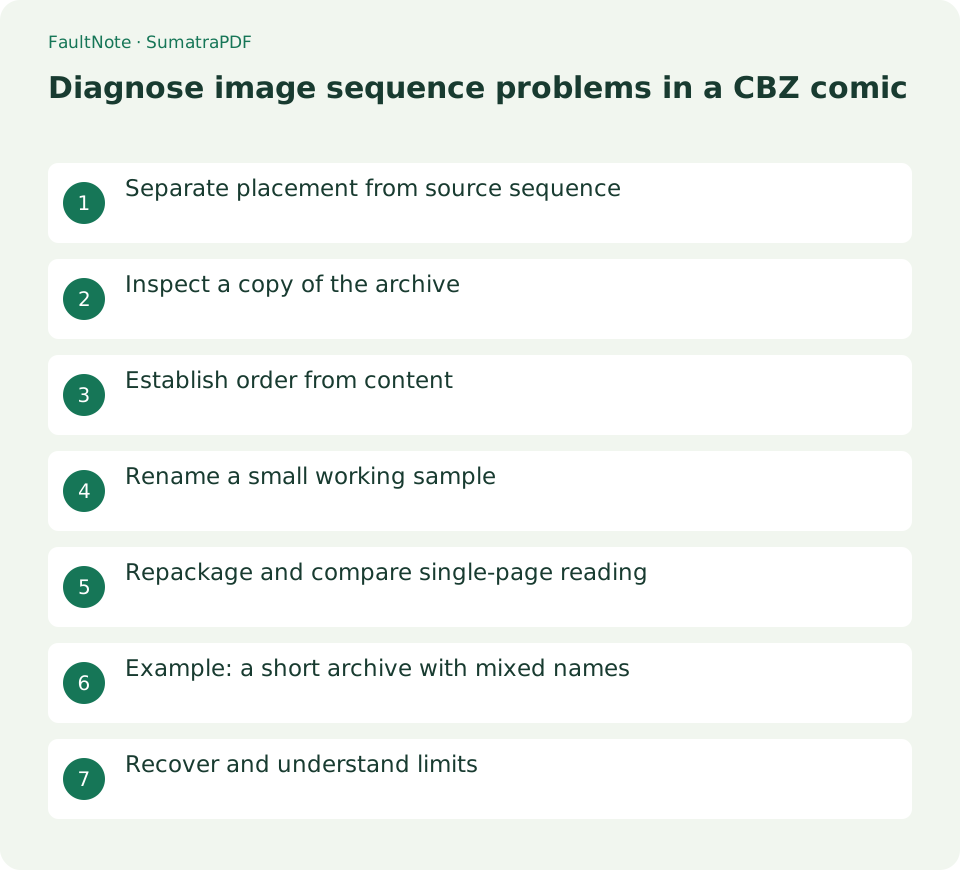
Separate placement from source sequence
Reversed sides, a one-page spread offset and actual skipped story images are different problems. Read from the opening in single-page view. Investigate source ordering only if continuity still fails; otherwise inspect layout before renaming artwork.
Record display positions and image names for three to five problematic pages using controls available in your build. Current documentation describes page information and archive listings, but the observed single-page narrative remains the baseline. A numbering gap alone does not prove missing content.
Inspect a copy of the archive
Preserve the original CBZ and create a working copy. CBZ is used for ZIP comic archives; on Windows you can inspect a copy renamed to .zip. Show real extensions and distinguish an actual extension change from merely appending .zip. Leave the original unchanged.
For a supported ZIP copy, inspect names and folders. Encrypted or unsupported archives require an appropriate legitimate tool and your own password. No unknown executable needs to be launched. Inspect repeated names, chapter directories, covers and appendices first.
- Record single-page order and image names
- Keep the source and create a CBZ copy
- Inspect as ZIP and extract into a working folder
- Build a content-verified naming map
- Rename image copies consistently
- Create a new ZIP and read neighboring pages in SumatraPDF
Establish order from content
Extract to a working folder and compare with the story. Tools may use different text or numeric ordering for 1, 2 and 10; do not assert that SumatraPDF always reads 1, 10, 2. Compare observed display with names. Consistent padding such as 001, 002, 010 makes an intended naming scheme clearer, but content establishes the sequence.
Decide placement of covers, title leaves, blanks and supplements before assigning numbers. Similar alternate images are not necessarily duplicates. Inspect within-chapter and between-chapter order separately, preserving ComicInfo.xml or other metadata that may depend on names or paths.
Rename a small working sample
Rename only working images, preserving their true format extensions. Test a small set instead of assuming bulk rename assigns your intended numbers. Do not overwrite name collisions; revise the mapping.
Sort the resulting list by name and open images in narrative sequence, including neighboring pages. Consistent names alone do not prove correct reading order. Do not resave images for a naming task; retain their content and change only working names or archive structure.
Scroll horizontally to see the full table →
| Observed state | Check | Action |
|---|---|---|
| Single-page reading works | Spread placement | Adjust layout rather than names |
| Story skips | Image names and content | Verify narrative sequence |
| Trial archive will not open | ZIP format and structure | Compare source and new lists |
| Page missing | Publisher content description | Check the legitimate original |
Repackage and compare single-page reading
Create a newly named ZIP from the working images and required folders, using Windows compressed-folder creation where supported. Inspect its contents and avoid an unintended extra outer working directory. Rename the copy to .cbz if needed.
Open the new archive in SumatraPDF and read around the problem in single-page view. Distinguish source and trial tabs by filename. Check spreads only after sequence works, then inspect cover/blanks if pairing is off. Successful opening alone does not establish correct beginning and ending order.
Example: a short archive with mixed names
For an illustrative archive containing cover.jpg, page1.jpg, page02.jpg and page10.jpg, names alone do not establish missing pages or correct order. Observe the story, create a source-to-new-name mapping and rename a small extracted copy accordingly. Place cover and supplements according to their roles.
Create a new ZIP, inspect the list and compare actual reading. Extend the scheme only if continuity works. Missing source pages cannot be restored by names; check publisher information or legitimate re-downloads. Retain the purchase original and mapping for reversal.
Recover and understand limits
If the trial will not open, check actual ZIP format, extensions and directory structure. A working original suggests inspecting the new package before blaming the whole application. Restore by opening the retained source rather than modifying it during uncertain diagnosis.
This task diagnoses names and sequence, not image restoration or content editing. Garbled names and archive corruption may be separate issues. Record unreadable images, missing content and placement independently. Personal reading copies do not automatically grant redistribution rights.
Limitations and requirements
- Compare the documented controls with your installed build.
- Retain originals and verify one book before widening the operation.
Frequently asked questions
Is 1, 10, 2 always a filename problem?
Check each tool's ordering and actual display. Compare names and scenes rather than assuming SumatraPDF behavior.
Does renaming to ZIP convert the images?
It changes the working archive's extension for inspection, not the image content or format.
Can renumbering restore a missing page?
Not when the image is absent. Check publisher information and the legitimate source.
Sources and verification date
Sources checked: . These sources support the specifications, procedures or prices discussed here. Check each source for applicable conditions and current information.
Related practical guides
- Set comic spreads and right-to-left reading in SumatraPDF
- SumatraPDF: Read PDFs and E-books Quickly
- Read small PDF text with fit-width and continuous view
- Manage reading locations with outlines and favorites in SumatraPDF
- Diagnose Garbled ZIP Filenames Without Changing the Original
- LibreOffice Writer: Create a Document and Export It as PDF