Manage Steam game launch options: record, test and remove them
Edit game launch options under Properties > General. Support differs between games. Save the original text and test one change at a time using options documented by the developer.
Published · Updated · FaultNote editorial policy
Who this guide is for and what to prepare
- Players cleaning up old launch parameters
- Players testing a developer-documented option reproducibly
What you need
- Record the game, current options and the issue
- Verify supported parameters in official developer documentation
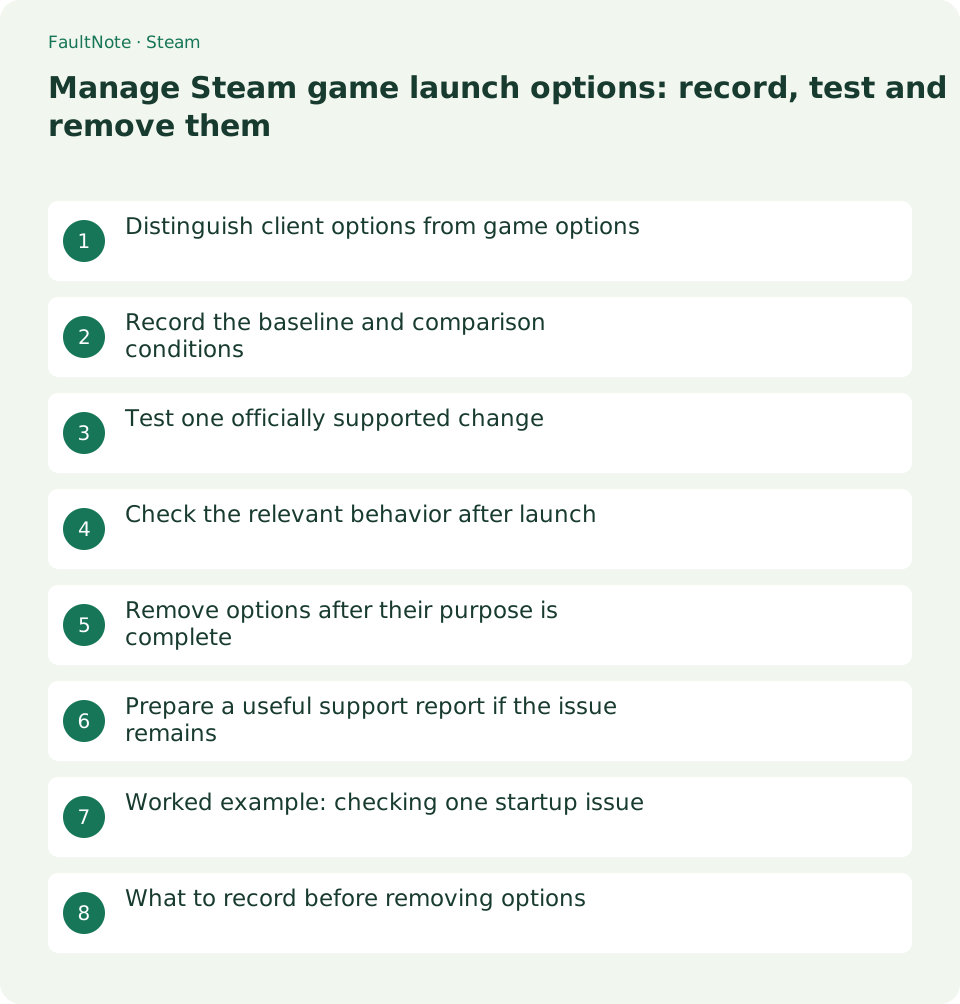
Distinguish client options from game options
This procedure edits parameters passed to an individual library game. These are separate from shortcut arguments for the Steam client. Work only in game properties here so the change remains clear.
Valve launch-option examples include Source and GoldSrc parameters and explicitly do not apply to most third-party games. Do not paste a video or forum string as a universal performance preset.
Record the baseline and comparison conditions
Open Library > right-click game > Properties > General > Launch Options and copy the entire current text into a note. If empty, record that. Preserve spaces and multiple parameters so restoration is unambiguous.
For a launch black screen, record the launch route, display mode and sequence leading to it before changing anything. Simultaneous game-setting or driver changes make the option effect harder to identify.
- Save the full existing option text in a separate note
- Record the original symptom and test scene
Test one officially supported change
Enter a parameter documented for this game. If a combination is required, use the documented combination. Valve describes separating parameters with spaces, while individual value syntax comes from the game documentation.
Do not add a string whose purpose is unclear. Even a window-mode parameter varies by engine. If you cannot find documentation for your game, use its in-game settings first.
- Enter the supported parameter while the game is closed
- Close Properties and test a normal library launch
Check the relevant behavior after launch
Check the intended behavior, not merely successful process startup. Continue into gameplay and repeat the same scene, because another issue may appear after loading.
For a performance option, compare the same scene and settings; do not turn impressions into invented numerical gains. For launch recovery, repeat the same launch route and watch for recurrence.
Remove options after their purpose is complete
Valve documents that Source -autoconfig ignores configuration files until removed. When a supported temporary recovery option has done its job, check whether it should remain and remove it if no longer needed.
Restore the recorded original text; if it was empty, remove all added text. Check whether the same experimental option was added elsewhere, but do not batch-change unrelated games.
- Restore the original text in General > Launch Options
- Relaunch and check that normal settings take effect
Prepare a useful support report if the issue remains
For support, record the game, version, symptom, tested parameter, outcome and whether it was reverted. A clear change log is more useful than accumulating undocumented options.
If the symptom persists after removing options, record that and continue with the developer support route. This procedure does not diagnose hardware failure or every crash cause.
Worked example: checking one startup issue
If display breaks after a game update, save the current options and review that game official support checks. Identify the purpose and continued need for any old recovery option. Do not add unrelated parameters in a batch.
Test a new supported parameter through the same launch route and record display mode, loading and controls. Avoid simultaneous resolution or GPU changes. One recorded result per change makes later cleanup easier.
If ineffective, restore the original string and check the symptom again. If effective, determine whether the parameter is permanent or temporary recovery. Keeping an obsolete option can become a candidate when in-game settings stop taking effect.
What to record before removing options
Record date, game version, full string, documentation URL, purpose, outcome and revert date. Distinguish documented combinations from separately tested parameters. Save a full copy to preserve quotes and numeric values exactly.
Close the game before editing and check whether the option is required for regular use. Old display parameters are worth examining when launch works but visuals do not. Invented or unsupported parameters make even ignored-versus-harmful behavior unclear.
If in-game settings remain changed after removing the option, consult game documentation for configuration storage. Removing a launch parameter and resetting configuration are separate actions. Protect settings at their documented location before further investigation.
Scroll horizontally to see the full table →
| Result | Next decision |
|---|---|
| Documented option resolves symptom | Check whether temporary or persistent |
| No change after adding option | Revert and record the outcome |
| In-game settings do not apply | Inspect remaining parameters and documented configuration behavior |
Limitations and requirements
- Do not treat Source parameters as universal
- Preserve the original string before editing
Frequently asked questions
Should I delete every launch option?
Some games need a documented parameter. Record the original text and purpose first, then revert experimental or obsolete additions.
Can I use a performance string found online?
Check official support for the game and current version. Unsupported arguments may do nothing, and any improvement needs a comparable test.
Do spaces and quotes matter?
Argument-value syntax differs by game. Follow its documentation and retain the original full string. Removing quotes merely for appearance can change how values are passed.
Will reinstalling Steam remove the options?
For cleanup, inspect and restore the current string directly in the game General tab. Record the actual parameters and work one game at a time before adding a separate client reinstallation change.
Sources and verification date
Sources checked: . These sources support the specifications, procedures or prices discussed here. Check each source for applicable conditions and current information.
Related practical guides
- Find and copy original Steam screenshots before editing
- Move installed Steam games to another SSD and check the result
- Back up and restore Steam game files while protecting saves separately
- Make Steam recognize game files that still exist on disk
- Prepare Steam Offline Mode before travel and test the games you need
- Plan Steam libraries across SSDs and choose the right installation drive