Export PowerPoint to narrated video
Here are the steps to share slides, transition times, and recordings as MP4. We will explain in detail the starting position, setting values, completion confirmation, and how to review in case of problems.
Published · Updated · FaultNote editorial policy
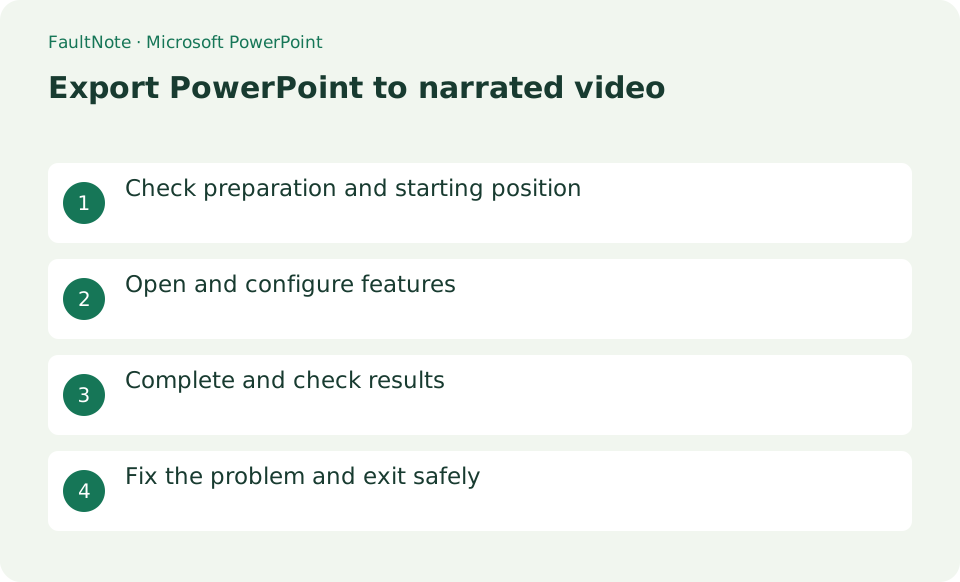
Who this guide is for and what to prepare
- People using Microsoft PowerPoint for the first time
- People who want to safely confirm the operation of exporting PowerPoint to a video with narration
What you need
- Prepare enough free space to store completed slides, connected microphones, and videos.
Prepare a recording copy and microphone
Prepare enough free space to store completed slides, connected microphones, and videos.
Record narration for the slides
Record from the first or current slide in Slide Show > Record, then narrate each slide and move on.
Play the recording and check the audio, pointer, and transition times. If the slide fails, re-record from that slide.
- Record the explanation for the selected slides
- Choose recorded timings and narration during export
Choose timings and quality and create the video
Select [File] > [Export] > [Create Video], select Full HD and [Use recorded timing and narration], and save as MP4.
- Play the MP4 after export progress completes
Inspect the complete MP4
Do not close PowerPoint until the progress display at the bottom is completed and play the completed MP4 from beginning to end.
Embedded media and fonts may change the appearance. Verify permission to publish statements, notes, and copyrighted material contained in the recording.
- Inspect revised slides and adjacent transitions
Record one slide to check sound and timing
Record a short explanation on one slide in a copy of the presentation, then play it to check narration and duration. Begin speaking once recording is ready. If words are clipped around slide changes, leave a short pause on either side and record again. When repairing a slide, distinguish clearing its recording from clearing recordings throughout the entire presentation.
For training, state the goal on the first slide and separate procedures so revisions affect smaller sections. Recheck duration after changing narration. Links displayed in a video are not necessarily clickable, so provide required reference destinations in accompanying material too.
Choose whether to use recorded timings
Check whether video export will use recorded timings and narrations. If the export is silent or every slide lasts the same time despite recordings, review that choice and each slide recording. Check the default duration for unrecorded slides too. Choose output quality for the destination and export a short version first to compare text readability with file size.
Verify the finished video against the slides
After export completes, open the MP4 in a player outside PowerPoint. Check slide transitions, embedded-media sections, and the final explanation as well as the opening. For low volume, distinguish player settings from the source recording and identify the affected slide before recording everything again. Keep the editable PPTX and use a versioned delivery filename so later revisions do not require rebuilding the presentation from the video.
Scroll horizontally to see the full table →
| Observed result | Next action | Success condition |
|---|---|---|
| The export is silent | Check narration inclusion and recordings | Speech is audible in the player |
| Slides change too quickly | Inspect timings and unrecorded-slide duration | There is time to read the content |
| Export is still processing | Inspect progress and wait for completion | The completed MP4 opens in another player |
Limitations and requirements
- Embedded media and fonts may change the appearance. Verify permission to publish statements, notes, and copyrighted material contained in the recording.
Frequently asked questions
What if you can't find the item you want in Microsoft PowerPoint?
Do not close PowerPoint until the progress display at the bottom is completed and play the completed MP4 from beginning to end.
What should I be especially careful about when exporting PowerPoint to a video with narration?
Embedded media and fonts may change the appearance. Verify permission to publish statements, notes, and copyrighted material contained in the recording.
Is the web version workflow identical?
Recording and export options can vary by edition and operating system. Check supported editions in official help when a menu is missing. If using another screen recorder instead, verify narration and output format separately.
How can I fix only one slide?
Inspect the affected recording and choose the current-slide operation rather than clearing every recording. Keep a copy first. After re-exporting, check that slide, its adjacent transitions, and the overall duration.
Sources and verification date
Sources checked: . These sources support the specifications, procedures or prices discussed here. Check each source for applicable conditions and current information.
Related practical guides
- Compress all PowerPoint images to reduce file size
- Record a Teams meeting and check the sharing scope
- Microsoft 365 vs Office 2024: Which Should You Buy?
- Will your old printer work on Windows 11? Microsoft's printer-driver end-of-servicing dates, and what the IPP class driver covers
- Organize browser tabs with vertical tabs in Microsoft Edge
- Create a OneDrive sharing link: permissions and expiration