How to Choose a PC Power Supply: Wattage, ATX 3.1 and GPU Cables
Wattage alone is not enough. Start with the graphics-card manufacturer's recommendation, then verify the configuration, ATX revision, required cables and case fit, while interpreting efficiency labels within their scope.
Published · Updated · FaultNote editorial policy
Who this guide is for and what to prepare
- People choosing PSU capacity and connectors for a new PC
- People checking cables and clearance before a GPU or PSU replacement
What you need
- Exact graphics-card and PSU manufacturer models and SKUs
- A configuration list including CPU, storage and cooling
- Case and motherboard manuals
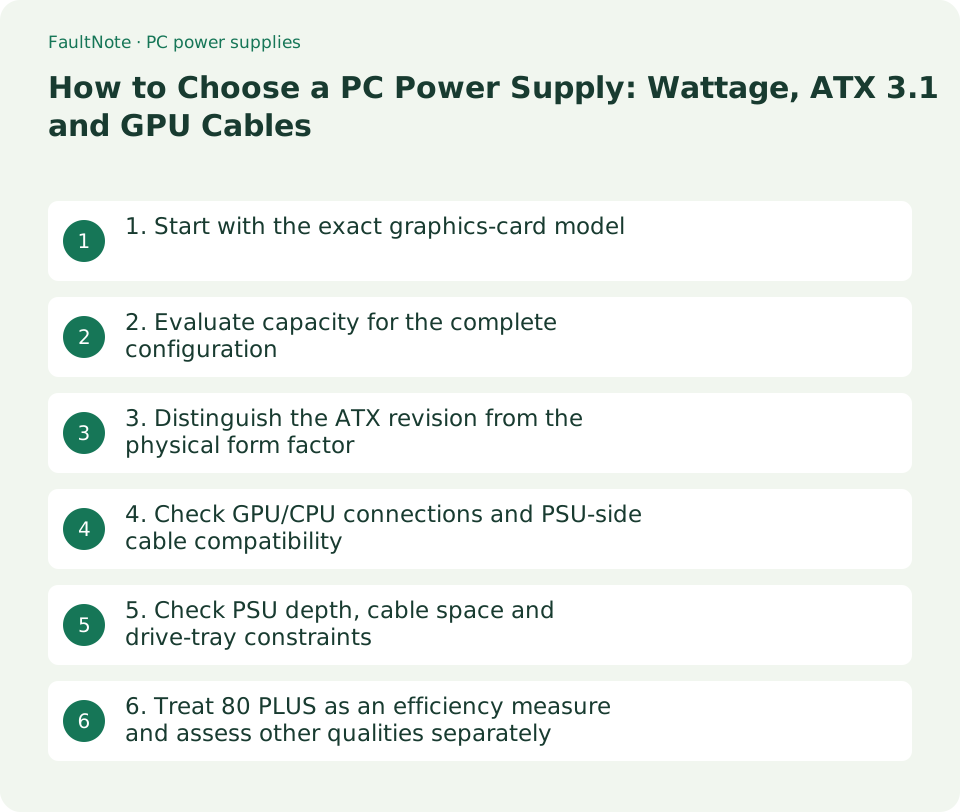
1. Start with the exact graphics-card model
Cards using the same GPU can differ in board power, recommended PSU capacity and power connectors. Start with the exact card model and its manufacturer's specification. The examples checked on September 12, 2026 keep card power separate from the PSU recommendation for the whole system.
Scroll horizontally to see the full table →
| Specification example | Card power | Minimum PSU recommendation | Card connector |
|---|---|---|---|
| AMD Radeon RX 9070 XT base specification | 304W | 750W | 2 x 8-pin |
| SAPPHIRE NITRO+ RX 9070 XT OC / 11348-01-20G | 330W | 850W | 12V-2x6; included adapter uses three 8-pin inputs. |
- Record the manufacturer, series and SKU as well as the GPU name, then open the official specification.
- Record recommended PSU capacity, card power and connector type/count separately. Do not add the whole-system PSU recommendation as if it were GPU power draw.
2. Evaluate capacity for the complete configuration
Use the card manufacturer's PSU recommendation as a starting point, then consider CPU settings, drives, fans, pumps and planned expansion. A fixed multiplier applied to nominal CPU and GPU power does not resolve configuration differences, brief load changes or connector requirements. Check manufacturer guidance for high-power settings or substantial expansion.
Higher wattage does not compensate for missing connectors or incompatible cables. Keep only candidates that meet capacity, connection and size requirements.
- List the CPU, GPU, drives, cooling devices and planned additions, including any intended CPU or GPU power-setting changes.
- Start with candidates meeting the exact card's recommendation, then check output specifications and connection counts. For an unclear unusual configuration, send the build list to the manufacturer.
- If you have a specific future upgrade in mind, check its requirements too. Do not assume compatibility with an unspecified future product.
3. Distinguish the ATX revision from the physical form factor
ATX 3.x describes power-supply design requirements, not the available mounting depth in your case. ATX 3.1 includes changes involving the 12V-2x6 connector, but its version number does not establish wattage, included cables or every aspect of product quality.
CORSAIR explains that suitable ATX 3.0 supplies can also work with RTX 50-series cards. Assess the GPU requirements, output and approved cabling before deciding to replace an existing supply solely because of its revision.
- Look up the exact PSU SKU and check its ATX revision, rated capacity and included GPU cables separately.
- For reuse, check age, operating condition and approval for the required cables. Do not decide compatibility from the revision label alone.
4. Check GPU/CPU connections and PSU-side cable compatibility
When replacing a modular PSU, use the supplied cables or cables explicitly approved for the exact model. Similar-looking PSU-side plugs do not establish compatibility. CORSAIR publishes a model-specific cable compatibility chart.
Identify GPU PCIe cables and CPU power cables using the labels and manuals. An adapter still requires the input count and connection arrangement specified by the card manufacturer.
- List the required motherboard CPU-power and graphics-card connections and cables.
- For a 12V-2x6 card, verify an approved direct cable or that the specified adapter can have all its inputs connected.
- For replacement, shut down, switch off and unplug the PC before following the product's cabling instructions. Check full connector engagement and routing that is not compressed when the case closes.
5. Check PSU depth, cable space and drive-tray constraints
An ATX-compatible case can still impose limits through PSU depth and HDD-tray placement. For example, CORSAIR RM850x SKU CP-9020270-NA measures 160 x 150 x 86mm. Fractal lists up to 290mm for North XL, but 175mm with both HDD trays installed. Nominal fit still requires a separate cable-space check.
Scroll horizontally to see the full table →
| Area | Before buying |
|---|---|
| PSU body | Supported form factor and depth limit under your planned configuration. |
| PSU cable side | Room to insert plugs and route cables without forcing them. |
| GPU and side panel | Clearance so the panel does not compress the connector or cable. |
| HDD trays | Limits and available positions with the required tray count. |
- Check the case manual's PSU-length limit for the drive trays and fans you will actually install.
- Allow for modular plugs, cable routing and clearance around the graphics-card power connector, not just the PSU body.
6. Treat 80 PLUS as an efficiency measure and assess other qualities separately
80 PLUS describes conversion-efficiency and power-factor requirements under specified loads and input-voltage categories. That scope does not establish a guarantee of noise level, lifetime, failure rate or protection-circuit quality from a Gold label alone. A Gold rating from another certification scheme is not automatically 80 PLUS Gold.
Finally, consider the exact model's output specifications, connections, regional warranty and manufacturer support information together. This article is not a quality ranking based on measured PSU tests.
Scroll horizontally to see the full table →
| Label | What it primarily tells you | Still verify |
|---|---|---|
| Rated wattage | PSU capacity | GPU recommendation, configuration and output specifications. |
| ATX 3.x | Claimed design revision | Capacity, included cables and physical fit. |
| 80 PLUS rating | Efficiency certification under defined conditions | Noise, warranty, protection features and specific test results. |
- Verify the certification scheme and exact model, checking the certifier's record and test conditions where needed.
- Review warranty, protection features, fan control and output specifications in product documentation, then compare tax-inclusive prices among supplies meeting your requirements.
Limitations and requirements
- Cards with the same GPU can have different PSU and connector requirements. Use the specification of the actual product you will buy.
- Similar connector shapes do not establish modular-cable compatibility. Verify approval for the exact PSU model.
- Do not open the PSU enclosure; contact the manufacturer for repair or internal inspection.
Frequently asked questions
Is 850W enough for every RX 9070 XT build?
Wattage alone is not a universal answer. Check the exact card, CPU and expansion configuration, connectors and output specifications. The example NITRO+ lists 850W as its minimum PSU recommendation.
Does 80 PLUS Gold guarantee overall quality?
Read it as an efficiency and power-factor certification. Assess noise, lifespan, failure rates, warranty and protection features through separate model-specific documentation and test evidence.
Can I leave old modular cables in place when replacing a PSU?
Do not reuse them without manufacturer documentation approving them for the new PSU. Use the supplied cables or a specified compatible set for its exact model.
Sources and verification date
Sources checked: . These sources support the specifications, procedures or prices discussed here. Check each source for applicable conditions and current information.
- AMD Radeon RX 9070 XT specifications ↗
- SAPPHIRE NITRO+ RX 9070 XT OC specifications ↗
- CORSAIR: ATX 3.0 and ATX 3.1 differences ↗
- CORSAIR RM850x CP-9020270-NA specifications ↗
- CORSAIR PSU cable compatibility ↗
- CLEAResult: scope of 80 PLUS certification ↗
- Fractal North XL PSU compatibility ↗
- CORSAIR: ATX 3.0 power supplies and RTX 50-series GPUs ↗
Related practical guides
- There are two kinds of PSU "Gold": what 80 PLUS and Cybenetics measure, and what neither of them measures
- PCIe 4.0 or 5.0 SSD for gaming? Check load times, capacity and slot sharing
- ATX vs microATX vs Mini-ITX: choose a PC case and motherboard
- Choosing a UPS for a Desktop or Custom-Built PC: Why Sine Wave Output Matters and How to Size VA and W
- Three ceilings to check before adding memory: your Windows edition, the board, and what is actually usable
- CPU value in Japan, September 2026: five gaming candidates ranked