Choosing a UPS for a Desktop or Custom-Built PC: Why Sine Wave Output Matters and How to Size VA and W
When you buy a UPS to stop a desktop PC shutting off during a power cut or a momentary outage, check four things in order: output waveform, capacity in VA and W, runtime and automatic shutdown. Choose sine wave output for the PFC power supplies common in custom-built PCs, size with headroom on both VA and W, and make sure there is enough time to shut down safely. A small UPS is not meant to keep a PC running for a long time.
Published · Updated · FaultNote editorial policy
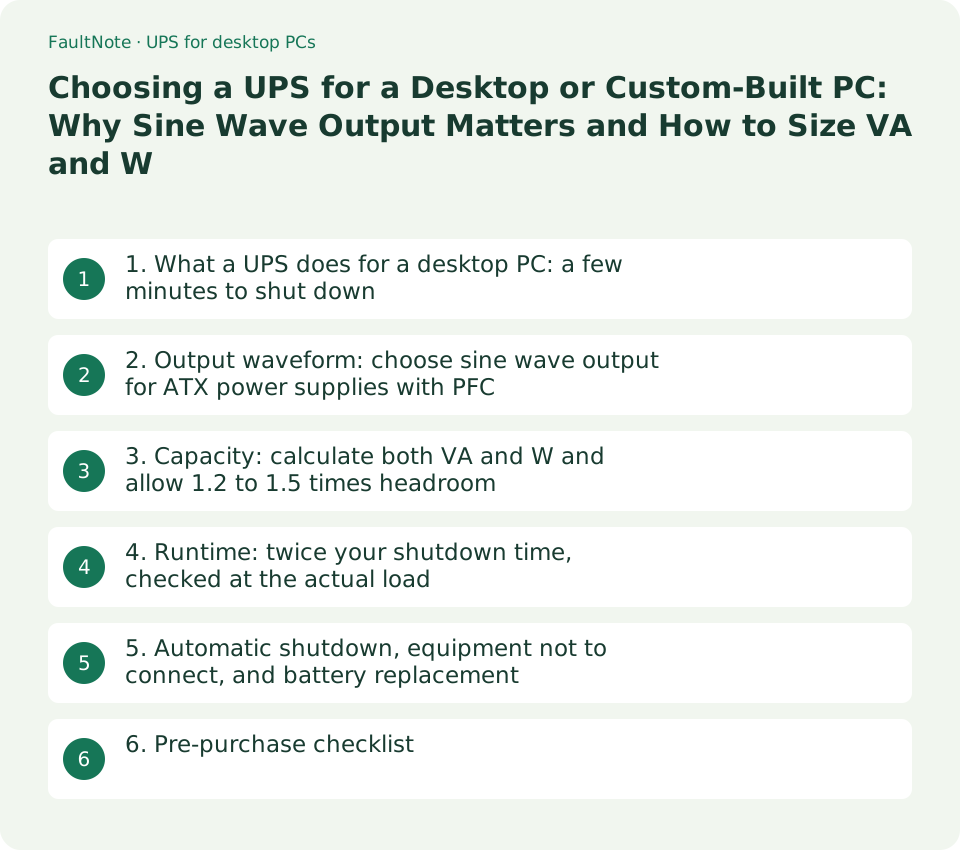
Who this guide is for and what to prepare
- People who want to protect a custom-built or gaming PC from power cuts and momentary outages but cannot pick a UPS model because they are unsure about sine versus square wave or VA versus W
- People planning to connect a PC, monitor, NAS or router to one UPS who want to calculate capacity and runtime before buying
What you need
- The power consumption of each device (the maximum consumption in the PC maker's specifications, or a value measured at the wall under heavy load with a plug-in power meter) and the rated consumption of the monitor and peripherals
- An estimate of how long it takes from detecting a power cut until the PC has finished shutting down safely
- The model of the PC's power supply unit, to check in its specifications whether it has a PFC circuit
1. What a UPS does for a desktop PC: a few minutes to shut down
A UPS supplies power from its internal battery for a while when a power cut or voltage problem occurs. Omron's selection method asks you to decide how much runtime you need to shut down connected servers or PCs when the power fails, and to confirm the UPS provides at least twice that time. Small UPS units for desktop PCs are for creating time to save work and power off, not for running the PC for long: the Omron BY80S (800VA/500W), for example, has a runtime of 4 minutes at maximum load (specification).
The power delivery method changes how power flows normally and how the UPS switches during an outage. Omron describes the online (double-conversion) method as having sine wave output with no interruption when switching to battery, line-interactive as the standby method with added AVR (automatic voltage regulation), and standby (offline) as available with sine wave output (BV, BW and BY series) or square wave output (BZ series). The standby BY series has a transfer time within 10 ms (specification).
Scroll horizontally to see the full table →
| Power delivery method (Omron's classification) | Output waveform | Characteristics (Omron's description) | Example equipment |
|---|---|---|---|
| Online (double conversion) | Sine wave | No interruption when switching to battery | Equipment that needs more stable AC power |
| Line-interactive | Sine wave | Standby design with added AVR; keeps output near AC 100 V even in normal operation | PCs and servers where voltage fluctuation is a concern |
| Standby (sine wave output) | Sine wave | BV, BW and BY series; BY series transfer time within 10 ms | PCs and small servers |
| Standby (square wave output) | Square wave | BZ series; cannot be used with equipment that only supports sine wave input | Network equipment such as hubs and routers, peripherals such as small NAS units |
- Decide what you want the UPS to cover: saving work and shutting down during a power cut, or avoiding restarts from momentary outages.
- Estimate the time from detecting a power cut until the PC finishes shutting down, and take twice that as the runtime you need.
- For equipment that needs more stable power, look at online UPS units; for a PC and peripherals, look at sine wave output in the standby or line-interactive methods.
2. Output waveform: choose sine wave output for ATX power supplies with PFC
Omron explains that power supplies with PFC (power factor correction) circuits are designed on the assumption of a sine wave input voltage and may not work properly on a square wave, and it strongly recommends sine wave output UPS units to protect PCs and servers. Omron connected four ATX power supplies with PFC circuits, of the kind used in custom-built PCs, to standby UPS units and tested whether each could run on battery at a 300 W load. On the sine wave BY50S all four worked normally, but with four square wave UPS units the combinations produced seven failures in total: UPS output stops, UPS faults and ATX power supply shutdowns. Because you cannot know whether such trouble will occur until you actually connect the equipment, Omron recommends sine wave output UPS units for power supplies with PFC circuits.
CyberPower (US site) likewise says that Active PFC power supplies in desktops and workstations require sine wave AC power like that supplied by utilities, and that the simulated or stepped sine wave of entry-level UPS units momentarily creates a zero power gap, so an Active PFC power supply may not recognise that power during an outage, which could cause an unexpected shutdown or stress on components. Check that the product name says sine wave or PFC compatible, or that the specification table lists sine wave as the output waveform on battery.
Scroll horizontally to see the full table →
| ATX power supply (Omron test, 300 W load) | Sine wave output BY50S | Four square wave UPS units |
|---|---|---|
| Company A, rated 650 W | Normal | UPS output stop, ATX power supply shutdown (two units), UPS fault |
| Company B, rated 900 W | Normal | Two units normal, UPS output stop, UPS fault |
| Company C, rated 525 W | Normal | Three units normal, UPS output stop |
| Company D, rated 550 W | Normal | All four units normal |
- Check the PC power supply's specifications for a PFC (Active PFC) circuit. If it is not stated, treat the unit as having one.
- Check that the candidate UPS lists sine wave as its output waveform on battery, and drop square wave or simulated sine wave models from the PC shortlist.
- If you choose a separate UPS only for a router or hub, check whether the equipment maker allows operation on a square wave.
3. Capacity: calculate both VA and W and allow 1.2 to 1.5 times headroom
UPS output capacity is shown as two figures, such as 500VA/300W. Omron says to calculate the total VA and the total W of the connected equipment and to consider only UPS units larger than both, giving the example that equipment totalling 510VA/290W or 490VA/310W cannot use a 500VA/300W UPS and needs the next size up. When a device's power factor is unknown, Omron specifies a power factor of 0.6 for calculating total VA and 1.0 for calculating total W. In other words, for a device with only a W figure, add W / 0.6 to the VA total; for a device with only a VA figure, add the same number to the W total. Omron also says to choose a UPS with about 1.2 to 1.5 times the total capacity of the equipment.
For the PC's consumption, use the maximum consumption in the PC maker's specifications or a value measured at the wall under heavy load, not the power supply's rated output (such as 750 W). The rated output is the upper limit of DC power the unit can deliver inside the PC and, because of conversion losses, does not equal the consumption at the wall. The table below applies Omron's method to a hypothetical example: a PC drawing 350 W under heavy load and a 30 W monitor, both with only a W figure known.
Scroll horizontally to see the full table →
| Item (hypothetical example) | W | VA (W / 0.6) | Judgement |
|---|---|---|---|
| PC (heavy load) | 350 W | About 583 VA | Converted as a device with only a W figure |
| Monitor | 30 W | 50 VA | Converted as a device with only a W figure |
| Total | 380 W | About 633 VA | Only just exceeding these values leaves no headroom |
| 1.2 to 1.5 times | 456 to 570 W | About 760 to 950 VA | The BY80S (800VA/500W) meets 1.2 times; the BY120S (1200VA/720W) meets 1.5 times |
- List VA and W for each device, converting any device with only one figure using Omron's power factors (0.6 for VA, 1.0 for W).
- Add up VA and W separately, then calculate 1.2 times and 1.5 times each total.
- Shortlist UPS units whose VA and W are both at least 1.2 times the totals, and preferably at least 1.5 times.
4. Runtime: twice your shutdown time, checked at the actual load
The runtime in a specification table is the figure at maximum load, so check a value close to your actual load in the manufacturer's runtime chart. In Omron's runtime guide (PDF), at a 400 W load the BY120S runs for 11 minutes and the BY80S for 6 minutes. Omron notes that a degraded battery gives half or less of the initial runtime, so it recommends at least twice the required time. The specification runtimes assume an ambient temperature of 20°C and a battery in its initial state.
In the hypothetical example above (380 W), if shutdown takes 3 minutes from the power cut, you need 6 minutes of runtime. The BY80S gives exactly 6 minutes in the 400 W column, which leaves little margin once the battery ages, while the BY120S gives 11 minutes. Connecting fewer devices to the UPS, such as turning the monitor off or moving peripherals to an ordinary outlet, extends the runtime of the same UPS. Prices are the manufacturer's suggested retail prices listed on Omron's specification page, not retailer prices.
Scroll horizontally to see the full table →
| Omron BY series (standby, sine wave) | Output capacity | Runtime at maximum load (specification) | Chart at 200 W / 300 W / 400 W / 500 W | Suggested retail price (tax included) |
|---|---|---|---|---|
| BY35S | 350VA/210W | 6 min (210 W) | 6.5 min / — / — / — | 40,700 yen |
| BY50S | 500VA/300W | 3.5 min (300 W) | 6.5 min / 3.5 min / — / — | 47,410 yen |
| BY80S | 800VA/500W | 4 min (500 W) | 15 min / 9 min / 6 min / 4 min | 77,880 yen |
| BY120S | 1200VA/720W | 4 min (720 W) | 27 min / 17.5 min / 11 min / 7.5 min | 101,310 yen |
- In the manufacturer's runtime chart, find the nearest column at or above the total W of the connected equipment.
- Check that the time in that column is at least twice the time needed to shut down.
- If it falls short, move up one capacity or connect fewer devices to the UPS and recalculate.
5. Automatic shutdown, equipment not to connect, and battery replacement
To cover power cuts when you are away from the PC, connect the UPS to the PC with a cable and set up automatic shutdown software. At the end of its selection method, Omron says the option most often needed when the connected equipment is a PC or server is automatic shutdown software (and its connection cable) for power failures, and asks you to confirm the software and cable that suit your UPS and operating system. The BY series product page states that the automatic shutdown software is a free download and that the units carry batteries with an expected life of 4 to 5 years.
Omron warns against connecting inductive equipment such as isolation transformers, step-up or step-down transformers, coils and motors, loads that return large amounts of energy such as vacuum cleaners, and equipment with intermittent high current such as laser printers and copiers to the UPS output. Rather than plugging a whole desk power strip into the UPS, connect only the devices that must keep running during an outage to the UPS battery-backed outlets.
Scroll horizontally to see the full table →
| What to check | Reason (Omron documentation) | Action |
|---|---|---|
| Automatic shutdown software and connection cable | The option most often needed when connecting PCs or servers | Get software that supports your UPS and OS, and test it by simulating a power cut |
| Laser printers and copiers | Intermittent high current | Do not connect them to the UPS |
| Transformers, motors, vacuum cleaners and similar | Overcurrent can damage the UPS | Do not connect them to the UPS |
| Battery ageing | An aged battery gives half or less of the initial runtime; BY series expected battery life is 4 to 5 years | Note the replacement date and check the replacement battery model |
- In the UPS maker's compatibility table, confirm the automatic shutdown software and connection cable (such as USB) for your Windows version.
- After configuring the software, save your work, unplug the UPS input plug and confirm that shutdown starts.
- Plug printers, electric heaters and similar devices into an ordinary outlet instead of the UPS, and note when the battery will need replacing from the product indicator or the purchase date.
6. Pre-purchase checklist
Larger UPS units cost more and take more space, so choose the smallest capacity that meets every condition. Also confirm that the rated input voltage and plug match your mains supply and outlets (the Omron BY series is AC 100 V with a NEMA 5-15P plug, for Japan). This guide did not survey retail prices or run outage tests, so check retailer prices, stock and warranty terms on the day you buy. For sizing the PC's own power supply, see the guide on choosing a PC power supply.
Scroll horizontally to see the full table →
| Item | Condition | Where to check |
|---|---|---|
| Output waveform (on battery) | Sine wave if a power supply with PFC is connected | UPS specification table |
| Output capacity | About 1.2 to 1.5 times both the total VA and the total W | UPS specification table, specifications of connected equipment |
| Runtime | At least twice the shutdown time at the actual load | Manufacturer's runtime chart |
| Input voltage and plug | Matches your mains voltage and outlet type | UPS specification table |
| Automatic shutdown | Software and cable that support your OS | Manufacturer's software compatibility table |
- Put the connected devices, the total VA and W, and the runtime you need on one sheet.
- For each candidate model, fill in output waveform, VA and W, runtime from the chart, input voltage and plug, and automatic shutdown software support from the specifications.
- Among the models that meet everything, compare price, warranty and battery replacement cost on the day you buy.
Limitations and requirements
- Specifications, prices and runtimes were checked in Omron and CyberPower public documentation on September 13, 2026. Prices are manufacturer's suggested retail prices, not retail prices.
- This guide did not run outage tests or measure power consumption. The sizing example uses hypothetical figures. Runtimes are the manufacturer's reference values and change with battery condition and ambient temperature.
- CyberPower's product page covers its US range. Outside the US, check that the input voltage and plug type match your local outlets. The Omron models in this guide are for Japan's AC 100 V supply.
Frequently asked questions
Can a cheap square wave (simulated sine wave) UPS protect a PC?
In Omron's test, connecting ATX power supplies with PFC circuits to square wave UPS units produced UPS output stops, UPS faults and power supply shutdowns in some combinations. Other combinations worked, but Omron says you cannot know until you connect the equipment and recommends sine wave output UPS units for power supplies with PFC circuits.
Does a 750 W power supply need a UPS rated for 750 W or more?
A power supply's rated output is the upper limit it can deliver inside the PC, not its actual consumption. Use the PC maker's maximum consumption or a value measured at the wall under heavy load, calculate VA and W with Omron's method, and allow 1.2 to 1.5 times headroom.
Can I keep gaming during a power cut with a UPS?
Small UPS units for desktops, such as the Omron BY80S, run for 4 minutes at maximum load (specification). Choose one as a way to get time to save work and shut down, not to keep using the PC during an outage.
Sources and verification date
Sources checked: . These sources support the specifications, procedures or prices discussed here. Check each source for applicable conditions and current information.
- Omron Social Solutions: How to select a UPS (Japanese) ↗
- Omron Social Solutions: UPS power delivery methods (Japanese) ↗
- Omron: Sine wave output recommended for UPS backup of equipment with PFC power supplies (PDF, Japanese) ↗
- Omron: BY120S / BY80S / BY50S / BY35S product information (Japanese) ↗
- Omron: BY120S / BY80S / BY50S / BY35S specifications (Japanese) ↗
- Omron: Runtime guide (PDF, Japanese) ↗
- CyberPower: Active Power Factor Correction Supplies for IT Equipment ↗
- CyberPower: PFC Sinewave UPS Systems ↗
Related practical guides
- PCIe 4.0 or 5.0 SSD for gaming? Check load times, capacity and slot sharing
- How much SSD does a gaming PC need? Windows requirements, published game sizes, library placement
- Air cooler or AIO? Choose by case clearance, noise and maintenance
- DDR4 vs. DDR5: Choose for a New Build, Reused RAM and Upgrade Cost
- Integrated vs. Discrete Graphics: Check Workloads, CPU Models and Outputs
- Onboard audio or a USB DAC/headphone amp: work out the voltage your headphones actually need