Play chapters from a long audio file and CUE sheet
Keep a long audio file with its CUE sheet, load chapter entries in foobar2000 and verify file references, index points and relocation. Preserve originals and compare a small trial against playback results before applying the workflow to the whole collection.
Published · Updated · FaultNote editorial policy
Who this guide is for and what to prepare
- Listeners navigating long audio using a supplied CUE sheet
What you need
- Preserve source audio and companion files and prepare a separate working copy
- Check the target player capabilities and begin with one representative work
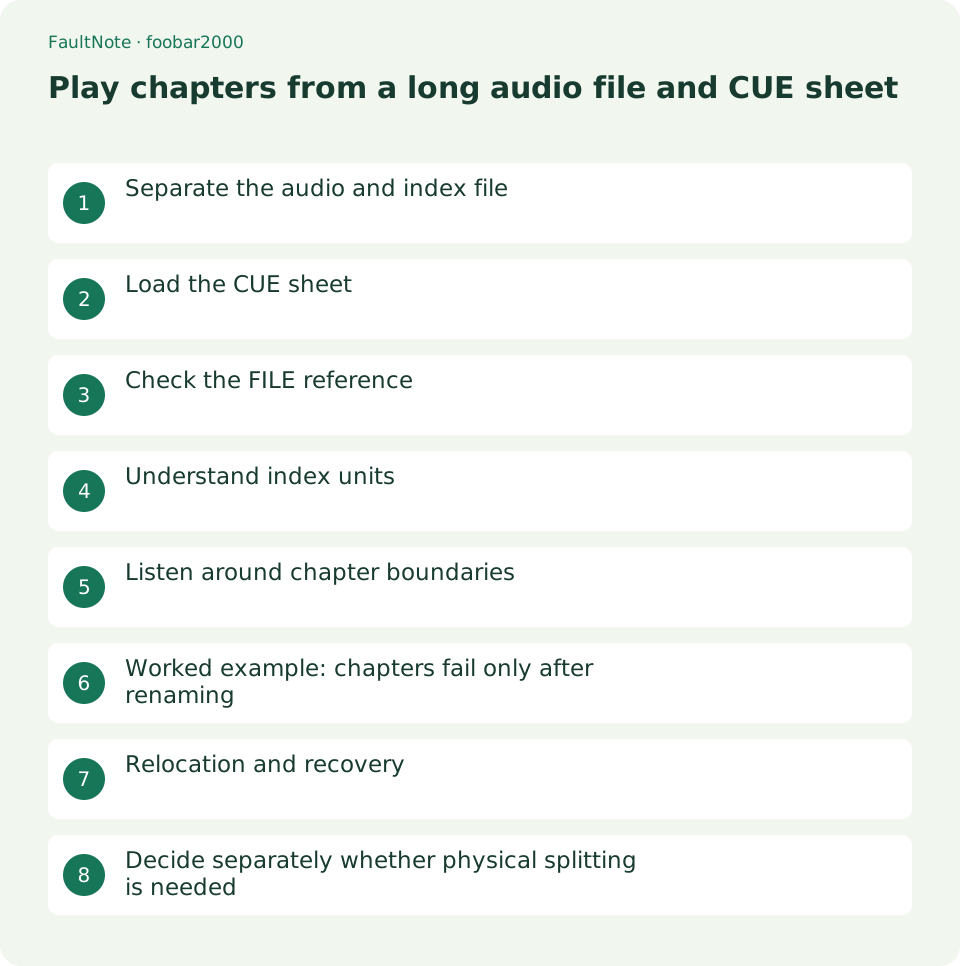
Separate the audio and index file
A CUE sheet is a text index, not the audio. Opening audio alone may produce one entry while opening its CUE exposes chapters. More playlist entries do not mean the audio has been physically split.
Preserve the original audio, CUE and supplied instructions together. Do not mix chapter files with an index meant for a single long file. Test the supplied combination before editing it.
Load the CUE sheet
Use File and Add files in foobar2000 and select the .cue rather than the audio. Use a separate playlist to protect an existing list. Compare chapter count, titles and total duration with the supplied description.
Start the first and a middle chapter. A missing-audio error warrants checking the reference rather than renumbering chapters. Successfully parsing an index does not establish that its referenced audio can be opened.
Check the FILE reference
Inspect the quoted FILE reference in a copy of the CUE. Match the real filename and extension, enabling extension display to catch doubled suffixes.
If the audio was renamed, update only the copied sheet reference to its real name and save separately. Renaming an extension does not convert audio. Multiple FILE references require checking each referenced source.
- Confirm the copied CUE and audio remain together.
- Load the sheet and compare chapter count and titles.
- Match FILE references with real filenames and extensions.
- Check first, middle, last and transitions; reload from the new location after copying.
Understand index units
INDEX 01 marks a chapter start. The final field is frames, not milliseconds: CUE uses 75 frames per second. Do not interpret it using video frame rates.
If a chapter begins mid-sentence, check for another audio edition, added introduction or edited copy before changing indices. Return to the originally supplied pair instead of guessing adjustments across every chapter.
Listen around chapter boundaries
Check first, middle and final chapters against their titles, then listen across a boundary for missing or repeated material. Avoid editing silence or changing speed during this test because those changes invalidate original indices.
MP3 seeking can take time; the official FAQ describes its exact-seeking behavior. Delay alone is not proof of a defective sheet. Compare repeated access and another chapter and retain any actual error message.
Worked example: chapters fail only after renaming
Suppose renaming long_audio.flac to Reading.flac leaves audio-only playback working but CUE loading fails. An unchanged FILE reference identifies a stale name. Correct that reference in the copied sheet and reload; do not alter unrelated commands or index points.
Verify the first, second and final chapters separately. Restored reachability and correct boundaries are different outcomes. Continued offset warrants checking the audio edition or editing. Preserve the original FILE line, new name and source edition rather than combining renaming and timing edits into one unexplained change.
Relocation and recovery
Copy the whole audio-and-CUE folder to another drive and load the copied sheet into a new playlist. A previously loaded list may still reference the original. Verify the file path rather than relying on successful playback alone.
Scroll horizontally to see the full table →
| Outcome | Next action |
|---|---|
| Referenced audio missing | Check FILE names and folder layout. |
| All starts are displaced | Check audio edition and prior editing. |
| Playback uses the old location | Reload the copied CUE into a separate playlist. |
Decide separately whether physical splitting is needed
A CUE-capable player does not require re-encoding simply for chapter selection. Creating chapter files for an unsupported device is a separate conversion task. Keep the supplied sheet and record which source edition an edited sheet indexes.
Limitations and requirements
- Keep native playback speed and avoid overwriting originals. Even metadata-only changes can change the file hash or modification time.
Frequently asked questions
Can I move just the CUE?
It needs the referenced audio. Copy both with their layout preserved.
Does editing INDEX alter the audio?
It changes indexing rather than audio, but changes interpreted chapter boundaries. Preserve the original.
Can I rename MP3 as WAV?
Renaming does not change the format. Check actual audio format and player support.
Sources and verification date
Sources checked: . These sources support the specifications, procedures or prices discussed here. Check each source for applicable conditions and current information.
Related practical guides
- Build an ordered spoken-audio playlist in foobar2000
- Use ReplayGain for spoken audio while preserving contrasts within a work
- Convert a lossless source to a separate portable-player copy
- Diagnose garbled audio tags separately from filenames and ID3 encoding
- Check cover-art format and size before embedding it in audio
- Make a portable relative-path M3U playlist and verify it after moving