Test downloaded FLAC files for decoding integrity
Use FLAC test mode to investigate corruption. Distinguish decoding integrity from whole-file hashes, record errors and compare a fresh download.
Published · Updated · FaultNote editorial policy
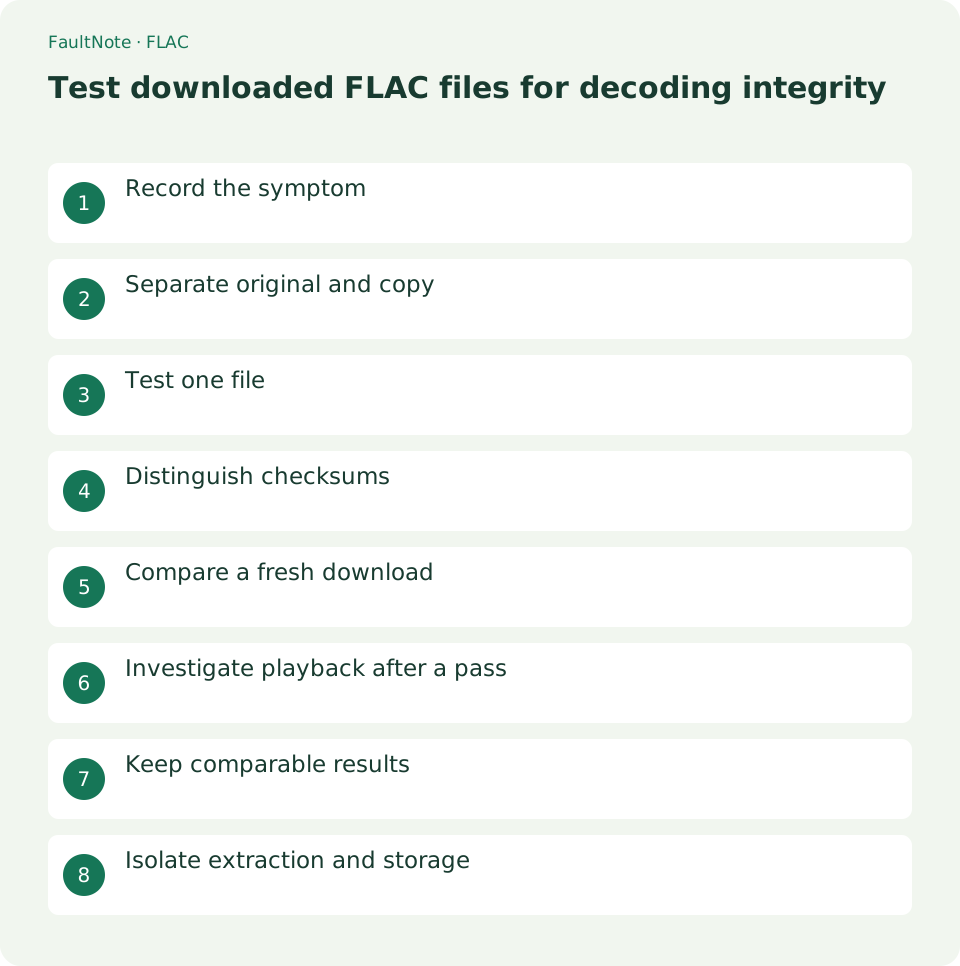
Who this guide is for and what to prepare
- People organizing downloaded music or spoken audio on a PC
What you need
- Keep originals and work on a separate copy. Menu labels vary by language and version.
- Record the release contents, file count and location, distinguishing alternate editions and extras.
Record the symptom
Record the track, stopping point, player and error. Distinguish seeking failures from failures during uninterrupted playback. A passing integrity test does not guarantee compatibility with every device.
Record an example as Chapter Three stopping at 05:20 during uninterrupted playback, with another player not yet checked. Keep title as well as time to avoid confusing chapters. Preserve exact error text and distinguish it from ordinary pause or track transitions. Copy the suspect file without changing its extension and retain the initial download for comparison with a fresh edition.
Separate original and copy
Retain the suspect file and copy it into a working folder. Obtain official FLAC tools and locate flac in a Windows terminal. A command-not-found error is a tool-location issue, not evidence of file corruption.
Locate flac.exe after extracting official Windows tools. Use its full path if the terminal cannot find it. In PowerShell, a quoted executable path requires the call operator; pasting a quoted path alone is not execution. First check that help is available to separate tool launch from audio problems. Do not delete or convert the audio merely because the command is unavailable.
Test one file
An example is flac -t "sample.flac". Substitute your filename, run it and record the result and exit status. Test mode does not write a decoded audio output file.
Quote the input path so names containing spaces are handled correctly. For Chapter Three.flac, confirm the output identifies that track. Record exit status after the prompt returns and before running another command. Establish the operation on one file before batch testing to catch executable-path, input-path or format mistakes. Note whether the target is an original or working copy.
C:\Tools\FLAC and C:\Audio are example locations. Substitute the actual tool and audio paths. $LASTEXITCODE refers to the latest external command, so inspect it immediately after testing rather than confusing it with a later invocation.
& 'C:\Tools\FLAC\flac.exe' -t 'C:\Audio\Chapter Three.flac'
$LASTEXITCODE- 1. Confirm tool and input paths
- 2. Run test mode on one track
- 3. Keep messages and exit status
- 4. Test a separately named fresh download likewise
Distinguish checksums
FLAC testing checks decoding integrity. A whole-file hash can change after metadata edits. If the distributor provides a checksum, match its file and algorithm rather than comparing hashes produced by different methods.
Record checksum algorithm and target together. Compare a distributor SHA256 against your SHA256 of the same file, not an archive against an extracted FLAC or an MP3 against FLAC. Metadata changes may alter whole-file hashes, so use an untouched download as the reference. Decoding integrity and whole-file identity answer different questions, and neither alone proves correct content.
Compare a fresh download
Download again under a separate name and retest the extracted file. Keeping the earlier copy permits comparison. If the same failure persists, prepare the filename and test result for the distributor.
Download into a separate folder such as Download-2 instead of overwriting. For ZIP delivery, extract separately and inspect extraction errors before testing the same track. If only the fresh edition passes, adopt it for listening and set aside the failed edition with its notes. If both fail, prepare filenames, results and edition information for distributor review without automatically sending a message.
Investigate playback after a pass
After a passing test, compare another player and a local disk. Isolate network or sync-folder access. Verify correct content and edition against the contents list and actual listening; an integrity pass does not establish those facts.
After a pass, compare a copy in an ordinary local folder to isolate network, syncing or external-storage access. Test the same passage in another player, distinguishing uninterrupted playback from seeking. A difference prioritizes the affected path or app. A pass does not mean the reported failure is imaginary; retain actual stopping conditions and narrow reproduction.
Scroll horizontally to see the full table →
| Result | Next action | Boundary |
|---|---|---|
| Executable not found | Inspect the tool path | Audio testing has not started |
| Same track consistently fails | Compare a separately downloaded copy | Retain failed edition and logs |
| Integrity passes, playback stops | Compare local storage and another player | Do not treat a pass as a content or compatibility guarantee |
Keep comparable results
Keep the target filename and tool messages along with download date, folder and edition. This prevents confusion between identically named downloads. If sharing results, retain relevant diagnostics while removing personal path details.
An evidence note might identify edition A, Chapter Three.flac, a 05:20 stop and a failed test, while edition B passes. Preserve actual messages separately from your summary. Avoid publishing purchase identifiers or assuming the audio may be redistributed. Follow the distributor guidance for any needed attachments, starting with filenames and diagnostics that can be described without sharing the recording.
Isolate extraction and storage
For ZIP releases, check extraction errors too. Extract a fresh download into a different folder and test one file first. Compare a local copy if sync or external storage is unstable. Changing results for the same file warrant storage-path investigation before attempting edits that conceal the symptom.
Compare the same file on external and local storage and inspect result consistency. Changing outcomes warrant copy-error and broader read checks rather than relying on one pass. Instability across unrelated files may extend beyond audio format; consistent failure in one track prioritizes re-download. Retain originals and failed logs before edits could conceal the underlying data condition.
Limitations and requirements
- This is guidance rather than a measured result on a particular device. Verify the display and playback in your own setup.
Frequently asked questions
Does a pass prove the release is correct?
Track selection, chapter order and content still need separate verification.
What if the command is not found?
Check the tool location and invocation. The audio test has not started, so this is not a corruption result.
Why does playback stop despite a passing test?
Compare a local copy, another player and uninterrupted playback. Integrity success does not establish app or storage-path behavior.
Does a changed SHA256 after tagging prove corruption?
Whole-file hashes can change with metadata. Compare untouched editions using the same algorithm and test decoding integrity separately.
Sources and verification date
Sources checked: . These sources support the specifications, procedures or prices discussed here. Check each source for applicable conditions and current information.