Choose FLAC, WAV or MP3 for downloaded audio
Choose an audio edition by playback destination, storage and master preservation. Separate portable copies from originals and understand lossless versus lossy storage.
Published · Updated · FaultNote editorial policy
Who this guide is for and what to prepare
- People organizing downloaded music or spoken audio on a PC
What you need
- Keep originals and work on a separate copy. Menu labels vary by language and version.
- Record the release contents, file count and location, distinguishing alternate editions and extras.
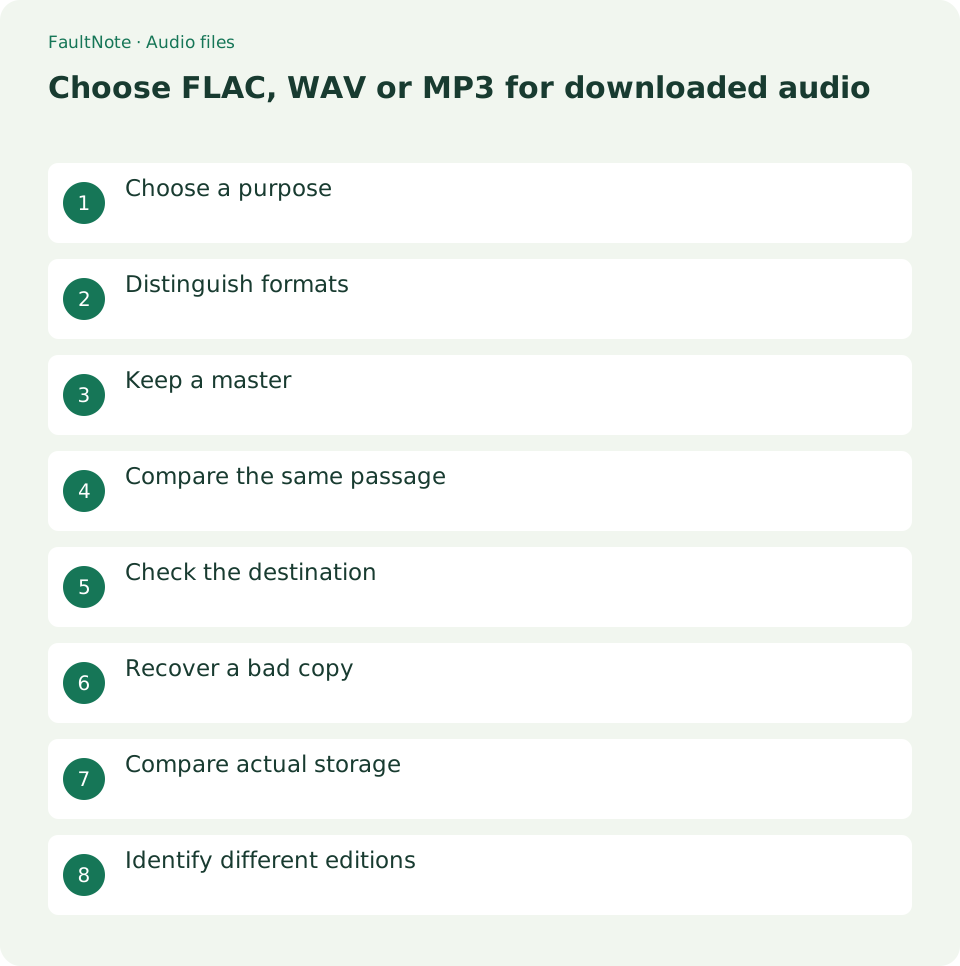
Choose a purpose
Separate PC listening, portable listening and preservation. Use the supplied file directly when it plays and fits your storage. If several editions are available, check the destination device before choosing.
For example, consider a 12-track release played as FLAC on a PC and MP3 on a portable device. Write down those roles instead of first requiring one format everywhere. Open one FLAC track on the PC, then check the portable device documentation for MP3 support. Do not delete a supplied MP3 edition just because FLAC works, or discard the master simply to reduce space. Decide where the full 12-track editions belong after the initial checks.
A practical decision requires the needed content, successful playback on your normal device and sufficient space. You can choose an edition using these criteria even when an audible difference has not been established.
Distinguish formats
FLAC is lossless. Ordinary PCM WAV is uncompressed, but the WAV extension alone does not prove its contents. MP3 is lossy, and converting it to FLAC cannot restore discarded information.
For WAV and FLAC, inspect basic information shown by the player, such as duration, sample rate and channel count, instead of judging extensions. Matching displays do not prove the distributor processed both editions identically. Mono versus stereo, shortened material or included extras are differences beyond format. Record those differences and compare editions with matching content. If a player does not display technical details, do not infer them from filenames.
Keep a master
Use folders such as Original and Portable, retaining supplied documentation with the master. Importing every edition can create duplicates, so choose one normal listening edition.
An example layout is Audio/Original/Release/FLAC for masters and Audio/Listening/Release for playback. The exact layout is optional; what matters is knowing which edition can be edited and which provides a recovery source. Store the downloaded archive, documentation and licensing notes with the master, and edit tags or filenames only in listening copies. Before renaming an entire release, review the usability of its listening folder.
- 1. Choose Original and Listening locations
- 2. Store documentation and masters in Original
- 3. Copy one listening edition into Listening
- 4. Check count, beginning and ending before import
Compare the same passage
Compare quiet and loud passages with matching EQ and normalization settings. Check duration and track count too. If one is merely louder, inspect playback settings before judging format quality.
Choose three matching passages, such as quiet dialogue, layered music and a fading ending. Align the start times and check that one edition is not using different normalization or EQ. Pause and lower the level if an edition is unexpectedly loud. If repeated comparisons reveal no clear difference, record that the difference was not established in this setup. Do not infer an improvement solely from a format label.
Check the destination
Copy one release and check titles, ordering, the ending and transitions. PC success does not prove another device supports it. Retain the master when using a smaller supplied edition or a derived copy.
After copying, check for all 12 tracks, distinguishable titles and proper ordering around tracks 2 and 10. Seek within the first track, use Next and check the ending of the last track. If copying runs out of space, do not treat a partial folder as complete; inspect the destination before retrying. Numbered filenames can help on devices that ignore tags, but first check how the device sorts files.
Recover a bad copy
Set aside outputs with dropouts or omissions and restart from the master. Renaming extensions is not conversion. If MP3 is the only source, preserve it rather than expanding it to a lossless format.
If only a converted edition fails, play the master in the same player and output path. A matching failure in the master suggests investigating source data or playback first. If the master is correct but the conversion is shorter, check output settings, selected track count and interruptions. Save trials in separate folders to avoid mixing old and new files with identical names. Retain the archive and source audio until verification is complete.
Scroll horizontally to see the full table →
| Result | Next action | Boundary |
|---|---|---|
| All editions play and fit | Import one convenient listening edition | Retain alternates with the masters |
| One format fails on the device | Check supported formats | Do not generalize PC success |
| Track counts or durations differ | Check whether editions match | Do not attribute all size differences to format |
Compare actual storage
Select every file in an edition and inspect total size in Properties. One track may not represent a release because duration, silence and content differ. Subtract the actual total from destination free space while retaining room for other uses. Record this as a measurement of your own files rather than a universal compression ratio.
Record totals per edition: 12 FLAC tracks versus 12 MP3 tracks. If one folder includes artwork, distinguish audio-only size from the complete package. Archive size differs from extracted size, so use extracted files when planning device storage. Recheck free space before copying multiple releases and prioritize what you need. The difference is specific to these files, not a ratio to apply universally.
Identify different editions
Before comparing formats, match track counts, total duration and documentation. A shorter edition or a bonus edition differs for reasons beyond encoding. If matching track numbers have different titles or lengths, listen briefly and label the edition explicitly.
Label content differences in folders with terms such as Complete, Main or Bonus. Decide whether library album names also need distinction after inspecting duplicate displays. Mixing equivalent MP3 and FLAC editions can produce duplicate alternating tracks, so import only one listening edition. Record where alternate editions are stored rather than repeatedly importing them. Before removing a library entry, confirm which edition it references.
Limitations and requirements
- This is guidance rather than a measured result on a particular device. Verify the display and playback in your own setup.
Frequently asked questions
Does FLAC always sound better?
It depends on the recording and processing; format alone does not establish audible superiority.
Will converting MP3 to FLAC improve quality?
Discarded information is not restored, and size may simply increase. Preserve the supplied MP3 as the master when that is the only edition.
Are WAV and FLAC editions always identical?
Format alone cannot establish this. Compare edition information, counts, durations and channels before treating them as equivalent.
Can I plan portable storage from ZIP size?
Use extracted audio size. Include artwork and documentation in the total if you intend to copy them too.
Sources and verification date
Sources checked: . These sources support the specifications, procedures or prices discussed here. Check each source for applicable conditions and current information.
Related practical guides
- Organize audio album and track titles with Mp3tag
- Fix spoken-audio chapter order with track and disc tags
- Create zero-padded audio chapter filenames
- Build an ordered spoken-audio playlist in foobar2000
- Set default players for MP3, FLAC and WAV in Windows 11
- Test downloaded FLAC files for decoding integrity