Intel B860 vs. Z890 vs. H810: Choose an LGA1851 Motherboard by CPU Support, M.2, USB and Overclocking
Intel's current desktop platforms use different motherboards for LGA1851 (Core Ultra 200S) and LGA1700 (12th to 14th Gen). This guide narrows the choice by the lanes the CPU provides, the chipset's USB and SATA limits, overclocking support and the ports each product actually implements, not just the chipset name.
Published · Updated · FaultNote editorial policy
Who this guide is for and what to prepare
- People building a Core Ultra 200S PC who want to judge the B860-to-Z890 price gap by features
- People keeping a 12th to 14th Gen CPU or DDR4 memory and choosing between B760 and Z790
What you need
- The exact CPU model (for example Core Ultra 5 225F or Core i5-14400F)
- A list of the GPU, M.2 SSDs with their generation, SATA drives, expansion cards and USB devices
- The full model name of each candidate motherboard with its specification page and manual
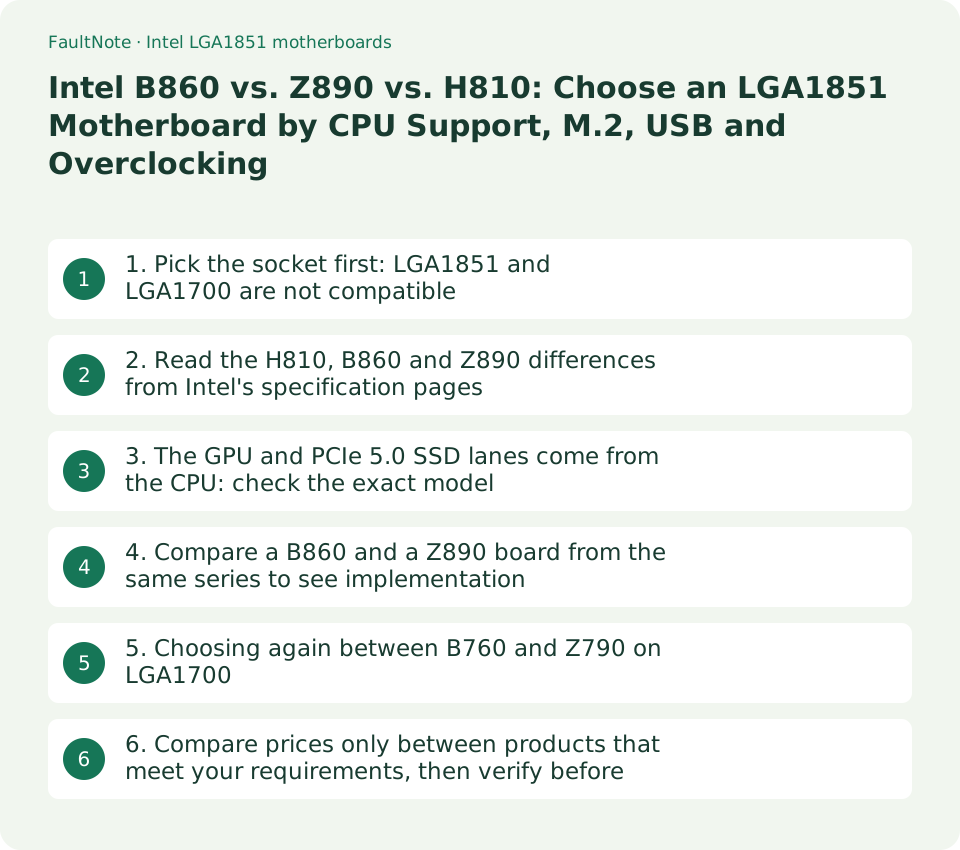
1. Pick the socket first: LGA1851 and LGA1700 are not compatible
Intel states that LGA1851 shares the size of LGA1700 but is not backward compatible, so Core Ultra desktop processors (Series 2) need a motherboard designed for LGA1851. Conversely, 12th to 14th Gen Core processors stay on LGA1700. Comparing chipsets only makes sense after the socket is settled.
For CPU coolers, Intel explains that thermal solutions designed for LGA1700 fit LGA1851 without modification, while advising users to consult the cooler vendor about thermal and power compatibility. If you plan to reuse an existing cooler, confirm the model in the vendor's compatibility list.
Scroll horizontally to see the full table →
| Item | LGA1851 (Core Ultra 200S) | LGA1700 (12th to 14th Gen) |
|---|---|---|
| Chipsets | Intel 800 series such as H810, B860 and Z890 | 600 and 700 series such as B660, B760, Z690 and Z790 |
| Memory | DDR5 only (for example Core Ultra 7 265K: up to DDR5-6400) | DDR5 or DDR4 depending on the board (for example Core i5-14400F: up to DDR5-4800 or DDR4-3200) |
| CPU PCIe lanes | Up to 24 (configurations such as 1x16+2x4) | Up to 20 (1x16+4) |
| Cooler mounting | LGA1700 coolers fit without modification (per Intel); thermal fit must be confirmed | LGA1700 coolers |
- Open the CPU's ARK page and read Sockets Supported: FCLGA1851 or FCLGA1700.
- If you are reusing DDR4 memory, only LGA1700 products with DDR4 support remain candidates. LGA1851 boards are DDR5 only.
- Check the cooler vendor's compatibility list for an explicit LGA1851 entry before deciding to reuse it.
2. Read the H810, B860 and Z890 differences from Intel's specification pages
The table below was transcribed from Intel ARK chipset pages on September 13, 2026. These are the maximums a chipset can supply; the ports that reach the board are fewer and depend on each product. Intel's pages list integrated Wi-Fi 6E AX211 support, but the wireless module actually fitted is chosen by the board maker, and some boards ship with Wi-Fi 7.
CPU overclocking (IA and BCLK) appears only in the Z890 specification. B860 lists memory overclocking support, while H810 lists no memory overclocking and allows one DIMM per channel, so at most two memory slots.
Scroll horizontally to see the full table →
| Intel ARK item | H810 | B860 | Z890 |
|---|---|---|---|
| Launch | Q1 2025 | Q1 2025 | Q4 2024 |
| Chipset PCIe | 4.0, up to 8 lanes | 4.0, up to 14 lanes | 4.0, up to 24 lanes |
| Link to CPU (DMI 4.0) | 4 lanes | 4 lanes | 8 lanes |
| SATA 6Gb/s | Up to 4 | Up to 4 | Up to 8 |
| USB 3.2 (limits at 20Gbps / 10Gbps / 5Gbps) | 4 total (0 / 2 / 4) | 6 total (2 / 4 / 6) | 10 total (5 / 10 / 10) |
| USB 2.0 | 10 | 12 | 14 |
| Overclocking | No memory overclocking | Memory overclocking (no CPU overclocking listed) | IA, BCLK and memory |
| Memory modules | 1 DIMM per channel | 2 DIMMs per channel | 2 DIMMs per channel |
- Estimate whether your M.2 SSDs, SATA drives and expansion cards fit within the chipset's lane count and SATA limit.
- If you need 20Gbps USB or many 10Gbps ports, check that the B860 ceiling (at most two 20Gbps ports) is enough.
- If you plan to run memory above its default speed with XMP, drop H810 from the candidates.
3. The GPU and PCIe 5.0 SSD lanes come from the CPU: check the exact model
The PCIe 5.0 x16 graphics slot and the PCIe 5.0 x4 M.2 slot are fed by CPU lanes, not by the chipset. Core Ultra 200S provides up to 24 lanes (for example 1x16+2x4), so a board can offer a x16 GPU slot plus two CPU-attached x4 links. 14th Gen provides up to 20 lanes (1x16+4), which allows one CPU-attached M.2. Which M.2 slot is CPU-attached is stated in each product's specification.
Thunderbolt 4 and integrated graphics depend on the CPU model. ARK lists Thunderbolt 4 support and integrated graphics (DP 2.1 UHBR20 and HDMI 2.1) for the Core Ultra 7 265K, while the Core Ultra 5 225F has no Thunderbolt 4 support and no integrated graphics. Whether a Thunderbolt 4 port appears on the rear panel is still decided by the motherboard product.
Scroll horizontally to see the full table →
| Intel ARK item | Core Ultra 7 265K | Core Ultra 5 225F | Core i5-14400F |
|---|---|---|---|
| Socket | FCLGA1851 | FCLGA1851 | FCLGA1700 |
| Memory | Up to DDR5-6400 | Up to DDR5-6400 | Up to DDR5-4800 or DDR4-3200 |
| PCIe lanes (configurations) | 24 (1x16+2x4, 2x8+2x4, 1x8+4x4) | 24 (same as left) | 20 (1x16+4, 2x8+4) |
| Thunderbolt 4 | Yes | No | Not listed |
| Integrated graphics | Yes (DP 2.1 UHBR20, HDMI 2.1) | None | None |
| Processor Base Power / Maximum Turbo Power | 125 W / 250 W | 65 W / 121 W | 65 W / 148 W |
- On the CPU's ARK page, read Max # of PCI Express Lanes and PCI Express Configurations to see how many CPU-attached M.2 slots are possible.
- If you intend to use integrated graphics for display output, avoid models ending in F. If a discrete GPU is guaranteed, F models are fine.
- If you need Thunderbolt 4, confirm both the CPU's support and the presence of a rear-panel port on the board (some boards provide only a header).
4. Compare a B860 and a Z890 board from the same series to see implementation differences
Chipset limits do not translate directly into ports. On two ASUS TUF GAMING boards checked on September 13, 2026, the number of M.2 slots, the rear Thunderbolt 4 port, the number of PCIe x1 slots and the memory overclocking figure differ, while both have four SATA ports. The B860 board provides Thunderbolt (USB4) as a header, so using it as a rear port requires a compatible add-in card.
Scroll horizontally to see the full table →
| Specification item (ASUS official page) | TUF GAMING B860-PLUS WIFI | TUF GAMING Z890-PLUS WIFI |
|---|---|---|
| Memory | 4 DDR5 slots, up to 256GB, 8666+ MT/s (OC) | 4 DDR5 slots, up to 256GB, 9066+ MT/s (OC) |
| Expansion slots | PCIe 5.0 x16, PCIe 4.0 x16 (x4 mode), PCIe 4.0 x1 | PCIe 5.0 x16, PCIe 4.0 x16 (x4 mode), PCIe 4.0 x4, 2 x PCIe 4.0 x1 |
| M.2 | 3 slots (PCIe 5.0 x4, 2 x PCIe 4.0 x4) | 4 slots (PCIe 5.0 x4, 2 x PCIe 4.0 x4, PCIe 4.0 x4 and SATA modes) |
| SATA 6Gb/s | 4 | 4 |
| Wired and wireless | Realtek 2.5Gb, Wi-Fi 7, Bluetooth 5.4 | Intel 2.5Gb, Wi-Fi 7, Bluetooth 5.4 |
| Rear USB | 1 x 20Gbps Type-C, 2 x 10Gbps, 3 x 5Gbps, 2 x USB 2.0 | 1 x Thunderbolt 4 Type-C, 1 x 20Gbps, 3 x 10Gbps, 3 x 5Gbps |
| Thunderbolt 4 | Header only (Thunderbolt / USB4 header) | One rear-panel port |
- Match the number and generation of M.2 slots you need against the product's Storage section one slot at a time. A fourth slot that also supports SATA mode may be shared with SATA ports.
- Count the rear USB breakdown (20Gbps, 10Gbps, 5Gbps and Type-C) and compare it with the devices you keep connected.
- Read the bandwidth-sharing footnotes in the manual to learn which slots or SATA ports become unavailable when all M.2 slots are populated.
5. Choosing again between B760 and Z790 on LGA1700
If you keep a 12th to 14th Gen CPU or DDR4 memory, the comparison is B760 versus Z790. In Intel's tables the B760-to-Z790 gap is likewise in chipset PCIe lanes, DMI lanes, SATA and USB limits and CPU overclocking support. The USB and SATA ceilings of B760 and B860, and of Z790 and Z890, line up the same way; what changes is the CPU side: socket, memory and lane count.
LGA1700 boards are sold as separate DDR4 and DDR5 products. Some share a model name that differs only by a D4 suffix, so confirm the memory type down to the full product name.
Scroll horizontally to see the full table →
| Intel ARK item | B760 | Z790 |
|---|---|---|
| Launch | Q1 2023 | Q4 2022 |
| Chipset PCIe | 3.0 / 4.0, up to 14 lanes | 3.0 / 4.0, up to 28 lanes |
| Link to CPU (DMI 4.0) | 4 lanes | 8 lanes |
| SATA 6Gb/s | Up to 4 | Up to 8 |
| USB 3.2 (limits at 20Gbps / 10Gbps / 5Gbps) | 6 total (2 / 4 / 6) | 10 total (5 / 10 / 10) |
| Overclocking | Memory overclocking | IA, BCLK and memory |
- Confirm the CPU you are keeping appears in the candidate board's CPU support list and that the required BIOS version ships preinstalled or can be applied.
- If reusing DDR4, choose a product marked for DDR4 (for example a D4 suffix) and do not confuse it with the DDR5 version.
- If you will not overclock the CPU, use at most four SATA drives and at most two 20Gbps USB ports, compare B760 as a sufficient configuration.
6. Compare prices only between products that meet your requirements, then verify before ordering
No uniform ranking follows from the chipset name. If you do not overclock the CPU and your SATA and 20Gbps USB counts fit within the limits, B860 and Z890 products can be compared under the same requirements. This guide includes no retail price survey and no benchmark-based performance ranking; check prices at retailers on the same day.
Scroll horizontally to see the full table →
| Requirement | How to narrow the candidates |
|---|---|
| Two memory slots and a minimal configuration are enough | Include H810 products. Confirm you can accept no memory overclocking and the 8-lane chipset ceiling. |
| One GPU, two or three M.2 SSDs, no CPU overclocking | Start from B860 products and pick by M.2 count and rear USB breakdown. |
| CPU overclocking, five or more SATA drives, three or more 20Gbps USB ports, rear Thunderbolt 4 | Start from Z890 products and confirm each required port is on the rear panel in the individual specification. |
| Keeping a 12th to 14th Gen CPU or DDR4 | Check DDR4 versions of B760 / Z790 boards together with the CPU support list and BIOS version. |
- Narrow the candidates with the table below, then compare same-day prices including tax, Wi-Fi availability and any add-in cards you would need (for example Thunderbolt).
- Before ordering, save the CPU support list, required BIOS version, M.2 sharing conditions, rear ports, case form factor and warranty in your build sheet.
Limitations and requirements
- The chipset table shows Intel ARK maximums; boards implement fewer ports. Always confirm the product's specification page and manual.
- The two ASUS boards are examples of implementation differences. They do not describe other products with the same chipset.
- Memory overclocking figures such as 8666+ do not guarantee operation. Check CPU and module-count conditions in the vendor's support list.
Frequently asked questions
Can I overclock the CPU on B860?
Intel's B860 page lists memory overclocking support, and CPU (IA and BCLK) overclocking is listed only for Z890. If CPU overclocking is a requirement, shortlist Z890 products.
Does Core Ultra 200S let me run two PCIe 5.0 SSDs directly from the CPU?
The CPU offers up to 24 lanes (1x16+2x4), but whether the second x4 link is PCIe 5.0 or 4.0 and which M.2 slot receives it is decided by the board. Both ASUS boards compared here have one PCIe 5.0 x4 M.2 slot.
Can I install a 14th Gen CPU on an LGA1851 motherboard?
No. Intel states that LGA1851 is not backward compatible with LGA1700. 12th to 14th Gen processors use LGA1700 boards from the 600 and 700 series.
Sources and verification date
Sources checked: . These sources support the specifications, procedures or prices discussed here. Check each source for applicable conditions and current information.
- Intel ARK: H810 chipset specifications ↗
- Intel ARK: B860 chipset specifications ↗
- Intel ARK: Z890 chipset specifications ↗
- Intel ARK: B760 chipset specifications ↗
- Intel ARK: Z790 chipset specifications ↗
- Intel ARK: Core Ultra 7 processor 265K ↗
- Intel ARK: Core Ultra 5 processor 225F ↗
- Intel ARK: Core i5 processor 14400F ↗
- Intel support: LGA1851 and LGA1700 socket incompatibility ↗
- Intel support: LGA1700 cooling solutions on LGA1851 ↗
- ASUS TUF GAMING B860-PLUS WIFI specifications ↗
- ASUS TUF GAMING Z890-PLUS WIFI specifications ↗
- ASUS CPU and memory support-list lookup ↗
Related practical guides
- CPU value in Japan, September 2026: five gaming candidates ranked
- B650 vs. B850 vs. X870: Check USB4, M.2 Sharing and CPU Support
- DDR4 vs. DDR5: Choose for a New Build, Reused RAM and Upgrade Cost
- M.2 SSD heatsinks: clearance, warranty terms and the PS5 requirement decide bundled or bare
- Onboard audio or a USB DAC/headphone amp: work out the voltage your headphones actually need
- How to read a CPU model name: Core Ultra and Core suffixes, and why the same model performs differently