SSD Endurance (TBW) and Warranty: Compare Write Limits of Popular NVMe SSDs by Capacity and Check Wear in Windows
An SSD's TBW (terabytes written) is the total amount of writing the maker covers under warranty. For all five drives checked here, the warranty ends after 5 years or at TBW (for Kingston, a tool-reported usage of 100), whichever comes first. At the same 1TB capacity, the Samsung, WD and Crucial drives are rated for 600TB while Kingston NV3 is rated for 320TB, close to half. Before comparing speed or price, work out how much you write and convert TBW into how many GB per day you could write on average during the warranty period.
Published · Updated · FaultNote editorial policy
Who this guide is for and what to prepare
- People about to buy an NVMe SSD who want to see, from official figures, how much endurance actually differs between a cheaper and a more expensive model of the same capacity
- People using an SSD for heavy writes, such as a video editing work drive or a large game library, who want to choose capacity and model and check how worn their current SSD is
What you need
- The exact model and capacity of each candidate SSD (check the TBW and warranty fields in the maker's datasheet or product page)
- For a drive you already use: a Windows PC where you can open PowerShell (to check the wear indicator) and a document showing the purchase date
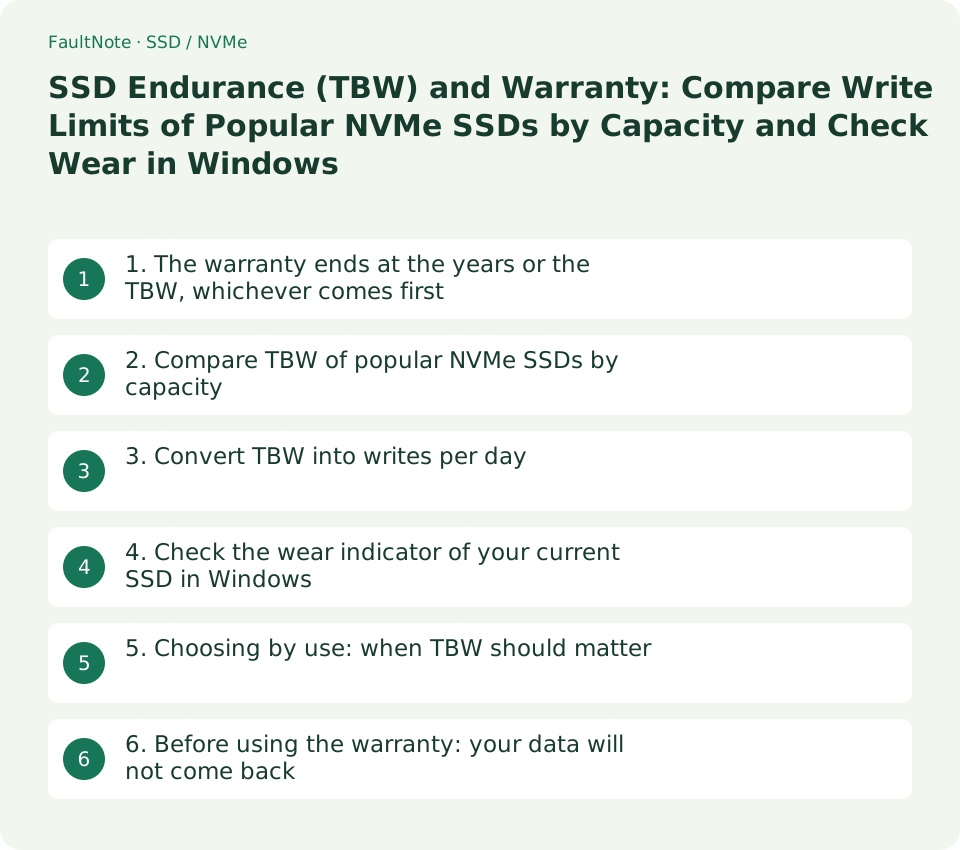
1. The warranty ends at the years or the TBW, whichever comes first
SSD boxes and product pages highlight a warranty such as "5 years", but many drives also stop being covered once they reach their total write limit (TBW). The Samsung 990 PRO and 990 EVO Plus datasheets note that the warranty covers the stated period or the TBW, whichever comes first. WD's SN850X says "5 years or Max Endurance (TBW) limit, whichever occurs first", and Crucial's T500 says five years from purchase or before writing the maximum TBW as measured in the product's SMART data, whichever comes first.
Kingston expresses the limit differently. The NV3 datasheet bases the warranty on 5 years or "Percentage Used", which can be read in Kingston SSD Manager. For NVMe SSDs a new drive shows 0 and a drive that reaches its warranty limit shows 100 or more. Kingston's warranty page also lists NV3 under its 5-year conditional SSD warranty.
WD and Kingston say their TBW figures are derived from the JEDEC client workload (JESD219), and Samsung says its endurance results comply with JESD218. TBW does not mean a drive is guaranteed to survive, or will fail, at that amount of writing in your own use; treat it as the warranty limit.
Scroll horizontally to see the full table →
| Maker | When the warranty ends (official wording) | How write usage is measured, according to the documents |
|---|---|---|
| Samsung (990 PRO / 990 EVO Plus) | Stated period or TBW, whichever comes first | US warranty statement: when the SSD exceeds its TBW threshold as indicated by Samsung Magician software |
| WD (WD_BLACK SN850X) | 5 years or Max Endurance (TBW) limit, whichever occurs first | Not stated in the datasheet (region-specific details on the support site) |
| Crucial (T500) | 5 years from purchase or the datasheet TBW, whichever comes first | Measured in the product's SMART data |
| Kingston (NV3) | 5 years, or Percentage Used of 100 or more | Percentage Used in Kingston SSD Manager (0 when new) |
- Note both the warranty years and the TBW (or usage condition) from each candidate's datasheet.
- Check whether the TBW note includes a condition such as "whichever comes first".
- Check whether a separate warranty policy applies in the country or region where you buy. WD directs readers to its support site for region-specific warranty details.
2. Compare TBW of popular NVMe SSDs by capacity
On 13 September 2026, TBW figures for five drives were taken from datasheets and product documents published by their makers. The sample is widely sold PCIe 4.0 NVMe SSDs whose makers publish TBW for each capacity. It is not a sales or price ranking; the drives were chosen because their documents can be compared.
In this sample, doubling capacity within the same product doubles the TBW. Comparing "TBW per 1TB of capacity" (TBW ÷ capacity) therefore shows the difference between products. The Samsung, WD and Crucial drives are rated 600TB per 1TB, and Kingston NV3 is rated 320TB per 1TB. For the Crucial T500 4TB (CT4000T500SSD3), the row alignment in the product document's table could not be confirmed, so the figure was taken from the specifications on Crucial's product page (SSD Endurance (TBW): 2400TB).
Document versions checked: 990 PRO datasheet Rev.2.0, 990 EVO Plus Rev.1.0, SN850X datasheet dated July 2025, and NV3 datasheet MKD-06162025. All five drives have a 5-year warranty. For capacities not in the table, the SN850X 8TB is rated 4,800TB, the T500 500GB 300TB and the NV3 500GB 160TB.
Scroll horizontally to see the full table →
| Drive | 1TB | 2TB | 4TB | TBW per 1TB of capacity |
|---|---|---|---|---|
| Samsung 990 PRO | 600TB | 1,200TB | 2,400TB | 600TB |
| Samsung 990 EVO Plus | 600TB | 1,200TB | 2,400TB | 600TB |
| WD_BLACK SN850X | 600TB | 1,200TB | 2,400TB | 600TB |
| Crucial T500 | 600TB | 1,200TB | 2,400TB | 600TB |
| Kingston NV3 | 320TB | 640TB | 1,280TB | 320TB |
- Check the 1TB, 2TB and 4TB TBW of each candidate in the maker's datasheet.
- Divide TBW by capacity (TB) to get TBW per 1TB.
- When comparing prices, record the price seen at the same retailer on the same day next to this per-1TB figure.
3. Convert TBW into writes per day
A TBW figure alone does not show whether it suits your use, so convert it into how many GB per day you would need to write, every day for the 5-year warranty period, to reach the TBW. The formula is TBW (TB) × 1,000 ÷ (5 × 365 days) = GB per day. The Samsung, WD and Crucial documents state capacity in decimal units (1GB = one billion bytes), so 1TB is treated as 1,000GB.
For example, a 1TB NV3 (320TB) reaches its TBW at about 175GB per day for 5 years, and a 1TB 990 PRO, SN850X or T500 (600TB) at about 329GB per day. These averages make the warranty limit easier to read; they do not predict how long an SSD will last.
Scroll horizontally to see the full table →
| TBW | Examples (table in section 2) | Daily writes when divided over 5 years |
|---|---|---|
| 320TB | Kingston NV3 1TB | About 175GB per day |
| 600TB | 990 PRO / 990 EVO Plus / SN850X / T500 1TB | About 329GB per day |
| 640TB | Kingston NV3 2TB | About 351GB per day |
| 1,200TB | 990 PRO / 990 EVO Plus / SN850X / T500 2TB | About 658GB per day |
| 1,280TB | Kingston NV3 4TB | About 701GB per day |
| 2,400TB | 990 PRO / 990 EVO Plus / SN850X / T500 4TB | About 1,315GB per day |
- Put each candidate's TBW into the formula above to get GB per day.
- If you know how much your current SSD writes, express it in the same unit (GB per day) and compare.
- If the calculated figure is close to your own writes, move up one capacity or choose a product with higher TBW per 1TB.
4. Check the wear indicator of your current SSD in Windows
In Windows PowerShell, Get-StorageReliabilityCounter reads the reliability values a drive reports. Microsoft describes Wear as the storage device wear indicator in percent, where 100 percent means the estimated wear limit has been reached. PowerOnHours is the number of hours the device has been powered on since it was manufactured.
Wear is a whole-number percentage, so it may not change over a few days or weeks. Microsoft's own example output also shows Wear as blank, so not every drive provides a value. If it is blank, or if you want the total amount written, use the maker's tool named in the warranty documents, such as Samsung Magician or Kingston SSD Manager.
Get-PhysicalDisk | Select-Object DeviceId, FriendlyName, MediaType, Size
Get-PhysicalDisk | Get-StorageReliabilityCounter | Select-Object DeviceId, Wear, PowerOnHours, Temperature- Open PowerShell and run the first line below to list drives (DeviceId, model and size), then note the DeviceId of the SSD you want to check.
- Run the second line to show Wear, PowerOnHours and Temperature for each DeviceId.
- Write down the Wear value and the date, and run the same command a few months later to compare. If the value is blank, check usage or total writes in the maker's tool.
5. Choosing by use: when TBW should matter
TBW is a separate axis from speed and price. With light writing, the warranty on any of these drives is likely to end at 5 years before TBW, so TBW differences are unlikely to decide the choice. With heavy writing, compare your own daily writes with the per-day figures in section 3 and leave headroom through capacity or model.
Scroll horizontally to see the full table →
| Use | What to check | How to choose |
|---|---|---|
| Deciding between 1TB and 2TB of the same product | TBW for each capacity (proportional to capacity for the five drives here) | A larger capacity increases both storage space and TBW. If you write a lot, adding headroom through capacity is a simple choice. |
| Video editing work drive, or repeatedly extracting and exporting large files | How fast Wear rises on your current SSD, or total writes in the maker's tool | Avoid drives whose per-day figure in section 3 is close to your own daily writes; choose higher TBW per 1TB or a larger capacity. |
| Comparing a budget model with a higher-end model | TBW per 1TB and warranty years | Kingston NV3 has a 5-year warranty and about half the TBW of the other four drives here. Decide separately whether price matters more for light use or the write limit matters more. |
| Using a second-hand or handed-down SSD | Who the warranty covers, and the current Wear or usage value | Samsung's US warranty statement covers the purchaser of a product in original sealed packaging from authorized resellers and is not transferable. Do not rely on the warranty; check the current wear value before use. |
- Decide which row in the table below is closest to how you use the drive.
- Check the "What to check" column against candidate datasheets and your current SSD's values.
- Keep only candidates that meet the conditions, then compare prices seen on the same day.
6. Before using the warranty: your data will not come back
A warranty replacement does not return your data. Samsung's US warranty statement excludes data recovery costs from coverage and says you should always back up important data. It also says replacements may be refurbished products and that, without valid proof of purchase, the warranty period is determined by the date of manufacture.
An SSD near its TBW or usage limit is also close to losing warranty coverage. The heavier the writes on a drive, the more useful it is to back it up to another drive or the cloud and record its Wear value regularly, which also makes it easier to decide when to replace it.
- Keep the receipt or order history that shows the purchase date.
- Back up important data on the SSD to another drive or the cloud.
- Before making a warranty claim, check with the maker's support in the region where you bought the drive what information is needed (model, serial number, tool values and so on).
Limitations and requirements
- TBW and warranty terms were checked in public documents from Samsung, WD (Sandisk), Crucial (Micron), Kingston and Microsoft on 13 September 2026. Warranty policies can differ by country, region and time of sale, so check the policy for the region where you buy before purchasing.
- This article is not based on hands-on write testing. Daily write figures are official TBW divided over 5 years and do not indicate SSD lifespan or when a drive will fail.
- The Crucial T500 product flyer is an edition that includes a promotion for purchases through 31 December 2024. The 4TB row alignment could not be confirmed from its extracted text. The 4TB value in the table was checked on 13 September 2026 in the specifications on Crucial's US product page (CT4000T500SSD3).
- No prices are listed. When comparing prices, use prices seen at the same retailer on the same day.
Frequently asked questions
Does an SSD fail when it reaches its TBW?
TBW is the total write amount the maker covers under warranty; it does not mean the drive fails at that point. For the drives checked here, the warranty ends at 5 years or TBW, whichever comes first. A drive near the limit is close to losing coverage, so back it up and use the figure as a signal to consider replacement.
How much does TBW differ between 1TB NVMe SSDs?
In the official documents checked here, the 1TB Samsung 990 PRO / 990 EVO Plus, WD_BLACK SN850X and Crucial T500 are rated 600TB and the 1TB Kingston NV3 is rated 320TB. Divided over 5 years, that is about 329GB and about 175GB per day.
Wear is blank in Windows. Is the drive faulty?
A blank value alone does not indicate a fault. Microsoft's own example output shows Wear as blank, and some drives do not provide the value. Check usage or total writes in the maker's tool, such as Samsung Magician or Kingston SSD Manager.
Does TBW matter for a gaming SSD?
If the drive mainly installs and updates games and your daily writes are well below the figures in section 3, the warranty is likely to end at 5 years before TBW. Check your own writes through how Wear rises or in the maker's tool before deciding.
Sources and verification date
Sources checked: . These sources support the specifications, procedures or prices discussed here. Check each source for applicable conditions and current information.
- Samsung: 990 PRO datasheet Rev.2.0 (PDF) ↗
- Samsung: 990 EVO Plus datasheet Rev.1.0 (PDF) ↗
- Samsung: SSD Limited Warranty (US, PDF) ↗
- WD (Sandisk): WD_BLACK SN850X datasheet (July 2025, PDF) ↗
- Crucial (Micron): T500 product flyer (PDF) ↗
- Crucial: T500 4TB product page (CT4000T500SSD3, US) ↗
- Kingston: NV3 datasheet (MKD-06162025, PDF) ↗
- Kingston: Warranty (conditional SSD warranty and Percentage Used) ↗
- Microsoft Learn: Get-StorageReliabilityCounter ↗
- Microsoft Learn: MSFT_StorageReliabilityCounter class ↗
Related practical guides
- PCIe 4.0 or 5.0 SSD for gaming? Check load times, capacity and slot sharing
- M.2 SSD heatsinks: clearance, warranty terms and the PS5 requirement decide bundled or bare
- Windows 11 runs but the feature is missing: checking the per-feature requirements before you buy
- M.2, NVMe and SATA SSDs: check compatibility before upgrading
- Choosing an M.2 SSD enclosure: USB 10Gbps vs 20Gbps vs USB4 (40Gbps) vs Thunderbolt, and checking your PC's port
- OLED monitor burn-in warranty and care: how to check warranty length and burn-in coverage before you buy