Windows 11 runs but the feature is missing: checking the per-feature requirements before you buy
Windows 11 does not have one set of requirements. Microsoft's specifications page carries the minimum system requirements for installing it, then a separate section introduced with the sentence "Some Windows 11 features have increased requirements beyond those listed above in the minimum requirements section", and then a list of deprecated features below that. Running Windows 11 therefore does not mean every feature is available: each one can add a hardware, edition or OS-version condition of its own. This guide tabulates the per-feature requirements that matter when choosing a machine, quoting the page's own wording, and sorts them into requirements you can add later and requirements only a different machine can satisfy. It does not cover ways to force a feature on when the requirement is not met.
Published · Updated · FaultNote editorial policy
Who this guide is for and what to prepare
- Readers whose PC meets the Windows 11 minimum requirements but who cannot find the feature they wanted
- Readers who want to judge from a spec sheet, before buying, whether a machine supports a particular feature
- Readers untangling features such as DirectStorage or Wi-Fi 7 that place conditions on both the PC and something else
What you need
- Write down the exact name of the feature as Microsoft or the maker spells it
- If you already own the machine, run winver and note the Windows version (some features are version-gated)
- If you are still choosing, open the candidate spec sheets at the fields for storage type, screen resolution, microphone and camera, and the wireless adapter model
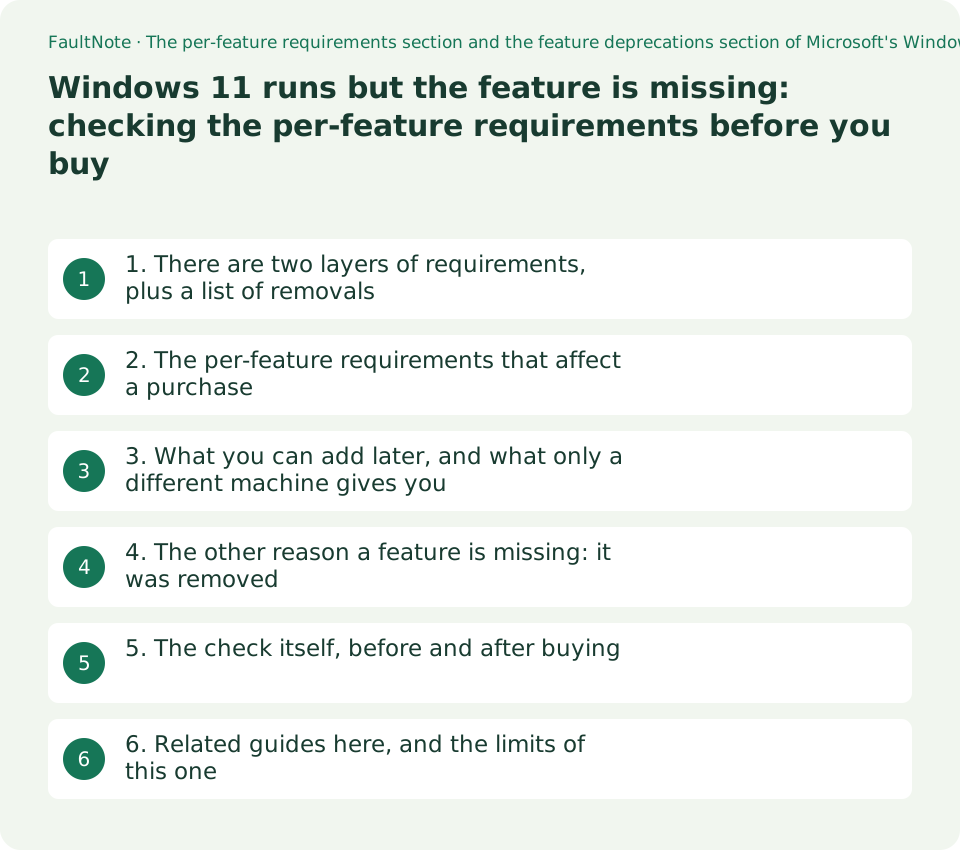
1. There are two layers of requirements, plus a list of removals
Microsoft's specifications page puts the minimum system requirements first: processor, 4 GB of memory, 64 GB or larger storage, UEFI with Secure Boot, TPM 2.0, a DirectX 12 capable graphics card, and a 720p display of 9 inches or larger. Below that sits a different section, which opens with the sentence "Some Windows 11 features have increased requirements beyond those listed above in the minimum requirements section." (read 2026-09-20).
That sentence is the answer to the reader's question. Passing the PC Health Check and booting Windows 11 do not guarantee that any individual feature is available. Each one may add a hardware condition (a sensor, an NVMe drive, a microphone, a screen width), an edition condition (Pro or above), or an OS-version condition (version 24H2 or later).
Below that again is a feature deprecations section. "I cannot find the feature" therefore has two possible causes: an unmet requirement, or a feature that Windows 11 removed or changed. This guide covers both.
Scroll horizontally to see the full table →
| Layer | What it lists | What happens if you do not meet it |
|---|---|---|
| Minimum system requirements | What is needed to install Windows 11 at all (TPM 2.0, Secure Boot and so on) | You cannot install it |
| Per-feature requirements | Features whose requirements go beyond the minimum ones | Windows runs, but the feature's option does not appear or cannot be selected |
| Feature deprecations | Features removed or changed in Windows 11 | Not a requirements problem at all: the feature is simply gone |
2. The per-feature requirements that affect a purchase
The table below selects, from the per-feature section of Microsoft's page, the entries that bear on choosing a machine, quoting the wording as published. It is not the full list. Check the source page for every entry.
The thing to watch while reading is which kind of condition each row imposes: hardware, edition, OS version, or something at the other end of the link. Client Hyper-V, for instance, carries both a hardware condition (a SLAT-capable processor) and an edition condition (Pro or above). Buying Pro does not make the processor condition go away.
The Wi-Fi 7 row is the clearest example of conditions splitting three ways. The OS version, the adapter and driver in the PC, and the router or access point at the other end all have to line up before the full feature set is available.
Scroll horizontally to see the full table →
| Feature | Microsoft's wording | Kind of condition | Where to look on the spec sheet |
|---|---|---|---|
| DirectStorage | This feature requires an NVMe SSD to store and run games that use the Standard NVM Express Controller driver and a DirectX12 GPU with Shader Model 6.0 support. | Hardware (storage and GPU) | Whether the storage is NVMe or SATA, and the GPU generation. The game must support it too |
| Client Hyper-V | This feature requires a processor with second level address translation (SLAT) capabilities (available in Windows Pro and above editions). | Hardware plus edition | The CPU's virtualisation capability, and which edition you buy |
| Snap (three-column layouts) | Three-column layouts require a screen that is 1920 effective pixels or greater in width. | Hardware (display) | Screen resolution. Effective pixels also depend on the display scaling setting |
| Auto HDR | This feature requires an HDR monitor. | External device | Not visible on the PC's spec sheet at all. It is the monitor's specification |
| BitLocker to Go | This feature requires a USB flash drive (available in Windows Pro and above editions). | Edition plus external device | Which edition you buy |
| Presence | This feature requires an on-device sensor that can detect human distance from device or intent to interact with device. | Hardware (built in) | Whether the machine has the sensor. It cannot be added later |
| Wake on Voice | This feature requires a Modern Standby power model and microphone. | Hardware (chassis design) | The power model is fixed by the machine's design |
| Projection | This feature requires a display adapter which supports Windows Display Driver Model (WDDM) 2.0 and a Wi-Fi adapter that supports Wi-Fi Direct. | Hardware (GPU and wireless) | The GPU driver model and the wireless adapter specification |
| Wi-Fi 7 | Windows 11 version 24H2 or later is required with a Wi-Fi 7 capable network adapter and compatible drivers. Full functionality (Multi-Link Operation, 320 MHz channels, and WPA3 security) requires a Wi-Fi 7 router or access point. | OS version plus hardware plus the other end | The version shown by winver, the wireless adapter model, and router support |
| Windows Studio Effects | The automatic framing, background blur (standard and portrait), eye contact: standard, and voice focus features in Windows Studio Effects will run on a Windows 11 device that includes a processor or SoC that incorporates neural processing units (NPUs) with 10+ trillion operations per second (TOPS). Additional Windows Studio Effects are only available on Snapdragon X Series-powered Copilot+ PCs. Windows Studio Effects require a device with a built-in camera. | Hardware (NPU and camera) | The NPU's TOPS figure and whether a camera is built in |
| Touch | This feature requires a screen or monitor that supports multi-touch. | Hardware (display) | The touch support field of the display specification |
| 5G support | This feature requires 5G capable modem where available. | Hardware (built in) plus region | Whether a WWAN modem is fitted. It cannot be added later |
3. What you can add later, and what only a different machine gives you
The grouping below is this guide's editorial arrangement. Microsoft's document does not sort the requirements into these four classes. Each row is nonetheless grounded in the wording quoted above, and the grouping is what tells a reader whether anything can still be done about it.
The third row is the one that matters most in practice. Requirements that name an on-device component - a presence sensor, a 5G modem, a Modern Standby power model - cannot be satisfied after purchase. If one of those features is the point, the spec sheet has to be read while choosing the machine.
Conversely, requirements met by an external device - a microphone, a USB flash drive, an HDR monitor - can be satisfied later by buying an accessory. Knowing which group a feature falls into changes how much time is worth spending on machine selection.
Scroll horizontally to see the full table →
| Group | Example requirements | What you can do after buying |
|---|---|---|
| Addable externally | A microphone (Voice Typing), a USB flash drive (BitLocker to Go), an HDR monitor (Auto HDR), a multi-touch monitor (Touch) | Buy the accessory and the requirement is met |
| An edition question | Client Hyper-V and BitLocker to Go, both listed as available in Pro and above | An edition upgrade can resolve it, but any hardware condition remains separately |
| Built in, cannot be added | Presence (on-device sensor), 5G support (built-in modem), Wake on Voice (Modern Standby power model), Windows Studio Effects (NPU and built-in camera) | Nothing. It becomes a machine-selection question |
| OS version or the other end of the link | Wi-Fi 7 (version 24H2 or later, plus a Wi-Fi 7 router or access point) | A Windows update, and replacing the router, can resolve it |
4. The other reason a feature is missing: it was removed
Below the per-feature requirements sits a feature deprecations section, which states that "When upgrading to Windows 11 from Windows 10 or when installing an update to Windows 11, some features may be deprecated or removed." (read 2026-09-20). These are cases where the requirement is beside the point because the feature no longer exists.
The table below picks the entries a reader is most likely to go looking for. That the taskbar can only sit at the bottom, that Live Tiles are gone, that Tablet Mode was removed - none of these will turn up by hunting through Settings.
The same section points to Microsoft's "Deprecated features in the Windows client" document as the complete list. If the feature you want is not named in either place, that is where to look next.
Scroll horizontally to see the full table →
| Feature | What Microsoft states | What the reader experiences |
|---|---|---|
| Tablet Mode | This feature is removed and new functionality and capability is included for keyboard attach and detach postures. | Searching Settings for a Tablet Mode toggle finds nothing |
| Start (Live Tiles) | Live Tiles are no longer available. For glanceable, dynamic content, see the new Widgets feature. | The Windows 10 Start layout cannot be recreated |
| Taskbar | Alignment to the bottom of the screen is the only location allowed. Apps can no longer customize areas of the Taskbar. | The taskbar cannot be moved to the top or the side |
| Mail, Calendar, and People | Support for Windows Mail, Calendar, and People ended on December 31, 2024. Stored items remain exportable by the documented steps. | The old mail app cannot be relied on |
| Timeline | This feature is removed. Some similar functionality is available in Microsoft Edge. | Browsing back through past activity does not work the same way |
5. The check itself, before and after buying
Before buying, three steps. Search the per-feature section of the specifications page for the feature's name. Work out whether the condition in that row is hardware, edition, OS version or the device at the other end. Then open the candidate's spec sheet at the matching field: storage type (NVMe or SATA), screen resolution, microphone and camera, wireless adapter model.
After buying, start with winver to confirm the Windows version, because some features are version-gated. Then open msinfo32 for the edition, the processor and the BIOS mode. Individual devices are confirmed in Device Manager.
If all three checks pass and the feature is still absent, you have a machine that meets the requirement and still does not show it. That is the point to move to a specific troubleshooting article - this site has one on the Hyper-V option not appearing. Registry edits and other ways to force a feature on when the requirement is not met are outside this site's scope.
6. Related guides here, and the limits of this one
If you land on an edition condition, this site's guide to the difference between Windows 11 Home and Pro sets out how far the edition boundary actually goes. If the Auto HDR row sends you to the monitor's specification, the guide to DisplayHDR tiers and monitor choice is the relevant one. Whether a 320 MHz channel is actually usable in Japan is a radio-regulation question, covered in this site's guide to Japan's 6 GHz band.
Features exclusive to Copilot+ PCs are deliberately absent from the table here. The specifications page keeps the Copilot+ requirements in a separate section, and this site has a separate record for them. Anything hinging on a 40 TOPS NPU belongs there.
This guide reflects only what the specifications page said on the observation date. Requirements can change with Windows updates, and no claim is made about how a different version behaves. Nor does it put a number on what DirectStorage does to loading times, because nothing was measured here.
Limitations and requirements
- "Buy Pro and everything works" does not hold. Client Hyper-V and others carry an edition condition and a hardware condition at the same time.
- The three-column Snap requirement is a screen "1920 effective pixels or greater in width". Effective pixels reflect the display scaling setting, so a physically 1920-wide screen can fall short once scaling is raised. That reading is this guide's explanation; Microsoft simply writes "effective pixels".
- DirectStorage requires an NVMe SSD. A SATA-attached SSD does not meet the condition, and the game itself must support the feature as well.
- Ways to force a feature on when the requirement is not met, such as registry edits, are not covered here.
Frequently asked questions
Does DirectStorage work with a SATA SSD?
Microsoft's wording names an NVMe SSD: "an NVMe SSD to store and run games that use the Standard NVM Express Controller driver". A SATA-attached SSD does not satisfy that. A DirectX12 GPU with Shader Model 6.0 support is required as well, and the game has to use the feature.
The three-column Snap layout does not appear. Is something broken?
Check the screen width first. Microsoft lists a screen of "1920 effective pixels or greater in width" as the requirement. Effective pixels reflect display scaling, so a 1920-wide panel can fall below the threshold once the scaling percentage is raised. Lowering the scaling in display settings and checking again is the first thing worth trying.
If I buy a Wi-Fi 7 router, do I get all the Wi-Fi 7 features?
Not by itself, on Microsoft's wording. It takes three things: Windows 11 version 24H2 or later, a Wi-Fi 7 capable network adapter with compatible drivers, and then a Wi-Fi 7 router or access point for full functionality including Multi-Link Operation, 320 MHz channels and WPA3. How much 320 MHz width is actually available in Japan is a separate, regulatory question, covered in this site's guide to Japan's 6 GHz band.
I meet the requirement and the feature still is not there.
Check the feature deprecations section. A feature that Windows 11 removed will not appear however capable the machine is. If it is not named there either, treat it as an individual fault to be isolated; this site has a record on the Hyper-V option failing to appear.
Sources and verification date
Sources checked: . These sources support the specifications, procedures or prices discussed here. Check each source for applicable conditions and current information.
- Microsoft: Windows 11 specifications, features, and computer requirements, Japanese edition (the per-feature requirements section and the feature deprecations section; the Japanese quotations in the Japanese edition of this guide come from here. Read 2026-09-20) ↗
- Microsoft: Windows 11 specifications, features, and computer requirements, English edition (Windows 11 features and system requirements, and Feature deprecations. All English quotations above are from this page. Read 2026-09-20) ↗
Related practical guides
- PCIe 4.0 or 5.0 SSD for gaming? Check load times, capacity and slot sharing
- SSD Endurance (TBW) and Warranty: Compare Write Limits of Popular NVMe SSDs by Capacity and Check Wear in Windows
- Back Up Files with Windows 11 File History and Test a Restore
- Move Files to a New Windows PC with an External Drive
- Copy Large Folders with Robocopy: Preview, Resume and Check Results
- M.2, NVMe and SATA SSDs: check compatibility before upgrading