M.2 SSD heatsinks: clearance, warranty terms and the PS5 requirement decide bundled or bare
Choosing between an SSD with a bundled heatsink and a bare drive under the motherboard's M.2 shield is, in most builds, settled by clearance and warranty terms before cooling ever enters the argument. Samsung's datasheets for the PCIe 5.0 SSD 9100 PRO give the bare model a maximum height of 2.38 mm at 1TB to 4TB and 3.88 mm at 8TB, while the heatsink model is 25 mm wide and up to 8.88 mm tall (11.25 mm at 8TB). The heatsink model's datasheet also states its conditions plainly: the pre-installed heat sink "should not be removed as it can damage the device", "product warranty will be void if a heatsink is removed", do not overtighten it to the motherboard, and check in advance that the host system provides sufficient space. Buying the heatsink model and stripping it so the motherboard shield can be used is therefore against the maker's own warranty terms. This guide sets out those dimensions and terms, the published power figures for the PCIe 4.0 and 5.0 generations, and the cooling structure and size limits the PS5 requires.
Published · Updated · FaultNote editorial policy
Who this guide is for and what to prepare
- People choosing a PCIe 5.0 M.2 SSD who cannot decide between a bundled-heatsink model and a bare one
- People whose motherboard has an M.2 shield and who need to know whether a heatsink SSD will fit or clash with it
- People buying an SSD for the PS5 expansion slot who need to confirm the cooling and size requirements
What you need
- The space around the target M.2 slot: whether the motherboard has its own shield, and the gap to the graphics card or case cover above it
- The dimensions row in the datasheet of the SSD you are considering (length, width, height) and which model numbers are the heatsink variants
- For a PS5, the console's expansion slot requirements: the supported sizes and the height limit including the cooling structure
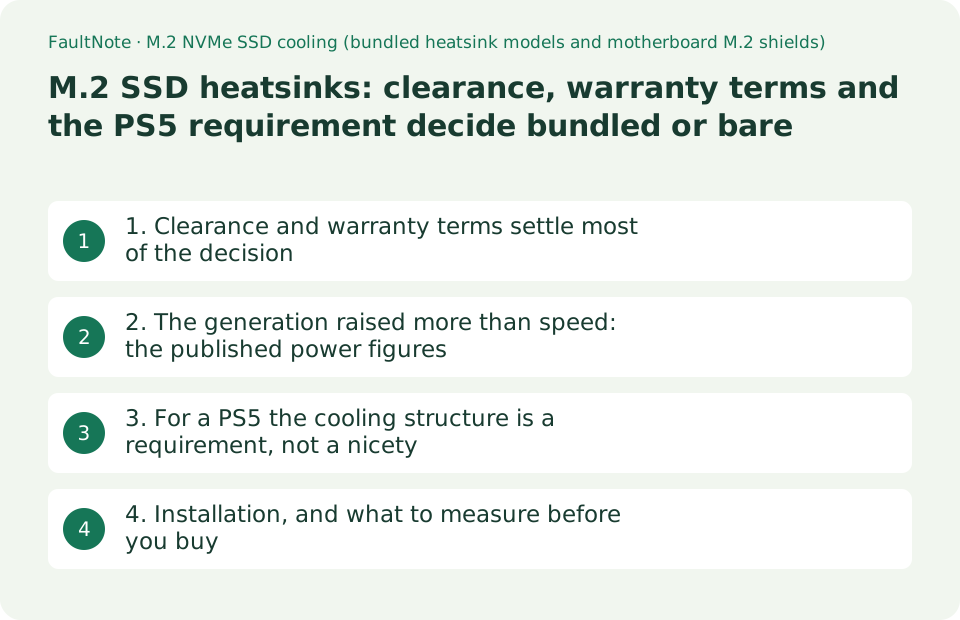
1. Clearance and warranty terms settle most of the decision
Start with the numbers. Samsung's datasheet for the SSD 9100 PRO (PCIe 5.0 x4, NVMe 2.0), Revision 1.0 dated January 2025, gives the bare model's dimensions as a maximum of 80.15 x 22.15 x 2.38 mm at 1TB, 2TB and 4TB, and 80.15 x 22.15 x 3.88 mm at 8TB. The 9100 PRO with Heatsink datasheet (Revision 2.0) gives the same capacities as a maximum of 80.15 x 25 x 8.88 mm, and the 8TB as 80.15 x 25 x 11.25 mm. Height goes from 2.38 mm to 8.88 mm and width from 22.15 mm to 25 mm. That difference is what decides whether the drive clashes with a motherboard shield or a graphics card.
The warranty terms sit in the same datasheet. The 9100 PRO with Heatsink note states that Samsung's warranty will be void if any of the following are violated: when assembling, do not overtighten the drive to the motherboard; "the 9100 PRO with Heatsink has a pre-installed heat sink and it should not be removed as it can damage the device"; the maximum dimensions are 80.15 x 25 x 8.88 mm from 1TB to 4TB and 80.15 x 25 x 11.25 mm at 8TB, so "please check your host system provides sufficient space for installation in advance"; and "product warranty will be void if a heatsink is removed from 9100 PRO with Heatsink". The PCIe 4.0 generation 990 PRO with Heatsink datasheet (Revision 3.0) carries the same four items in the same wording.
Put together, the choice reduces to this. If your motherboard has an M.2 shield and you want to use it, buy the bare model. If you buy the heatsink model, install it in a slot where it can stay assembled. "Buy the heatsink version and remove it so the board's shield can be used" is precisely what the maker lists as voiding the warranty.
There is a standards-side reference in the dimensions too. The 9100 PRO with Heatsink note says the heatsink model from 1TB to 4TB complies with the PCI-SIG D8 standard specification, and for the 8TB model directs you to treat it as Top 8.0 mmT, PCB 0.8 mmT and Bottom 2.45 mmT. The bare model's note says the 8TB complies with the PCI-SIG D5 standard specification and asks you to check the host device's specifications before installation. Reading how many millimetres sit above and below the board, rather than a single "thickness", makes the clearance judgement accurate.
Scroll horizontally to see the full table →
| Model (from Samsung's datasheets) | Maximum dimensions | Notes |
|---|---|---|
| 9100 PRO (no heatsink), 1TB / 2TB / 4TB | 80.15 x 22.15 x 2.38 mm | M.2 2280, PCIe 5.0 x4, NVMe 2.0 |
| 9100 PRO (no heatsink), 8TB | 80.15 x 22.15 x 3.88 mm | The 8TB is noted as complying with PCI-SIG D5 |
| 9100 PRO with Heatsink, 1TB to 4TB | 80.15 x 25 x 8.88 mm | Noted as complying with PCI-SIG D8 |
| 9100 PRO with Heatsink, 8TB | 80.15 x 25 x 11.25 mm | To be treated as Top 8.0 mmT, PCB 0.8 mmT, Bottom 2.45 mmT |
| 990 PRO with Heatsink (PCIe 4.0) | 80.15 x 25 x 8.88 mm | The bundled heatsink's outline is the same across the two generations |
| Removing the heatsink | — | "Product warranty will be void" in both datasheets |
| Installation notes | — | Do not overtighten to the motherboard; check available space in advance |
2. The generation raised more than speed: the published power figures
The usable evidence for thinking about heat is the power consumption row of the datasheet. The PCIe 4.0 990 PRO with Heatsink lists average active power as 5.5 W read at 1TB, 6.1 W at 2TB and 6.5 W at 4TB, with writes at 5.2 W, 5.5 W and 5.7 W. The PCIe 5.0 9100 PRO lists 7.6 W, 8.1 W, 9.0 W and 10.5 W read at 1TB, 2TB, 4TB and 8TB, with writes at 7.2 W, 7.9 W, 8.2 W and 8.8 W (the 8TB figures appear in the heatsink model's datasheet; the bare Revision 1.0 still shows TBD for 8TB). Within one product family, the maker's own numbers show the power that becomes heat rising with both generation and capacity.
The temperature condition is written identically across both generations. Each datasheet gives an operating range of 0°C to 70°C with the parenthetical "Measured by S.M.A.R.T. Temperature Proper airflow recommended", and a non-operating range of -40°C to 85°C. In other words, the maker assumes airflow through the case whether or not a heatsink is fitted. Nothing says that buying the heatsink model removes the need to think about airflow.
The heatsink model's datasheet adds one more power note that the bare Revision 1.0 does not carry: sufficient power is required for the stable operation of high-capacity SSDs, including the host device, and to minimise system errors you should ensure the host device's power consumption requirements are met.
The measurement conditions are published as well. The 9100 PRO's sequential and random performance figures are based on FIO 3.33 on a test system of a Ryzen 9 7950X, DDR5-4800 16GB x2, Ubuntu 22.04.2 and an ASRock X670E Taichi, with power measured on a Ryzen 5 7600 and an ASUS ProArt X670E-CREATOR WIFI. The datasheet also states that performance and power data were measured with the SSD as a secondary drive in a fan-cooled desktop system. Those conditions may not match yours, and that is worth carrying into how you read the numbers.
Scroll horizontally to see the full table →
| Item | 990 PRO with Heatsink (PCIe 4.0) | 9100 PRO (PCIe 5.0) |
|---|---|---|
| Average active power (read) | 5.5 W / 6.1 W / 6.5 W (1 / 2 / 4TB) | 7.6 W / 8.1 W / 9.0 W / 10.5 W (1 / 2 / 4 / 8TB) |
| Average active power (write) | 5.2 W / 5.5 W / 5.7 W | 7.2 W / 7.9 W / 8.2 W / 8.8 W |
| Idle | APST on 50–55 mW, L1.2 5–5.8 mW | PS3 (APST on) 4.0–9.3 mW, PS4 (L1.2) 3.3–8.6 mW |
| Operating temperature | 0°C to 70°C (measured by S.M.A.R.T., proper airflow recommended) | 0°C to 70°C (identical wording) |
| Non-operating temperature | -40°C to 85°C | -40°C to 85°C |
| Host power note | — | The heatsink edition adds that the host device's power requirements must be met |
| Measurement conditions | IOmeter 1.1.0, Ryzen 7 5800X, Windows 10 Pro | FIO 3.33, Ryzen 9 7950X, Ubuntu 22.04.2; measured as a secondary drive in a fan-cooled desktop |
3. For a PS5 the cooling structure is a requirement, not a nicety
PlayStation's official support page for installing an M.2 SSD publishes the requirements as a table: the interface must be an M.2 NVMe SSD supporting PCI-Express Gen4x4 (Key M), capacity 250GB to 8TB, supported sizes 2230 / 2242 / 2260 / 2280 / 22110, socket type Socket 3 (Key M), and a sequential read speed of 5,500 MB/s or faster is recommended. The size including the cooling structure is given as a maximum width of 25 mm, a length of 30 / 42 / 60 / 80 / 110 mm, and a maximum height of 11.25 mm (up to 8.0 mm above the board and up to 2.45 mm below it).
The same page states that using an M.2 SSD in a PS5 requires a cooling structure such as a heatsink or thermal pad, and tells you either to attach a single-sided or double-sided heatsink yourself (noting that single-sided is easier to fit) or to use an M.2 SSD with a cooling structure already built in. The installation steps repeat it: do not use an M.2 SSD without a cooling structure such as a heatsink or thermal pad. Cooling is treated as a precondition rather than a recommendation.
This is where the dimensions from the first section pay off. Samsung's 8TB 9100 PRO with Heatsink is described in its datasheet as a maximum height of 11.25 mm, broken down as Top 8.0 mmT, PCB 0.8 mmT and Bottom 2.45 mmT — the same combination as the PS5's published limits. Conversely, where a product does not publish the split between above and below the board, it is harder to judge against a 25 mm width and 11.25 mm height. Sony says as much: cooling structures come in various sizes, and if you are unsure whether the M.2 SSD or cooling structure you are considering meets the size requirements, it recommends looking for another product or contacting the retailer or manufacturer.
The page is careful about performance expectations too. SIE states that it cannot guarantee that every M.2 SSD device meeting the listed specifications will work in your PS5, that it takes no responsibility for the use or performance of third-party products, and that even with a sequential read speed of 5,500 MB/s or faster, not every game will play with performance equivalent to the PS5's built-in ultra-high-speed SSD. M.2 SATA SSDs are not supported.
Scroll horizontally to see the full table →
| PS5 requirement (as published) | Content | How to read it when choosing an SSD |
|---|---|---|
| Interface | M.2 NVMe SSD supporting PCI-Express Gen4x4 (Key M) | M.2 SATA SSDs are explicitly not supported |
| Capacity | 250GB to 8TB | There is both a floor and a ceiling |
| Supported sizes | 2230 / 2242 / 2260 / 2280 / 22110 | Lengths of 30 / 42 / 60 / 80 / 110 mm |
| Width including cooling structure | Maximum 25 mm | The 25 mm width of heatsink models is exactly at this limit |
| Height including cooling structure | Maximum 11.25 mm (up to 8.0 mm above, 2.45 mm below the board) | Products that publish the split are easier to judge |
| Whether cooling is needed | "A cooling structure such as a heatsink or thermal pad is required" | Using one without is explicitly discouraged |
| Speed guidance | A sequential read speed of 5,500 MB/s or faster is recommended | Meeting it does not promise parity with the built-in SSD |
4. Installation, and what to measure before you buy
The installation cautions come from both the datasheets and the install guide. Samsung's warranty conditions include not overtightening the drive to the motherboard, not removing the heatsink, and checking the available space in advance. PlayStation's steps ask you to move the spacer to match the SSD's size, to confirm that the SSD's board sits flat on the spacer and that the cooling structure is not obstructing the screw, and warn that continuing with a drive that is not fully seated can damage the connector or the PS5. They also tell you to discharge static by touching metal before starting, and never to power on the console with the cover removed.
In a desktop there are three places to measure. First, what sits directly above the M.2 slot — a graphics card's PCB or backplate, or a case cover. Second, whether you intend to use the motherboard's own shield: with that shield in place there is rarely room for an 8.88 mm heatsink drive, so it is one or the other. Third, the space behind the board: the 8TB heatsink model assumes 2.45 mm below the PCB, which matters when a double-sided drive meets the thermal pad on the slot side.
Active cooling is another option. ASUS's specification page for the Hyper M.2 x16 Gen5 Card lists a PCIe 5.0 x16 interface, four M.2 slots (Key M, type 2242/2260/2280/22110, supporting PCIe 5.0), an M.2 fan power switch, four M.2 access LEDs, and an "active fan with heatsink, support fan control from MB chassis fan header", with card dimensions of 29 x 12.2 x 1.5 cm. Whether such a card is usable depends on the motherboard, because add-in cards of this type rely on PCIe lane bifurcation support.
Choosing the generation itself is outside this guide. Whether to buy PCIe 4.0 or 5.0 for gaming is covered in our separate article, and why a long write collapses partway through (SLC caching, DRAM versus HMB) is covered in the SSD cache guide. This one is scoped to whether the drive you buy physically fits, keeps its warranty intact and meets the cooling conditions the maker assumes. Note also that the 9100 PRO's datasheet states it is backward compatible with PCIe 4.0 x4 and 3.0 x4, so it will run in an older board — at the speed that connection allows.
Scroll horizontally to see the full table →
| Where to check | What to confirm | Basis |
|---|---|---|
| Directly above the M.2 slot | At least 8.88 mm of clearance to the graphics card or cover | The heatsink model's height in Samsung's datasheet |
| The motherboard's M.2 shield | If you want to use it, choose the bare model | "Product warranty will be void if a heatsink is removed" |
| Behind the slot | The 8TB heatsink model assumes 2.45 mm below the board | The Top 8.0 mmT / PCB 0.8 mmT / Bottom 2.45 mmT breakdown |
| Screws | Do not overtighten; on a PS5, check the cooling structure does not obstruct the screw | Samsung's warranty conditions and PlayStation's installation steps |
| Airflow | "Proper airflow recommended" applies with or without a heatsink | The operating temperature note in both datasheets |
| Active-cooling add-in cards | Products exist with a heatsink, active fan and fan control (ASUS Hyper M.2 x16 Gen5 Card) | ASUS specification page; usability depends on the board's lane bifurcation |
| Use in older systems | The 9100 PRO is backward compatible with PCIe 4.0 x4 and 3.0 x4 | Datasheet note; the speed is limited by the connection's generation |
Limitations and requirements
- The dimensions, power figures, temperatures and warranty conditions come from Samsung's datasheets (9100 PRO Rev.1.0, 9100 PRO with Heatsink Rev.2.0, 990 PRO with Heatsink Rev.3.0), PlayStation's official support pages and ASUS's specification page as read on 2026-09-19. We did not measure SSD temperatures or speeds ourselves.
- The power and performance figures are published values obtained under the maker's stated conditions (for the 9100 PRO, FIO 3.33 with the drive as a secondary device in a fan-cooled desktop), not values from another environment. The datasheets state that specifications may change without notice.
- The warranty conditions quoted apply to those Samsung products. For other brands' heatsink SSDs and for motherboard-supplied shields, check that maker's manual and warranty terms. This guide carries no prices, stock or rankings.
Frequently asked questions
My motherboard has an M.2 shield — can I buy the heatsink model and take the heatsink off?
That is exactly what the maker lists as voiding the warranty. The datasheets for both the 9100 PRO with Heatsink and the 990 PRO with Heatsink state that the pre-installed heat sink "should not be removed as it can damage the device" and that "product warranty will be void if a heatsink is removed". If you want to use the motherboard's shield, buy the bare model from the start. If you choose the heatsink version instead, confirm in advance that its height (up to 8.88 mm at 1TB to 4TB, 11.25 mm at 8TB) fits above and below the slot.
Does a PCIe 5.0 SSD always need a heatsink?
The datasheets say neither "always" nor "never". They give an operating range of 0°C to 70°C measured by S.M.A.R.T. temperature and add "proper airflow recommended". What you can use for judgement is the published power: the PCIe 4.0 990 PRO averages 5.5–6.5 W active on reads, while the PCIe 5.0 9100 PRO is listed at 7.6–10.5 W. So reading it as "fit a heatsink and airflow no longer matters" does not match what the maker writes. In practice the motherboard's shield, the airflow through the case and the slot's position (for instance directly under a graphics card) all belong in the decision.
Which numbers matter when buying for a PS5?
Match the rows of PlayStation's published requirement table directly: an M.2 NVMe SSD supporting PCI-Express Gen4x4 (Key M), 250GB to 8TB, sizes 2230 to 22110, a maximum width of 25 mm and height of 11.25 mm including the cooling structure (up to 8.0 mm above the board and 2.45 mm below), and a recommended sequential read speed of 5,500 MB/s or faster. The same page states that a cooling structure is required. Products that publish the above/below split are easy to judge — Samsung's 8TB 9100 PRO with Heatsink, for example, is described as Top 8.0 mmT, PCB 0.8 mmT, Bottom 2.45 mmT. Where you cannot tell, Sony itself recommends looking for another product or contacting the retailer or manufacturer.
Sources and verification date
Sources checked: . These sources support the specifications, procedures or prices discussed here. Check each source for applicable conditions and current information.
Related practical guides
- PCIe 4.0 or 5.0 SSD for gaming? Check load times, capacity and slot sharing
- Before you buy a second SSD: the M.2 slots on your board are not interchangeable
- B650 vs. B850 vs. X870: Check USB4, M.2 Sharing and CPU Support
- Before buying an expansion card: an x16-shaped slot can run at x1, and M.2 carrier cards need bifurcation
- Intel B860 vs. Z890 vs. H810: Choose an LGA1851 Motherboard by CPU Support, M.2, USB and Overclocking
- Choosing an M.2 SSD enclosure: USB 10Gbps vs 20Gbps vs USB4 (40Gbps) vs Thunderbolt, and checking your PC's port