IPS vs VA vs TN vs OLED, and How to Read "1ms": Panel Type and Response Time on a Spec Sheet
Panel type is one line on a spec sheet, but it settles viewing angle, contrast and the shape of the response curve together. EIZO's explanation says TN has low drive voltage and cost but large colour and brightness shifts with viewing angle, VA can block the backlight almost completely with the voltage off and therefore reaches high contrast ratios, and IPS rotates the liquid crystal molecules in the plane so that brightness and colour change little with angle, at the cost of contrast, brightness and response speed. The response figure needs even more care. EIZO's glossary states that the usual response time is the sum of a 10% to 90% luminance change and a 90% to 10% change and does not include gray-to-gray transitions, so the number alone cannot tell you the panel suits moving images. Current ASUS models bear this out: some say "1ms(GTG)" and others "1ms MPRT", which are different measurements. This guide ties the panel characteristics to the lines you actually read when buying.
Published · Updated · FaultNote editorial policy
Who this guide is for and what to prepare
- People choosing a gaming or work monitor and undecided between IPS, VA, TN and OLED
- People unsure what "1ms" or "0.03ms" actually refers to on a given model
- People bothered by ghosting who want to know whether to change the overdrive setting
What you need
- The spec sheets of the models you are considering (panel type, contrast ratio, the response time figure and its unit, maximum refresh rate)
- Your main use (competitive games, video and photo work, office work, films in a dark room) and how bright the room is
- Whether the screen is ever viewed from an angle (several people watching, a large screen, an off-axis seating position)
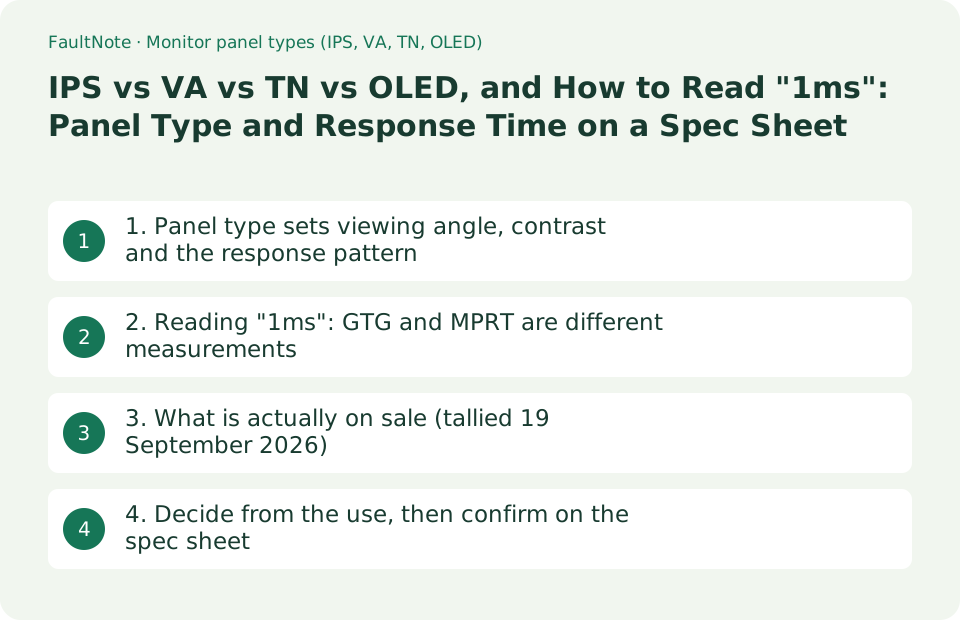
1. Panel type sets viewing angle, contrast and the response pattern
EIZO's explainer (a republication in the EIZO Library of an article first published on 7 October 2005) divides LCD panels into TN, VA and IPS and states that what the drive method most affects is the viewing angle and the response characteristics. TN adjusts the backlight with the angle of the liquid crystal molecules, so the amount of light that passes changes with the viewing angle, which the article says makes it unsuitable where colour matters. VA blocks the backlight almost completely at the polariser when the voltage is off, so it can express a fairly pure black and reach a high contrast ratio, while sharing TN's viewing-angle weakness. IPS rotates molecules that lie flat, so brightness and colour change little with angle, with the stated weaknesses being that contrast ratio, brightness and response speed are hard to raise.
Published figures for current products follow the same pattern. On ASUS spec sheets the IPS ProArt PA278CGV lists a typical contrast ratio of 1000:1, the VA TUF Gaming VG27WQ1B lists 3000:1, and the WOLED ROG Swift OLED PG27AQDM lists 1,500,000:1 typical. A self-emissive OLED makes black by switching pixels off, so it is not on the same scale as LCD for contrast. In exchange, OLED adds a separate consideration: ASUS lists "ASUS OLED Care" in the specifications, and burn-in care becomes part of the decision.
The article is specific about response too. It says TN is slow rising (black to white) and fast falling (white to black), and that its gray-level response drops sharply in between; VA follows the same pattern, with mid-tones slower still than the rise. For IPS it notes that the variation in response across the whole tonal range is small. Overdrive is named as the way makers improve mid-tone response, and EIZO's glossary defines it as a technique that raises response speed by increasing the potential difference applied when the liquid crystal pixel operates.
Scroll horizontally to see the full table →
| Type | Characteristics EIZO names | Example from a current spec sheet (ASUS published figures) |
|---|---|---|
| TN | Low drive voltage and cost. Large colour and brightness change with angle, and a sharp drop in mid-tone response | TN entries still appear in NVIDIA's supported list (see the tally in section 3) |
| VA | Blocks light almost completely with the voltage off, making high contrast ratios easier. Shares TN's viewing-angle weakness | TUF Gaming VG27WQ1B: VA, contrast ratio (typ.) 3000:1, 1500R curve, 165Hz |
| IPS | Little brightness or colour change with angle. Harder to push contrast, brightness and response, but response varies little across the tonal range | ProArt PA278CGV: IPS, contrast (typ.) 1000:1, 144Hz / TUF VG279QM: Fast IPS, 1000:1, 280Hz |
| OLED | Not part of the LCD drive-method classification above (it is self-emissive) | ROG Swift OLED PG27AQDM: WOLED, contrast (typ.) 1,500,000:1, 240Hz, with OLED Care listed |
| A shared caveat | The EIZO article is a republication of material published on 7 October 2005. Read the mechanism separately from its description of the market at the time | Contrast ratio and brightness are manufacturer figures, usually typical values |
2. Reading "1ms": GTG and MPRT are different measurements
EIZO's glossary defines response time as the time for a pixel to go from off to lit plus the time to go from lit to off, and says the figure usually published is the sum of the 10% to 90% luminance change and the 90% to 10% change. It then states that the commonly quoted response time does not include transitions from one mid-tone to another, or from a mid-tone to a bright or dark level, so the number by itself cannot establish that a panel is suited to moving images. The limits of the catalogue figure are set out by the manufacturer itself.
In practice the same "1ms" is measured differently from model to model. ASUS lists "Response Time : 1ms(GTG)" for the TUF Gaming VG279QM and "Response Time : 1ms MPRT" for the TUF Gaming VG27WQ1B. GTG is the gray-to-gray transition time; MPRT (Motion Picture Response Time) describes the persistence of a moving image and can be shortened by techniques such as strobing the backlight. The OLED PG27AQDM lists 0.03ms(GTG), two orders of magnitude apart. Read what is inside the brackets before comparing units.
VESA addresses this with its ClearMR program. ClearMR photographs a moving test pattern with a high-speed camera and derives the ratio of clear pixels to blurry pixels (CMR): ClearMR 7000, for example, is defined as a CMR range of 65-75 times (6500 to 7500 percent) more clear pixels than blurry ones. Products are tested at ambient room temperature in their default power-up configuration and native resolution at maximum frame rate, backlight strobing is disabled to keep the comparison fair, and limits are placed on overshoot and undershoot so that visual performance is not compromised to hit a number. VESA's FAQ says MPRT's simplifying assumptions, such as testing only between 10% and 90%, detract from its ability to correlate to visual performance, and that ClearMR works independently of the panel technology so LCD and OLED can be compared the same way.
Scroll horizontally to see the full table →
| Figure | What it measures (as published) | What to watch for |
|---|---|---|
| Response time (generic) | EIZO: the sum of the 10%-to-90% and 90%-to-10% luminance changes | EIZO itself states that gray-to-gray transitions are not included |
| GTG (gray to gray) | The transition time between mid-tones. ASUS VG279QM lists 1ms(GTG), PG27AQDM 0.03ms(GTG) | The measurement conditions, such as the overdrive setting, are the manufacturer's own |
| MPRT | Persistence of a moving image. ASUS VG27WQ1B lists 1ms MPRT | VESA says its simplifying assumptions weaken the correlation with what you see; strobing can shorten it |
| Overdrive | EIZO: raising the applied potential difference to increase response speed | Pushed too far it overshoots. ClearMR testing imposes limits on overshoot as well |
| VESA ClearMR | A high-speed camera measures CMR, the ratio of clear to blurry pixels, across tiers from ClearMR 3000 to 21000 | Measured with strobing disabled, in factory-default configuration, at maximum frame rate |
| Example tier | ClearMR 7000 = CMR 6500-7500, that is 65-75 times more clear pixels. Higher means less blur | VESA notes that most 60Hz office displays would not qualify even for the lowest tier |
3. What is actually on sale (tallied 19 September 2026)
The general characteristics of each panel type and the mix of products you can buy are two different things. NVIDIA's supported monitor list was rendered in a browser and its rows counted as published on 19 September 2026 (1,357 rows after removing the header and filter rows; the tally script and the captured data are kept with this article's working record). These are counts of NVIDIA's table, not a survey carried out by this site.
Among the 1,234 G-SYNC Compatible entries, the panel column reads IPS on 775, an OLED family entry on 399 (adding together the OLED, QD-OLED, QDOLED, QD OLED, WOLED and Transparent OLED spellings), TN on 38, VA on 11, a MiniLED spelling on 8, MVA on 2 and Nano IPS on 1. The 92 entries with a dedicated G-SYNC module break down differently: IPS on 44, TN on 31, VA on 11, an IPS/Pulsar entry on 5 and E-TN on 1. The 24 G-SYNC ULTIMATE entries are IPS on 17, VA on 5 and OLED on 2.
That impression differs from EIZO's glossary, which says the panel most commonly used in general PC monitors is TN. The glossary page carries no date and its scope is general PC monitors rather than gaming models. Rather than treating one as replacing the other, read the tally for what it is: within the limited population of a gaming-oriented compatibility list, IPS and OLED now account for the large majority.
Scroll horizontally to see the full table →
| Category (NVIDIA list, 19 Sep 2026) | Panel column breakdown | What it suggests |
|---|---|---|
| G-SYNC Compatible (1,234 entries) | IPS 775, OLED family 399, TN 38, VA 11, MiniLED spellings 8, MVA 2, Nano IPS 1 | For gaming, the practical choice is IPS or OLED |
| G-SYNC with a module (92 entries) | IPS 44, TN 31, VA 11, IPS/Pulsar 5, E-TN 1 | TN is much more common among these older latency-focused models |
| G-SYNC ULTIMATE (24 entries) | IPS 17, VA 5, OLED 2 | Even the HDR-led category is mostly IPS |
| G-SYNC Compatible TV (7 entries) | All OLED | On the TV side the list is entirely OLED |
| How the tally was made | 1,357 rows counted by category, classifying the panel column exactly as NVIDIA writes it (spelling variants are combined explicitly) | NVIDIA updates the page, so check it again when you buy |
4. Decide from the use, then confirm on the spec sheet
The choice is really about what you can give up. For films in a dark room, contrast ratio matters, which points to VA or OLED; for colour accuracy and viewing angle, IPS; for price and raw speed alone, TN. As section 3 shows, though, the TN and VA options in gaming-oriented lists are now few. Choosing OLED means accepting burn-in care alongside the contrast and speed, which our guide to OLED monitors covers in detail.
On the spec sheet, line up panel type, contrast ratio, the form of the response figure (GTG or MPRT), maximum refresh rate and certifications one row at a time. The table below collects the published figures for the four models referenced above. All are manufacturer figures; nothing here was measured by this site.
Scroll horizontally to see the full table →
| Model (ASUS published figures) | Panel and contrast ratio | Response figure and maximum refresh rate |
|---|---|---|
| ProArt PA278CGV | IPS / 1000:1 typical (3000:1 max) | 5ms(GTG) / 144Hz. Certifications include AMD FreeSync Premium and Calman Verified |
| TUF Gaming VG279QM | Fast IPS / 1000:1 typical | 1ms(GTG) / 280Hz. Certifications include G-SYNC Compatible and VESA DisplayHDR 400 |
| TUF Gaming VG27WQ1B | VA, 1500R curve / 3000:1 typical | 1ms MPRT / 165Hz. Certification includes AMD FreeSync Premium |
| ROG Swift OLED PG27AQDM | WOLED / 1,500,000:1 typical | 0.03ms(GTG) / 240Hz. HDR peak brightness 1,000 cd/m², with ASUS OLED Care listed |
| Which rows to read | Panel type and contrast ratio sit on different rows of the same table | For response time, read as far as the bracket (GTG or MPRT) |
| What the sheet cannot tell you | How overdrive behaves, and how much ghosting you will actually see | A VESA ClearMR certification gives you a figure measured under common conditions |
Limitations and requirements
- The explanation of how each panel type works comes from an article published on 7 October 2005 and republished in the EIZO Library. The mechanism still holds, but its description of which type was most common at the time does not describe the market now. The current mix is given separately as a tally of NVIDIA's supported monitor list on 19 September 2026.
- Contrast ratio, brightness and response time are manufacturer figures, usually typical values, measured under conditions that differ between makers. This site did not measure ghosting or response on any display.
- This article does not cover prices, stock or rankings. The specifications are what EIZO, VESA ClearMR, NVIDIA and ASUS published on 19 September 2026.
Frequently asked questions
Can you see the difference between 1ms and 5ms?
Only if the two numbers were measured the same way. EIZO states that the usual response figure is the 10%-to-90% change plus the reverse, that it excludes gray-to-gray transitions, and that the number alone cannot establish suitability for moving images. Current ASUS models show 1ms(GTG) on one product and 1ms MPRT on another, which are not the same measurement. Compare like brackets with like, and where possible use a figure measured under common conditions such as VESA ClearMR.
Should I take the 3000:1 VA or the 1000:1 IPS?
It depends on the room and the work. EIZO's explanation is that VA blocks the backlight almost completely with the voltage off, making a high contrast ratio easier, while sharing TN's weakness for brightness and colour shift with viewing angle; IPS changes little with angle and varies little across the tonal range, at the cost of contrast. For long spells of video in a dark room, VA or OLED; for colour accuracy or several people looking at the same screen, IPS.
Ghosting bothers me. Should I set overdrive to maximum?
Turning it up has its own side effects. EIZO describes overdrive as raising the applied potential difference to increase response speed, and VESA's ClearMR testing places limits on overshoot and undershoot specifically so that overall visual performance is not compromised in an effort to reach a numerical target. Raise the setting one step at a time and stop before bright objects start showing a pale outline behind them.
Sources and verification date
Sources checked: . These sources support the specifications, procedures or prices discussed here. Check each source for applicable conditions and current information.
- EIZO: TN? VA? IPS? How LCD drive methods work (republication of an article published 7 October 2005, in Japanese) ↗
- EIZO glossary: response time (in Japanese) ↗
- EIZO glossary: overdrive (in Japanese) ↗
- EIZO glossary: IPS panel (in Japanese) ↗
- VESA ClearMR: Performance Criteria (tier definitions and test conditions) ↗
- VESA ClearMR: FAQ (updated 1 November 2022, difference from MPRT and independence from panel technology) ↗
- NVIDIA: G-SYNC Monitors Manufacturers & Specs (captured and tallied on 19 September 2026) ↗
- ASUS: ProArt Display PA278CGV Tech Specs ↗
- ASUS: TUF Gaming VG279QM Tech Specs ↗
- ASUS: TUF Gaming VG27WQ1B Tech Specs ↗
- ASUS: ROG Swift OLED PG27AQDM Specifications ↗
Related practical guides
- OLED monitor burn-in warranty and care: how to check warranty length and burn-in coverage before you buy
- 1080p, 1440p or 4K: Plan a Gaming Monitor and GPU Budget Together
- USB-C Hub vs Thunderbolt Dock: Displays, Power, and Compatibility
- DisplayPort vs. HDMI for 144Hz, 4K and 240Hz Monitors: Check Ports, Cables and GPU Support
- Choosing a UPS for a Desktop or Custom-Built PC: Why Sine Wave Output Matters and How to Size VA and W
- Monitor Color Gamut Explained: sRGB and DCI-P3 Coverage vs Area Ratio for Photo and Video Editing