Buy HDMI and DisplayPort cables by certification name, not by version number: Ultra96, Ultra High Speed, DP40/DP54/DP80
Listings sell cables as "HDMI 2.1" and "DisplayPort 2.1", but neither HDMI LA nor VESA certifies a cable under those names. HDMI has official cable names - Ultra96, Ultra High Speed, Premium High Speed, High Speed - and HDMI LA states that every HDMI Cable product is required to be labeled with its official cable name on the cable jacket. VESA's side is a set of link-rate certifications: DP40, DP54, DP80 and DP80LL. This guide sets out both naming systems, the bandwidth each name is applicable to, how the package label and its QR code are meant to be used, and the cable-length statements VESA publishes per tier - each quoted with the date of the announcement it came from. No product is recommended and no claim is made that a cable improves picture quality.
Published · Updated · FaultNote editorial policy
Who this guide is for and what to prepare
- Anyone who has bought a 4K 144Hz monitor and cannot tell whether the bundled cable is enough
- Anyone trying to judge whether a listing advertised as "HDMI 2.1" or "8K ready" is what it claims
- Anyone connecting a DisplayPort 2.1 GPU and monitor and unsure which cable that requires
What you need
- Write down the signal your monitor and GPU actually need - resolution, refresh rate, colour depth (which port to use is a separate decision, covered by this site's DisplayPort vs HDMI guide)
- Check whether the cable you already own has a cable name printed on its jacket
- Check whether the listing for the candidate cable shows the package, including any certification label
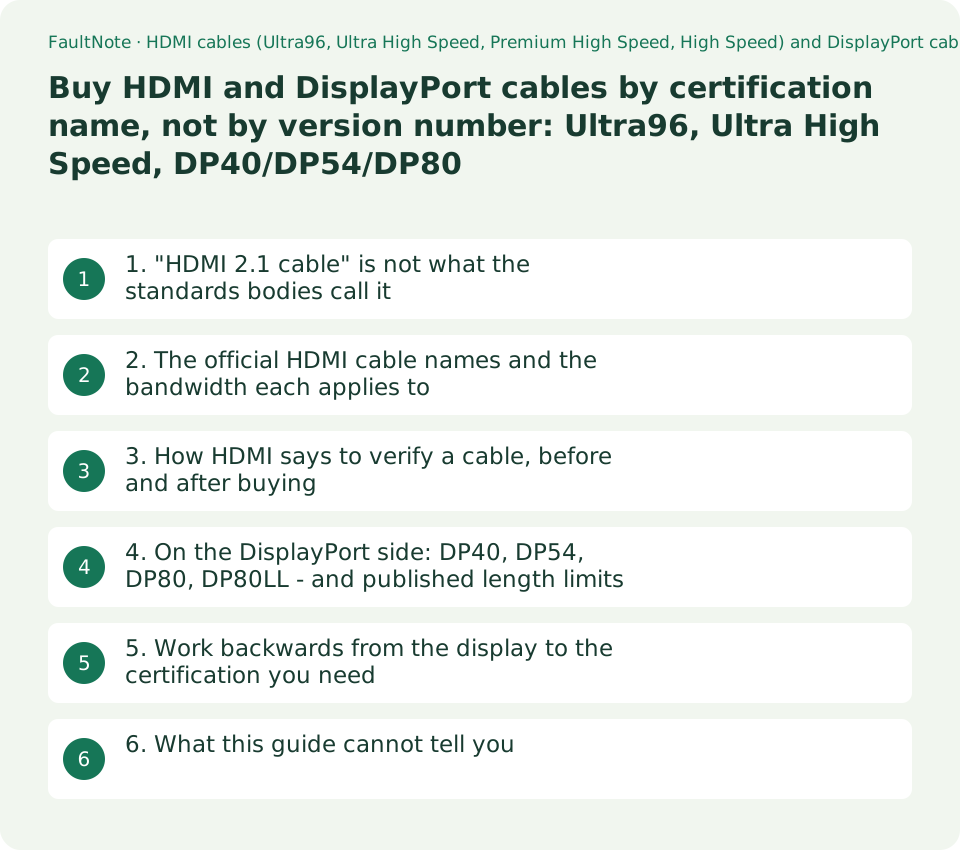
1. "HDMI 2.1 cable" is not what the standards bodies call it
HDMI Licensing Administrator (HDMI LA) describes cables by name - Ultra96 HDMI Cable, Ultra High Speed HDMI Cable, Premium High Speed HDMI Cable, High Speed HDMI Cable - and does not use the specification version number as a cable name. VESA does the same on its side: the certification names are DP40, DP54, DP80 and DP80LL, and there is no such thing as a "DisplayPort 2.1 certified" cable.
HDMI LA also states plainly what a shopper can check. "To help consumers clarify cable types further, all HDMI Cable products are required to be labeled with their official cable name on the cable jacket and packages must display the cable name logo and/or the appropriate cable certification label provided by HDMI Licensing Administrator, Inc." The jacket print and the package label are, in other words, the verification route the standard itself provides.
HDMI LA is candid about the shopping problem: "Shopping for HDMI Cables can be confusing. Resellers may use a variety of marketing terms and may not use the official HDMI Cable name designations, and many websites may recommend cables only based on receiving affiliate payments. And worst of all - some cables are counterfeits." This site carries ordinary retailer links, so that sentence is quoted here as a caution about guides in general, including this one.
2. The official HDMI cable names and the bandwidth each applies to
The table below collects the cable names from HDMI LA's own pages with the bandwidth and uses it states for each. The figures and wording follow HDMI LA. This site has not measured any cable.
Two things are worth reading carefully. First, Ultra96 and Ultra High Speed both sit under the Ultra HDMI Cable Certification Program, which HDMI LA describes as "a mandatory certification program"; it states that "All Ultra96 HDMI Cable models and Ultra High Speed HDMI Cable models must pass certification testing at an HDMI Forum Authorized Testing Center (Forum ATC)." Second, "Ultra96" has a second, separate use as a product feature name: "'Ultra96' is a feature name that manufacturers are encouraged to use to indicate a product supports a maximum of 64Gbps, 80Gbps or 96Gbps bandwidth in compliance with the HDMI 2.2 Specification." Ultra96 printed on a TV or a port is that feature name; Ultra96 HDMI Cable is the cable.
A higher-bandwidth cable does not raise the bandwidth of the devices it connects. HDMI LA's statement runs the other way: "Products that market or display the Ultra96 feature name require the Ultra96 HDMI Cable to ensure a product's maximum bandwidth is properly supported." Nothing on those pages says a cable upgrades a source or a display.
Scroll horizontally to see the full table →
| Official cable name | Bandwidth it applies to (HDMI LA's wording) | Example formats HDMI LA names | Certification |
|---|---|---|---|
| Ultra96 HDMI Cable | up to 96 Gbps | 8K@60/4:4:4 and 4K@240/4:4:4 uncompressed full chroma at 10-bit and 12-bit colour | Ultra HDMI Cable Certification Program (mandatory). Forum ATC testing and a certification label |
| Ultra High Speed HDMI Cable | system configurations supporting up to 48 Gbps | 8K@60 and 4K@120 | Same mandatory programme. Introduced in the HDMI 2.1 Specification, entered the market in 2020 |
| Premium High Speed HDMI Cable (± Ethernet) | up to 18 Gbps | 4K60, HDR, expanded colour spaces including BT.2020 | Premium HDMI Cable Certification Label, including a low-EMI test |
| High Speed HDMI Cable (± Ethernet) | up to 10.2 Gbps | 1080p and beyond, 4K@30Hz, 3D, Deep Color | The baseline type. The Ethernet variant adds the HDMI Ethernet Channel |
| Standard HDMI Cable (± Ethernet) | (no bandwidth figure given on the page) | 1080i or 720p | HDMI LA warns these "don't support the later resolutions, refresh rates and bandwidth requirements" |
3. How HDMI says to verify a cable, before and after buying
HDMI LA publishes three verification routes. Used in order, they let you decide without relying on a review site.
First, the package label: "To identify the cable, make sure the packaging displays the required Ultra96 HDMI Cable or Ultra High Speed HDMI Cable Certification Label ... The names are also required to appear on the outer cable jackets themselves." Second, the QR code on that label: "To verify the cable model has been tested and certified in compliance with the HDMI 2.2 Specification, the labels can be scanned by standard QR code apps." Third, the Verification Banner, which HDMI LA calls "an optional add-on to the existing HDMI Cable Certification Program" that lets consumers "verify the certification status of cables while shopping on manufacturer and reseller websites", displaying "the brand name, model number and length".
HDMI LA also describes continuous auditing: "we purchase cables in stores and online marketplaces and send them in for testing to Forum ATCs. If a cable fails, the adopter has a chance to correct manufacturing issues or else no further certification labels can be ordered for that cable." No audit volumes or pass rates are published, so none are quoted here.
This is the guide's own reading rather than a statement by HDMI LA: if a listing prints neither an official cable name nor a photograph of the certification label, treat the bandwidth claim as unverified - not as false, but as lacking the verification route the standard provides.
4. On the DisplayPort side: DP40, DP54, DP80, DP80LL - and published length limits
VESA certifies cables against UHBR link rates. The statements below come from VESA announcement pages and are quoted with the date each announcement carries. They are dated announcements, not the current specification text.
28 February 2022: "VESA certified DP40 cables must support up to the UHBR10 link rate (10 Gigabits per second or Gbps) defined by DisplayPort 2.0, and support the full four-lane operation, providing a maximum throughput of 40 Gbps", and "VESA certified DP80 cables must support up to the UHBR20 link rate (20 Gbps) defined by DisplayPort 2.0, with four lanes, providing a maximum throughput of 80 Gbps." For shoppers, VESA adds: "if your cable has the DP40 or DP80 logo from VESA, it will meet the specs for the highest data rates supported by current and future products certified by VESA."
8 January 2024: the DP40 cable spec was replaced. "This update replaces the VESA certified DP40 ultra-high-bit-rate (UHBR) cable specification with a new VESA certified DP54 UHBR cable spec to enable up to four-lane UHBR13.5 link rate support (a maximum throughput of 54 Gbps) over a two-meter passive cable." On cables already sold: "While VESA is eliminating the DP40 cable spec, existing DP40 cables that have been shipped to date have been confirmed by VESA through rigorous testing to be compliant with the DP54 cable spec and support UHBR13.5 link rates." The logo on the box is still DP40; the compliance statement belongs to VESA and to that date.
6 January 2025: DP80LL arrived - "new DP80LL ('low loss') ultra-high-bit-rate (UHBR) cables that enable up to four-lane UHBR20 link rate support - a maximum throughput of 80 Gbps - over an active cable up to three meters in length". The same announcement says the DisplayPort 2.1b update "will provide for up to 3X the cable length for UHBR20 GPU-to-display connections compared to existing VESA certified DP80 passive cables", and that "users are no longer limited to a one-meter cable connection between their DisplayPort 2.1 UHBR20 source and hub or sink devices".
The length statements are what decide a desk layout: a long UHBR20 run is a different product category - an active cable - rather than a longer passive one. That consequence is this guide's reading; VESA states the lengths, not the layout advice.
Scroll horizontally to see the full table →
| VESA certification | Link rate certified | Maximum throughput | Length statement (announcement date) |
|---|---|---|---|
| DP40 | up to UHBR10, four lanes | 40 Gbps | No length given (2022-02-28). The spec was eliminated in the 2024-01-08 announcement |
| DP54 | up to UHBR13.5, also UHBR10, four lanes | 54 Gbps | Up to a two-metre passive cable (2024-01-08) |
| DP80 | up to UHBR20, also UHBR13.5, four lanes | 80 Gbps | Passive. The 2025-01-06 announcement describes users as previously limited to a one-metre connection |
| DP80LL | UHBR20, four lanes | 80 Gbps | Up to three metres, active (low loss) (2025-01-06) |
5. Work backwards from the display to the certification you need
The order is: (1) establish the signal the monitor and GPU actually carry - resolution, refresh rate, colour depth, whether DSC is involved; (2) pick the cable name or certification that covers that bandwidth; (3) verify it with the package label and QR code, or with the DP logo. Step (1) - which port to use at all - is covered by this site's guide to choosing between DisplayPort and HDMI for a gaming monitor, and is not repeated here.
Certification is per cable model. A different length or a different part number from the same brand is a different model, which is exactly why HDMI LA describes the label as attached to "each package or unit of sale".
If you already own the cable and the symptom is a blank screen, flicker or a dropped link at a high refresh rate, the cable is only one candidate. This site has troubleshooting records for 144Hz not being selectable in Windows and for no signal over DisplayPort after an OSD overclock setting; start there rather than buying another cable.
6. What this guide cannot tell you
First, whether a specific product is genuinely certified. What can be checked is the package label, the QR scan result and the Verification Banner on a listing. This site has not bought or tested any cable.
Second, a maximum usable length for HDMI. None of the HDMI LA pages read for this guide gives one. The published length figures belong to the DisplayPort certification tiers only. If a sourced statement about HDMI cable length turns up, it will be added with its date.
Third, whether a more expensive cable improves the picture on a link that already works. What these sources describe is tested compliance with a bandwidth and, on the HDMI side, low EMI - not image quality.
Limitations and requirements
- There is no such certification as an "HDMI 2.1 certified" or "DisplayPort 2.1 certified" cable. The certification names are Ultra96 HDMI Cable and Ultra High Speed HDMI Cable on one side, DP40 / DP54 / DP80 / DP80LL on the other.
- The three VESA statements quoted here are announcements dated 2022-02-28, 2024-01-08 and 2025-01-06. They are not the current specification text, which is why every quotation carries its date.
- This site has not measured or tested any cable. Every bandwidth, throughput and length figure here is published by HDMI LA or VESA.
- Certification applies per cable model. Another length or part number from the same brand has to be checked separately.
Frequently asked questions
Should I avoid a cable that only says "HDMI 2.1"?
Not necessarily - what that wording tells you is that the listing has not given you the verification route the standard provides. HDMI LA requires every HDMI Cable product to carry its official cable name on the jacket, and the package to display the cable name logo or the certification label. If you need 48 Gbps, look for the name "Ultra High Speed HDMI Cable" and a certification label whose QR code you can scan.
Will the DP40 cable I already own run UHBR13.5?
VESA stated on 8 January 2024 that "existing DP40 cables that have been shipped to date have been confirmed by VESA through rigorous testing to be compliant with the DP54 cable spec and support UHBR13.5 link rates." That is VESA's statement on that date, not a test result from this site, and the logo printed on the box remains DP40.
Can I buy a three-metre UHBR20 (DP80) cable?
The three-metre figure belongs to DP80LL, the active low-loss cable type VESA announced on 6 January 2025. The same announcement says users of existing passive DP80 cables were limited to a one-metre connection. A long UHBR20 run therefore means shopping for an active cable, not a longer passive one.
Does a more expensive cable improve image quality?
Nothing in the HDMI LA and VESA material read for this guide says so. What certification asserts is compliance with a stated bandwidth or link rate and, on the HDMI side, low EMI - tested "to ensure low EMI to reduce the possibility of interference with wireless networks, streaming media players, Bluetooth devices and mobile phones". On a link that is already displaying correctly, this guide makes no picture-quality claim for a costlier cable.
Sources and verification date
Sources checked: . These sources support the specifications, procedures or prices discussed here. Check each source for applicable conditions and current information.
- HDMI Licensing Administrator: HDMI Cable Overview (jacket labelling requirement, cable types and bandwidths. Observed 2026-09-20) ↗
- HDMI Licensing Administrator: Ultra96 HDMI Cable and Ultra High Speed HDMI Cable (mandatory certification, ATC testing, labels and QR codes, Verification Banners, continuous auditing. Observed 2026-09-20) ↗
- HDMI Licensing Administrator: Ultra96 Feature Name (the 64/80/96 Gbps product feature name. Observed 2026-09-20) ↗
- HDMI Licensing Administrator: Premium HDMI Cable Certification Program (18 Gbps and the EMI test. Observed 2026-09-20) ↗
- VESA: DisplayPort UHBR cable certification begins (DP40 and DP80 definitions, dated 28 February 2022. Observed 2026-09-20) ↗
- VESA: DisplayPort updates and extensions announced at CES (DP54 and the two-metre passive statement, dated 8 January 2024. Observed 2026-09-20) ↗
- VESA: DP80LL active cable specification (up to three metres, dated 6 January 2025. Observed 2026-09-20) ↗
Related practical guides
- DisplayPort vs. HDMI for 144Hz, 4K and 240Hz Monitors: Check Ports, Cables and GPU Support
- Integrated vs. Discrete Graphics: Check Workloads, CPU Models and Outputs
- How to Choose a USB-C Cable: 60W vs 240W Power Marks, 10Gbps to 80Gbps Data Rates and Video Output by Use
- USB-C Monitor Not Working or Stuck at a Low Refresh Rate: Check DP Alt Mode and Lane Allocation
- Pen tablet or pen display: check the connection requirement and the desk before the pressure levels
- Choose a USB-C laptop charger: wattage, USB PD and cable support