G-SYNC vs FreeSync Certification: What Each Badge Guarantees and How to Read a VRR Range
Variable refresh rate (VRR) lets the monitor change how often it refreshes to match the frames the GPU produces, which removes tearing. VESA standardised this as Adaptive-Sync in DisplayPort 1.2a, and AMD describes FreeSync as its own implementation built on that protocol. The complication is that G-SYNC, G-SYNC Compatible, FreeSync Premium and VESA Certified AdaptiveSync each have different pass conditions and guarantee different things. Tallying NVIDIA's own list as rendered on 19 September 2026 shows the gap clearly: of the 92 monitors with a dedicated G-SYNC processor, all 92 list variable overdrive and 91 show a range starting at 1Hz, while of the 1,234 G-SYNC Compatible entries only 7 list variable overdrive and 1,029 start at 48Hz. What decides a purchase is not the trademark but the bottom and top of the range and what happens below it.
Published · Updated · FaultNote editorial policy
Who this guide is for and what to prepare
- People choosing a gaming monitor and unsure whether to buy G-SYNC or FreeSync
- People who bought a monitor labelled VRR and still see tearing or stutter
- People who want to know whether VRR actually works with the GPU and monitor they already own
What you need
- The monitor model and its specification sheet (any VRR statement, the supported Hz range, any certification logos)
- Your GPU and driver version (NVIDIA's list names the driver each monitor needs)
- Access to Settings > System > Display > Advanced display in Windows, which reports the current resolution, refresh rate and VRR support
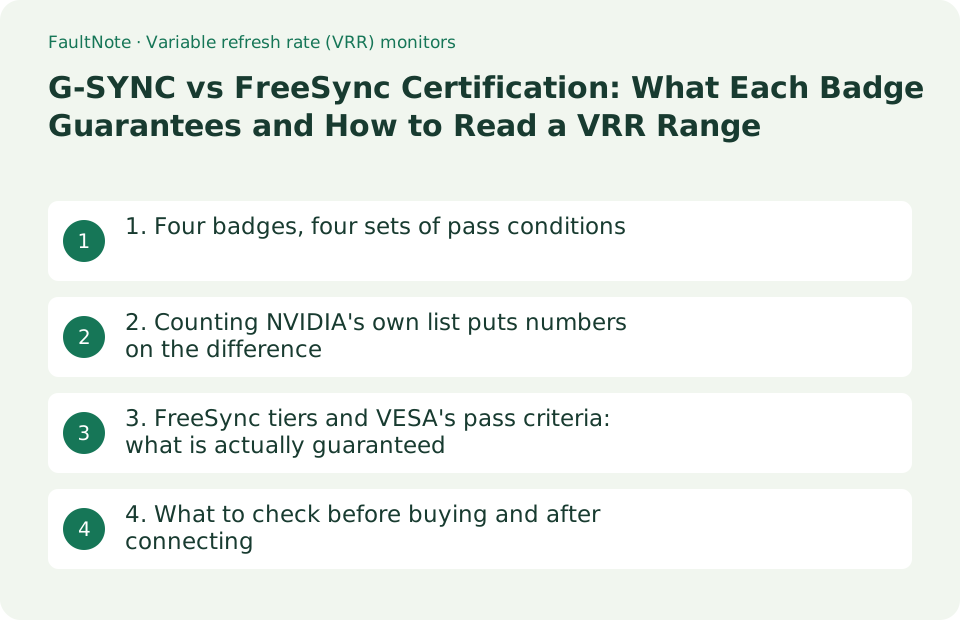
1. Four badges, four sets of pass conditions
The common foundation is VESA's Adaptive-Sync. VESA's FAQ says AdaptiveSync was first supported by DisplayPort 1.2a and that it is also branded as FreeSync from AMD. AMD's own FAQ draws the same line: DisplayPort Adaptive-Sync is an ingredient feature of a DisplayPort link and an industry standard, while FreeSync is a unique AMD hardware and software solution that uses those protocols. The protocol is shared; the certifications sit on top of it.
The certifications are not equivalent. NVIDIA's G-SYNC page defines G-SYNC Compatible as a display that does not use NVIDIA processors but is validated by NVIDIA to deliver a good, basic variable refresh rate experience, while G-SYNC features an NVIDIA G-SYNC processor and, in NVIDIA's words, a full variable refresh rate range and variable overdrive. AMD splits FreeSync into three tiers. VESA separately runs the AdaptiveSync Display and MediaSync Display logo programs, which measure front-of-screen performance and issue a pass or fail. VESA's FAQ notes that its logos and a GPU vendor's logo can appear on the same product, and that a display carrying both has had to meet the criteria of both programs.
Scroll horizontally to see the full table →
| Badge | Who runs it and what passing means | What it means for you |
|---|---|---|
| G-SYNC / G-SYNC ULTIMATE | NVIDIA. Contains an NVIDIA G-SYNC processor and is described as delivering a full VRR range and variable overdrive | The bottom of the range is low, so it keeps working when frame rates swing widely |
| G-SYNC Compatible | NVIDIA. No NVIDIA processor, but validated by NVIDIA for a good, basic VRR experience | Being on the list means it was checked, but range and variable overdrive vary by model |
| FreeSync / Premium / Premium Pro | AMD. Each tier sets requirements such as maximum refresh rate, assuming Radeon graphics and an AMD-certified display | The tier name indicates the maximum refresh rate floor and whether HDR is included |
| VESA Certified AdaptiveSync / MediaSync | VESA. More than 50 test criteria run by third-party test centres, measuring raw display performance without GPU vendor optimisations | A measured pass that does not depend on the GPU, with the certified maximum refresh rate printed in the logo |
| "VRR supported" with no logo | A manufacturer's own wording, unrelated to any certification program | You have to read the supported Hz range out of the specification sheet |
2. Counting NVIDIA's own list puts numbers on the difference
NVIDIA publishes a list of supported monitors with, for each model, the category, panel, variable refresh rate range, whether it has variable overdrive and which driver is needed. On 19 September 2026 that page was rendered in a browser and the table rows were tallied as published (1,357 rows after removing the header and filter rows; the tally script and the captured data are kept with this article's working record). These are counts of NVIDIA's table, not measurements made by this site.
The split is sharp. The 92 monitors with a dedicated module are listed as G-SYNC, and all 92 show variable overdrive "Yes", with 91 of them showing a range written as "1-xxxHz". G-SYNC ULTIMATE has 24 entries, 22 with variable overdrive and all 24 with HDR. G-SYNC Compatible is by far the largest group at 1,234 entries, but only 7 list variable overdrive while 1,227 are "No". The bottom of the range is 48Hz on 1,029 entries, 40Hz on 95 and 60Hz on 53. The driver column differs too: it reads "N/A" on all 92 G-SYNC entries and on 23 of the 24 ULTIMATE entries, whereas every G-SYNC Compatible entry names a driver version, and 165 of them say "Upcoming Driver".
Where this is felt is at low frame rates. When the bottom of the range is 48Hz or 60Hz, what happens below that value is left to the GPU-side implementation. AMD documents this as Low Framerate Compensation (LFC): on a display with a 60-144Hz range, a game running at 40 FPS can be synced by duplicating frames so the display runs at 80Hz, and AMD states that a display with LFC effectively removes the minimum refresh rate boundary. Read the lower bound in the specification and compare it with the frame rates you actually get.
Scroll horizontally to see the full table →
| Category (list as rendered 19 Sep 2026, 1,357 rows) | Entries and variable overdrive | Range and driver column |
|---|---|---|
| G-SYNC (dedicated module) | 92 entries. Variable overdrive "Yes" on 92 | 91 show a range starting at 1Hz. The driver column is N/A for all |
| G-SYNC ULTIMATE | 24 entries. Variable overdrive "Yes" on 22 | 23 show a range starting at 1Hz. HDR is "Yes" on all 24 |
| G-SYNC Compatible | 1,234 entries. Variable overdrive "Yes" on 7, "No" on 1,227 | Lower bound 48Hz on 1,029, 40Hz on 95, 60Hz on 53. Every entry names a driver, and 165 say "Upcoming Driver" |
| G-SYNC Compatible TV | 7 entries. Variable overdrive "No" on all | All OLED over HDMI 2.1, with a lower bound of 40Hz or 48Hz |
| Input column (Compatible) | DisplayPort on 1,085, HDMI 2.1 on 108, HDMI on 30, and others | If you plan to connect over HDMI or to a TV, check the input column as well |
3. FreeSync tiers and VESA's pass criteria: what is actually guaranteed
AMD publishes its tier requirements as a table for monitors, TVs and projectors. In the table as shown on 19 September 2026, a tear-free experience, low latency and low framerate compensation (LFC) are marked for all three tiers; below 3440 horizontal resolution the maximum refresh rate requirement is 144Hz or more for FreeSync and 200Hz or more for Premium and Premium Pro; at 3440 or above, Premium and Premium Pro require 120Hz or more; and AMD FreeSync HDR is Premium Pro only. The laptop table is separate: FreeSync is 40-60Hz while Premium and Premium Pro require 120Hz or more. Note that the FAQ on the same page still says that all displays in the FreeSync Premium and FreeSync Premium Pro tiers are certified to meet mandatory LFC requirements, which is narrower than the table, so check both the tier table and the product page if LFC matters to you.
VESA's certification works in the opposite direction: it is a measured pass or fail. The AdaptiveSync Display 1.1 criteria are published. The gaming-oriented AdaptiveSync logo requires an Adaptive-Sync operation maximum refresh rate range of 144Hz or more, a minimum refresh rate range of 60Hz or less, and an average of 5ms or less across the 64 gray-to-gray tests with factory-default overdrive, among other limits. MediaSync, aimed at video playback, requires 60Hz or more at the top and 48Hz or less at the bottom and has no G2G average requirement. VESA's FAQ explains that 144Hz was chosen as a minimum because it wanted a high bar for a premium logo program, and that the logo carries the exact frequency the display passed at, so a 160Hz monitor gets a 160Hz label.
The GPU side has conditions too. AMD's FAQ states that using FreeSync requires a supporting display, a FreeSync-capable APU or GPU and the latest driver, lists compatible GPUs as Radeon RX 200 series from 2013 onwards and newer GCN 2.0-and-later products, and adds that other GPUs such as NVIDIA GeForce 10 series and newer that support DisplayPort Adaptive-Sync are also expected to work, but to check with the GPU manufacturer. The same FAQ says explicitly that VESA AdaptiveSync certification may not necessarily equate to AMD FreeSync certification.
Scroll horizontally to see the full table →
| Criterion | Requirement as published | What it tells you |
|---|---|---|
| FreeSync (monitors and similar) | Tear-free, low latency and LFC. 144Hz or more below 3440 horizontal resolution | A floor under the maximum refresh rate |
| FreeSync Premium / Premium Pro | The above plus 200Hz or more below 3440, 120Hz or more at 3440 and above. Premium Pro adds FreeSync HDR | The tier tells you the refresh rate floor and whether HDR is part of it |
| FreeSync (laptops) | FreeSync is 40-60Hz, Premium and Premium Pro are 120Hz or more | The tiers mean something different on a built-in laptop panel |
| VESA AdaptiveSync Display 1.1 | Maximum refresh rate range 144Hz or more, minimum 60Hz or less, 64-test G2G average of 5ms or less, flicker -50 dB | A measured pass for response and range without GPU vendor optimisations |
| VESA MediaSync Display | Maximum 60Hz or more, minimum 48Hz or less, with no high-variability flicker test and no G2G average mandate | Aimed at video playback, not a guarantee for gaming |
| GPU-side conditions (AMD) | A supporting display, a FreeSync-capable APU or GPU and the latest driver. Other vendors' GPUs are "expected to work" | Combinations with a third-party GPU have to be confirmed with the manufacturer |
4. What to check before buying and after connecting
On a spec sheet, read the numbers rather than the logo. The ASUS ProArt PA278CGV lists VRR Technology as "Yes (Adaptive-Sync)", names "AMD FreeSync Premium" among its certifications, and gives its signal frequency per input as "USB-C, DisplayPort: 30~144 Hz (V)" and "HDMI: 24~144 Hz (V)". That is enough to compare the lower bound and the per-input ceiling. If you want to check VESA certification, the AdaptiveSync site publishes a certified product list, but it carries a note that not all VESA Certified products have been approved for public listing and that the list only includes products publicly announced and approved for listing by VESA members, so absence from the list does not prove a product is uncertified.
After connecting, Windows can tell you what you got. Microsoft's support article says the Display information panel under Settings > System > Display > Advanced display shows the current resolution and refresh rate for the selected display and whether that display supports variable refresh rate. The same article says Dynamic Refresh Rate (DRR) requires a display that supports VRR and a refresh rate of at least 120 Hz, that DRR should not affect games designed for VRR but can limit the maximum refresh rate of other games, and that disabling DRR is the best mitigation if a game appears to run at a lower refresh rate. If VRR does not feel like it is working, start here.
Scroll horizontally to see the full table →
| Where to look | What to read | How to judge |
|---|---|---|
| The monitor's spec sheet | The VRR statement, certification names, and vertical frequency per input (ASUS PA278CGV: 30~144 Hz) | Is the lower bound comfortably below the frame rates you actually reach? |
| NVIDIA's supported monitor list | Category, variable overdrive, required driver version | An entry that says "Upcoming Driver" has no released driver for it yet |
| AMD's tier table | The maximum refresh rate requirement per tier and whether HDR is included | Premium and above raise the floor under the maximum refresh rate |
| The AdaptiveSync certified product list | The maximum refresh rate the display passed at | Not listed does not mean not certified (only publicly approved products are shown) |
| Advanced display settings in Windows | The current refresh rate and whether VRR is supported | If it reports no VRR support, check the input, cable and driver before anything else |
| Dynamic Refresh Rate (DRR) | Microsoft: requires VRR and at least 120Hz, and can limit the maximum rate of games not designed for VRR | If a game looks like it is running at a lower refresh rate, turn DRR off |
Limitations and requirements
- The counts and breakdowns come from rendering NVIDIA's supported monitor list in a browser on 19 September 2026 and tallying the table rows (1,357 rows after removing the header and filter rows) by category. NVIDIA updates that page, so check it again for current entries. The figures are a tally of NVIDIA's table, not measurements made by this site.
- AMD's FreeSync page marks LFC on all three tiers in its requirement table, while the FAQ on the same page says that all displays in the Premium and Premium Pro tiers are certified to meet mandatory LFC requirements. The two statements do not match, so if LFC matters to you, check the product page of the model you are considering as well.
- This article does not cover prices, stock or rankings, and no tearing or latency was measured here. Every condition quoted is published wording from NVIDIA, AMD, VESA, Microsoft or ASUS.
Frequently asked questions
Can I use a FreeSync monitor with a GeForce GPU?
NVIDIA lists the models it has validated as G-SYNC Compatible and names the driver version each one needs. AMD's FAQ likewise says that other GPUs, such as NVIDIA GeForce 10 series and newer that support DisplayPort Adaptive-Sync, are expected to work but that you should check with your GPU manufacturer. For certainty, confirm that the model you are considering appears on NVIDIA's list and that its driver entry is a released version rather than "Upcoming Driver".
What do I lose without variable overdrive?
Overdrive is a correction that makes pixel transitions look faster, and the ideal strength changes with refresh rate. NVIDIA lists a full VRR range and variable overdrive among the things its dedicated G-SYNC processor provides. AMD says variable overdrive has always been fully compatible with FreeSync but is a feature its display partners can implement to differentiate themselves, so AMD encourages rather than requires it. In NVIDIA's list on 19 September 2026, 7 of the 1,234 G-SYNC Compatible entries showed variable overdrive. It matters most if your frame rate swings widely while you play.
If a monitor has the VESA Certified AdaptiveSync logo, do I still need G-SYNC or FreeSync certification?
They answer different questions, so one does not replace the other. VESA's FAQ explains that its certification measures the display's raw performance without any GPU vendor optimisations, that it places no restriction on additional logos, and that a display carrying both has had to meet the criteria of both programs. If validation with your specific GPU matters most, use the GPU vendor's list; if measured response and range matter most, look for the VESA logo.
Sources and verification date
Sources checked: . These sources support the specifications, procedures or prices discussed here. Check each source for applicable conditions and current information.
- NVIDIA: G-SYNC Monitors (definitions of G-SYNC, G-SYNC ULTIMATE and G-SYNC Compatible) ↗
- NVIDIA: G-SYNC Monitors Manufacturers & Specs (the list captured and tallied on 19 September 2026) ↗
- AMD: FreeSync technology (tier table, LFC, variable overdrive, supported GPUs, difference from VESA certification) ↗
- VESA: DisplayPort FAQ (AdaptiveSync first supported by DisplayPort 1.2a and branded as FreeSync) ↗
- VESA AdaptiveSync: AdaptiveSync Display 1.1 Performance Criteria ↗
- VESA AdaptiveSync: FAQ (updated 9 June 2022) ↗
- VESA: announcement of the updated Adaptive-Sync Display standard (16 May 2023, two logo tiers and more than 50 test criteria) ↗
- ASUS: ProArt Display PA278CGV Tech Specs (VRR Technology, certifications, signal frequency per input) ↗
- Microsoft Support: Change the refresh rate on your monitor in Windows (VRR reporting and Dynamic Refresh Rate) ↗
Related practical guides
- Thunderbolt certified is not Thunderbolt Share licensed: what PC-to-PC sharing actually requires
- DisplayPort vs. HDMI for 144Hz, 4K and 240Hz Monitors: Check Ports, Cables and GPU Support
- IPS vs VA vs TN vs OLED, and How to Read "1ms": Panel Type and Response Time on a Spec Sheet
- Before turning on Windows protected print mode: which drivers disappear, and the scanner catch
- Bitwarden Free vs Premium: sync, authentication codes and emergency access
- Before buying a used business PC: how to read Windows 11's supported-CPU lists, and what "activated" does not prove