Before buying a used business PC: how to read Windows 11's supported-CPU lists, and what "activated" does not prove
Corporate laptops and desktops come off lease and reach the used market cheaply, often better built than a consumer machine at the same price. What you cannot tell is whether the machine will run into trouble with Windows 11 servicing, or how much weight to put on a listing that says "Windows 11 Pro, activated". This guide separates what can be checked before purchase from what cannot be checked at all. Three points carry it. First, Microsoft's Windows 11 supported processor lists state which CPUs OEMs may use for new Windows 11 devices - they are not a verdict on a machine you already have, and Microsoft directs customers to PC Health Check instead. Second, Microsoft states plainly that activation pairs a key or entitlement with a hardware configuration and does not guarantee that the copy of Windows is genuine. Third, TPM and Secure Boot being absent and being merely disabled mean completely different things.
Published · Updated · FaultNote editorial policy
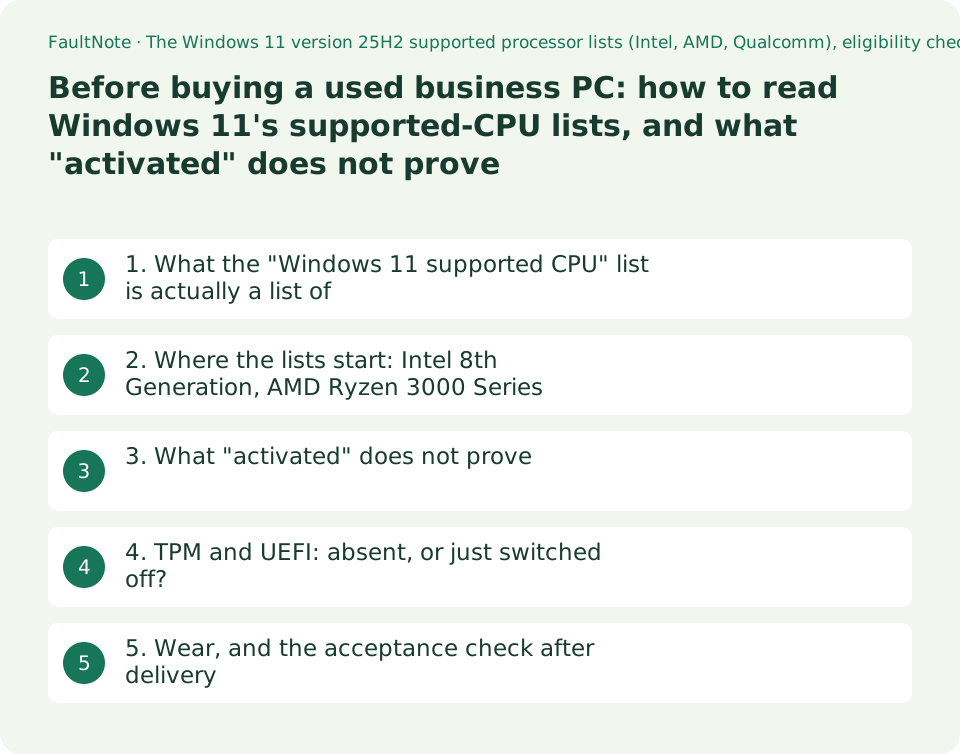
Who this guide is for and what to prepare
- Readers considering an ex-lease corporate PC from the used market
- Readers wondering how much a listing's "Windows 11 Pro, activated" claim is worth
- Readers who want to judge, before buying, whether a used machine will keep receiving Windows 11 updates
What you need
- Write down the CPU model, maker and machine name from the listing
- Be able to check on that maker's support site whether drivers and BIOS updates are still published for the model
- Assume the hands-on checks happen after delivery, and read the return conditions first
1. What the "Windows 11 supported CPU" list is actually a list of
The first thing anyone reaches for is Microsoft's supported-processor list. Misreading it skews everything that follows.
Open the Intel list for Windows 11 version 25H2 and the sentence immediately above the table reads: "OEMs may use the following CPUs for new Windows 11 devices." It is a list of CPUs an equipment maker may build a new Windows 11 device around. It is not written as a test of whether a machine in your hands will run Windows 11. The same sentence continues that new Windows 11 devices must use modern device drivers that have passed the Windows Hardware Compatibility Program for Windows 11, or the latest available modern drivers based on DCH design principles.
The page also qualifies the list at the top. What is listed are the models that meet the minimum floor for the supported generations, up through the latest processors at the time of publication. Subsequently released and future generations that meet the same principles "will be considered as supported, even if not explicitly listed". Between updates, "the processor list will not reflect the most current offerings from processor manufacturers". And updates happen at each subsequent general availability of Windows. So this is not a document that can be read as "absent means unsupported".
What, then, should a customer look at? Microsoft's Windows Processor Requirements page says so directly at the top: "If you are a customer seeking to determine Windows 11 eligibility for your device, use PC Health Check." The same paragraph adds: "You can also request that your Original Equipment Manufacturer (OEM) confirm which Windows OS is available on a specific device."
For a used purchase this creates an awkward ordering problem. PC Health Check runs on the machine, so it is unavailable before you buy. What is available before you buy is the list - which, as above, is not a verdict. The workable approach is therefore to use the list as a screen, settle the question with PC Health Check after delivery, and cover the gap between the two with the return conditions.
2. Where the lists start: Intel 8th Generation, AMD Ryzen 3000 Series
If the list is a screen, what you want from it is the floor. All three lists were read on 2026-09-20 - each showing a last-updated stamp of 2025-10-30 - and here is the oldest series each one carries.
On the Intel list, the oldest Core i3 / i5 / i7 / i9 entries are 8th Generation; no 7th Generation row was present. 8th Generation Core m Processors are listed as well. Outside the Core i line, Celeron appears in the 3000, 4000, 5000, 6000, 7000, G4000, G5000, G6000, J4000, N4000 and N5000 series; Pentium in several Gold and Silver series; and Atom as the X7000 Series. Higher up, Core Ultra Processors and the Xeon Scalable generations also appear.
On the AMD list, the oldest Ryzen entry is the 3000 Series; no 2000 Series row was present. The 4000, 5000, 6000, 7000, 8000 and 9000 series follow, alongside server EPYC 4004, 4005, 7003, 8004, 9004 and 9005 series.
The Qualcomm list is three rows: Snapdragon X (X1), Snapdragon X Plus (X1P) and Snapdragon X Elite (X1E). These are recent enough that ex-lease examples are unlikely to be circulating yet.
Translated into the used market, the floor amounts to a line at roughly Intel 8th Generation - broadly 2017-era designs and later. Corporate machines reach the second-hand market on something like a five-year cycle, so stock straddling that line is entirely normal. Reading a generation out of a CPU model number is covered in this site's guide to CPU model names.
Scroll horizontally to see the full table →
| Maker | Oldest series carried on the list (as of 2026-09-20) | Not present | Page last-updated stamp |
|---|---|---|---|
| Intel (Core i line) | 8th Generation Core i3 / i5 / i7 / i9 | No 7th Generation row was found | 2025-10-30 |
| Intel (other) | Celeron 3000 Series, Pentium Gold and Silver series, Atom X7000 Series and others | - | 2025-10-30 |
| AMD (Ryzen) | Ryzen 3000 Series | No 2000 Series row was found | 2025-10-30 |
| Qualcomm | Only three rows: Snapdragon X (X1), X Plus (X1P), X Elite (X1E) | - | 2025-10-30 |
3. What "activated" does not prove
Used listings commonly say "Windows 11 Pro, genuine, activated", and the Settings page does report that Windows is activated. Stopping there leads to a bad decision.
Microsoft's activation page addresses this head on: "Activation is a technical process that pairs the product key or digital entitlement with the hardware configuration of the device. This does not evaluate the authenticity of the copy itself, and it does not guarantee that the copy of Windows is genuine."
The same paragraph identifies what does check authenticity: "validation is the process that checks that critical Windows licensing files haven't been damaged, deleted, or removed and it is necessary to receive certain updates and downloads."
So the usable reading is narrow. "Activated" says that a key or digital entitlement is valid for that configuration. It says nothing more. On what basis the licence was granted is a question for the seller. Corporate machines are procured differently from consumer ones, so if something feels unclear, asking for the basis before buying is a move available to you. This site evaluates no particular seller or listing.
One practical addition. The same page states that it is essential to link your Microsoft account to the Windows 11 licence on the device, and that linking the account to the digital licence lets you reactivate Windows with the Activation troubleshooter after a significant hardware change. If you plan to change parts in a used machine, doing this first saves trouble later; the Activation page in Settings shows whether the digital licence is linked to your account.
Scroll horizontally to see the full table →
| Claim or display | What Microsoft's text supports | What it does not support |
|---|---|---|
| "Windows is activated" | A product key or digital entitlement is valid for that hardware configuration | That the copy is genuine - Microsoft states activation does not guarantee this |
| "Genuine Windows 11 Pro" | - | Not derivable from activation state. Ask the seller for the basis |
| Digital licence linked to a Microsoft account | Reactivation via the Activation troubleshooter after a significant hardware change | Nothing about where the licence came from |
4. TPM and UEFI: absent, or just switched off?
The classic trap on an ex-corporate machine is that the hardware meeting a requirement is present but disabled in firmware. That is an entirely different situation from unsupported.
For the requirement itself, Microsoft's specifications page lists under TPM: "Trusted Platform Module (TPM) version 2.0.", with a pointer to instructions on how a PC might be enabled to meet it. The requirement is version 2.0.
With the machine in hand, checking is easy. TPM state appears in the management console opened with `tpm.msc`, where the specification version tells you whether it is 2.0. Boot mode appears in `msinfo32` under BIOS Mode, as UEFI or Legacy. Both are management tools that ship with Windows.
Neither can be run before purchase. What you can do beforehand is look up the model on the maker's specification page and see whether TPM and UEFI support are documented. If they are documented but not showing as enabled, a firmware setting may switch them on. If they are not documented at all, no setting will fix it.
Microsoft's processor requirements page points at the other pre-purchase route: "You can also request that your Original Equipment Manufacturer (OEM) confirm which Windows OS is available on a specific device." When you know the model name, that is the most dependable check you can make before the machine arrives.
Scroll horizontally to see the full table →
| Check | Before buying (no machine) | After delivery (machine in hand) | What a negative means |
|---|---|---|---|
| Is the CPU series on the list? | Match the series against Microsoft's 25H2 supported processor lists | Run PC Health Check for an eligibility verdict | The list is for new devices; absence alone does not mean unsupported |
| TPM 2.0 | Look for documented TPM on the maker's model specification page | The specification version field in `tpm.msc` | A model with no documented TPM is not fixable in settings |
| Boot mode (UEFI) | The same model specification | The BIOS Mode field in `msinfo32` | A Legacy reading may be a configuration matter |
| Driver and BIOS availability | The maker's support page for that model | The same | A model whose downloads have ended leaves few options if something breaks |
| Which Windows that model can run | Ask the OEM - the route Microsoft points to | - | Treat a model you cannot get an answer on as carrying that risk |
5. Wear, and the acceptance check after delivery
Clearing the CPU and licence hurdles still leaves wear, and this is where pre-purchase visibility is thinnest. The realistic defence is an acceptance check after delivery, paired with the return window.
The battery is the most legible wear item. PC Health Check includes a battery capacity report; by Microsoft's description it gives information on how batteries are performing compared to their original capacity, for devices with one or two batteries. The same passage adds: "Battery capacity will be available for devices older than 3 years." An ex-lease machine sits squarely in that range. For how to act on the numbers, see this site's guide to the battery report.
Opening the app is described on the same page: search the taskbar for PC Health Check and select it; if it is not installed, download and install it from the address Microsoft gives. If you are running Windows 10, the page says it provides a comprehensive eligibility check against the Windows 11 minimum system requirements.
One note on that page bears on the purchase directly: "If a compatibility issue has been identified on your device that would disrupt your experience using Windows 11, we will temporarily delay your upgrade until the issue is resolved." Meeting the requirements and being able to upgrade right now are not the same thing.
So a used business PC purchase has two stages: a screen before buying and an acceptance check after delivery. The first stage gives you the CPU series match, TPM and UEFI in the model specification, the maker's driver availability, and an OEM enquiry. The second gives you PC Health Check, `tpm.msc`, `msinfo32`, the battery report and the activation state. The second stage only carries weight while you can still return the machine, which makes reading the return conditions before you buy the single most useful preparation.
Scroll horizontally to see the full table →
| Stage | What you can do | What you cannot |
|---|---|---|
| Before buying (listing and maker specification only) | Match the CPU series, check documented TPM and UEFI, check driver availability, ask the OEM | Run PC Health Check; see the actual state of wear |
| Just after delivery (inside the return window) | PC Health Check, `tpm.msc`, `msinfo32`, the battery capacity report, the activation state | Establish where the licence came from - only the seller can answer |
| After the return window closes | - | Little recourse if the machine is not as described |
Limitations and requirements
- Microsoft's supported processor lists state which CPUs OEMs may use for new Windows 11 devices. They are not a verdict on a machine you own. The pages themselves say that later generations meeting the same principles are considered supported even when not explicitly listed.
- Microsoft states that activation does not guarantee that the copy of Windows is genuine. Do not decide on the basis of an "activated" label alone.
- This site evaluates no used-PC seller and no individual listing, and holds no material on which to judge the validity of any particular licence.
- The floors described here are what the three Windows 11 version 25H2 pages carried when read on 2026-09-20, each stamped last updated 2025-10-30. The pages state that the lists are updated at each general availability of Windows.
- Nothing here was verified on hardware. This guide organises Microsoft's published documents rather than recording a used machine being bought and checked.
- Meeting the requirements is not the same as being able to upgrade today. Microsoft states that an upgrade may be temporarily delayed on a device where a compatibility issue has been identified.
Frequently asked questions
If the CPU is not on Microsoft's list, can the machine not run Windows 11?
That reading does not match what the list is for. The page says "OEMs may use the following CPUs for new Windows 11 devices" and adds that subsequently released and future generations meeting the same principles will be considered supported even if not explicitly listed. For determining your own device's eligibility, Microsoft points customers to PC Health Check.
The listing says "Windows 11 Pro, activated". Is it genuine?
Activation state cannot tell you. Microsoft states that activation is a technical process pairing a product key or digital entitlement with the hardware configuration, that it does not evaluate the authenticity of the copy, and that it does not guarantee the copy is genuine. Ask the seller on what basis the licence is held. This site does not evaluate individual listings.
TPM shows as 1.2. Is that the end of it?
It depends on the model. The Windows 11 system requirement is TPM version 2.0, and Microsoft's specifications page notes that a PC might be enabled to meet the requirement, pointing to instructions. Check first whether the maker's model specification documents TPM 2.0. If it does and the display disagrees, this may be a configuration matter; if the specification documents no such thing, no setting will fix it.
Can I see a PC Health Check result before buying?
No - it is an app that runs on the machine. Before purchase you can match the CPU series against the list, check TPM and UEFI in the maker's model specification, check whether drivers and BIOS updates are still published, and, as Microsoft suggests, ask the OEM which Windows OS is available for that specific device. Because the verdict only arrives after delivery, reading the return conditions first is the substantive preparation.
How much can I learn about an ex-lease laptop's battery?
After delivery, PC Health Check includes a battery capacity report. Microsoft describes it as giving information on how batteries are performing compared to their original capacity, for devices with one or two batteries, and states that battery capacity is available for devices older than three years - which an ex-lease machine almost always is. Before delivery there is no source other than the seller's own description.
Sources and verification date
Sources checked: . These sources support the specifications, procedures or prices discussed here. Check each source for applicable conditions and current information.
- Microsoft Learn: Windows 11 version 25H2 supported Intel processors. The opening qualification of what the list covers (listing range, treatment of later generations, update cadence), the sentence "OEMs may use the following CPUs for new Windows 11 devices.", and the series carried (Core i3/i5/i7/i9 oldest at 8th Generation with no 7th Generation row found; Celeron, Pentium and Atom series). Page last-updated stamp 2025-10-30. Read 2026-09-20 ↗
- Microsoft Learn: Windows 11 version 25H2 supported AMD processors. Ryzen oldest at 3000 Series with no 2000 Series row found, the 4000 through 9000 series, and the EPYC series. Page last-updated stamp 2025-10-30. Read 2026-09-20 ↗
- Microsoft Learn: Windows 11 version 25H2 supported Qualcomm processors. Three rows only: Snapdragon X (X1), Snapdragon X Plus (X1P) and Snapdragon X Elite (X1E). Page last-updated stamp 2025-10-30. Read 2026-09-20 ↗
- Microsoft: Windows 11 specifications, features, and computer requirements. The system requirements table listing under TPM "Trusted Platform Module (TPM) version 2.0." with a pointer to instructions on how a PC might be enabled to meet the requirement. Read 2026-09-20 ↗
- Microsoft Support: how to use the PC Health Check app. How to open and install the app, the comprehensive Windows 11 eligibility check for devices running Windows 10, the note that an upgrade may be temporarily delayed where a compatibility issue has been identified, and the battery capacity report with its availability for devices older than three years. Read 2026-09-20 ↗
- Microsoft Support: activate Windows. The statement that activation pairs the product key or digital entitlement with the hardware configuration, does not evaluate the authenticity of the copy and does not guarantee the copy is genuine; the distinction from validation; and the guidance on linking a Microsoft account to the digital licence so that Windows can be reactivated after a significant hardware change. Read 2026-09-20 ↗
Related practical guides
- Back Up Files with Windows 11 File History and Test a Restore
- Move Files to a New Windows PC with an External Drive
- Copy Large Folders with Robocopy: Preview, Resume and Check Results
- Save selected PDF pages with Microsoft Print to PDF
- Buying a second-hand graphics card: the warranty, what to check, and what cannot be checked
- CAMM2 and LPCAMM2: the third kind of laptop memory, and what it does and does not tell you about upgrades