Office: Fix an “Unlicensed Product” Activation Error
What to do first
Check accounts, contracts, duplicate installations, and official diagnostics before purchasing keys.
This is a general troubleshooting guide, not an announcement of a current outage.
Affected products and symptoms
- Product
- Microsoft 365 / Office for Windows
- Versions and conditions
- Microsoft 365 Apps / Office 2024 / 2021 / 2019 / 2016
- Error codes and identifiers
- Unlicensed Product
Symptoms
- License warning appears
- Editing functionality is disabled
Causes and conditions
Possible causes include different accounts, expired contracts, duplicate offices, and date/time/connection issues.
Before you start
- Record your product name and sign-in destination
- Check your purchase history
Precautions
- Don't buy non-genuine keys
- Check reinstallation rights before removal
Tools and official pages used in this guide
You can see the configuration name, limitations, and updated branches for this procedure on the official page.
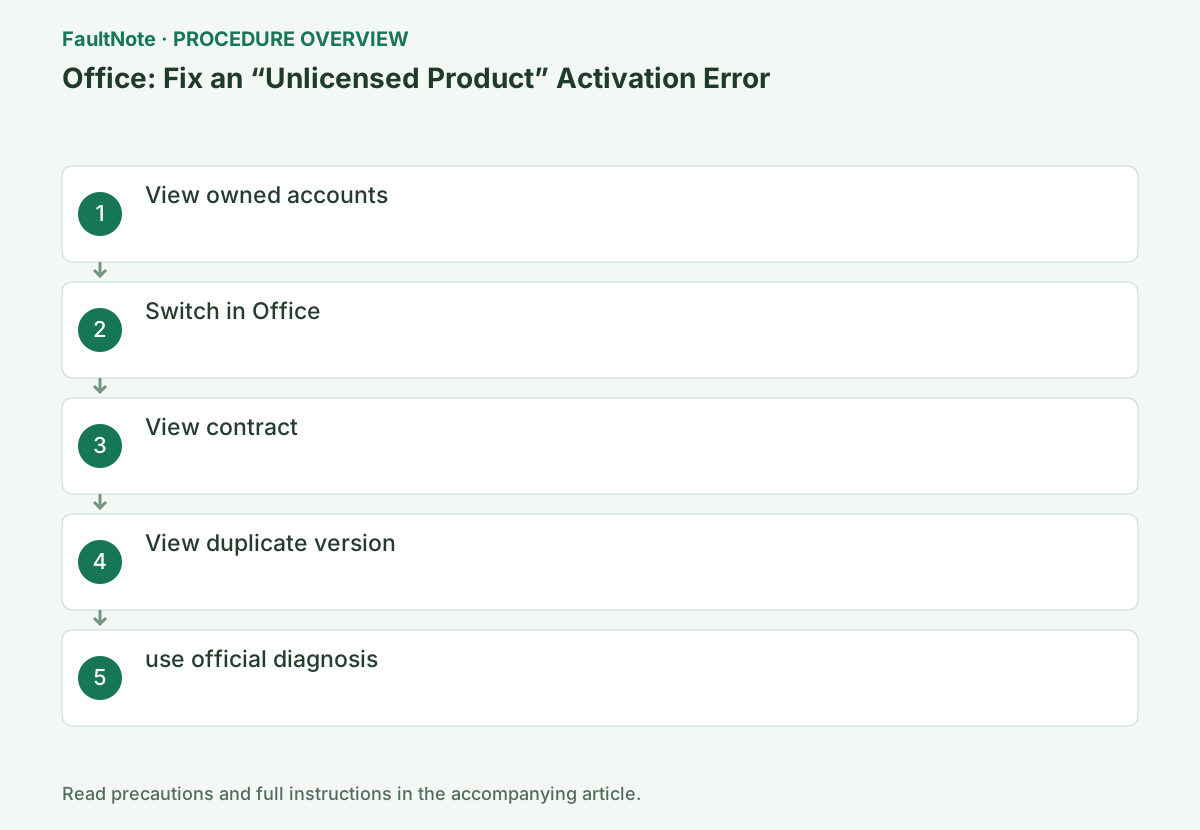
Step-by-step instructions
Record the warning, app, product, and account. Repair cannot add entitlement to an inactive or ineligible contract; verify ownership and rights first.
Check current family sharing or organizational assignment. Successful webmail under another Microsoft account is not Office activation.
Identify the account with the eligible product in Microsoft Services and Subscriptions.
The confirmation location is different for personal purchases and assignments from work or school. For personal use, check the contract list of the Microsoft account used for purchase, and for organizational use, check the administrator's license assignment, and make sure you are checking the correct account.
Open Word or Excel, go to File → Account, and check User Information and Product Information at the same time. The sign-in display in the upper right corner alone does not determine whether the account has the license.
Check User Information and Product Information together under File > Account. A visible sign-in name alone does not establish a desktop-app license. Verify personal purchases under the purchasing Microsoft account and organizational assignments with the administrator. Distinguish similar personal/work identities by address and type; retain purchase evidence for legitimate support.
Switch to the account with the target license by selecting [File] → [Account].
Open Word or Excel and go to [File] → [Account] to see your current sign-in destination and product information. After switching to the desired account, close the app and restart it to see if it still shows as unauthenticated.
Save documents before switching to the licensed account through the legitimate Office screen, then reopen and inspect Product Information. Windows sign-in and OneDrive sync are not the same license check. Record an unintended organization identity and return to the correct one. Avoid unofficial credential pages or activation tools.
Check the expiration date, payment, and cancellation, and for the organizational version, ask the administrator for the assignment.
Even if you have purchased it, it may not be available if your subscription expires or you are unassigned from your organization. Do not enter your payment information or full product key on this site or in the public question section.
For Microsoft 365, check subscription state and plan entitlement; web access alone does not establish desktop rights. For a perpetual product, verify its owning account and installation rights rather than applying subscription renewal steps. Ask the administrator about organizational assignments. Confirm entitlement before buying another key and handle purchase details privately through support.
Search for Office in the control panel, check the version you are using, delete only unnecessary versions, and restart.
Check the list in [Control Panel] → [Programs] → [Programs and Features]. Instead of deleting items with similar names based on guesswork, we process versions that are determined to be unnecessary only when we can confirm the product currently being used and how to re-install it.
Record installed Office products and versions. Do not deem trials, older editions, or managed products unnecessary from names alone. Before removal, confirm the retained edition's reinstall rights and preserve needed settings/add-ins. Avoid removing an entire suite under the assumption it is one app. Remove only an identified unneeded edition and verify afterward.
Run the authentication troubleshooter on the same Windows 10/11 PC that has the Office in question.
Start the authentication diagnostics from the linked Microsoft Support page. If you cannot run it on the organization-managed device, give the administrator the product name, account type, and on-screen error code, and follow the specified steps.
Run the official Microsoft 365 diagnostic on the same Windows PC and follow its legitimate Get Help launch. Choose the applicable version guidance for perpetual Office. If unresolved, check clock, updates, and connectivity. Do not independently disable organizational proxy or security; provide product, account type, error, and entitlement results. Confirm recovery prerequisites before online repair.
Official links for this step
- Microsoft 365 / Office for Windows Official Troubleshooting
You can see the configuration name, limitations, and updated branches for this procedure on the official page.
- Microsoft 365 / Office for Windows Official Troubleshooting
Verify the intended product and cleared warning, then edit, save separately, and reopen a non-sensitive document or workbook. Sign-in alone does not establish restored editing.
For recurrence, provide time, product, account type, and diagnostic results to legitimate support. Share only necessary ownership evidence and never publish a full key.
Check the result
- Correct product displayed
- The warning disappears and you can edit and save.
If the problem continues
- Perform date and time synchronization and Office updates
- If it remains after online repair, please present proof of purchase.
Scope of this guide
Troubleshooting guide — General diagnostic and recovery procedures based on official support. It does not describe a specific current incident.
Frequently asked questions
Purchase address is unknown.
Review the contract page for each candidate.
Can I fix it by re-entering the key?
For Microsoft 365, account and contract confirmation is first.
Why can I use the web app while desktop is unlicensed?
Products available can differ by plan or assignment. Verify that account's desktop entitlement and installed edition; ask the organizational administrator about assignment.
Official sources and dates
Source publication or resolution date: Not specified. Sources checked: 2026-10-13. The check date is not the date the problem first occurred. Interface labels can vary between versions and display languages.
Related troubleshooting guides
Microsoft Office / Microsoft 365 errors and troubleshooting →