Before moving your wired LAN to 2.5GbE or 10GbE: check the free slot and the cable run first
When people decide to make a wired connection faster, the first thing actually settled is not the speed but whether the PC has room. The 10GbE card read here states that it uses four PCIe lanes; the 2.5GbE controller states one. The cabling condition differs too: the 10GBASE-T page states Category 6 up to 55m and Category 6A up to 100m. This guide was written on 2026-09-21 from two Intel specification pages and reports only what they print. Nothing was benchmarked, and where price appears it is quoted under Intel's own label, Recommended Customer Price. That is not a retail price.
Published · Updated · FaultNote editorial policy
Who this guide is for and what to prepare
- People whose transfers to a NAS or another PC are slow and who are considering a faster wired link
- People weighing 2.5GbE against 10GbE who want the decision grounded in published specifications
- People who want to confirm a network card will physically fit and work in their machine before buying
What you need
- Check the free PCIe slots in the PC — both the physical connector and the lane count the board's spec page states for that slot
- Check the height restriction inside the case, which decides whether a low-profile bracket is needed
- Check the actual cable run length, and the category printed on the cable you already have
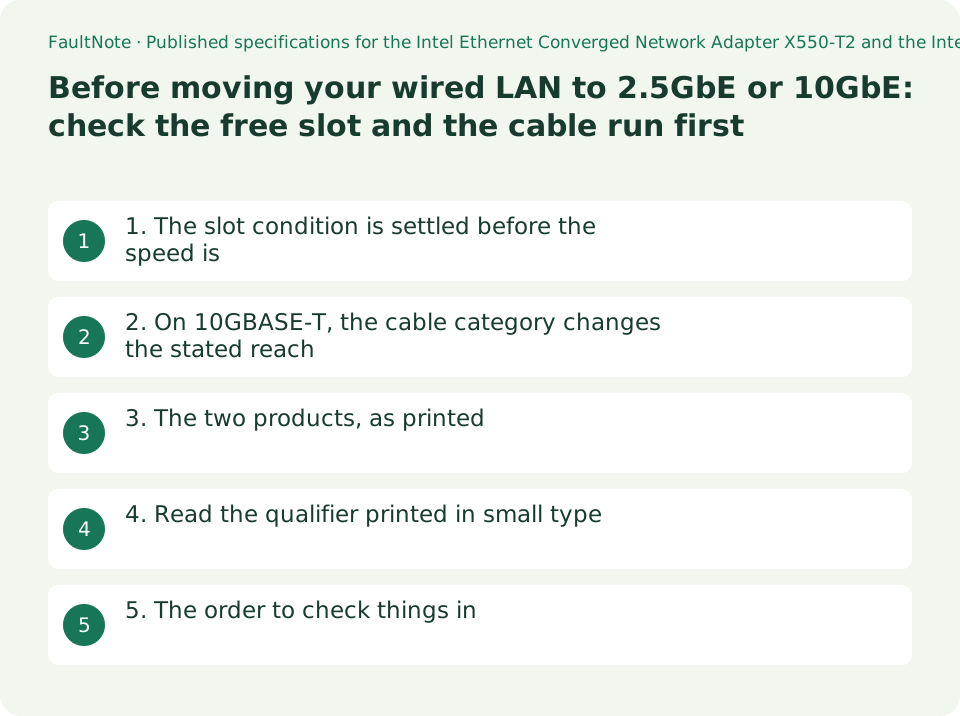
1. The slot condition is settled before the speed is
The Intel Ethernet Converged Network Adapter X550-T2 specification page gives System Interface Type as PCIe v3.0 (8.0 GT/s) and Speed & Slot Width as 8.0 GT/s, x 4 Lane. Four lanes.
The 2.5GbE part read here, the Intel Ethernet Controller I226-IT, gives System Interface Type as PCIe 3.1 and Speed & Slot Width as 5G, x1. One lane.
That difference decides what you can buy before anything else does. A card that wants x4 will not seat in a short physical x1 slot. And a slot with an x16 connector does not necessarily run at x16 — how many lanes it actually gets is stated on the motherboard's own page. Reading the lane count rather than the slot count is the same habit the M.2 slot guide asks for.
Bracket height is on the page too. The X550-T2 lists Bracket Height as Low Profile and Full Height. In a small case, whether that phrase appears decides whether the card fits.
2. On 10GBASE-T, the cable category changes the stated reach
The X550-T2 page gives Cabling Type as RJ45 Category 6 up to 55m; Category 6A up to 100m. Category 6 reaches 55 metres; Category 6A reaches 100.
Few homes or small offices run more than 55 metres, so the useful part is not the distance itself but the instruction it implies: check the category printed on the cable you own. Choosing the cable is the subject of this site's LAN cable guide. What this guide adds is that the condition also appears on the card's own page.
Cable Medium is given as Copper — RJ45, not fibre. Two products can both be called 10GbE while needing different things: an RJ45 card and a card that takes an optical module are not interchangeable. The product read here is the RJ45 kind.
3. The two products, as printed
The table reproduces the fields from the two Intel pages. It is not a performance comparison. It shows where on a product page each pre-purchase check lives.
One caveat about the pairing. The X550-T2 is a finished expansion card; the I226-IT is a controller, a chip. What a reader buys in a shop is a card or a motherboard built around a controller like the I226, not the chip alone. That is why the rows are not strictly like for like.
Scroll horizontally to see the full table →
| Field on the specification page | X550-T2 (expansion card, 10GbE) | I226-IT (controller, 2.5GbE) |
|---|---|---|
| Data Rate Per Port | 10GbE/5GbE/2.5GbE/1GbE/100Mb | 2.5G |
| Port Configuration | Dual | Single |
| System Interface Type | PCIe v3.0 (8.0 GT/s) | PCIe 3.1 |
| Speed & Slot Width | 8.0 GT/s, x 4 Lane | 5G, x1 |
| Cabling Type | RJ45 Category 6 up to 55m; Category 6A up to 100m | Not listed (Interfaces Supported is NBASE-T) |
| Launch Date / TDP | Q1'16 / no TDP listed | Q2'22 / TDP 1.5 W |
| Recommended Customer Price | $106.00 | $7.02 |
4. Read the qualifier printed in small type
Under Supplemental Information, the X550-T2 page has a Description field, and the field reads NBASE-T support in Linux Only. NBASE-T is the name for the intermediate rates between 1GbE and 10GbE — 2.5GbE and 5GbE.
The page itself does not explain what that sentence means in practice, and neither will this guide. Nothing was tested here, so this guide will not say that the intermediate rates do or do not work under Windows. What it can say is that the qualifier sits on the same page that lists Data Rate Per Port as 10GbE/5GbE/2.5GbE/1GbE/100Mb. If you are choosing this product for the intermediate rates, ask the maker or the retailer before buying.
Fields like this are not in the headline table; they live in a supplementary block. Deciding from the speed figures alone skips them.
Price needs the same care. The $106.00 and $7.02 on those pages are labelled Recommended Customer Price — Intel's own term. They are not retail prices, and this guide did not observe any shop price on the day. The $7.02 in particular is a chip price, not the price of a card built around it.
5. The order to check things in
The speed figure comes last. First comes whether it fits, whether it connects, and whether there is anything at the other end.
The third is the one most often skipped, so to be explicit: putting 10GbE in the PC does not produce 10GbE unless the switch or NAS at the other end supports it too. That is not a measurement this site made; it is the ordinary premise that a link negotiates to what both ends support.
Scroll horizontally to see the full table →
| Order | Where to look | What gets missed |
|---|---|---|
| 1. Will it seat in the slot | The card's Speed & Slot Width, and the board's slot section | A slot with an x16 connector can still run at x1 |
| 2. Will it fit the case | The card's Bracket Height | A small case needs the low-profile wording to be present |
| 3. Does the other end support it | The switch, router or NAS specification | Upgrading one end alone settles nothing; the lower of the two decides |
| 4. Does the cable meet the condition | The card's Cabling Type, and the category printed on your cable | 10GBASE-T states different reaches for Category 6 and 6A |
| 5. Do you need the intermediate rates | Supplementary fields such as Description | A qualifier on 2.5G/5G support can sit outside the main table |
Limitations and requirements
- This guide rests on two pages read on 2026-09-21. Intel's specification pages carry a notice that information is subject to change at any time without notice. Open them again before you buy.
- Changing part of a model number in an Intel product URL can silently open a different product. It happened here: a URL aimed at one 2.5GbE controller redirected to the I226-IT page. Always confirm the product name at the top of the page.
- Recommended Customer Price is not a retail price. No shop price or stock level was observed for this guide, so nothing here should be read as a current street price.
Frequently asked questions
Can a 10GbE card go in any free PCIe slot?
Check the lane count on the product page. The X550-T2 gives Speed & Slot Width as 8.0 GT/s, x 4 Lane. How many lanes your board gives a given slot is stated on the board's own specification page.
What actually differs between a 2.5GbE and a 10GbE upgrade?
Within the two pages read here: the PCIe lane width (x4 against x1), and the presence of a cabling category and reach on the 10GBASE-T side. Other differences such as power, heat and supported operating systems are worded differently per product and have to be read on each page.
Will Category 6 cable carry 10GbE?
The X550-T2 page states RJ45 Category 6 up to 55m; Category 6A up to 100m — Category 6 appears, with a distance condition attached. Choosing the cable itself is covered in this site's LAN cable guide.
If I upgrade only the PC, will transfers get faster?
Only if the other end supports the same rate, since a link runs at what both ends support. Check the switch or NAS specification as well. No speeds were measured for this guide.
Is the price on the specification page what I would pay?
No. The page labels it Recommended Customer Price. It is not a retail price, and no shop price was observed here. For a controller product in particular, the figure is for the chip, not for a card built around it.
Sources and verification date
Sources checked: . These sources support the specifications, procedures or prices discussed here. Check each source for applicable conditions and current information.
- Intel: Ethernet Converged Network Adapter X550-T2 product specifications (ARK). States Vertical Segment Server; Cable Medium Copper; Cabling Type RJ45 Category 6 up to 55m; Category 6A up to 100m; Bracket Height Low Profile and Full Height; Recommended Customer Price $106.00; Supplemental Information Description NBASE-T support in Linux Only; Data Rate Per Port 10GbE/5GbE/2.5GbE/1GbE/100Mb; Port Configuration Dual; Speed & Slot Width 8.0 GT/s, x 4 Lane; System Interface Type PCIe v3.0 (8.0 GT/s); Launch Date Q1'16. Read 2026-09-21 ↗
- Intel: Ethernet Controller I226-IT product specifications (ARK). States Launch Date Q2'22; Lithography 28 nm; TDP 1.5 W; Recommended Customer Price $7.02; Port Configuration Single; Data Rate Per Port 2.5G; System Interface Type PCIe 3.1; Speed & Slot Width 5G, x1; Interfaces Supported NBASE-T; Jumbo Frames Supported Yes. Read 2026-09-21 ↗
Related practical guides
- Which Ethernet Cable Category for 2.5GbE and 10GbE: Cat5e, Cat6 or Cat6A
- Before you buy a second SSD: the M.2 slots on your board are not interchangeable
- Check a laptop's upgradeability before you buy: soldered memory, M.2 slot count and battery capacity
- Before buying an expansion card: an x16-shaped slot can run at x1, and M.2 carrier cards need bifurcation
- PCIe 4.0 or 5.0 SSD for gaming? Check load times, capacity and slot sharing
- DDR5 with Two or Four DIMMs: Compare Upgrade Speed Limits and Kits