Can a Windows licence move to a new PC? The two acquisition routes section 4 of the licence terms separates
The question comes up when you replace a PC, or rebuild a machine you assembled yourself: can the Windows licence you are using come with you? The answer turns on how you obtained that Windows. Microsoft publishes the Windows 11 licence terms as a PDF, and section 4, Transfer, answers this directly by splitting into two cases: software preinstalled on a device, and software acquired as stand-alone software. The first may be transferred to another user "only with the licensed device"; the second may be moved to another device that belongs to you. The second comes with conditions too: the software must be removed from the prior device every time it is transferred, and it may not be transferred in order to share licences between devices. This guide reads the actual wording in both languages, and includes what a successful activation does not prove.
Published · Updated · FaultNote editorial policy
Who this guide is for and what to prepare
- Anyone about to replace a PC who wants to know whether their current Windows licence can be used on the new one
- Anyone about to replace major parts in a self-built PC who wants to check from the text whether that changes the licence position
- Anyone who wants to see the primary source behind the claim that an OEM licence cannot be moved
What you need
- Recall how you obtained the Windows you are using: preinstalled on the PC, bought on its own, or upgraded from one of those
- Check whether a Windows label including a product key is attached to the machine or its packaging
- Open Microsoft's licence terms page and be able to find the document matching your edition and version
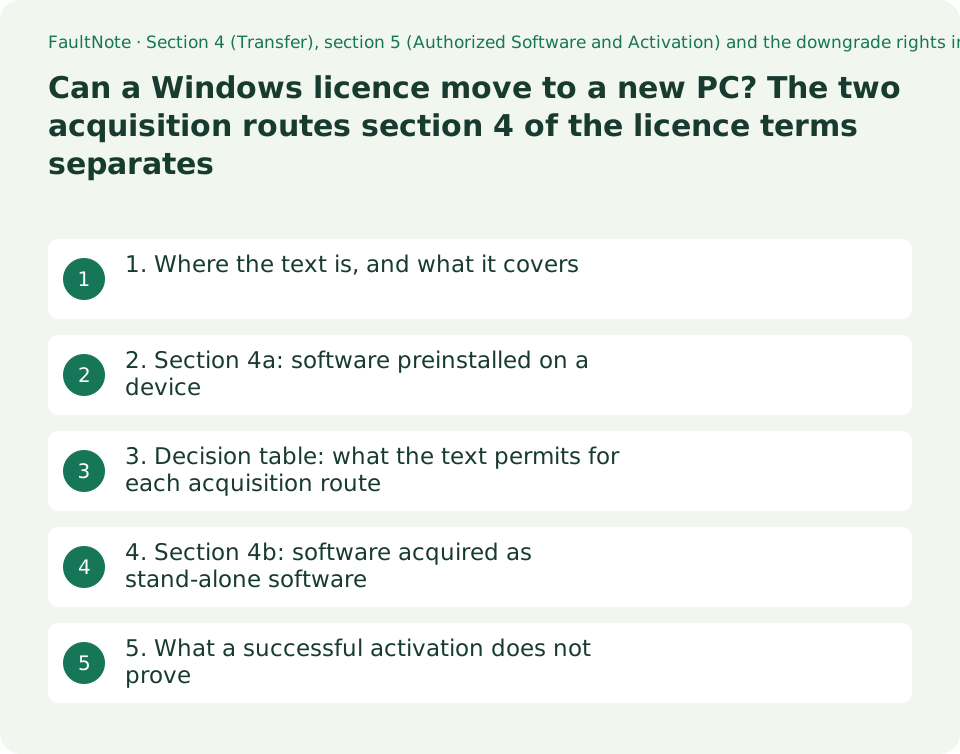
1. Where the text is, and what it covers
Start by identifying the document to read. Microsoft publishes licence terms per product as PDFs on the Microsoft License Terms page, and there are several editions for Windows 11. What this guide read is the Windows 11 licence terms filed under the OEM (pre-installed) category, in both the English and Japanese editions. The head of the document reads "Last updated April 2024".
The opening also states who the agreement is between. Depending on how you obtained the software, it is an agreement between you and the device manufacturer or software installer that distributes the software with your device, or between you and Microsoft if you acquired the software from a retailer. The document is written from the outset on the basis that the counterparty changes with the acquisition route.
An important exclusion sits at the head of the same section. Section 4 begins by saying its provisions do not apply if you acquired the software in Germany or in any of the countries listed at https://aka.ms/transfer, in which case any transfer of the software to a third party, and the right to use it, must comply with applicable law. Whether your own country is on that list is content on the page Microsoft maintains, and this guide does not reproduce the list.
The opening also states that if you are a volume license customer, use of the software is subject to your volume license agreement rather than this agreement. Devices issued by an employer are outside the scope of this guide.
2. Section 4a: software preinstalled on a device
Section 4 splits in two. Take 4a first, for software preinstalled on a device. The English edition reads: "If you acquired the software preinstalled on a device (and also if you upgraded from software preinstalled on a device), you may transfer the license to use the software directly to another user, only with the licensed device."
The Japanese edition matches, rendering the key limitation as a transfer that may be made only together with the licensed device. The operative phrase is only with the licensed device. Separating the software off and moving it to a different PC is not within what this clause permits.
The parenthesis matters too: "and also if you upgraded from software preinstalled on a device". Software that was later upgraded from a preinstalled copy falls under this subsection as well. Nothing says that upgrading puts it into a different category.
Two conditions on the transfer itself are stated: "The transfer must include the software and, if provided with the device, an authentic Windows label including the product key." and "Before any permitted transfer, the other party must agree that this agreement applies to the transfer and use of the software." Both matter to each side of a second-hand PC changing hands.
3. Decision table: what the text permits for each acquisition route
Here are 4a and 4b applied to the situations that come up when buying or replacing a machine. Each row rests on the wording of section 4. Where the text says nothing, the cell says so.
Scroll horizontally to see the full table →
| How it was acquired | Move to another PC of yours? | Transfer to someone else? | Conditions the text attaches |
|---|---|---|---|
| Preinstalled on the device | The text permits transfer only with the licensed device; moving the software alone to another device is not within the permission | Yes, but only together with the device | The transfer must include the software and, if provided with the device, an authentic Windows label including the product key. The other party must agree that the agreement applies |
| Upgraded from a preinstalled copy | As above (the parenthesis states the same treatment) | As above | As above |
| Acquired as stand-alone software | Yes. "you may transfer the software to another device that belongs to you" | Conditionally. Only if (i) you are the first licensed user and (ii) the new user agrees to the terms | Every time you transfer to a new device you must remove the software from the prior device. Transfer to share licences between devices is not permitted |
| Upgraded from stand-alone software | As above (the parenthesis states the same treatment) | As above | As above |
| Acquired in Germany or a country Microsoft lists | Not stated in the text (the provisions of section 4 do not apply) | Not stated in the text | Only that transfer and the right to use must comply with applicable law |
| Volume licensing | Outside this document | Outside this document | The opening states that the volume license agreement applies instead |
4. Section 4b: software acquired as stand-alone software
Clause b plainly permits something that a does not: "If you acquired the software as stand-alone software (and also if you upgraded from software you acquired as stand-alone software), you may transfer the software to another device that belongs to you." Moving it to another device you own is stated without further condition.
Moving it to a device owned by someone else does carry conditions: "You may also transfer the software to a device owned by someone else if (i) you are the first licensed user of the software and (ii) the new user agrees to the terms of this agreement." The requirement to be the first licensed user is wording that does not contemplate a licence passing from hand to hand repeatedly.
And the two most practically important sentences: "Every time you transfer the software to a new device, you must remove the software from the prior device. You may not transfer the software to share licenses between devices." Being able to move it is not the same as being able to use it on two machines.
The mechanics are covered as well: "You may use the backup copy we allow you to make or the media that the software came on to transfer the software." That the backup copy exists at all is stated in section 2, which permits a single copy for backup purposes; 4b then says that copy can be used for the transfer.
5. What a successful activation does not prove
In practice it is tempting to conclude that if it activated after the move, it must be fine. The text rejects that reading. Section 5 says "Successful activation does not confirm that the software is genuine or properly licensed." Whether activation succeeds is not an adjudication of whether the licence conditions are met.
The same section 5 also mentions component changes: during activation, or "reactivation that may be triggered by changes to your device's components", the software may determine that the installed instance is counterfeit, improperly licensed or includes unauthorized changes. That replacing parts in a self-built PC can trigger a reactivation can be read from this. What is not written anywhere in the text is which parts, or how many, cause it. This site does not supply a threshold by guesswork.
Separately from transfer, the document also sets out downgrade rights in section 7b. Where you acquired a device from a manufacturer or installer with a Professional version of Windows preinstalled on it, configured to run in full feature mode, you may downgrade to an equivalent edition on a prior version of Windows Professional — but only for so long as Microsoft provides support for that earlier version, and supports that earlier version on your hardware. It bears on options for a machine you already have rather than on replacing one.
Finally, what this guide does not answer. First, it does not give a way to tell from the outside whether a particular product key or sales channel counts as OEM or retail. The text distinguishes by acquisition route, and the correspondence with shop listings and product names is not in the document. Second, this site has not tested actual activation behaviour or how support handles these cases. Third, for the buying side of a second-hand PC, this site's guide to used business PCs covers the separate question of what an activated state does and does not prove.
0Limitations and requirements
- What this guide read is the OEM (pre-installed) edition of Microsoft's published Windows 11 licence terms, in English and Japanese, both last updated April 2024. A different document may apply to your edition or acquisition route. Check which one applies to you.
- Section 4 states that its provisions do not apply if the software was acquired in Germany or in any of the countries Microsoft lists at https://aka.ms/transfer. In that case the text says only that transfer and the right to use must comply with applicable law.
- The opening states that volume license customers are subject to their volume license agreement rather than this one. Employer-issued machines are outside this guide.
- Even for stand-alone software, the text requires the software to be removed from the prior device every time it is transferred, and does not permit transfer in order to share licences between devices.
- The text states explicitly that a successful activation does not confirm that the software is genuine or properly licensed. Do not use activation as the basis of the judgement.
- The text gives no threshold for which component changes, or how many, trigger a reactivation. This guide states none. This site has also not tested activation behaviour on hardware.
Frequently asked questions
Can I use the Windows that came with my PC on a new machine I built?
Section 4a provides, for software preinstalled on a device, that you may transfer the licence directly to another user "only with the licensed device". Separating the software off and using it on a different device is not within what that clause permits. The parenthesis also states that software upgraded from a preinstalled copy is treated the same way.
If I bought Windows on its own, can I move it to another PC?
Section 4b provides that software acquired as stand-alone software may be transferred to another device that belongs to you. Two conditions come with it: the software must be removed from the prior device every time it is transferred, and it may not be transferred in order to share licences between devices. Moving it to a device owned by someone else adds two more: you must be the first licensed user, and the new user must agree to the terms.
What should come with a second-hand PC I am taking on?
Section 4a states that the transfer must include the software and, if provided with the device, an authentic Windows label including the product key. It also states that before any permitted transfer the other party must agree that the agreement applies. For the practical checks on the buying side, see this site's guide to used business PCs, which covers what an activated state does and does not prove.
If it activates after the move, does that mean the conditions are met?
No. Section 5 states "Successful activation does not confirm that the software is genuine or properly licensed." Activation is not an adjudication of the licence conditions. Whether the conditions are met is decided by the acquisition route and the provisions of section 4.
What happens to the licence if I replace parts?
Section 5 refers to activation, or "reactivation that may be triggered by changes to your device's components", so it can be read from the text that changing parts may trigger a reactivation. What the text does not state is which parts, or how many, cause that, or at what point a machine counts as a different device. This site does not supply a threshold that is not written.
Sources and verification date
Sources checked: . These sources support the specifications, procedures or prices discussed here. Check each source for applicable conditions and current information.
- Microsoft: Microsoft License Terms (the index of per-product licence terms). Links to the English and Japanese PDFs under the OEM (pre-installed) category for Windows 11. Read 2026-09-20 ↗
- Microsoft: Windows 11 licence terms, OEM (pre-installed), Japanese PDF. The head of the document gives the last update as April 2024. Section 4, Transfer, subsection a states that where the software was acquired preinstalled on a device (and also where upgraded from software preinstalled on a device), the licence to use the software may be transferred directly to another user only together with the licensed device, and that the transfer must include the software and, if provided with the device, an authentic Windows label including the product key; subsection b states that the software may be moved to another device belonging to the user, that it must be removed from the prior device each time it is moved to a new one, and that it may not be transferred in order to share licences between devices. Section 5 states that a successful activation does not confirm that the software is genuine or properly licensed. Read 2026-09-20 ↗
- Microsoft: Windows 11 licence terms, OEM (pre-installed), English PDF. Head of document: "Last updated April 2024". Section 4 Transfer carries "The provisions of this section do not apply if you acquired the software in Germany or in any of the countries listed on this site https://aka.ms/transfer", "you may transfer the license to use the software directly to another user, only with the licensed device.", "you may transfer the software to another device that belongs to you. You may also transfer the software to a device owned by someone else if (i) you are the first licensed user of the software and (ii) the new user agrees to the terms of this agreement." and "Every time you transfer the software to a new device, you must remove the software from the prior device. You may not transfer the software to share licenses between devices." Section 5 carries "Successful activation does not confirm that the software is genuine or properly licensed."; section 7b sets out downgrade rights for a Professional version and their conditions. Read 2026-09-20 ↗
Related practical guides
- DDR4 vs. DDR5: Choose for a New Build, Reused RAM and Upgrade Cost
- Buying a second-hand graphics card: the warranty, what to check, and what cannot be checked
- Before buying a used business PC: how to read Windows 11's supported-CPU lists, and what "activated" does not prove
- Check PC-Part Compatibility Before Buying: CPU, BIOS, RAM, Case and Power
- BTO vs. Self-Built PCs: Compare Total Cost, Warranty and Your Work
- B650 vs. B850 vs. X870: Check USB4, M.2 Sharing and CPU Support