Before buying a GPU for streaming or recording: read the NVENC generation, count, session limit and AV1 column
When a GPU is used for streaming, recording or a video export, the part doing the work is a dedicated video encoder rather than the 3D shading hardware. Whether a given card can encode AV1 in hardware, and how many sessions it can run at once, is not a matter of opinion: NVIDIA publishes it per board. This guide reads NVIDIA's Video Encode and Decode Support Matrix on 2026-09-20, explains what each column means, transcribes four real board rows, and shows where the generational boundaries fall. It also shows the field that answers the same question on the Intel side. This site has not measured encoding speed or quality and judges no product better than another; the job here is to separate what the table states from what it does not.
Published · Updated · FaultNote editorial policy
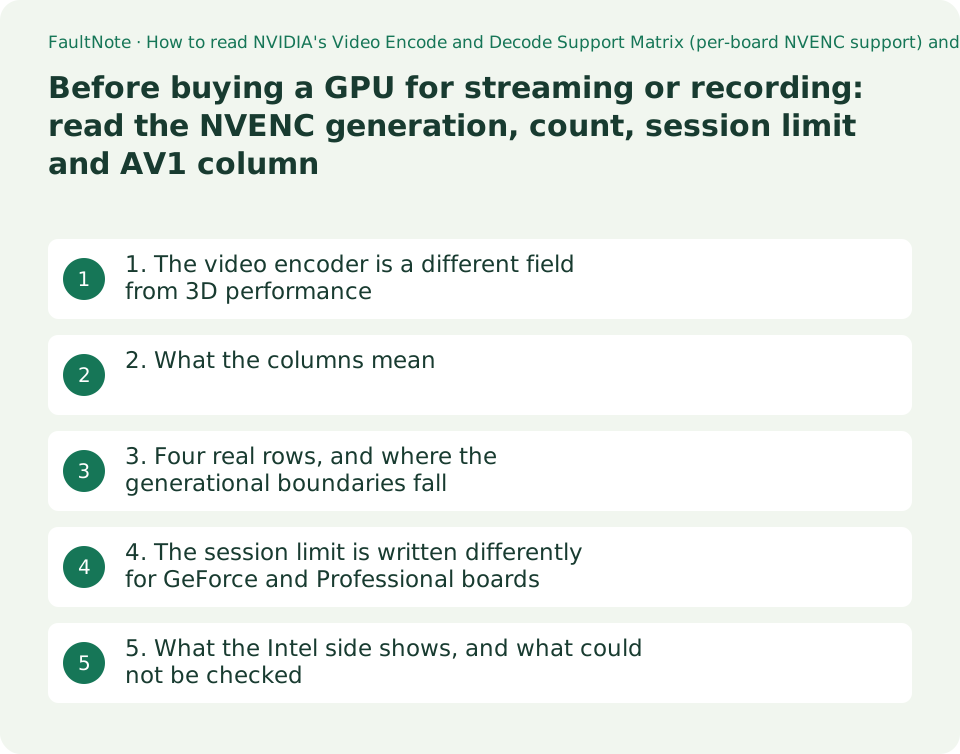
Who this guide is for and what to prepare
- Anyone buying a GPU for streaming or recording who wants to know which generation gained which capability
- Anyone checking whether their current GPU can encode AV1 in hardware
- Anyone planning to run several simultaneous encodes
What you need
- Note the exact name of your GPU (Task Manager > Performance, or Device Manager)
- Note your CPU model, if you might use the integrated encoder instead
- Find the encoder names your software offers (NVENC, Quick Sync and so on) in its settings
1. The video encoder is a different field from 3D performance
A GPU product page leads with core counts and memory. What streaming and recording actually use is a dedicated video encoder block — NVENC on NVIDIA hardware — and NVIDIA publishes per-board support for it in a developer-facing table, the Video Encode and Decode Support Matrix.
That table matters for a purchase because the number of NVENC units differs within a generation and codec support changes between generations. It is an axis of its own: buying a higher tier card does not automatically settle it.
The table is divided into Consumer (GeForce), Professional (NVIDIA RTX / Quadro), Server (Data Center), DGX and Jetson / IGX sections. For a desktop or gaming PC, the first section is the one to read.
2. What the columns mean
The headings are heavily abbreviated. In order: BOARD, FAMILY (the architecture), NVENC Generation, Desktop/Mobile, # OF CHIPS, Total # of NVENC, and Max # of concurrent sessions.
The rest is codec support: H.264 (AVC) at YUV 4:2:0, 4:2:2, 4:4:4 and Lossless; H.265 (HEVC) at 4K YUV 4:2:0, YUV 4:2:2, 4K YUV 4:4:4, 4K Lossless and 8K; HEVC 10-bit support; HEVC B Frame support; and AV1 YUV 4:2:0. Each cell reads YES or NO.
The point to take from this is that support is tabulated by codec *and* chroma subsampling, not by codec alone. Whether a board encodes H.264 is one column; whether it encodes H.264 at 4:2:2 is another. For anyone working with 4:2:2 footage, that distinction is the purchase decision.
3. Four real rows, and where the generational boundaries fall
Below are four rows transcribed from the table on 2026-09-20. The figures and YES/NO values are as published.
Three things follow. First, the boundary for hardware AV1 encoding sits between Ampere and Ada Lovelace: GeForce RTX 3060 (Ampere, NVENC 7th Gen) reads NO under AV1 YUV 4:2:0, while GeForce RTX 4060 (Ada Lovelace, 8th Gen) reads YES. If AV1 is why you are upgrading, that single column is the reason.
Second, 4:2:2 support is a newer boundary again. The H.264 (AVC) YUV 4:2:2 and H.265 (HEVC) YUV 4:2:2 columns read NO for both the RTX 3060 and the RTX 4060, and YES for the Blackwell-generation RTX 5060 and RTX 5090.
Third, the number of NVENC units rises on higher-tier boards: Total # of NVENC is 3 for the RTX 5090 and 1 for the RTX 5060. The concurrent-session limit is a separate column, and it reads 12 for all four of these rows.
Scroll horizontally to see the full table →
| Board | FAMILY / NVENC Generation | Total # of NVENC / Max # of concurrent sessions | H.264 4:2:2 / HEVC 4:2:2 | AV1 YUV 4:2:0 |
|---|---|---|---|---|
| GeForce RTX 5090 | Blackwell / 9th Gen | 3 / 12 | YES / YES | YES |
| GeForce RTX 5060 | Blackwell / 9th Gen | 1 / 12 | YES / YES | YES |
| GeForce RTX 4060 | Ada Lovelace / 8th Gen | 1 / 12 | NO / NO | YES |
| GeForce RTX 3060 | Ampere / 7th Gen | 1 / 12 | NO / NO | NO |
4. The session limit is written differently for GeForce and Professional boards
Max # of concurrent sessions is the ceiling on simultaneous encode sessions. All four boards above read 12. That number matters when streaming and recording at the same time, or handling several inputs at once.
In the Professional (NVIDIA RTX / Quadro) section of the same table, the column is written differently. The row for the NVIDIA RTX PRO 500 Blackwell Generation Laptop GPU, for example, reads Unrestricted — a word rather than a number.
So the table itself shows that the session ceiling is handled differently by product class. This site has neither measured that ceiling nor checked what happens when it is reached; what is offered here is the published entry.
Note also that this is a developer-facing table from the hardware vendor. How any particular application uses an encoder is a matter of that application's implementation and settings, and the table says nothing about it.
5. What the Intel side shows, and what could not be checked
For the encoder built into an Intel CPU, the name is Intel® Quick Sync Video, and whether a CPU has it is a field on the ARK specification page. Read on 2026-09-20, the Intel Core Ultra 9 processor 285K page shows Intel® Quick Sync Video: Yes.
That field answers presence only. No breakdown by codec or chroma subsampling appeared on that page, so information at the granularity of NVIDIA's table is not available in the same place.
For AMD, no primary source could be retrieved for this guide: the URL tried for the Radeon RX 9070 XT product page returned 404. This guide therefore says nothing about AMD's video engines, and makes no cross-vendor comparison.
The reliable order before buying: decide which codec (H.264, HEVC, AV1) and which chroma subsampling you need; look up the candidate board's row in the vendor table; decide how many simultaneous encodes you want and read the session column; then confirm in your software's settings that the encoder is actually selectable there.
Scroll horizontally to see the full table →
| What you want to establish | Where it is published | What this guide could establish |
|---|---|---|
| Codec support of an NVIDIA GPU | NVIDIA's Video Encode and Decode Support Matrix | YES/NO per board and per codec |
| Concurrent session ceiling on an NVIDIA GPU | The Max # of concurrent sessions column of the same table | 12 for all four GeForce boards read; Unrestricted on the Professional example |
| Whether an Intel CPU has Quick Sync | The Intel® Quick Sync Video field on Intel ARK | Yes for the Core Ultra 9 285K; no codec breakdown in that field |
| AMD GPU video engines | AMD's product pages | Not retrieved (the URL tried returned 404); nothing stated |
| Actual encoding speed and quality | Requires measurement | Not measured here; no figures and no comparison |
Limitations and requirements
- This site has measured neither encoding speed, nor quality, nor power draw. No performance comparison appears here.
- The table entries are as published on 2026-09-20. The matrix is updated as products are added or corrected; open it again at the time you buy.
- The table states hardware capability. Whether a feature is usable also depends on the driver and on the application's implementation; confirm the encoder is selectable in your software.
- No primary source for AMD GPUs could be retrieved, so nothing is stated about them and no comparison is made.
- The Intel® Quick Sync Video field on ARK indicates presence only and carries no codec breakdown; this guide has not filled that gap from other sources.
- What happens when the concurrent-session ceiling is reached was not checked; only the published entry is reported.
Frequently asked questions
Can my RTX 3060 stream in AV1?
For hardware encoding, the matrix as read on 2026-09-20 shows NO in the AV1 YUV 4:2:0 column for the GeForce RTX 3060 (Ampere, NVENC 7th Gen), and YES for the GeForce RTX 4060 (Ada Lovelace, 8th Gen). Software encoding, and what it costs in CPU load, was not measured by this site.
Does a higher-tier card encode faster?
Not something the sources here establish. What they show is that the number of NVENC units varies by board (Total # of NVENC is 3 on the RTX 5090 and 1 on the RTX 5060) and that codec support changes by generation. Speed was not measured, so nothing is claimed about it.
How many simultaneous streams and recordings can I run?
The Max # of concurrent sessions column addresses this. All four GeForce boards read here show 12. In the Professional section, the row for the NVIDIA RTX PRO 500 Blackwell Generation Laptop GPU reads Unrestricted. How many you can actually run also depends on the application's implementation and settings and on the GPU's remaining headroom.
Can the integrated graphics in a CPU do this?
On Intel, presence is shown by the Intel® Quick Sync Video field on ARK; the Core Ultra 9 processor 285K read Yes on 2026-09-20. That field carries no codec breakdown, so which formats are supported to what extent cannot be read from that page.
What is the 4:2:2 column about?
It is chroma subsampling, tabulated as a separate column. As published on 2026-09-20, H.264 (AVC) YUV 4:2:2 and H.265 (HEVC) YUV 4:2:2 read NO for the RTX 3060 and RTX 4060 and YES for the Blackwell-generation RTX 5060 and RTX 5090. If you expect to handle 4:2:2 footage, read that column first.
Sources and verification date
Sources checked: . These sources support the specifications, procedures or prices discussed here. Check each source for applicable conditions and current information.
- NVIDIA: Video Encode and Decode Support Matrix. The NVENC sections (Consumer (GeForce), Professional (NVIDIA RTX / Quadro), Server (Data Center), DGX, Jetson / IGX), the column structure (BOARD, FAMILY, NVENC Generation, Desktop/Mobile, # OF CHIPS, Total # of NVENC, Max # of concurrent sessions, the H.264 and H.265 sampling columns, HEVC 10-bit support, HEVC B Frame support, AV1 YUV 4:2:0), and the rows quoted here for GeForce RTX 5090, 5060, 4060 and 3060 and for the NVIDIA RTX PRO 500 Blackwell Generation Laptop GPU. Read 2026-09-20 ↗
- Intel ARK: Intel® Core™ Ultra 9 processor 285K specifications. The Intel® Quick Sync Video field reading Yes, and the absence of any codec breakdown in that field. Read 2026-09-20 ↗
Related practical guides
- Check PC-Part Compatibility Before Buying: CPU, BIOS, RAM, Case and Power
- B650 vs. B850 vs. X870: Check USB4, M.2 Sharing and CPU Support
- Integrated vs. Discrete Graphics: Check Workloads, CPU Models and Outputs
- 1080p, 1440p or 4K: Plan a Gaming Monitor and GPU Budget Together
- Choosing a capture card: recording and passthrough resolutions differ, and the port sets the ceiling
- Buying a second-hand graphics card: the warranty, what to check, and what cannot be checked