Choosing a FIDO2 security key: what the certification level means, and the combinations the OS already rules out
Set out to buy a FIDO2 security key and the product pages give you "FIDO Certified" and "Level 2" alongside USB-C, NFC and BLE. What should the decision rest on? This guide works from two angles. One is the certification level. The FIDO Alliance publishes that FIDO2 certification requires at least Level 1, that the levels build on each other so L2 includes everything in L1, and that L1 is evaluated by FIDO's own security secretariat while L2 and above are evaluated by an accredited security laboratory. The other is the set of combination limits that bite after you have bought. Microsoft's published passkey (FIDO2) compatibility matrix states which operating systems do not support NFC or BLE security keys, and where initial registration does not work, naming whose limit each one is. That table decides the purchase more than the key's own specification does.
Published · Updated · FaultNote editorial policy
Who this guide is for and what to prepare
- Anyone buying a FIDO2 security key for the first time who does not know what to look at on the product page
- Anyone who also wants to use it on an iPhone or a Mac and is unsure whether to choose an NFC or BLE key
- Anyone who has not worked out how "passkeys" and "security keys" relate, and whether both are needed
What you need
- Write down every operating system you plan to use the key on (Windows, macOS, iOS, Android, ChromeOS, Linux)
- Write down the browser you will use on each of them (Chrome, Edge, Firefox, Safari)
- Write down the services you want to sign in to, and be able to check whether each supports security keys
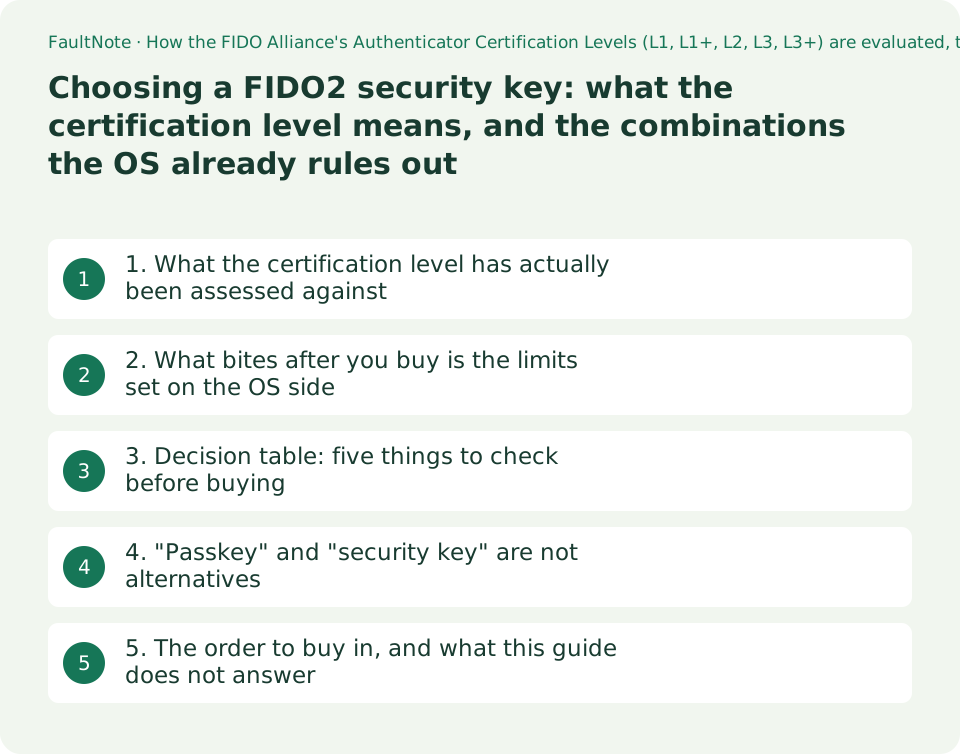
1. What the certification level has actually been assessed against
When a product page carries "FIDO Certified" or a level, check what mark of passing that is. The FIDO Alliance's Authenticator Certification Levels page says: "Authenticators must be certified to at least Authenticator Certification Level 1 (L1) for UAF, U2F, and FIDO2 certification." FIDO2 certification presupposes at least L1.
The relationship between levels is stated too: "The Levels build on each other, so L2 includes all the requirements for L1, plus additional requirements for L2." They stack, so a higher level contains everything below it. Five levels are listed as currently supported: Level 1, Level 1+, Level 2, Level 3 and Level 3+.
What bears most on a purchase is that the evaluating party differs. The process description on the same page reads "Security Secretariat (L1) or Accredited Security Laboratory (L2, L3, or L3+) Security Evaluation & FIDO Evaluation Report". L1 is evaluated by FIDO's security secretariat; L2 and above by an accredited security laboratory. It also states that at L1 and L2 the object of evaluation is a Vendor Questionnaire completed by the vendor, and at L3 and L3+ a Mapping Table.
Separate what follows from what does not. What follows is that requirements increase with the level and that a third-party laboratory is involved from L2 upwards. What does not follow is how much safer an L2 key is than an L1 key in practice. This site has no figure for that and the page states none, so this guide treats the level as a difference in the scope of requirements and in who evaluates them, and does not quantify superiority.
The same page also lists, as an optional step after certification, "(Optional) Metadata Submission to FIDO MDS". Submission to the metadata service is optional, so a product not appearing there does not mean it is uncertified.
2. What bites after you buy is the limits set on the OS side
More than the key's own specification, what decides whether it can be used is the combination. Microsoft's published passkey (FIDO2) compatibility matrix lists per-OS considerations, naming whose limit each one is.
For macOS it says "Near-field communication (NFC) and Bluetooth Low Energy (BLE) security keys aren't supported on macOS by Apple." NFC and BLE security keys are not supported on macOS, and the page attributes that to Apple. It adds separately that "New security key registration doesn't work on these macOS browsers because they don't prompt to set up biometrics or PIN."
For iOS there are three: "BLE security keys aren't supported on iOS by Apple.", "NFC with FIPS 140-3 certified security keys isn't supported on iOS by Apple." and "New security key registration doesn't work on iOS browsers because they don't prompt to set up biometrics or PIN." The second looks like a detail and is decisive for anyone planning to use a FIPS 140-3 certified key over NFC on an iPhone.
For ChromeOS it says "NFC and BLE security keys aren't supported on ChromeOS by Google." and also "Security key registration isn't supported on ChromeOS or Chrome browser." For Android: "BLE security keys aren't supported on Android by Google."
What emerges is that registration (the initial setup) and use (day-to-day sign-in) are treated separately. Combinations exist where a key works but cannot be registered. Buying one key and finding that every device you own is a registration-blocked environment is avoidable. Decide before buying which device you will register on.
For Windows, the same page introduces the conditions with "Sign-in with security key requires one of the following items:" and then lists four bullets: "Windows 10 version 1903 or later", "Chromium-based Microsoft Edge", "Chrome 76 or later" and "Firefox 66 or later". Those are comparatively easy to meet.
3. Decision table: five things to check before buying
Here is the material above as a pre-purchase checklist. The "stated limit" column carries only limits the cited page actually states.
Scroll horizontally to see the full table →
| What to check | Why it bears on the purchase | Stated limit | Source |
|---|---|---|---|
| Certification level (L1, L1+, L2, L3, L3+) | Requirements increase with the level, and from L2 upwards an accredited laboratory evaluates | FIDO2 certification requires at least L1. The levels build on each other | FIDO Alliance |
| Connection method (USB, NFC, BLE) | On some operating systems the method itself is unavailable | NFC and BLE unsupported on macOS and ChromeOS; BLE also unsupported on iOS and Android | Microsoft Entra compatibility matrix |
| Which device you register on | Environments exist where the key works but cannot be registered | New security key registration does not work in macOS and iOS browsers; registration is not supported on ChromeOS or the Chrome browser | As above |
| The OS and browser combination | Support differs by browser within the same OS | Sign-in on Windows requires Windows 10 version 1903 or later with Chromium-based Edge, Chrome 76 or later, or Firefox 66 or later | As above |
| Where the credential lives (device-bound or synced) | It changes what happens if you lose the key | Microsoft Entra ID supports both synced passkeys and device-bound passkeys as generally available authentication methods | As above |
4. "Passkey" and "security key" are not alternatives
A note on terms. Treating these two as a choice between opposites leads to the wrong decision.
Microsoft's Windows documentation explains the mechanism: when a user registers with an online service, their client device generates a new key pair; the private key is stored securely on the device and the public key is registered with the service; to authenticate, the device proves it holds the private key by signing a challenge. It then states "The private keys can only be used after they're unlocked by the user using the Windows Hello unlock factor (biometrics or PIN)." It also states that biometric information used in authentication stays on the device and is not transmitted across the network or to the service.
So a passkey stored with Windows Hello and a passkey stored on an external security key sit on the same FIDO mechanism. What differs is where the private key lives and what unlocks it. For Microsoft Entra ID, the compatibility matrix states that both synced passkeys and device-bound passkeys are supported as generally available authentication methods.
The same Windows documentation carries behaviour that catches people out after purchase. From Windows 11 version 24H2, users are prompted for privacy consent before applications can access passkeys, and where consent is declined, passkey registration and authentication do not work for that application. The location is given as "Settings > Privacy & security > Passkey access", and access can be restored there afterwards.
There is one more condition, for signing in using another device. "For passkey cross-device authentication scenarios, both the Windows device and the mobile device must have Bluetooth enabled and connected to the Internet." Both the Windows device and the phone need Bluetooth on and an internet connection. Where an organisation restricts Bluetooth, that route cannot be relied on.
5. The order to buy in, and what this guide does not answer
The order runs like this. First, write down every operating system you will use it on. Second, if macOS, iOS or ChromeOS is among them, choose a connection method that does not run into the NFC and BLE limits. Third, decide which device you will register on. Fourth, decide whether you will hold one key or keep a spare. Fifth, and only then, look at the certification level. The level matters, but it comes last: a high-level key you cannot use in your combination is no use.
On losing a key, only what the documents say. Microsoft's consumer page explains that a passkey saved to a synced credential manager syncs through your cloud account so you can sign in from a different device, and recommends creating passkeys on your other devices too where you save them on the device. A setup with one physical key and nothing else needs a separate route prepared for the day it is lost. The recovery procedure of any given service is, however, that service's own.
This guide recommends no specific product. It makes no price or value comparison. This site has done no hands-on testing and holds no report that a particular key worked in a particular environment. Every limit cited is one the FIDO Alliance or Microsoft states in its own material.
Finally, what could not be established. The FIDO Alliance page read here does not carry the substance of the per-level requirements in its body — which attacks are assumed, and what must be satisfied — but points to separate documents such as the Authenticator Security and Privacy Requirements for download. This site has not read those documents, so it does not describe the contents of the requirements at each level. The page also shows that a FIDO Certified Products Directory exists for checking individual products, but this guide makes no claim about the certification status of any individual product.
Limitations and requirements
- A certification level indicates the scope of the requirements and who evaluates them. How much safer an L2 key is than an L1 key is not stated on the pages read here, and this site gives no figure for it.
- NFC and BLE security keys are stated as unsupported on macOS and ChromeOS, and BLE also on iOS and Android. Each is written as a limit imposed by Apple or by Google.
- Being able to use a key and being able to register it are different. New security key registration does not work in macOS and iOS browsers, and registration is stated as unsupported on ChromeOS and the Chrome browser.
- NFC use of a FIPS 140-3 certified security key is stated as unsupported on iOS, as a limit imposed by Apple.
- From Windows 11 version 24H2, privacy consent is requested before an application can access passkeys, and registration and authentication do not work for an application whose consent was declined. Access can be restored from Settings.
- This site has done no hands-on testing. There is no report here that a particular product worked in a particular environment, and no claim about the certification status of any individual product.
Frequently asked questions
What is the difference between a key marked only "FIDO Certified" and one marked "Level 2"?
The FIDO Alliance states that FIDO2 certification requires at least Level 1, and that the levels build on each other so L2 includes all the requirements of L1. The evaluating party also differs: the process description says L1 is evaluated by FIDO's security secretariat and L2 and above by an accredited security laboratory. What the page does not carry is any statement of how much safer L2 is than L1, and this site does not quantify superiority either.
I want to use it on an iPhone too. Should I just buy an NFC key?
Check the conditions first. Microsoft's compatibility matrix says for iOS "BLE security keys aren't supported on iOS by Apple." and also "NFC with FIPS 140-3 certified security keys isn't supported on iOS by Apple." — NFC use of a FIPS 140-3 certified key is outside support. It also states that new security key registration does not work in iOS browsers, so plan on registering the key from a different device.
If I have passkeys, do I still need a security key?
They are not alternatives. Microsoft's documentation explains passkeys on the FIDO mechanism: the private key is stored on the device and can only be used after being unlocked with the Windows Hello unlock factor, biometrics or PIN. An external security key is that same private key held in separate hardware. Microsoft Entra ID states that it supports both synced passkeys and device-bound passkeys as generally available authentication methods. Which you use is a question of where you want the key to live.
What happens if I lose the key?
This guide does not set out any service's recovery procedure. What the documents support is that Microsoft's consumer page explains that a passkey saved to a synced credential manager syncs through your cloud account so it can be used from other devices, and recommends creating passkeys on your other devices where you save them on the device. If you plan on a single physical key, prepare a separate route for the day you lose it.
Are there special conditions for using a security key on Windows?
Microsoft's compatibility matrix states that sign-in with a security key requires Windows 10 version 1903 or later, with Chromium-based Microsoft Edge, Chrome 76 or later, or Firefox 66 or later. In addition, from Windows 11 version 24H2, privacy consent is requested before an application can access passkeys, and registration and authentication do not work for an application whose consent was declined. The page states that access can be restored at Settings > Privacy & security > Passkey access.
Sources and verification date
Sources checked: . These sources support the specifications, procedures or prices discussed here. Check each source for applicable conditions and current information.
- FIDO Alliance: FIDO Authenticator Certification Levels. Carries "Authenticators must be certified to at least Authenticator Certification Level 1 (L1) for UAF, U2F, and FIDO2 certification." and "The Levels build on each other, so L2 includes all the requirements for L1, plus additional requirements for L2."; lists Level 1, Level 1+, Level 2, Level 3 and Level 3+ as the supported levels; the process description carries "Security Secretariat (L1) or Accredited Security Laboratory (L2, L3, or L3+) Security Evaluation & FIDO Evaluation Report" together with the statement that a Vendor Questionnaire is evaluated at L1 and L2 and a Mapping Table at L3 and L3+, and lists "(Optional) Metadata Submission to FIDO MDS" as an optional step. Read 2026-09-20 ↗
- Microsoft Learn: Passkey (FIDO2) authentication matrix with Microsoft Entra ID. Carries "Microsoft Entra ID supports both synced passkeys and device-bound passkeys as Generally Available (GA) authentication methods."; for Windows, "Sign-in with security key requires one of the following items: Windows 10 version 1903 or later", "Chromium-based Microsoft Edge", "Chrome 76 or later", "Firefox 66 or later"; for macOS, "Near-field communication (NFC) and Bluetooth Low Energy (BLE) security keys aren't supported on macOS by Apple." and "New security key registration doesn't work on these macOS browsers because they don't prompt to set up biometrics or PIN."; for ChromeOS, "NFC and BLE security keys aren't supported on ChromeOS by Google." and "Security key registration isn't supported on ChromeOS or Chrome browser."; for iOS, "BLE security keys aren't supported on iOS by Apple." and "NFC with FIPS 140-3 certified security keys isn't supported on iOS by Apple."; for Android, "BLE security keys aren't supported on Android by Google." Read 2026-09-20 ↗
- Microsoft Learn: Support for passkeys in Windows. Applies to Windows 11 and Windows 10. Carries "The private keys can only be used after they're unlocked by the user using the Windows Hello unlock factor (biometrics or PIN).", the Windows 11 version 24H2 privacy-consent behaviour with the location "Settings > Privacy & security > Passkey access", and "For passkey cross-device authentication scenarios, both the Windows device and the mobile device must have Bluetooth enabled and connected to the Internet." Read 2026-09-20 ↗
- Microsoft: What are passkeys and why they matter. Applies To Windows 11 and the Microsoft account dashboard. States that a passkey saved to a synced credential manager syncs through the cloud account so that sign-in from a different device is possible, and recommends creating passkeys on other devices as well where the passkey is saved on the device. Read 2026-09-20 ↗
Related practical guides
- Bitwarden Free vs Premium: sync, authentication codes and emergency access
- Sync vs Backup: Recovering from Accidental Deletion
- Obsidian vs Joplin: Data Storage, Sync, and Encryption
- Windows 11: Manage Phone Notifications, Photos, and Calls on Your PC
- LocalSend: Transfer Files Between Devices on the Same LAN
- Syncthing: Sync a Folder Directly Between Two Devices