Do you need a Copilot+ PC? The 40 TOPS / 16 GB / 256 GB requirement set, and whether your software runs on an Arm model
When a laptop badged Copilot+ sits beside one that is not, at a similar price, the question is what the badge actually guarantees. Microsoft defines a Copilot+ PC as meeting three hardware minimums in addition to the Windows 11 minimums: an NPU capable of 40+ TOPS, 16 GB of DDR5/LPDDR5, and 256 GB of SSD/UFS storage. It also states plainly that a machine with a 40+ TOPS NPU but under 16 GB of RAM is not a Copilot+ PC. Beyond that, several advertised features carry conditions: three are Snapdragon X only, several are optimised for English prompts and need a Microsoft account and an internet connection, and some Click to Do actions require a subscription. This guide lays out the requirement set, the per-feature conditions, and the boundary of Arm emulation - user-mode code only, no drivers. No performance ranking and no measurements.
Published · Updated · FaultNote editorial policy
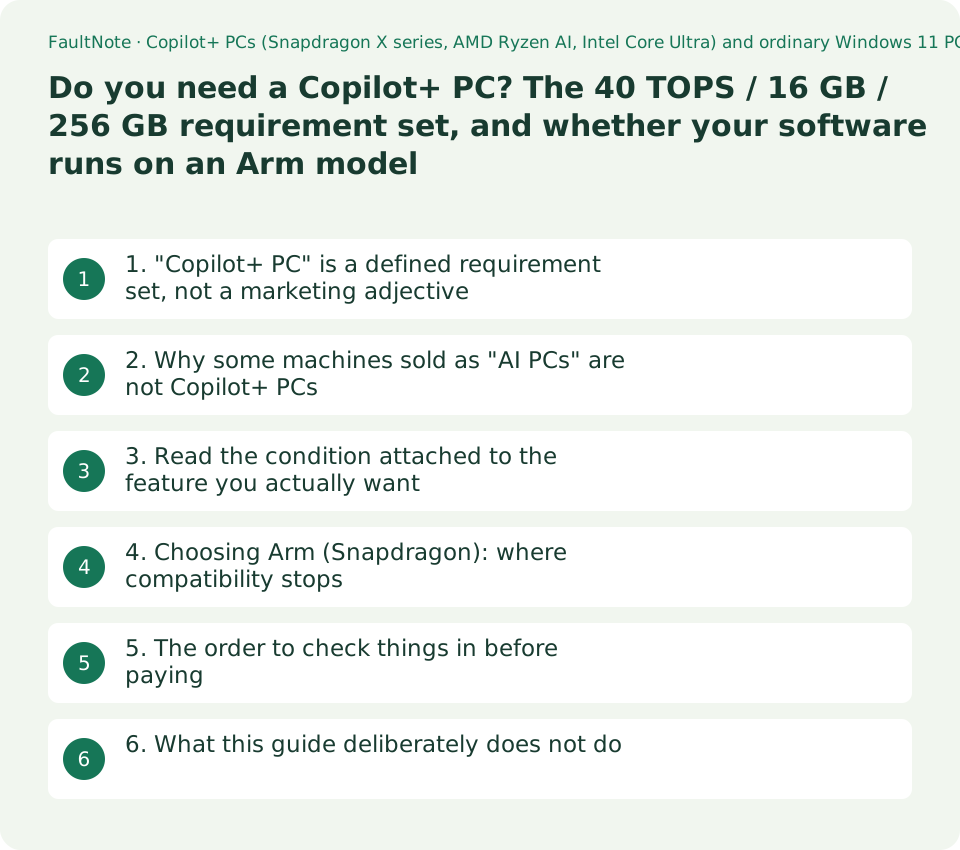
Who this guide is for and what to prepare
- Anyone choosing between a Copilot+ PC and an ordinary Windows 11 laptop at a similar price
- Anyone wondering why a machine advertised as an "AI PC" is not a Copilot+ PC
- Anyone tempted by a cheaper Snapdragon model but unsure their software will run
- Anyone buying for a specific feature such as Recall (preview) and needing to check its conditions first
What you need
- Note the candidate's NPU TOPS figure, memory size and storage size - all three have to be met before the badge applies
- Establish whether the processor is Arm (Snapdragon) or x86 (Ryzen AI / Core Ultra)
- List the software you must be able to run, flagging anything with a driver: anti-cheat, VPN clients, security software, specialised peripherals, virtualisation
- If a particular feature is the reason for the purchase, look it up in the per-feature condition table below
1. "Copilot+ PC" is a defined requirement set, not a marketing adjective
Microsoft describes the class this way: "Copilot+ PCs are a class of Windows 11 AI PCs that come with higher hardware specifications than standard Windows 11 PCs, including increased memory, storage, and advanced silicon with powerful neural processing units (NPUs)-dedicated AI processors capable of more than 40 trillion operations per second (TOPS)-to enable advanced features and other on-device AI experiences."
The requirements apply "In addition to the minimum system requirements for Windows 11". The table below is that three-row list. Note that Microsoft introduces the processor list with "This currently includes", explicitly time-bounding it. This guide's observation date is 20 September 2026.
Microsoft adds its own caution: "Specific features, plus apps and hardware that you add to your Copilot+ PC may have additional hardware, software, or other requirements, and these requirements may change over time."
Scroll horizontally to see the full table →
| Item | Copilot+ PC minimum requirement (Microsoft's wording) | Where to check it |
|---|---|---|
| Processor | A compatible processor or SoC with an NPU capable of performing 40+ TOPS. This currently includes AMD Ryzen AI 300 and 400 series, Intel Core Ultra 200V and 300V series, Snapdragon X series | The CPU name and the NPU TOPS figure on the spec sheet |
| RAM | 16 GB DDR5/LPDDR5 | The spec sheet; on most thin laptops this is soldered and cannot be increased later |
| Storage | 256 GB SSD/UFS | The spec sheet |
| Baseline | All of the above are "in addition to" the Windows 11 minimum system requirements | This site's Windows 10 / Windows 11 decision guide carries the minimum requirement table |
2. Why some machines sold as "AI PCs" are not Copilot+ PCs
This may be the most useful paragraph in the guide. Under "On-device AI", Microsoft writes: "Some Windows 11 PCs ship with advanced silicon that includes an NPU capable of 40+ TOPS but do not meet all Copilot+ PC hardware requirements. For example, devices with fewer than 16 GB of RAM or lower storage configurations are not Copilot+ PCs."
Those machines are not written off: "These devices still support Windows 11 features and can enable compatible first- and third-party apps to run AI workloads locally on the device, offering improved responsiveness and lower latency." But, Microsoft continues, "to access unique Copilot+ PC experiences, like improved Windows search and Click to Do, you'll need a PC that meets all Copilot+ PC hardware requirements listed above."
So the badge is a memory-and-storage floor as much as it is an AI feature set. That phrasing is this guide's reading of the two statements above, not a sentence Microsoft writes.
3. Read the condition attached to the feature you actually want
Microsoft's Copilot+ feature list carries a condition line per feature. If one of these features is the reason for the purchase, that line is the part to read - most notably because three features are restricted to Snapdragon X series machines even among Copilot+ PCs.
The table collects the features that carry conditions, in Microsoft's own terms.
Language scoping is the row that matters outside English-speaking markets. Agent in Settings, improved Windows search and Recall (preview) all list Japanese among their supported languages. The generative features - Paint's Cocreator and sticker generator, Photos' Image creator and Restyle image - are "optimized for English text prompts" and require "a Microsoft account or Entra ID and internet connection", which sits oddly with the on-device framing they are sold under.
Scroll horizontally to see the full table →
| Feature | The extra condition Microsoft states |
|---|---|
| Automatic super resolution | Works with a curated set of games; available on Copilot+ PCs with Snapdragon X Series processors |
| Paint: Generative fill | Copilot+ PCs with Snapdragon X Series processors. Optimised for English text prompts; requires a Microsoft account or Entra ID and an internet connection |
| Photos: Relight | Available on Copilot+ PCs with Snapdragon X Series processors |
| Recall (preview) | Requires Windows Hello Enhanced Sign-in Security. Optimised for select languages including Japanese. Content-based and storage limitations apply |
| Click to Do | Available image and text actions vary by device, region, language and character set. Subscription required for some actions |
| Improved Windows search | Works with specific text, image and document formats only; optimised for select languages including Japanese |
| Agent in Settings | Available now on Copilot+ PCs; ten supported languages including Japanese |
| Paint: Cocreator / sticker generator, Photos: Image creator / Restyle image | Optimised for English text prompts; requires a Microsoft account or Entra ID and an internet connection |
| Windows Studio Effects | Requires a compatible camera; available effects vary by device |
| Paint: Object select / Photos: Super resolution / Snipping Tool: Perfect screenshot | Listed simply as "available only on Copilot+ PCs", with no further condition stated |
4. Choosing Arm (Snapdragon): where compatibility stops
Copilot+ PCs exist on both x86 (Ryzen AI, Core Ultra) and Arm (Snapdragon X). If you are looking at an Arm machine, whether your existing software runs is the decisive question.
Microsoft: "Windows 11 on Arm supports emulation of both x86 and x64 apps." Windows 10 on Arm emulates x86 only. The emulator is Prism, "the new emulator included with Windows 11 24H2", which "includes significant optimizations that improve the performance and lower CPU usage of apps under emulation" compared with previous emulation technology.
Prism "is optimized and tuned specifically for Qualcomm Snapdragon processors. Some performance features within Prism require hardware features only available in the Snapdragon X series, but Prism is available for all supported Windows 11 on Arm devices with Windows 11 24H2."
Here is the boundary: "Note that emulation only supports user mode code and doesn't support drivers. Any kernel mode components must be compiled as Arm64." Anti-cheat, VPN clients, security software, specialised peripherals and virtualisation are the categories that tend to live outside that sentence.
So - and this is advice rather than a sourced claim - if something you must run ships a driver, the place to check is that vendor, not Microsoft. This guide does not publish a list of applications that do or do not work under emulation, because third-party compatibility lists are not primary sources.
5. The order to check things in before paying
(1) Is there a feature you actually want? If not, the badge is not a reason to pay more. (2) Look that feature up in the table above and read its condition - Snapdragon-only, language, subscription, account and connection. (3) Establish whether the candidate is Arm or x86. (4) If Arm, ask the vendors of your driver-bearing software about Arm64 support. (5) If Recall is the goal, check the Windows Hello Enhanced Sign-in Security requirement against the machine's sign-in hardware; this site's comparison of fingerprint readers and IR cameras covers ESS.
Memory deserves a second look too. The 16 GB in the Copilot+ requirement set is a floor, not a recommendation for your workload; whether it is enough is a separate question, covered by this site's 16 GB vs 32 GB guide. On thin laptops the memory is frequently soldered, so the configuration chosen at purchase is often the final one - check the specific model rather than assuming either way.
Finally, Recall appears on Microsoft's list as "Recall (preview)". This guide treats it as a preview feature, not as generally available.
6. What this guide deliberately does not do
It does not translate TOPS into speed or battery life. TOPS is a vendor-published figure for the NPU, and Microsoft does not present it as a predictor of application performance.
It does not rank Ryzen AI, Core Ultra and Snapdragon against each other. No same-test published data was located, and nothing was measured here.
It does not list applications as working or not working under emulation. Compatibility lists compiled by third parties are not primary sources, and no vendor statement is quoted unless it was read on that vendor's own page.
And the processor list and the per-feature conditions are exactly the parts Microsoft marks as time-bound - "currently includes", "may change over time". The observation date here is 20 September 2026.
Limitations and requirements
- Microsoft introduces the processor list with "This currently includes", which is a time-bound statement. This guide was checked on 20 September 2026.
- A TOPS figure is not a performance figure. Do not read it as a prediction of application speed or battery life.
- This guide does not assert that anti-cheat or VPN software fails on Arm. What Microsoft states is the boundary: emulation supports user-mode code only and does not support drivers. Individual cases have to be confirmed with the software's vendor.
- Recall is listed as "(preview)" and requires Windows Hello Enhanced Sign-in Security. Do not plan around it as a generally available feature.
- Several features sold as on-device still require a Microsoft account or Entra ID and an internet connection, and Microsoft states that some Click to Do actions require a subscription.
Frequently asked questions
If a laptop is advertised as an "AI PC", is that the same as a Copilot+ PC?
No. Microsoft defines a Copilot+ PC as meeting, in addition to the Windows 11 minimums, a 40+ TOPS NPU, 16 GB of DDR5/LPDDR5 and 256 GB of SSD/UFS. It then states directly that "devices with fewer than 16 GB of RAM or lower storage configurations are not Copilot+ PCs" even when they carry a 40+ TOPS NPU.
If I buy a Copilot+ PC, do I get all the advertised features?
Not necessarily. Microsoft's list restricts three of them - Automatic super resolution, Paint's Generative fill and Photos' Relight - to "Copilot+ PCs with Snapdragon X Series processors". On a Ryzen AI or Core Ultra Copilot+ PC those three are outside the published scope. Separately, Microsoft states that some Click to Do actions require a subscription.
Will my current software run on a Snapdragon model?
Many x86 and x64 applications run under emulation: Windows 11 on Arm supports both, and 24H2 uses the Prism emulator. The limit Microsoft states is this: "emulation only supports user mode code and doesn't support drivers. Any kernel mode components must be compiled as Arm64." So anti-cheat, VPN clients, security software and specialised peripherals - anything that installs a driver - have to be confirmed with their own vendor.
Is 16 GB of memory enough?
16 GB is the Copilot+ requirement, which is a different question from whether it suits your work. Microsoft presents it as a floor. How much you actually need depends on the applications you run - this site's 16 GB vs 32 GB guide covers that. Note also that thin laptops frequently solder the memory, so the amount chosen at purchase can be permanent; check the specific model's specification rather than assuming it can be upgraded later.
Sources and verification date
Sources checked: . These sources support the specifications, procedures or prices discussed here. Check each source for applicable conditions and current information.
- Microsoft: Windows 11 specifications, features and computer requirements (Copilot+ PC minimums, the On-device AI paragraph, the per-feature condition list. Observed 2026-09-20) ↗
- Microsoft Learn: How emulation works on Arm (Prism, x86/x64 emulation, user-mode-only scope and drivers. Observed 2026-09-20) ↗
Related practical guides
- GPU value ranking, September 2026: ten models at Japanese retail prices
- 16 GB or 32 GB RAM? Choose using your Windows workload
- Check PC-Part Compatibility Before Buying: CPU, BIOS, RAM, Case and Power
- BTO vs. Self-Built PCs: Compare Total Cost, Warranty and Your Work
- B650 vs. B850 vs. X870: Check USB4, M.2 Sharing and CPU Support
- How to Choose a PC Power Supply: Wattage, ATX 3.1 and GPU Cables