KeePassXC: Create an Offline Password Database
Manage the encrypted KDBX file yourself and organize credentials with groups and autofill. This guide covers installation, practical steps, limitations, and how to stop using the app.
Published · Updated · FaultNote editorial policy
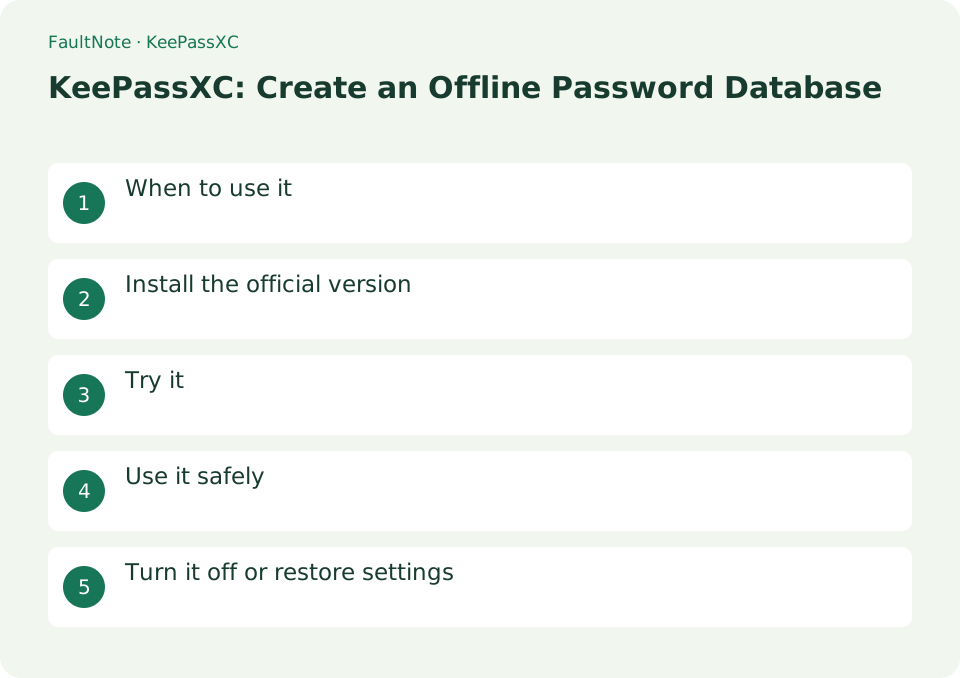
Who this guide is for and what to prepare
- First-time users of KeePassXC
- People who want to check the storage location and safety of data while reducing manual work
What you need
- Check the processing target and storage location, and preserve the original data in another location
- Check the official distribution source, supported OS, and required permissions
When to use it
Manage the encrypted KDBX file yourself and organize credentials with groups and autofill.
Install the official version
- Install the OS version from keepassxc.org/download and set a strong master password when creating a new database.
Understand the database
The KDBX file contains multiple entries. Create a group for a purpose such as work and add one entry with username, password and URL. The database master password and a service password have separate roles.
Prepare a usable offline copy
Prepare an offline copy. KDBX alone is insufficient without required unlocking materials. Prefer encrypted database copies to plaintext exports and practice before adding real secrets.
- Create a practice database and identify path, password and any key-file recovery requirements.
- Create a group and entry without confusing database and service passwords.
- Save, close and reopen to verify persistent rather than unsaved data.
- Open a separately stored copy and distinguish paths, dates and required key files.
- Test locking and reopening and establish shared-PC handling and backup verification.
Try it
Create KDBX with [Database] → [New Database]. Set a long master password. Enter the URL and username in [New Entry]. Create a unique password using the generate button and save it. Connect the official extension in [Settings] → [Browser Integration].
- Create KDBX with [Database] → [New Database]
- Set a long master password
- Enter the URL and username in [New Entry]
- Create and save a unique password using the generate button
- Connect the official extension in [Settings] → [Browser Integration]
Reopen a saved copy
Save, close and reopen the KDBX to confirm the entry persists. Verify a backup from a separate location. If a key file is part of unlocking, a KDBX copy alone is insufficient; document the required unlocking materials.
Coordinate multiple devices
Start by avoiding concurrent edits to a synchronized database. Preserve conflicting copies and compare their entries before deleting either. Do not assume an administrator can reset the master password as with a hosted service.
Scroll horizontally to see the full table →
| Observation | Decision and next action |
|---|---|
| Original opens | Check saved entries and verify the separate backup itself. |
| Copy fails | Check copying and credentials while preserving the original. |
| Edits disappear | Inspect file path and save action for alternate same-named databases. |
| Conflict copy | Preserve and compare both before choosing the retained entries. |
Use it safely
The synchronization service is not built-in and requires KDBX conflict management. When using a key file, do not place it only in the same location as the DB.
Turn it off or restore settings
Save and lock the database when you are finished. If you want to stop browser integration, disable KeePassXC's browser integration and also disable the official browser extension. Check the backup of the KDBX file and the storage location of the added key file separately.
Limitations and requirements
- The synchronization service is not built-in and requires KDBX conflict management. When using a key file, do not place it only in the same location as the DB
- Check the current specifications in the official documentation and reconfirm on-screen what you want to delete or overwrite.
Frequently asked questions
Should I keep only KDBX?
If you are also using a key file, you will also need that key. Even if you copy only KDBX, you will not be able to open it without the key or master password.
Will it be automatically synced to my smartphone?
Simply creating a KeePassXC database will not automatically sync it to your smartphone. You need a way to safely transfer files to compatible apps, and a plan for resolving conflicts caused by simultaneous edits.
Can the key file be stored beside KDBX?
Choose placement for security and recovery needs and consider losing both files with one medium.
Can CSV serve as backup?
Plaintext exposes secrets and may not preserve structure; prefer KDBX for recovery and export only for necessary migration.
Sources and verification date
Sources checked: . These sources support the specifications, procedures or prices discussed here. Check each source for applicable conditions and current information.
Related practical guides
- Bitwarden vs KeePassXC: Sync and Storage Responsibility
- Obsidian: Connect Local Markdown Notes
- Joplin: Organize Notes and Web Clippings
- Bitwarden: Create Your First Password Vault
- Bitwarden Free vs Premium: sync, authentication codes and emergency access
- How to read a CPU model name: Core Ultra and Core suffixes, and why the same model performs differently