outlook.exe /resetnavpane: use it when Outlook will not open
What to do first
Use outlook.exe /resetnavpane to reset classic Outlook’s navigation pane. Learn where to enter it, what changes, and what to check if Outlook still will not open.
This is a general troubleshooting guide, not an announcement of a current outage.
Affected products and symptoms
- Product
- Classic Outlook for Windows
- Versions and conditions
- Outlook for Microsoft 365/2024/2021
- Error codes and identifiers
- Cannot start Microsoft OutlookOutlook.exe /resetnavpane
Symptoms
- Outlook window cannot open
- The folder set cannot be opened
Causes and conditions
Use /resetnavpane when navigation-pane customization may be preventing classic Outlook from opening. Add-ins, profiles and data files can produce similar startup failures, so the switch is not a universal repair. These instructions target classic Outlook, not new Outlook.
Before you start
- Before changes, record and preserve PST/OST locations, default profile name, and add-in list.
- Change one item at a time and record the original symptom after each stage.
Precautions
- /resetnavpane removes navigation-pane customizations, rather than deleting mail or resetting every Outlook setting
- Deleting a profile or a PST/OST file and resetting the app are different operations; do not combine them before testing
Tools and official pages used in this guide
Step-by-step instructions
Record the full startup message, such as Cannot start Microsoft Outlook or Cannot open the Outlook window, and close Outlook after saving any accessible drafts.
Wait for OUTLOOK.EXE to exit in Task Manager. This command does not troubleshoot new Outlook.
Save and close Outlook before using Run, which differs from message and search fields. Check that mail folders exist before restoring navigation preferences; layout reset and data loss are different.
Check before continuingClassic Outlook is closed and the original error is recorded.
Press Windows+R, paste the command below and select OK. Keep a space between outlook.exe and the slash.
This clears navigation-pane customizations. It is not a mail-deletion operation, but you may need to recreate pane preferences.
After startup, inspect folders, close Outlook, and relaunch normally. Record recurrence on the next launch rather than repeatedly resetting without investigating another startup cause.
outlook.exe /resetnavpaneOfficial links for this step
Check before continuingCheck whether Outlook opens or the same error remains.
Close Outlook and run the command below with Windows+R. Safe mode is a separate diagnostic for add-in-related problems.
If only safe mode opens, record enabled items under File > Options > Add-ins > Manage: COM Add-ins > Go. Clear their checkboxes and test normal startup, then re-enable one at a time without removing them.
If safe mode helps, record add-ins and compare individual disablement in normal launches. Do not remove needed functionality indiscriminately. If the error changes to a data-file failure, identify the PST or OST and change diagnostic branches.
outlook.exe /safeOfficial links for this step
Check before continuingYou have identified a mode difference or an add-in associated with the failure.
If both modes fail, follow Microsoft’s instructions to create a separate profile. Hold Shift while launching Outlook, then use Options > New in the profile dialog.
Keep the old profile while configuring and testing the new one. Do not remove it before checking local PST files and unsynced content.
Official links for this step
Check before continuingYou can compare startup using a separate profile.
If a data-file error remains, close Outlook and follow the Inbox Repair Tool guidance linked in Microsoft’s article. Preserve the original data first.
Do not keep resetting the pane to repair a damaged PST. Provide the exact error and the results of each startup method to your administrator.
Official links for this step
Check before continuingPane configuration and data-file failures have been separated.
/resetnavpane is a classic Outlook startup switch that resets the navigation pane. It does not collectively repair send/receive failures, repeated authentication prompts, or server outages after the app opens. Record whether a window appears and when the error occurs.
If new and classic Outlook coexist, compare the application you normally use with the application launched by the command. Close Outlook and enter outlook.exe /resetnavpane in Run, retaining the space before the slash.
If Windows cannot find the command, verify that classic Outlook is installed instead of repeatedly executing it. Do not download a similarly named executable or copy one from another installation.
If only safe mode starts, retain that diagnostic result and check add-ins individually. Safe-mode success alone is not completion; verify the mail list and required add-ins during a normal launch.
When comparing a new profile, retain the old one and record its data files and accounts. POP mail and locally stored content may not be recoverable from the server, so preserve them before migration.
Check the result
- Close Outlook after the command, then launch normally from its usual shortcut
- Open the Inbox and Calendar, restoring only the pane customizations you need
- Retest normal startup after re-enabling any add-ins
If the problem continues
- If outlook.exe is not found, check whether classic Outlook is installed; the switch is not for a new-Outlook-only installation
- If a new profile also fails, follow official startup or data-file diagnostics and provide the full error to your administrator
Scope of this guide
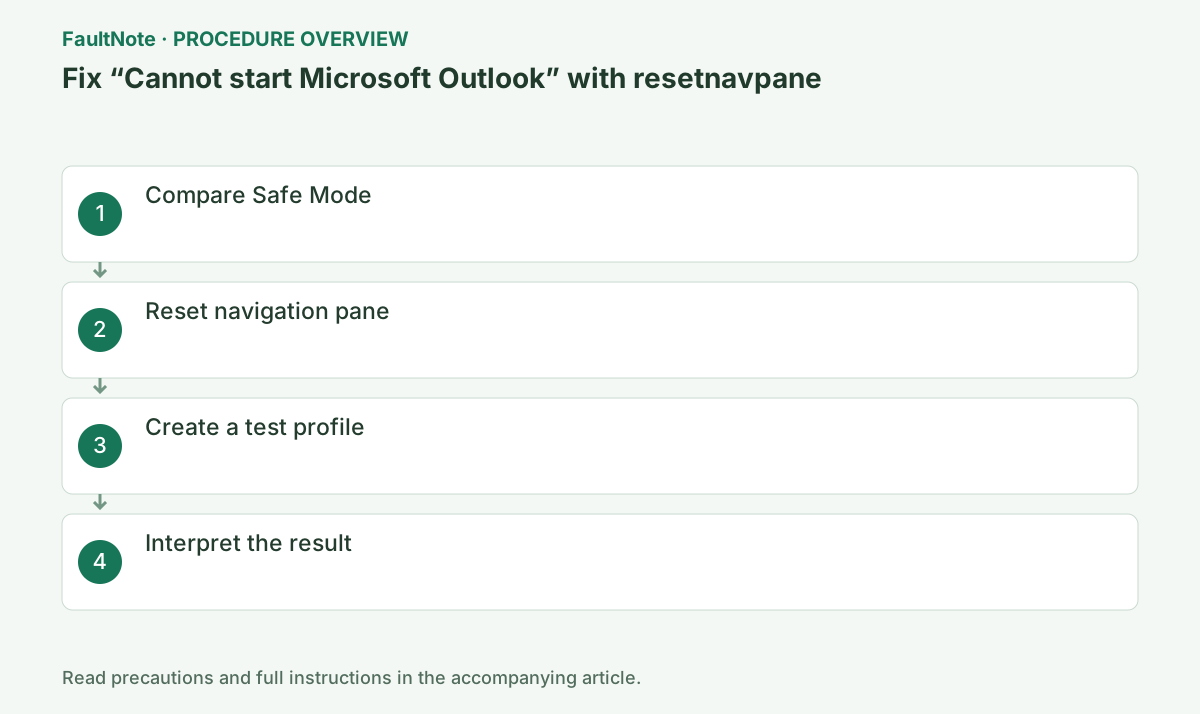
Troubleshooting guide — Compare a navigation-pane reset with safe mode, then investigate add-ins, profiles or data files only as indicated.
Frequently asked questions
Where do I enter outlook.exe /resetnavpane?
Enter it in the Windows Run dialog opened with Windows+R, not in Outlook search or a message body.
Does resetnavpane delete mail or accounts?
The switch targets navigation-pane customization, not mail or account deletion. Removing a profile is a different operation and affects offline cached content.
How does resetnavpane differ from safe?
/resetnavpane resets pane settings; /safe starts safe mode. If only safe mode works, investigate add-ins.
Can I use it with new Outlook?
These steps are for classic Outlook. Use the startup and repair guidance for new Outlook if that is the app you have.
What should I verify after startup works?
Check normal launch, usual folders, and required send/receive behavior. Distinguish navigation layout changes from missing mail and retest another startup.
Can I delete the old profile once a new one works?
Keep it until mail, contacts, calendars, and local archives are accounted for. POP or PST content may not return through account setup alone; verify migration separately.
Official sources and dates
Source publication or resolution date: Not specified. Sources checked: 2026-10-13. The check date is not the date the problem first occurred. Interface labels can vary between versions and display languages.