Distinguish Windows 11 activation errors 0xC004F074 and 0xC004C003
What to do first
For 0xC004F074, focus on organizational activation and edition matching; for 0xC004C003, focus on key validity. Contact official support appropriate to the purchase channel.
This is a general troubleshooting guide, not an announcement of a current outage.
Affected products and symptoms
- Product
- Windows 11 Activation
- Versions and conditions
- Windows 11 Home / Pro / Enterprise / Education
- Error codes and identifiers
- 0xC004F0740xC004C003
Symptoms
- An error appears under Activation
- Windows is not activated after a hardware change or reinstallation
- An organization-managed PC cannot activate inside or outside the workplace
Causes and conditions
0xC004F074 may involve an Enterprise key that does not match the edition or an unreachable workplace KMS server. 0xC004C003 may mean the activation server rejected the key because it is invalid, already used on another device, or for another reason.
Before you start
- Record the exact error code
- Note the Windows edition under Settings > System > About
- Prepare the purchase email or organization deployment information, but do not share the full key
Precautions
- Do not expose a complete product key in chat or screen sharing
- Do not use KMS bypass tools or keys of unknown origin
- Edition changes can affect apps and data, so check with the license provider first
Tools and official pages used in this guide
Check the official requirements, screen names, and limitations for this procedure.
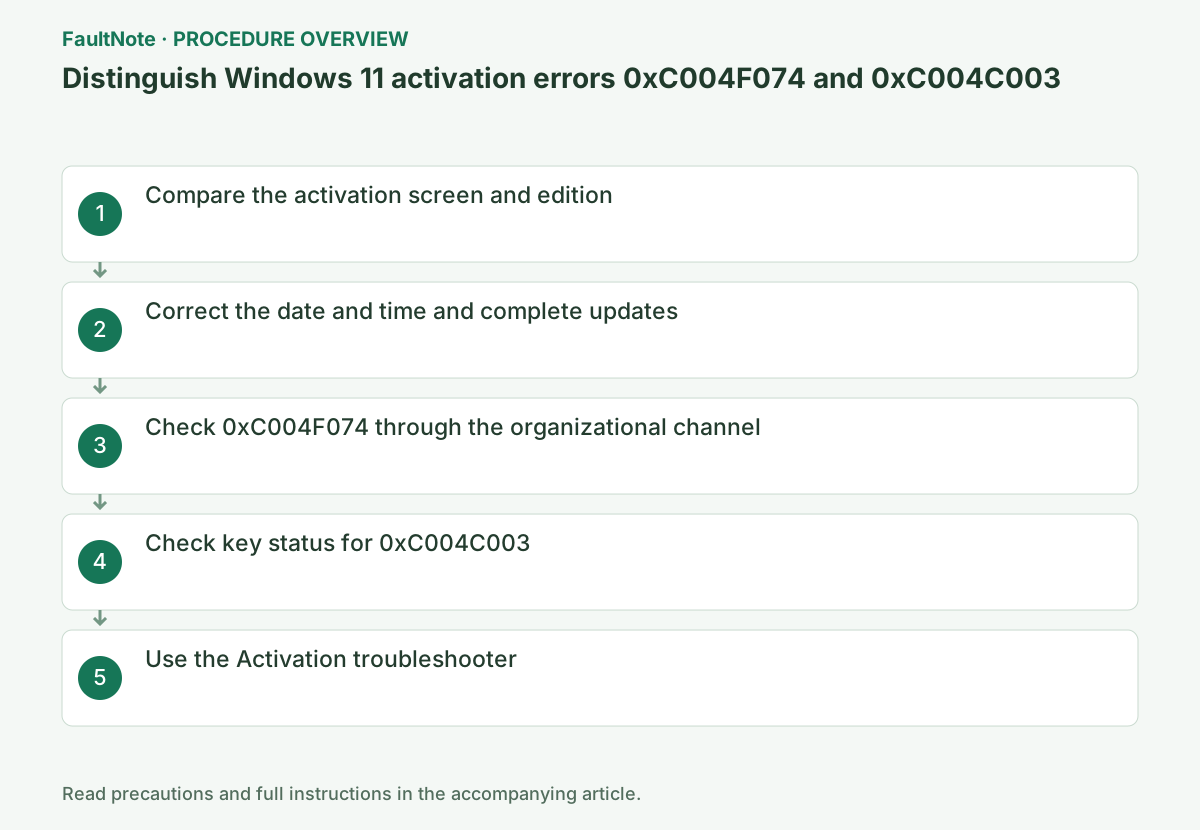
Step-by-step instructions
Identify whether the license came with the PC, was purchased personally, or was assigned by work/school. The error alone does not establish a need to buy again. Compare installed edition, purchase entitlement and hardware changes. Wrong edition differs from failure to reach an organization activation service.
Organizational activation can also apply to Pro; do not infer the route solely from Enterprise/Education labels. Confirm assignment/method with IT. A personally purchased PC trying an organization service calls for checking edition and purchase consistency, not selecting an unrelated public server.
Check the status and code under Settings > System > Activation. Then check Home, Pro, Enterprise, or another edition under Windows specifications in System > About and match it to the purchased edition or organization agreement.
Press Windows key+I and open Settings > System > Activation. Expand Activation state and record the full error. Also record the Windows edition from About. Do not include the product key itself on a public support screen or in screenshots.
Under Settings > Time & language > Date & time, check automatic time settings and the correct time zone. Complete Windows Update, restart, and retry activation once.
A PC using workplace KMS activation requires different checks from a personally purchased license. For a company-managed PC, connect to the designated workplace network or VPN and consult IT before replacing the key with a separate personal key.
For Pro, Enterprise or Education devices using organization volume activation, connect through the company network or IT-designated VPN and retry. For a personally owned Home/Pro device with an Enterprise key, confirm a genuine license matching the purchased edition.
Official links for this step
- Get help with Windows activation errors
Check the official requirements, screen names, and limitations for this procedure.
- Get help with Windows activation errors
For organization activation with 0xC004F074, retry through the IT-designated network/VPN. Working browsing does not prove access to activation services. If that route still fails, provide code, device, connection and time to IT. Do not substitute a personal key without administrator confirmation.
For 0xC004C003, re-entering a key does not change validity or entitlement. Confirm purchase records, PC purchase type and edition with the seller or official support. Retain used-PC license claims too. Buying successive keys does not diagnose the original entitlement or edition mismatch.
Ask the seller whether the key is for the installed edition and whether the license permits transfer to another PC. If a used or resold key is rejected, provide proof to the seller instead of buying another cheap key from a different site.
If activation succeeds, confirm that Activation state shows it is active. If the error number changes, record the new message rather than continuing the procedure for the old number. There is no need to use activation-bypass tools or unofficial key-selling sites.
If Troubleshoot appears on the Activation screen, run it. After a major hardware change, follow the prompts to select the Microsoft account's digital license and the affected device.
For a digital license after major hardware changes, confirm the associated Microsoft account and licensed edition. Choose the current PC if the diagnostic asks for a device. Account sign-in alone does not establish transfer rights to any PC; confirm uncertain entitlement with the seller.
After activation, verify the edition too. Follow the new official error guidance if the code changes. Before key/edition changes or reinstall, preserve data, apps and recovery keys and confirm the correct edition. Restore normal VPN use and avoid publicly exposing the full key.
Check the result
- Settings > System > Activation shows Active
- The displayed edition matches the purchase or organization assignment
If the problem continues
- For an organizational license, give the administrator the code, device name, and connection method
- For a personal purchase, provide Microsoft Store or the authorized seller with proof of purchase and partial key information
Scope of this guide
Troubleshooting guide — Ensure the installed edition matches a valid digital license or key and shows Active.
Frequently asked questions
Does 0xC004F074 mean even my home PC needs the company VPN?
An organization-assigned volume-license device may need the administrator-designated connection. For a personal edition, first check that the edition and key match.
Will re-entering the key fix 0xC004C003?
It can fix a typing mistake, but re-entry alone will not resolve invalidation, license restrictions, or an edition mismatch. Check key validity with the seller.
Why does organization activation fail despite web access?
Browsing and reaching the designated activation service differ. Retain the time/code on the approved network or VPN and contact IT. Do not substitute public KMS servers or bypass tools.
Does the same account always fix activation after hardware changes?
Association, edition and entitlement still need confirmation. Sign-in does not guarantee transfer to any device. Read diagnostics and purchase conditions and use the applicable official reactivation route.
Official sources and dates
Source publication or resolution date: Not specified. Sources checked: 2026-09-05. The check date is not the date the problem first occurred. Interface labels can vary between versions and display languages.