PC Reset or Recovery Fails After KB5063875
What to do first
If recovery fails after KB5063875 on Windows 11 23H2/22H2, apply KB5066189 or later. For different OS, use the fix for each OS.
Affected products and symptoms
- Product
- Windows
- Versions and conditions
- Windows 11 23H2/22H2 (Targeted by KB5066189 in this record. The same symptoms were also reported in other Windows 10 and LTSC editions, but the corrective update to be applied differs depending on the OS)
- Error codes and identifiers
- KB5063875KB506618922621.5768
Symptoms
- Settings > System > Recovery > Reset this PC fails
- Recovery using Fix problems with Windows Update fails
- RemoteWipe CSP reset fails
Causes and conditions
Occurs after applying the August 2025 Windows security update KB5063875. Microsoft's public information does not indicate any further technical cause.
Before you start
- Record 23H2/22H2 and OS build in [Settings] > [System] > [About]
- Check for KB5063875 and subsequent KBs in Windows Update > Update history
- Back up important files. Do not perform a reset for confirmation purposes
Precautions
- Resetting deletes apps and settings, and depending on your selections, it also erases personal files, so do not use it as a diagnostic test.
- Match the Microsoft Update Catalog product and architecture carefully
Tools and official pages used in this guide
Only if Windows Update does not offer it, select KB5066189, which matches the OS and architecture of the device.
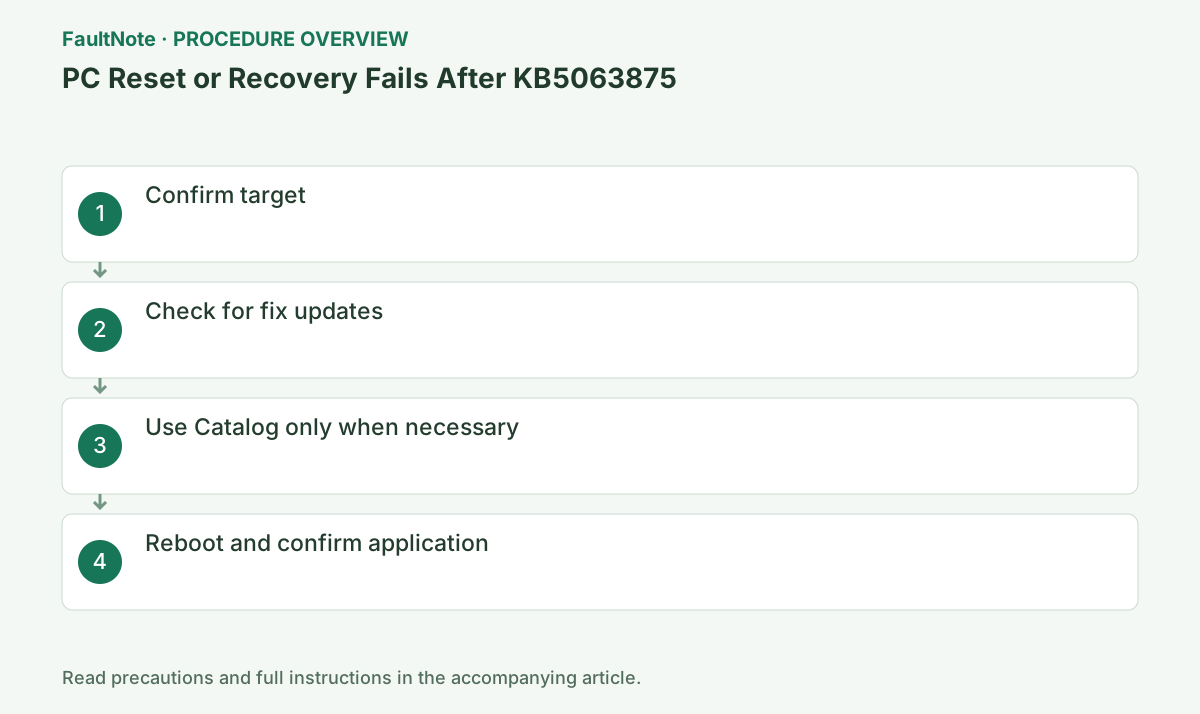
Step-by-step instructions
Treat this as the known issue only if Windows 11 23H2/22H2 and KB5063875 is applied and either [Reset this PC], [Fix problems using Windows Update], or RemoteWipe fails.
Open winver with Win+R and record the Windows 11 version and OS build. Check for KB5063875 in [Settings] > [Windows Update] > [Update history] and back up important files to another medium before retrying the recovery.
Check before continuingVerdict: Treat this as the known issue only if Windows 11 23H2/22H2 and KB5063875 is applied and either [Reset this PC], [Fix problems using Windows Update], or RemoteWipe fails. Open winver with Win+R and record the Windows 11 version and OS build. Check for KB5063875 in [Settings] > [Windows Update] > [Update history] and back up important files to another medium before retrying the recovery.
Run [Settings] > [Windows Update] > [Check for updates]. Install KB5066189 or a subsequent cumulative update that includes it when offered.
KB5066189 is an out-of-band update on August 19, 2025 that resolved this issue. Select [Download and install], and then click [Restart now] after completion.
Check before continuingVerification: Run [Settings] > [Windows Update] > [Check for updates]. Install KB5066189 or a subsequent cumulative update that includes it when offered. KB5066189 is an out-of-band update on August 19, 2025 that resolved this issue. Select [Download and install], and then click [Restart now] after completion.
For 23H2/22H2 devices that cannot obtain the update through the normal channel, search for KB5066189 in the Microsoft Update Catalog and select only the packages whose x64/Arm64 and OS match.
In the Catalog, check [Product], architecture, and update date, and retrieve only KB5066189 that matches 23H2/22H2 of the actual device. Do not select a package for another build based on guesswork.
Official links for this step
- Microsoft Update Catalog: KB5066189
Only if Windows Update does not offer it, select KB5066189, which matches the OS and architecture of the device.
Check before continuingVerdict: For 23H2/22H2 devices that cannot obtain the update through the normal channel, search for KB5066189 in the Microsoft Update Catalog and select only the packages whose x64/Arm64 and OS match. In the Catalog, check [Product], architecture, and update date and retrieve only KB5066189 that matches 23H2/22H2 of the actual device. Do not select a package for another build based on guesswork.
- Microsoft Update Catalog: KB5066189
After restarting, check the update history to confirm success. Go to Settings > System > Recovery and confirm that the recovery options appear. Start the reset only when the user actually needs recovery.
Check that KB5066189 or the subsequent cumulative update is now marked as "Installed successfully" in Update History. Do not start Reset this PC just to confirm.
Check before continuingVerdict: After restarting, check the update history to confirm success. Go to Settings > System > Recovery and confirm that the recovery options appear. Start the reset only when the user actually needs recovery. Check that KB5066189 or the subsequent cumulative update is now marked as "Installed successfully" in Update History. Do not start Reset this PC just to confirm.
Check the result
- KB5066189 and later are displayed normally in the update history
- Recovery settings screen opens without error and displays options
- The mere opening of the recovery screen does not confirm the success of the entire reset process. Perform an actual reset only when necessary, after making backups and other preparations.
If the problem continues
- Do not use KB5066189 for another OS, check the Release Health and Windows Update of the relevant OS
- If actual recovery is necessary for business purposes and it still fails, save the failure time and screen and contact the administrator.
Fix status
Resolved — Resolved with out-of-band update KB5066189. Microsoft records that it was resolved on 2025-08-19 14:00 PT.
Frequently asked questions
Is it unfixed if KB5066189 is not in the history?
Fixes may be included in subsequent cumulative updates. Check the OS build and latest cumulative update.
Can I reset it to confirm the correction?
no. Run after backup only when recovery is actually needed.
Official sources and dates
Source publication or resolution date: 2025-08-19. Sources checked: 2026-09-05. The check date is not the date the problem first occurred. Interface labels can vary between versions and display languages.