Halo: Campaign Evolved instability with GeForce 610.xx
What to do first
If the game is unstable on an RTX 50 Series GPU, update to Hotfix 610.82 or a later WHQL driver containing the same fix.
Affected products and symptoms
- Product
- NVIDIA GeForce Driver / Halo: Campaign Evolved
- Versions and conditions
- GeForce Game Ready Driver 610.xx, including 610.74, on GeForce RTX 50 Series; fixed in Hotfix 610.82
- Error codes and identifiers
- 6259837
Symptoms
- Halo: Campaign Evolved experiences stability problems
Causes and conditions
NVIDIA lists this as a stability issue involving GeForce RTX 50 Series GPUs and 610.xx drivers. It has not published details of the internal cause.
Before you start
- Create a Windows restore point
- Record the current driver version in the NVIDIA app or Device Manager
- Close the game
Precautions
- The hotfix is an optional beta and is not equivalent to a WHQL-certified release
- The same fix may not resolve crashes unrelated to issue 6259837
Tools and official pages used in this guide
Check the supported GPUs, OS versions, and known issues for 610.82, and obtain the package made for this issue. Do not substitute the latest general release.
Step-by-step instructions
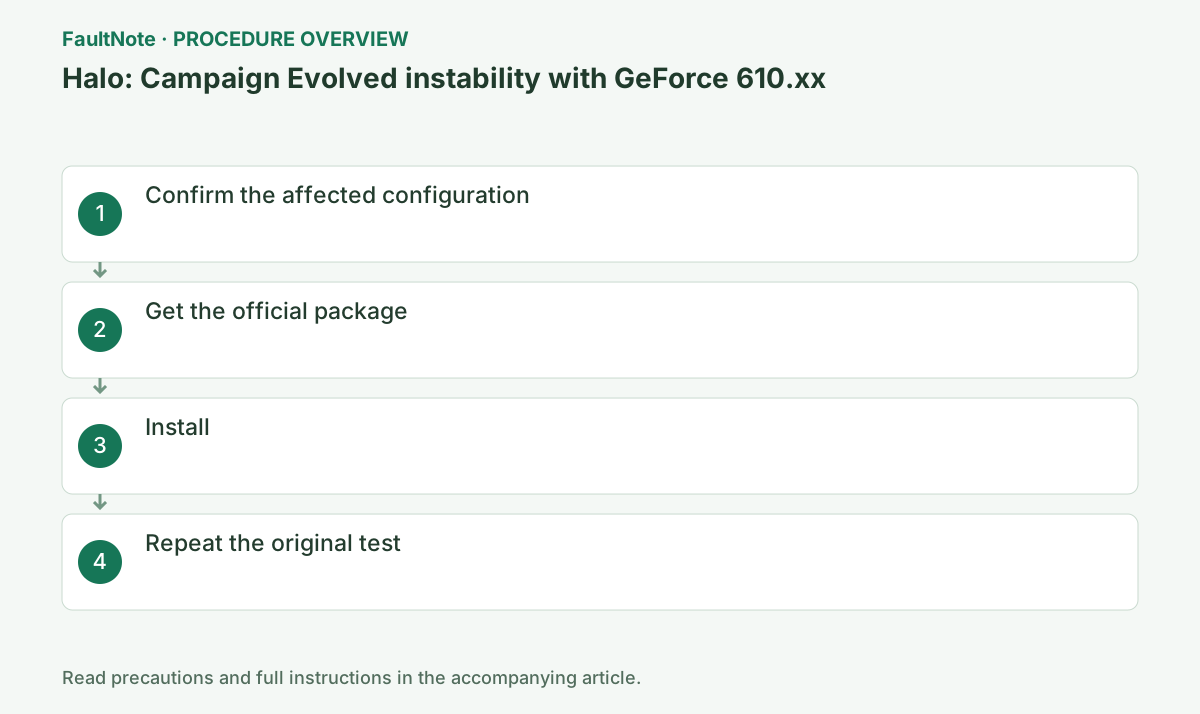
Confirm that the issue occurs on an RTX 50 Series GPU with a 610.xx driver. Do not use this issue number as evidence for another GPU or driver branch.
Right-click Start and open Device Manager > Display adapters to identify the GPU. Check the current version under System Information at the lower left of NVIDIA Control Panel. On a laptop, also record the computer manufacturer's support requirements.
Download the driver for the applicable OS from NVIDIA's Hotfix 610.82 article.
On the download page, match the product series, product, Windows 10/11 64-bit, and Game Ready or Studio type to the computer. For a fixed-version or hotfix article, select the stated version rather than substituting the latest general-release version.
Official links for this step
- NVIDIA GeForce Hotfix 610.82
Check the supported GPUs, OS versions, and known issues for 610.82, and obtain the package made for this issue. Do not substitute the latest general release.
Check before continuingThe official NVIDIA GeForce Hotfix 610.82 page or signed package opens, and its product, OS, and version requirements match this computer.
- NVIDIA GeForce Hotfix 610.82
Close the running game, follow the installer prompts, and restart if requested.
Confirm that Windows identifies the publisher as NVIDIA Corporation. If the article specifies Express or Custom installation, use the stated option, and do not start another GPU application before installation finishes.
Launch Halo with the same scene and settings, then check whether the crash or instability returns.
After restarting Windows, confirm the version again in NVIDIA Control Panel or the NVIDIA app. Test the original scene with the same resolution and graphics settings. If it is not improved, collect the GPU, driver version, game, and occurrence time before continuing diagnosis.
Completion criteria: confirm that the driver is version 610.82 or later and that the formerly reproducible scene can be completed several times. If either condition is unmet, do not repeat the same operation; follow the next branch: if the hotfix causes another problem, restore the saved production driver package.
Check before continuingDecision: launch Halo with the same scene and settings and check whether the crash or instability returns. After restarting Windows, confirm the version again and retest at the same resolution and graphics settings.
Check the result
- The driver is version 610.82 or later
- The formerly reproducible scene can be completed several times
If the problem continues
- If the hotfix causes another problem, restore the saved production driver package
- If your policy excludes beta software, wait for a WHQL release containing the fix
Fix status
Resolved — NVIDIA fixed issue 6259837 in Hotfix 610.82, based on driver 610.74. NVIDIA describes the hotfix as an optional beta and says the fix will be included in the next production driver.
Frequently asked questions
Is this required for RTX 40 Series GPUs?
NVIDIA's notice specifies RTX 50 Series GPUs with 610.xx drivers. Prefer the normal current driver on systems outside that scope.
Official sources and dates
Source publication or resolution date: 2026-07-29. Sources checked: 2026-09-05. The check date is not the date the problem first occurred. Interface labels can vary between versions and display languages.